Uvod
This manual provides instructions for the installation, operation, and maintenance of the Black Box SERVSWITCH EC USB Server Cable, Model EHN9000U-0006. This 6-foot (1.8-meter) cable is designed to connect a server to a KVM switch, providing both USB and VGA connectivity.
Varnostne informacije
Please read and understand all safety instructions before using this product. Failure to follow these instructions may result in damage to the product or connected equipment.
- Do not expose the cable to excessive moisture or extreme temperatures.
- Izogibajte se ostremu upogibanju ali pregibanju kabla, saj lahko s tem poškodujete notranje žice.
- Ensure all connections are secure before powering on equipment.
- Disconnect power from devices before connecting or disconnecting cables.
Vsebina paketa
Preverite, ali vaš paket vsebuje naslednje predmete:
- 1 x Black Box SERVSWITCH EC USB Server Cable (EHN9000U-0006)
Konec izdelkaview
The Black Box SERVSWITCH EC USB Server Cable is a specialized cable designed for KVM (Keyboard, Video, Mouse) applications. It integrates VGA video and USB keyboard/mouse signals into a single cable for streamlined connectivity between a server and a KVM switch.
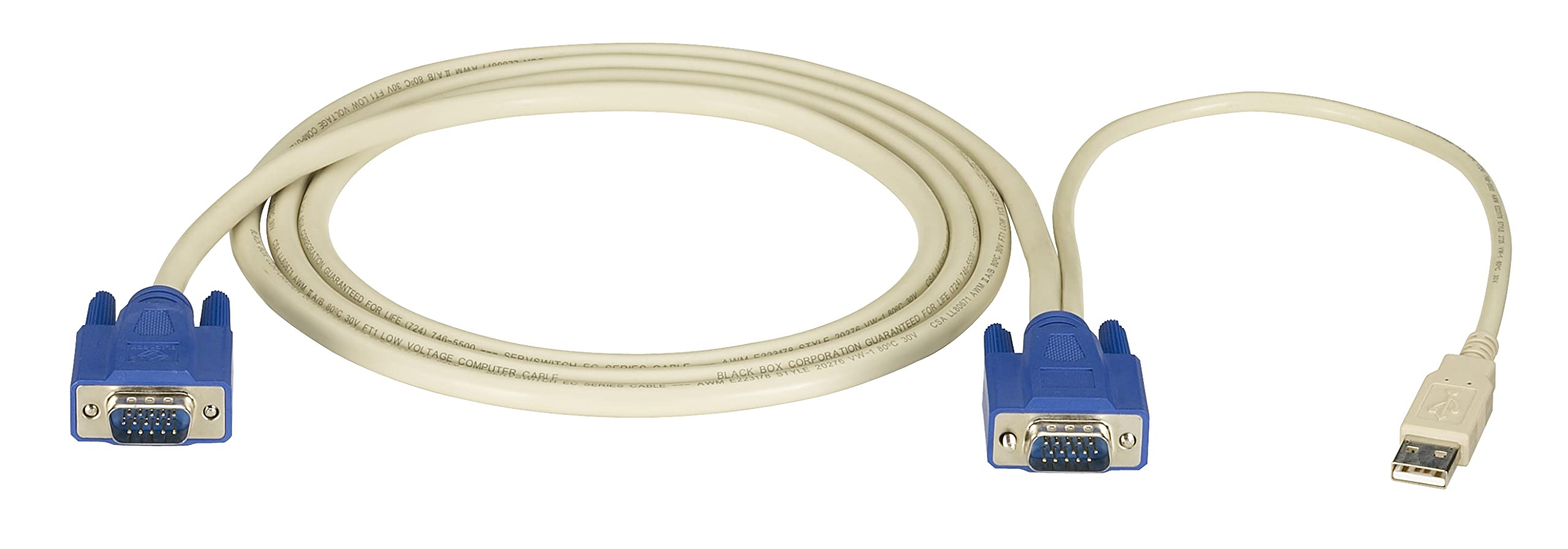
Slika: Black Box SERVSWITCH EC USB Server Cable. This image displays the 6-foot cable with its distinct VGA (HD-15) and USB connectors, designed for server-to-KVM switch connections.
Ključne značilnosti:
- Integrirana povezljivost: Combines VGA video and USB data into one cable.
- Dolžina: 6 feet (1.8 meters) for flexible placement.
- Združljivost: Designed for use with Black Box SERVSWITCH KVM systems.
- Dizajn brez zapletov: Helps prevent tangles and simplifies cable management.
Nastavitev
- Naprave za izklop: Ensure both the server and the KVM switch are powered off before making any connections.
- Poveži se s strežnikom: Locate the VGA output port and an available USB port on your server. Connect the corresponding VGA (HD-15 male) and USB (Type-A male) connectors of the EHN9000U-0006 cable to these ports on the server.
- Connect to KVM Switch: Locate the KVM port on your KVM switch designated for the server. Connect the combined VGA (HD-15 female) and USB (Type-A female) end of the EHN9000U-0006 cable to the KVM switch's input port. Ensure a secure fit for both connectors.
- Vklop: Once all connections are secure, power on the KVM switch, then power on the server.
Delovanje
Once the cable is properly connected and devices are powered on, the KVM switch should detect the connected server. Use the KVM switch's controls (buttons, hotkeys, or OSD) to switch to the server connected via this cable. You should then have control over the server's video, keyboard, and mouse.
- Refer to your KVM switch's user manual for specific instructions on switching between connected servers.
- Ensure the KVM switch is configured to recognize the USB keyboard and mouse signals.
Vzdrževanje
The Black Box SERVSWITCH EC USB Server Cable requires minimal maintenance. Follow these guidelines to ensure longevity:
- Čiščenje: Za brisanje kabla in priključkov uporabite mehko, suho krpo. Ne uporabljajte tekočih čistil ali topil.
- Shranjevanje: When not in use, store the cable in a cool, dry place, away from direct sunlight and extreme temperatures. Avoid tight coiling to prevent internal damage.
- Ravnanje: Always grasp the connector housing when plugging or unplugging the cable. Avoid pulling on the cable itself.
Odpravljanje težav
| Težava | Možen vzrok | rešitev |
|---|---|---|
| Ni video prikaza | Loose VGA connection; Incorrect KVM port selected; Server video output issue. | Ensure VGA connectors are fully seated and secured. Select the correct KVM port. Check server's video output directly. |
| Tipkovnica/miška se ne odziva | Loose USB connection; KVM switch USB emulation issue; Server USB port issue. | Ensure USB connectors are fully seated. Verify KVM switch USB settings. Test server USB ports with another device. |
| Prekinjena povezljivost | Damaged cable; Loose connections; Electrical interference. | Inspect cable for visible damage. Re-seat all connections. Ensure cable is not near strong electromagnetic sources. |
Specifikacije
- Model: EHN9000U-0006
- Znamka: Črna skrinjica
- Vrsta kabla: USB, VGA
- Connector Type (Server End): HD-15 Male (VGA), USB Type-A Male
- Connector Type (KVM End): HD-15 Female (VGA), USB Type-A Female
- Dolžina: 6 čevljev (1.8 metrov)
- barva: Črna/rdeča
- Posebna lastnost: Brez zapletov
- Združljive naprave: Server (with VGA and USB ports)
- Dimenzije izdelka: 5 x 0.5 x 5 cm (približne dimenzije embalaže)
- Teža artikla: 8.4 unč (0.24 kilograma)
- UPC: 822088018322
Garancija in podpora
For warranty information and technical support, please refer to the official Black Box webspletno mesto ali se obrnite na njihovo službo za pomoč strankam. Za uveljavljanje garancije shranite račun.
Črna skrinjica Webspletno mesto: www.blackbox.com


