1. Uvod
The Turtle Beach Stealth 700 is a premium wireless gaming headset designed for an immersive audio experience on PlayStation 5 and PlayStation 4 consoles. This manual provides essential information on setting up, operating, and maintaining your headset, ensuring optimal performance and longevity.

Figure 1: Turtle Beach Stealth 700 Wireless Gaming Headset
2. Kaj je v škatli
Upon unboxing your Turtle Beach Stealth 700 headset, please ensure all the following components are present:
- Turtle Beach Stealth 700 Wireless Gaming Headset
- Brezžični USB oddajnik
- Polnilni kabel USB-C
- Vodnik za hiter začetek / Dokumentacija
Video 1: Uradni izdelek je končanview and unboxing of the Turtle Beach Stealth 700 headset.
3. Izdelek je končanview
Familiarize yourself with the physical components and controls of your Stealth 700 headset.
3.1 Komponente slušalk

Figure 2: User wearing the Stealth 700 headset, demonstrating its over-ear design.
- Nastavljiv naglavni trak: Features a synthetic leather-wrapped headband for comfort.
- Ušesne blazinice: Premium synthetic leather-wrapped ear cushions with ProSpecs glasses-friendly design to relieve pressure.
- 50mm Over-Ear Speakers: Deliver immersive surround sound and chat audio.
- High-Sensitivity Flip-Up Mic: Integrated microphone that mutes when flipped up.
3.2 Kontrole
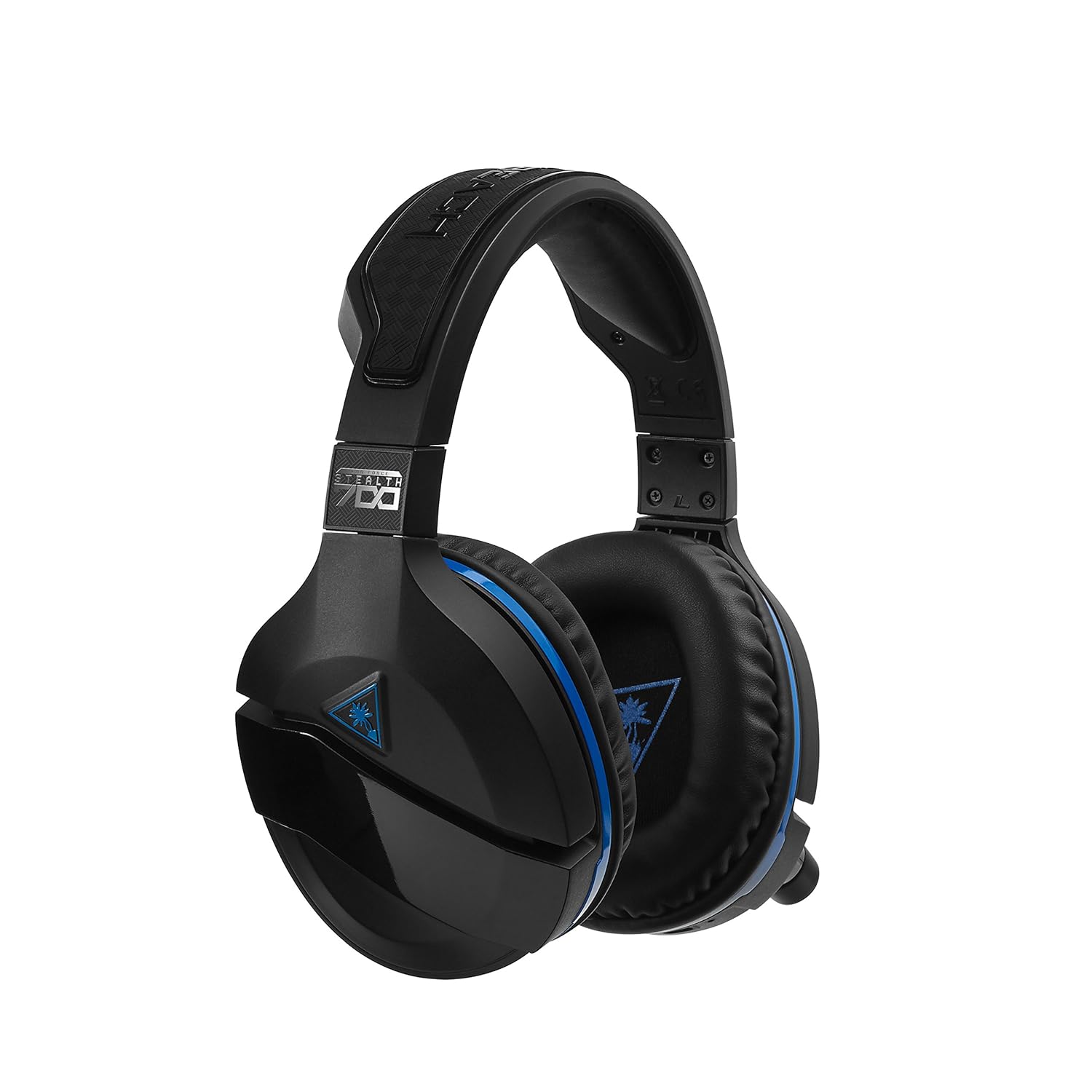
Figure 3: Right earcup controls and microphone in the down position.
- Gumb za vklop: Vklopi/izklopi slušalke.
- Gumb Bluetooth: Začne seznanjanje prek Bluetootha.
- Game Volume Dial: Adjusts the overall game audio volume.
- Chat Volume Dial: Adjusts the chat audio volume independently.
- Mic Monitoring Dial: Adjusts the level of your own voice heard in the headset.
- Superhuman Hearing Button: Activates/deactivates the Superhuman Hearing sound setting.
- Gumb za način: Cycles through DTS surround sound modes and audio presets.

Figure 4: Microphone in the flipped-up (muted) position.
4. Navodila za nastavitev
Follow these steps to set up your Turtle Beach Stealth 700 headset with your PlayStation console.
4.1 Začetno polnjenje
- Connect the USB-C Charging Cable to the headset and a USB power source.
- Charge the headset fully before first use (approximately 5 hours). The LED indicator will change when fully charged.
4.2 Connecting to PlayStation (Wireless)
- Plug the Wireless USB Transmitter into an available USB port on your PlayStation console.
- Power on your Stealth 700 headset by pressing and holding the Power Button until the LED illuminates.
- The headset and transmitter should automatically pair. A solid LED on both indicates a successful connection.
- Na PlayStationu pojdite na Nastavitve> Naprave> Zvočne naprave.
- Set Vhodna naprava do USB slušalke (Turtle Beach Stealth 700).
- Set Izhodna naprava do USB slušalke (Turtle Beach Stealth 700).
- Set Izhod za slušalke do Vsi zvoki.
- Adjust your volume levels as desired.
4.3 Bluetooth Pairing (for Mobile Devices)
The Stealth 700 supports Bluetooth connectivity for calls, music, and the Turtle Beach Audio Hub app while gaming.
- With the headset powered on, press and hold the Gumb Bluetooth until the headset announces "Bluetooth Pairing" and the LED flashes blue.
- On your mobile device, go to Bluetooth settings and select "Stealth 700" from the list of available devices.
- The headset will announce "Bluetooth Paired" when the connection is successful.
5. Navodila za uporabo
5.1 Osnovno upravljanje zvoka
- Glasnost igre: Use the upper dial on the left earcup to adjust game audio.
- Glasnost klepeta: Use the lower dial on the left earcup to adjust chat audio.
5.2 Uporaba mikrofona
- To Unmute: Flip the microphone down.
- Za izklop zvoka: Flip the microphone up. The headset will provide an audible cue.
- Variable Mic Monitoring: Adjust the lower dial to control how much of your own voice you hear in the headset.
5.3 Aktivno odpravljanje hrupa (ANC)
The Stealth 700 features active noise-cancellation to minimize external distractions.
- To Activate/Deactivate: Press the Power Button briefly while the headset is on. The headset will announce the status.
5.4 Nadčloveški sluh
This exclusive Turtle Beach sound setting enhances critical in-game sounds like footsteps and weapon reloads.
- To Activate/Deactivate: Press the dedicated Superhuman Hearing button on the left earcup.
5.5 Audio Presets and DTS Surround Sound
Cycle through different audio presets and DTS surround sound modes for an optimized listening experience.
- To Cycle: Pritisnite Gumb za način to switch between available presets (e.g., Bass Boost) and DTS Headphone:X 7.1 surround sound options.
6. Turtle Beach Audio Hub App
The Turtle Beach Audio Hub app (available for iOS and Android) allows you to customize various settings of your Stealth 700 headset via Bluetooth.
- Prilagodite nivoje spremljanja mikrofona.
- Select DTS surround sound modes.
- Choose from various audio presets, including Bass Boost.
- Enable/disable Dynamic Chat Boost.
- Upravljajte povezave Bluetooth.
7. Vzdrževanje
Pravilna nega zagotavlja dolgo življenjsko dobo in delovanje vaših slušalk.
- Čiščenje: Uporabite mehko, damp cloth to clean the headset. Avoid harsh chemicals.
- Shranjevanje: Slušalke shranjujte na hladnem in suhem mestu, stran od neposredne sončne svetlobe in ekstremnih temperatur.
- Vzdrževanje baterije: Za optimalno življenjsko dobo baterije se izogibajte pogostemu popolnemu praznjenju baterije. Redno jo polnite.
8. Odpravljanje težav
If you encounter issues with your Stealth 700 headset, try the following solutions:
8.1 No Audio / Disconnection
- Prepričajte se, da so slušalke popolnoma napolnjene in vklopljene.
- Verify the Wireless USB Transmitter is securely plugged into the console.
- Check PlayStation audio settings (Settings > Devices > Audio Devices) to ensure the headset is selected as input/output.
- Try re-pairing the headset and transmitter by powering both off and on.
8.2 Mikrofon ne deluje
- Ensure the microphone is flipped down to unmute.
- Check PlayStation audio settings to confirm the headset is selected as the input device.
- Adjust the Mic Monitoring dial to ensure it's not set to zero.
- Če je mogoče, preizkusite mikrofon z drugo aplikacijo ali napravo.
8.3 Težave s seznanjanjem prek Bluetootha
- Ensure the headset is in Bluetooth pairing mode (LED flashing blue).
- Forget the "Stealth 700" device from your mobile device's Bluetooth settings and try pairing again.
- Prepričajte se, da nobena druga naprava Bluetooth ne moti povezave.
9. Specifikacije
| Funkcija | Podrobnost |
|---|---|
| Številka modela | TBS-3770-01 |
| Povezljivost | Wireless (USB Transmitter), Bluetooth |
| Združljive naprave | PlayStation 5, PlayStation 4 |
| Vrsta zvočnega gonilnika | Dinamični gonilnik |
| Velikost zvočnika | 50 mm |
| Življenjska doba baterije | Do 10 uri |
| Čas polnjenja | Pribl. 5 ure |
| Različica Bluetooth | 5.0 |
| Bluetooth obseg | 10 metrov |
| Posebne lastnosti | DTS Headphone:X 7.1 Surround Sound, Active Noise Cancellation, Superhuman Hearing, ProSpecs Glasses Friendly Design, Dynamic Chat Boost, Variable Mic Monitoring |
| Material | Faux Leather (ear cushions, headband) |
| Teža predmeta | 1.6 funta |
10. Garancija in podpora
For detailed warranty information, product registration, and further technical support, please visit the official Turtle Beach webspletno mesto na www.turtlebeach.com. You can also find FAQs and additional resources there.


