1. Izdelek je končanview
The ZOTAC GeForce GTX 1080 Mini is a high-performance graphics card designed for gaming and VR applications. It features NVIDIA Pascal architecture, 8GB GDDR5X memory, and a compact design suitable for smaller PC builds. This manual provides essential information for the installation, operation, and maintenance of your graphics card.
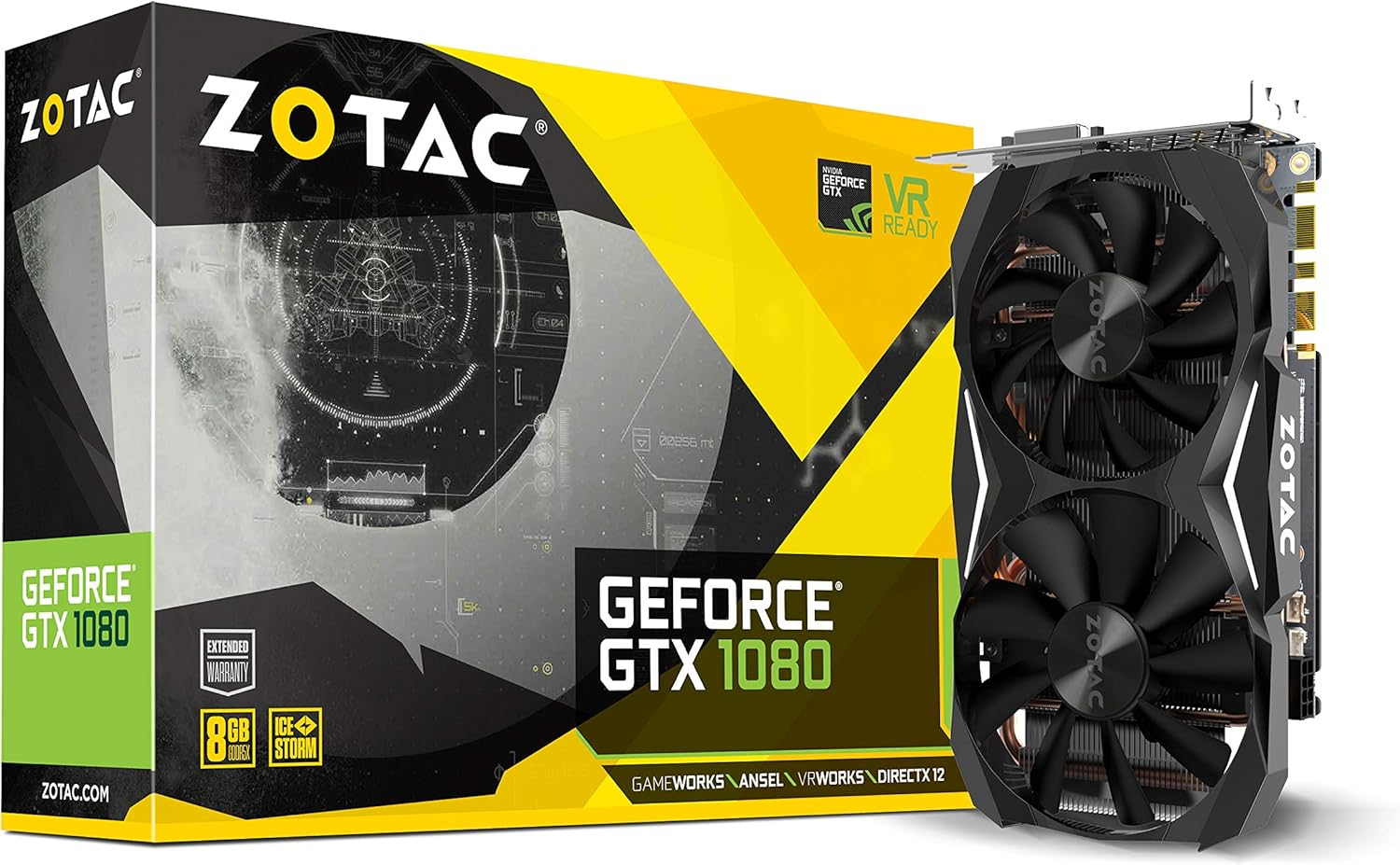
Figure 1: ZOTAC GeForce GTX 1080 Mini Graphics Card, front view with dual fans.
2. Kaj je v škatli
Preden nadaljujete z namestitvijo, preverite, ali so vse komponente prisotne:
- ZOTAC GeForce GTX 1080 Mini Graphics Card
- 2 x Dual 6-pin to 8-pin power cable
- Uporabniški priročnik
- Disk z gonilniki
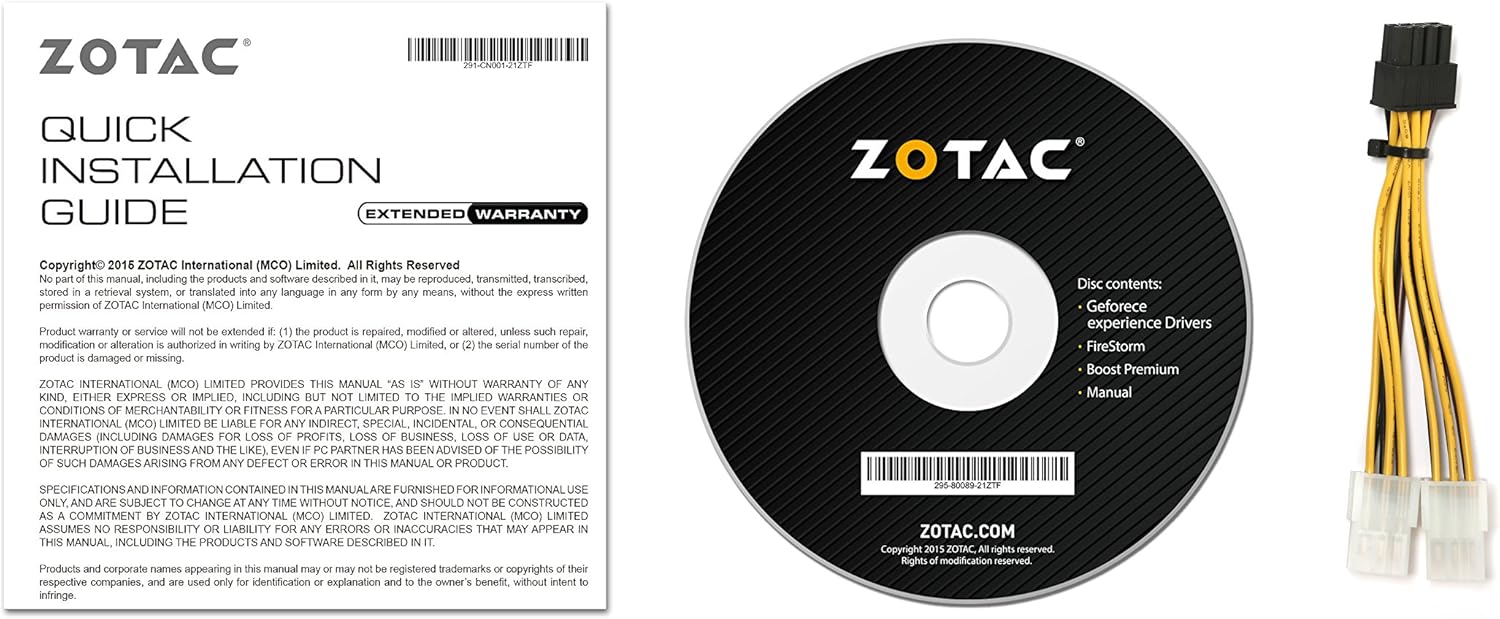
Figure 2: Included accessories and documentation.
3. Nastavitev in namestitev
Before installing the graphics card, ensure your computer is powered off and unplugged from the wall outlet. It is recommended to wear an anti-static wrist strap to prevent damage from electrostatic discharge.
3.1 Sistemske zahteve
- Matična plošča, združljiva s PCI Express, z eno grafično režo x16 z dvojno širino.
- Minimum 500 watt power supply recommended.
- 180 watt minimum power consumption.
- 8-pin PCI Express power connectors (use included adapter if necessary).
- Microsoft Windows 10/8/7 x86/x64.
3.2 Fizična namestitev
- Odprite ohišje računalnika.
- Na matični plošči poiščite prosto režo PCI Express x16.
- Remove any expansion slot covers that correspond to the graphics card's size.
- Carefully align the graphics card with the PCI Express slot and press firmly until it is securely seated.
- Secure the graphics card to the chassis with the appropriate screws.
- Connect the 8-pin PCI Express power connector(s) from your power supply to the graphics card. Use the provided dual 6-pin to 8-pin adapter if your power supply only has 6-pin connectors.
- Zaprite ohišje računalnika.

Figure 3: Graphics card display outputs (3x DisplayPort 1.4, 1x HDMI 2.0b, 1x Dual-Link DVI).
3.3 Namestitev gonilnika
- Connect your display to one of the graphics card's output ports.
- Vklopite računalnik.
- Insert the included driver disc into your optical drive and follow the on-screen instructions. Alternatively, download the latest drivers from the official ZOTAC website or NVIDIA webspletno mesto za optimalno delovanje in združljivost.
- Po končani namestitvi gonilnika znova zaženite računalnik.
4. Upravljanje grafične kartice
The ZOTAC GeForce GTX 1080 Mini is equipped with advanced NVIDIA technologies to enhance your gaming and visual experience.
4.1 Ključne lastnosti
- NVIDIA Pascal Architecture: Delivers superior performance and power efficiency.
- 8 GB pomnilnika GDDR5X: Zagotavlja ample memory for high-resolution gaming and demanding applications.
- Pripravljeno za VR: Optimized for virtual reality experiences.
- NVIDIA GameWorks Technology: Delivers interactive and cinematic experiences.
- NVIDIA VRWorks Technology: Enables next-generation VR performance, low latency, and plug-and-play compatibility.
- NVIDIA G-Sync Ready: Synchronizes display refresh rates to the GPU for smooth, tear-free gaming.
- NVIDIA Ansel Technology: A revolutionary way to capture in-game screenshots.
- NVIDIA SLI Ready: Allows for multi-GPU configurations for increased performance (requires compatible motherboard and additional card).
- 4K Gaming Support: Capable of delivering high-resolution gaming experiences.
- Podpora za več zaslonov: Podpira do 4 zaslone hkrati.
4.2 Software Utility (FireStorm)
The ZOTAC FireStorm software utility provides an intuitive interface for monitoring and tuning your graphics card. It allows for fan speed control, clock speed adjustments, and LED lighting customization.
Video 1: Official ZOTAC overview of the GeForce GTX 1080 Mini, highlighting key features and the FireStorm software.
5. Vzdrževanje
Pravilno vzdrževanje zagotavlja dolgo življenjsko dobo in optimalno delovanje vaše grafične kartice.
- Naj bodo gonilniki posodobljeni: Regularly check the ZOTAC or NVIDIA website for the latest graphics drivers to ensure compatibility and performance improvements.
- Redno čistite: Use compressed air to gently remove dust from the fans and heatsink fins. Ensure the computer is powered off and unplugged before cleaning.
- Monitor temperature: Use monitoring software (like ZOTAC FireStorm) to keep an eye on the GPU temperature, especially during heavy loads, to prevent overheating.

Slika 4: Zgornji del view of the graphics card, showing the dual fan cooling system.
6. Odpravljanje težav
Če imate težave z grafično kartico, si oglejte naslednje pogoste korake za odpravljanje težav:
- Brez izhoda za prikaz:
- Prepričajte se, da je kabel monitorja varno priključen na grafično kartico in monitor.
- Verify the graphics card is properly seated in the PCI Express slot.
- Check that all necessary power connectors are attached to the graphics card.
- Če je mogoče, preizkusite z drugim kablom za prikaz ali monitorjem.
- Nestabilnost ali zrušitve sistema:
- Ensure graphics drivers are up-to-date.
- Monitor GPU temperatures to ensure it's not overheating.
- Preverite, ali vaš napajalnik ustreza minimalni močitage zahteva.
- Poor Performance in Games:
- Ensure graphics drivers are up-to-date.
- Check in-game graphics settings and reduce them if necessary.
- Zaprite nepotrebne aplikacije v ozadju.
- Monitor GPU and CPU usage to identify potential bottlenecks.
7. Specifikacije
| Funkcija | Podrobnost |
|---|---|
| Grafični koprocesor | NVIDIA GeForce GTX 1080 |
| Jedra CUDA | 2560 |
| Video pomnilnik | 8 GB GDDR5X |
| Pomnilniško vodilo | 256-bitni |
| Engine Clock (Base) | 1620 MHz |
| Engine Clock (Boost) | 1759 MHz |
| Spominska ura | 10 GHz |
| PCI Express | 3.0 |
| Prikaz izhodov | 3 x DisplayPort 1.4, 1 x HDMI 2.0b, 1 x Dual-Link DVI |
| Največja ločljivost zaslona | 3840x2160 |
| Podpora za več zaslonov | Možnost štirikratnega sočasnega prikaza |
| Napajalni priključki | 8-pin PCI Express |
| Priporočen napajalnik | Minimum 500W |
| Poraba energije | 180 W (najmanj) |
| Dimenzije (DxŠxV) | 8.3 x 1.61 x 4.92 palcev |
| Teža predmeta | 1 funtov |
8. Garancija in podpora
An extended warranty is included with every ZOTAC graphics card purchase. User registration is required on the official ZOTAC website to activate the extended warranty.
For technical support, driver downloads, or further product information, please visit the official ZOTAC webspletno mesto: www.zotac.com


