1. Uvod
Hvala za nakupasing the ADE CK2112 Radio-Controlled Digital Alarm Clock. This compact and versatile device features a clear LCD display, real bamboo casing, and provides time, date, day of the week, and indoor temperature. It is designed for ease of use with automatic time setting via DCF signal and dual alarm functions. Please read this manual carefully to ensure proper operation and maintenance of your new alarm clock.
2. Ključne značilnosti
- Compact wireless alarm clock with clear LCD display (5.2 x 5.2 cm).
- Displays time, ambient temperature, date, and day of the week.
- White backlight activated by button press.
- Real bamboo casing with high-quality white ABS plastic.
- Dimensions: 8.2 x 8.2 x 3.4 cm; Weight: 0.15 kg.
- DCF radio-controlled time signal for automatic time setting.
- Samodejna prilagoditev poletnega/zimskega časa.
- Manually adjustable time.
- Dual alarm with adjustable settings and snooze function.
- Integrated calendar.
- Built-in thermometer for indoor temperature display in °C or °F (-10 to 50 °C).
3. Vsebina paketa
Prosimo, preverite paket za naslednje artikle:
- ADE CK2112 Digital Alarm Clock
- 2 x 1.5V AA baterije
- Uporabniški priročnik (ta dokument)

Image: ADE CK2112 Alarm Clock with its packaging, showing the clock, batteries, and manual icon.
4. Nastavitev
4.1 Namestitev baterije
- Poiščite predal za baterije na zadnji strani budilke.
- Odprite pokrov prostora za baterije.
- Insert two (2) 1.5V AA batteries, ensuring correct polarity (+/-).
- Trdno zaprite pokrov prostora za baterije.
4.2 Initial Time Synchronization (DCF Signal)
Upon battery installation, the clock will automatically attempt to synchronize with the DCF radio signal. This process may take a few minutes. Ensure the clock is placed in an area with good signal reception, away from electronic interference.
- The radio signal icon will flash during synchronization.
- Once synchronized, the icon will become steady, and the time will be set automatically.
- The clock will also automatically adjust for Daylight Saving Time (summer/winter time).
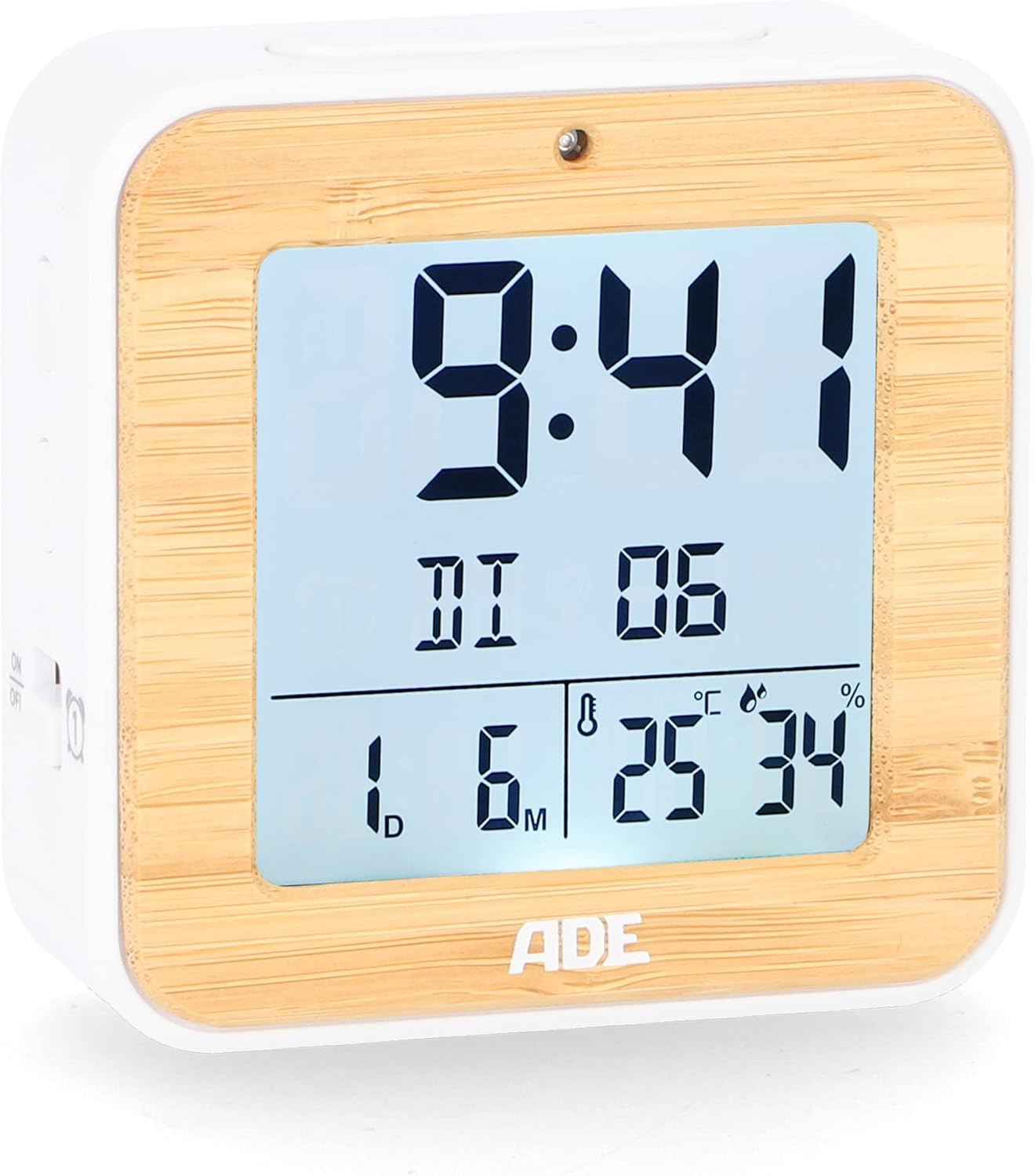
Slika: spredaj view of the ADE CK2112 Digital Alarm Clock, showing the clear LCD display with time, date, and temperature.
5. Navodila za uporabo
5.1 Ročna nastavitev časa
If the DCF signal is not available or you prefer to set the time manually:
- Press and hold the "SET" button (location usually on the back or side).
- Use the "+" or "-" buttons to adjust the hour, then press "SET" to confirm.
- Ponovite za minute, leto, mesec in dan.
5.2 Nastavitev alarmov (Alarm 1 in Alarm 2)
Ura ima dva neodvisna alarma.
- Press the "ALARM 1" or "ALARM 2" button (usually on the side). The alarm time will flash.
- Use the "+" or "-" buttons to set the desired alarm hour, then press the respective alarm button to confirm.
- Ponavljajte nekaj minut.
- To activate/deactivate an alarm, slide the corresponding ON/OFF switch (e.g., "ON/OFF 1" or "ON/OFF 2") on the side of the clock. An alarm icon will appear on the display when active.

Slika: Stran view of the ADE CK2112 Digital Alarm Clock, highlighting the ON/OFF switches for Alarm 1 and Alarm 2.
5.3 Funkcija dremeža
When the alarm sounds, press the "SNOOZE/LIGHT" button (usually on top) to temporarily silence the alarm. The alarm will sound again after approximately 5-10 minutes (check specific model for exact duration).
5.4 Aktivacija osvetlitve ozadja
Press the "SNOOZE/LIGHT" button to activate the white backlight for a few seconds, improving visibility in low light conditions.

Image: Illustration showing the automatic backlight via light sensor and manual backlight activation by button press.
5.5 Prikaz temperature
The clock displays the indoor temperature. You can switch between Celsius (°C) and Fahrenheit (°F) by pressing a dedicated button (often labeled "°C/°F" or integrated with another setting button).

Image: Close-up of the ADE CK2112 display, indicating the sections for time, alarm, date, humidity, and temperature.
6. Vzdrževanje
6.1 Čiščenje
Uro obrišite z mehko, suho krpo. Ne uporabljajte abrazivnih čistil in naprave ne potapljajte v vodo.
6.2 Zamenjava baterije
When the display dims or the clock stops functioning, replace the batteries. Always use new 1.5V AA batteries and dispose of old batteries responsibly according to local regulations.
7. Odpravljanje težav
| Težava | Možen vzrok | rešitev |
|---|---|---|
| Zaslon je prazen ali temen. | Prazne ali prazne baterije. | Replace with new 1.5V AA batteries. |
| Ura ne nastavlja časa samodejno. | Poor DCF signal reception; interference. | Move the clock to a different location, away from electronic devices or metal objects. Try manual time setting. |
| Alarm se ne oglasi. | Alarm ni aktiviran; nastavljen je napačen čas alarma. | Ensure the alarm ON/OFF switch is in the "ON" position and the alarm time is correctly set. |
8. Specifikacije
- Model: CK2112
- Znamka: ADE
- Vrsta zaslona: Digitalni LCD
- Dimenzije (D x Š x V): 8.2 x 3.81 x 3.5 cm (približno 3.23 x 1.5 x 1.38 palca)
- Teža: 110 gramov (približno 0.24 funta)
- Material: Bamboo, ABS Plastic
- vir energije: 2 x 1.5 V AA baterije (priložene)
- Temperaturno območje: -10 do 50 °C (14 do 122 °F)
- Časovna sinhronizacija: DCF Radio Controlled
- Funkcije alarma: Dual Alarm, Snooze
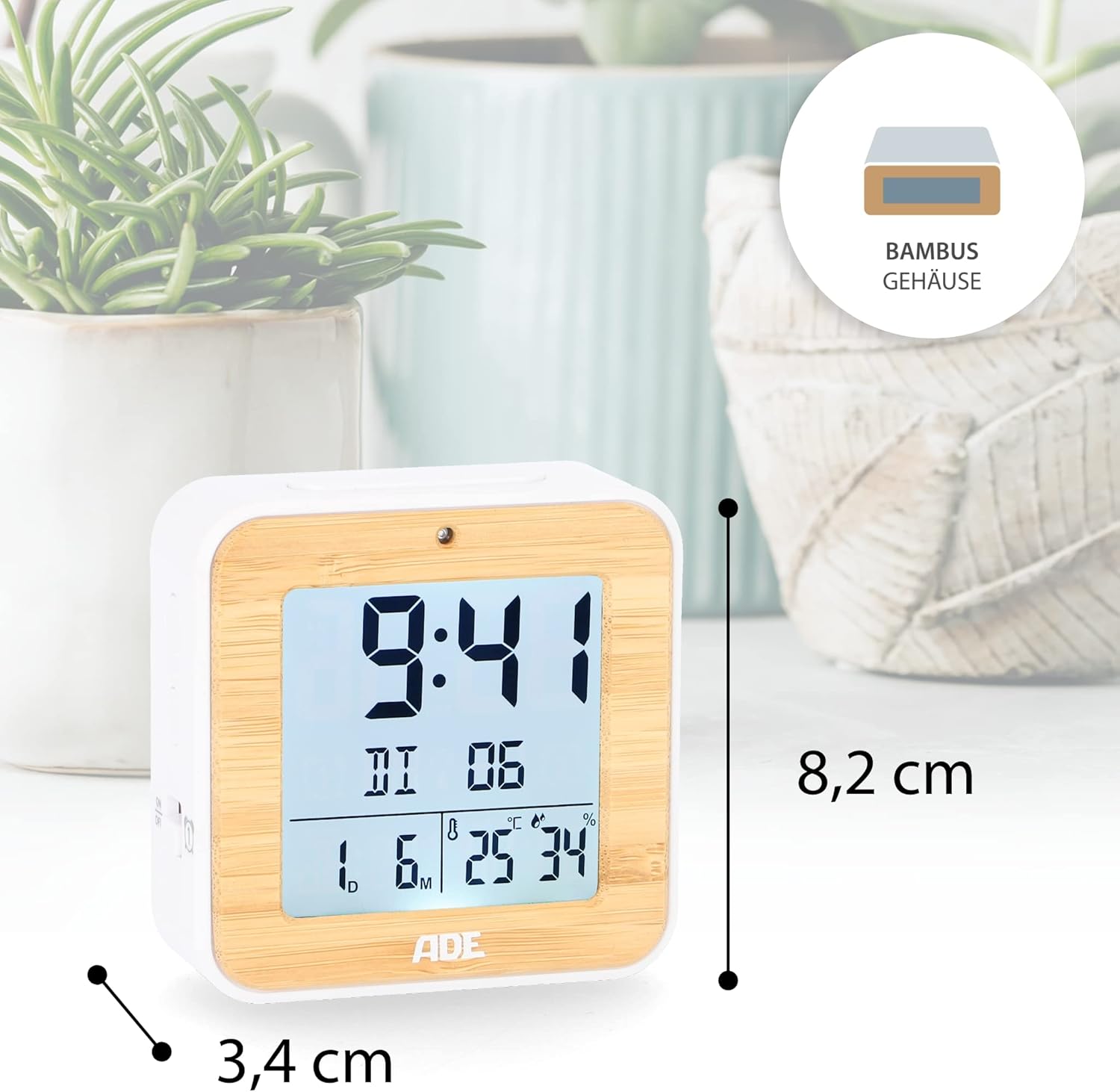
Image: The ADE CK2112 Digital Alarm Clock with its dimensions (8.2 cm height, 3.4 cm depth) clearly marked.
9. Garancija in podpora
For warranty information and customer support, please refer to the contact details provided by your retailer or visit the official ADE webspletno mesto. Shranite račun kot dokazilo o nakupu.
For frequently asked questions, you may also refer to the brand's FAQ section:
- Q: I received my item but it did not come with instructions in Spanish. What should I do now?
- A: All our items are printed in German, English, and French. Other languages, including Spanish, can be downloaded directly here, on the Amazon website. Or you can scan the QR code on the printed instructions.
- Q: I am very satisfied with my purchase. How can I rate them?
- A: We are very happy that you are satisfied. Feedback is very important to us. You can easily rate us and your purchased item through your Amazon account under orders. Thank you for taking the time to do so!
- Q: I am not satisfied with my purchase. What can I do?
- A: We are sorry that you are not satisfied with your item. We invite you to request a return through your account and you will receive your money back.


