Uvod
The HyperGear Rave Wireless Stereo Speaker delivers high-fidelity sound with an interactive multi-colored LED light show. It features Bluetooth connectivity, a built-in speakerphone, and an FM radio, making it suitable for various audio needs.
Vsebina paketa
- Rave Wireless Speaker
- 3.5mm Stereo Auxiliary Cable
- Micro USB polnilni kabel
- Uporabniški priročnik (ta dokument)

Konec izdelkaview
Seznanite se s kontrolami in priključki zvočnika.

Gumbi za upravljanje
- Gumb za vklop: Pritisnite in držite, da vklopite ali izklopite zvočnik.
- Gumb za način (M): Pritisnite za preklop med načini Bluetooth, FM radio in AUX.
- Play/Pause Button (►/∕): Pritisnite za predvajanje ali začasno ustavitev zvoka. V načinu klica pritisnite za sprejemanje/končanje klicev.
- Volume Down / Previous Track (-/◀◀): Pritisnite za zmanjšanje glasnosti. Pritisnite in držite za premik na prejšnjo skladbo.
- Volume Up / Next Track (+/►►): Pritisnite za povečanje glasnosti. Pritisnite in držite za prehod na naslednjo skladbo.
- Gumb za način osvetlitve (*): Press to cycle through different LED light patterns or turn off the light show.
Pristanišča
- Vrata za polnjenje mikro USB: Za polnjenje notranje baterije zvočnika.
- 3.5 mm AUX vhod: Za priključitev zunanjih avdio naprav prek pomožnega kabla.
Nastavitev
Polnjenje zvočnika
Before first use, fully charge the speaker. Connect the Micro USB charging cable to the speaker's charging port and the other end to a USB power adapter (not included) or a computer's USB port. The charging indicator light will illuminate during charging and turn off when fully charged. A full charge takes approximately 3-4 hours and provides up to 8 hours of playback.
Vklop/izklop
Pritisnite in držite Gumb za vklop for approximately 3 seconds to turn the speaker on or off. A voice prompt will indicate the power status.
Navodila za uporabo
Bluetooth združitev
- Prepričajte se, da je zvočnik vklopljen in v načinu Bluetooth. Če ni, pritisnite Gumb za način (M) until you hear the Bluetooth pairing prompt. The LED indicator will flash, indicating it is ready to pair.
- V mobilni napravi omogočite Bluetooth in poiščite razpoložljive naprave.
- Select "HyperGear Rave" from the list of devices.
- Once paired, the speaker will emit a confirmation tone, and the LED indicator will stop flashing.

Predvajanje glasbe
Način Bluetooth
After successful pairing, you can play music from your connected device. Use the speaker's Predvajaj/Premor, Povečanje glasnosti/naslednja skladba, in Zmanjšanje glasnosti/prejšnja skladba buttons to control playback, or control directly from your device.
Način AUX
Connect one end of the 3.5mm auxiliary cable to the speaker's AUX input and the other end to the audio output of your external device. Press the Gumb za način (M) to switch to AUX mode. Audio will play directly from your connected device.
Prostoročno telefoniranje
When connected via Bluetooth, the speaker can be used as a speakerphone. When a call comes in, the music will pause. Press the Gumb za predvajanje/pavzo to answer an incoming call. Press it again to end the call. Press and hold the Gumb za predvajanje/pavzo da zavrnete dohodni klic.
Delovanje radia FM
Pritisnite Gumb za način (M) to switch to FM Radio mode. The speaker will automatically scan and save available stations. Use the Povečanje glasnosti/naslednja skladba in Zmanjšanje glasnosti/prejšnja skladba buttons to navigate between saved stations. Press and hold these buttons to fine-tune the frequency.
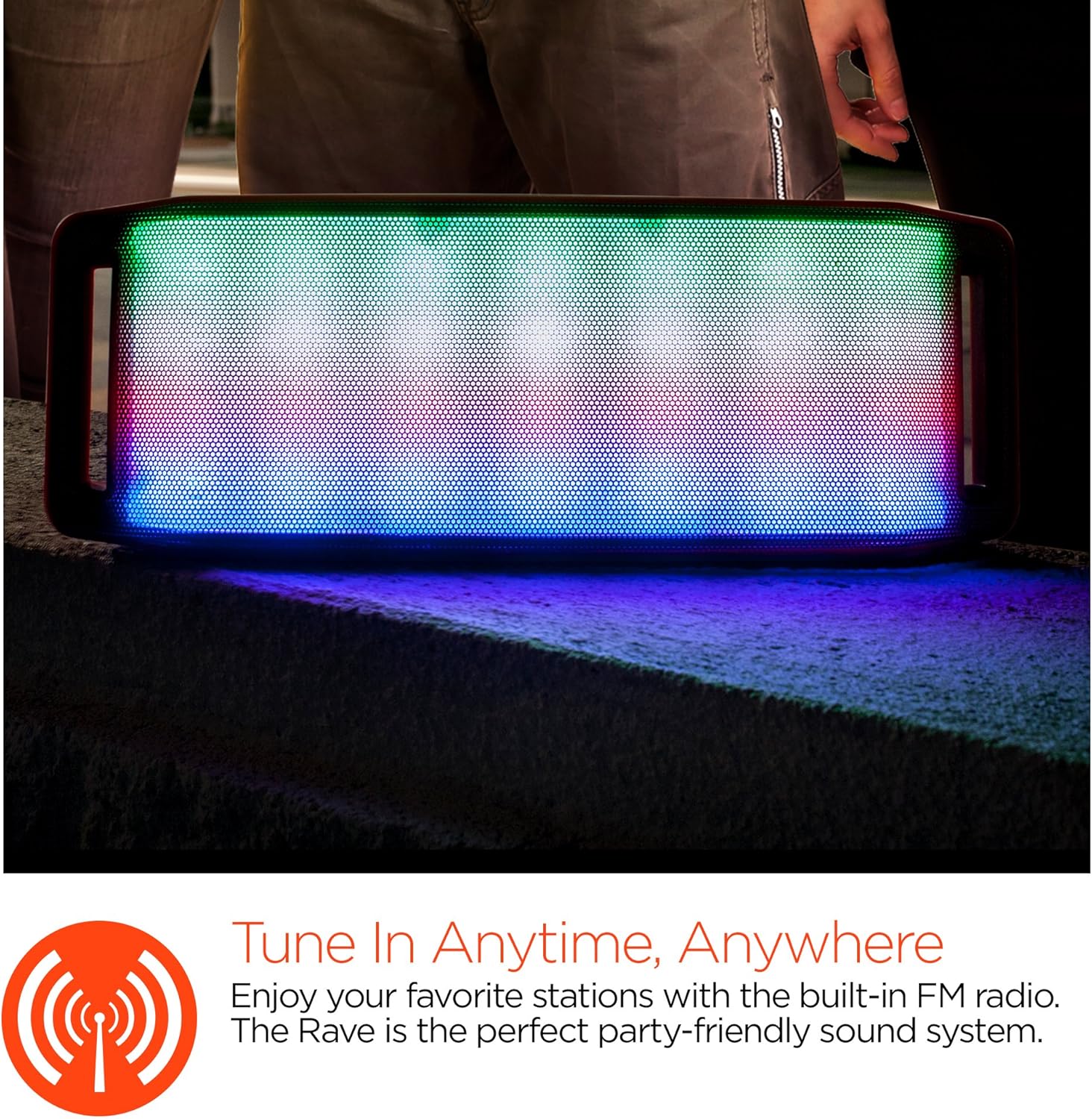
LED svetlobni šov
The speaker features an interactive multi-colored LED light show. Press the Light Mode Button (*) to cycle through different light patterns or to turn the light show off.

Vzdrževanje
Čiščenje
Wipe the speaker with a soft, dry cloth. Do not use abrasive cleaners or solvents. Avoid exposing the speaker to excessive moisture.
Shranjevanje
Zvočnik shranjujte na hladnem in suhem mestu, stran od neposredne sončne svetlobe in ekstremnih temperatur. Če ga shranjujete dlje časa, ga redno polnite, da ohranite njegovo življenjsko dobo.
Skrb za baterijo
To prolong battery life, avoid fully discharging the speaker frequently. Charge the speaker regularly, even if not in use, to prevent deep discharge.
Odpravljanje težav
| Težava | Možen vzrok | rešitev |
|---|---|---|
| Zvočnik se ne vklopi. | Baterija je prazna. | Zvočnik napolnite s kablom Micro USB. |
| Seznanitev prek Bluetootha ni mogoča. | Zvočnik ni v načinu seznanjanja; Bluetooth je na napravi izklopljen; naprava je predaleč. | Ensure speaker is in Bluetooth pairing mode (flashing LED). Turn on Bluetooth on your device. Move device closer to speaker (within 10 meters). |
| Brez zvoka. | Volume is too low; incorrect mode selected; device not playing. | Increase volume on both speaker and connected device. Ensure correct mode (Bluetooth/AUX/FM) is selected. Verify audio is playing on the source device. |
| Popačenje zvoka. | Previsoka glasnost; prazna baterija; motnje. | Zmanjšajte glasnost. Napolnite zvočnik. Zvočnik premaknite stran od drugih elektronskih naprav. |
| Sprejem FM radia je slab. | Šibek signal; motnje iz okolja. | Relocate the speaker to an area with better reception. Extend the charging cable (if connected) as it can act as an antenna. |
Specifikacije
| Funkcija | Podrobnost |
|---|---|
| Številka modela | 13604 |
| Različica Bluetooth | 3.0 ± EDR |
| Izhodna moč zvočnika | 2 x 5 W (skupaj 10 W) |
| Razmerje med signalom in šumom (S/N) | 80 dB |
| Kapaciteta baterije | 1500 mAh |
| Igralni čas | Do 8 uri |
| Bluetooth obseg | Do 33ft / 10m |
| Tehnologija povezljivosti | Bluetooth, brezžično |
| Način avdio izhoda | Stereo |
| Nadzorna metoda | Dotik |
| Teža | 2.25 funta |
| Posebne lastnosti | Bass Boost, Display, Multi-colored LED Light Show, Built-in Speakerphone, FM Radio |
Garancija in podpora
For warranty information or technical support, please refer to the contact details provided on the product packaging or visit the official HYPERGEAR webspletno mesto. Shranite račun kot dokazilo o nakupu.


