Uvod
Thank you for choosing the Blaupunkt IRD 30 WH Internet Radio. This device offers a wide range of listening options, including Internet Radio, DAB+, and FM radio, along with alarm clock functions and Wi-Fi connectivity. This manual will guide you through the setup, operation, and maintenance of your new radio to ensure optimal performance and enjoyment.
Varnostne informacije
Please read all safety instructions before using the device. Keep this manual for future reference.
- Naprave ne izpostavljajte dežju ali vlagi, da preprečite požar ali električni udar.
- Ne odpirajte casing. Vsa servisna dela prepustite usposobljenemu osebju.
- Zagotovite ustrezno prezračevanje okoli enote. Ne blokirajte prezračevalnih odprtin.
- Uporabljajte samo napajalnik, ki je priložen enoti.
- Napravo hranite stran od neposredne sončne svetlobe, virov toplote in močnih magnetnih polj.
- Baterije zavrzite odgovorno.
Vsebina paketa
Carefully unpack your Blaupunkt IRD 30 WH and check that all items are present and in good condition:
- Blaupunkt IRD 30 WH Internet Radio
- Remote control (including batteries)
- Napajalnik
- Uporabniški priročnik (ta dokument)
Konec izdelkaview
The Blaupunkt IRD 30 WH is designed for versatile audio entertainment, featuring a sleek retro design with a real wood casing and a high-gloss front. It includes a 3.5-inch display for clear information display and intuitive controls.
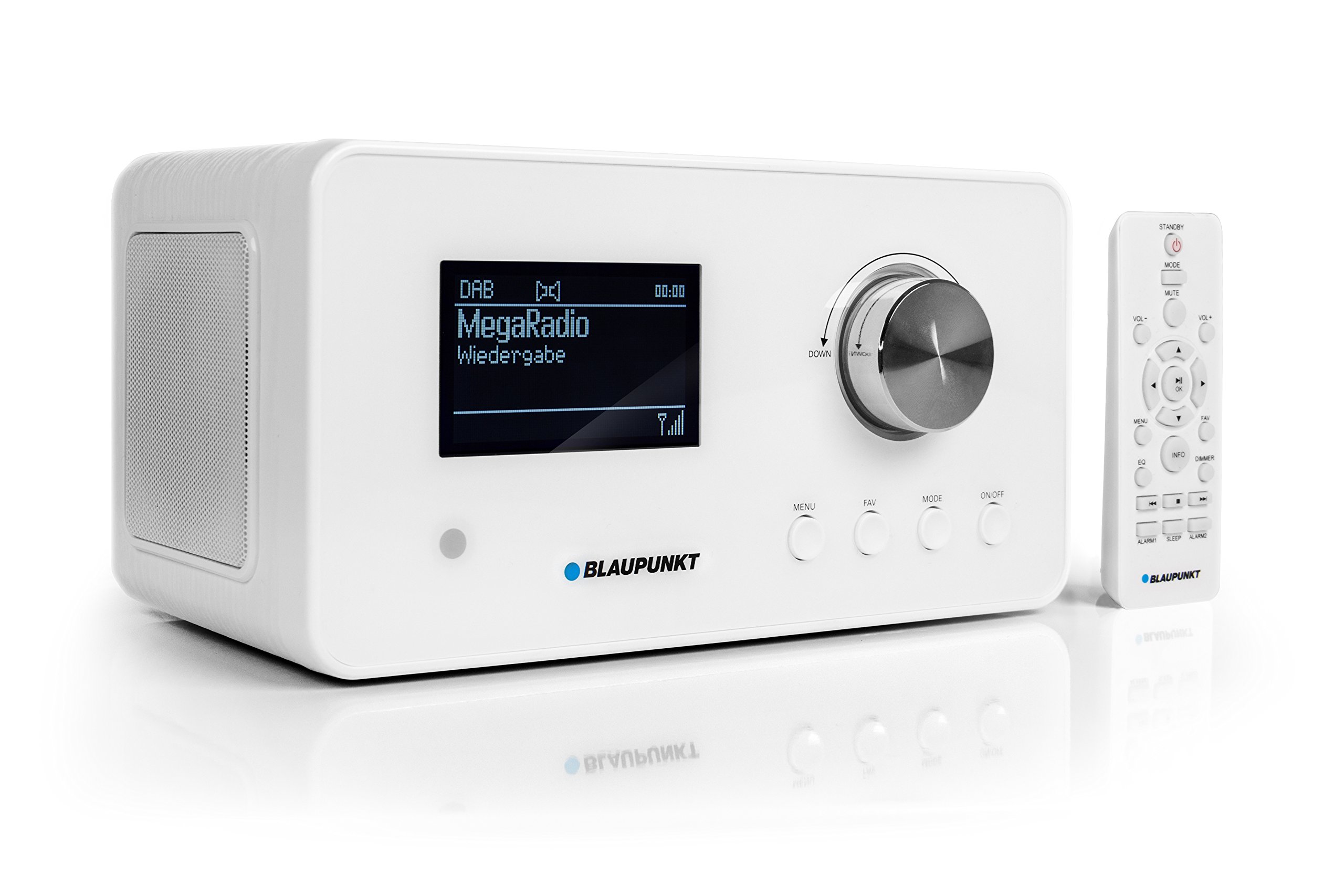
Figure 1: Blaupunkt IRD 30 WH Internet Radio, a compact white unit with a display and control knob.
Nadzor in zaslon na sprednji plošči
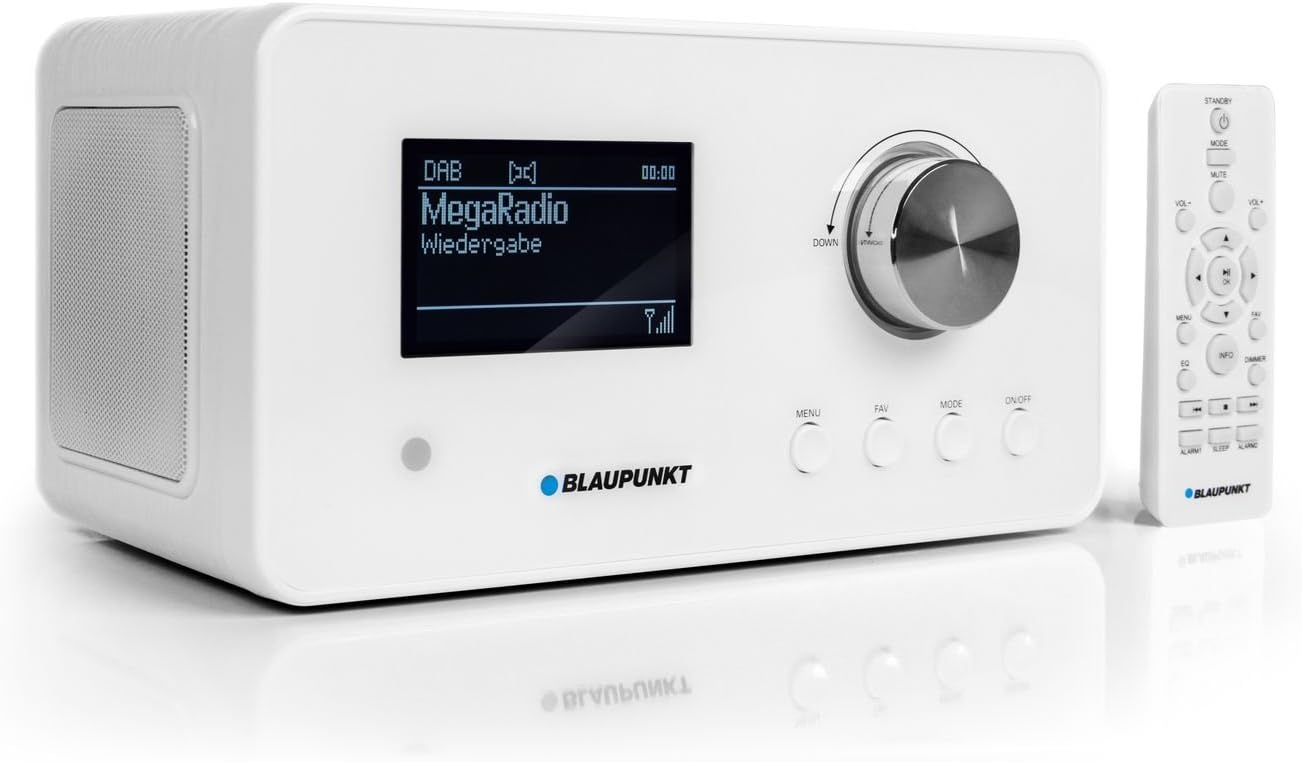
Figure 2: Close-up of the radio's front panel, showing the 3.5-inch display, main rotary knob, and function buttons (MENU, FAV, MODE, ON/OFF). The remote control is also visible.
The front panel features a large 3.5-inch display that shows station name, song title, artist, and time. Key controls include a rotary/push knob for navigation and volume, along with dedicated buttons for Menu, Favorites, Mode selection, and Power On/Off.
Priključki na zadnji plošči

Figure 3: The rear panel of the radio, featuring the Wi-Fi antenna, headphone output, AUX IN, AUX OUT, and DC IN 12V/2A power input.
The rear panel provides essential connectivity options, including a Wi-Fi antenna, headphone output, AUX IN for connecting external audio sources, AUX OUT for connecting to external speakers, and the DC IN port for power.
Daljinski upravljalnik

Figure 4: The remote control for the Blaupunkt IRD 30 WH, showing various buttons for power, volume, menu navigation, mode selection, and alarm functions.
The included remote control allows for convenient operation of all radio functions from a distance, including power, volume, menu navigation, mode selection, and alarm settings.
Nastavitev
1. Napajalni priključek
- Connect the supplied power adapter to the DC IN 12V/2A port on the rear of the radio.
- Priključite napajalnik v stensko vtičnico.
2. Nastavitev antene
For optimal DAB/DAB+ and FM reception, extend the telescopic antenna located on the rear of the unit. Adjust its position for the best signal quality.
3. Začetni vklop in povezava Wi-Fi
- Pritisnite VKLOP/IZKLOP button on the front panel or remote control to power on the radio.
- The radio will guide you through an initial setup wizard. Follow the on-screen prompts.
- When prompted, select your preferred language.
- The radio will scan for available Wi-Fi networks. Select your home network from the list.
- Enter your Wi-Fi password using the rotary knob to navigate characters and the push function to select. Confirm your entry.
- Once connected, the radio will synchronize the time via the internet or RDS (for FM).
Navodila za uporabo
Osnovne kontrole
- Rotacijski gumb: Rotate to scroll through menus or adjust volume. Push to select an option or confirm.
- Gumb MENU: Dostop do glavnega menija za nastavitve in možnosti.
- Gumb FAV: Access your list of favorite stations. Press and hold to save the current station as a favorite.
- Gumb MODE: Switch between Internet Radio, DAB+, and FM modes.
- Gumb za VKLOP/IZKLOP: Vklopite ali izklopite enoto.
Internetni radio
Access thousands of internet radio stations and podcasts from around the world.
- Pritisnite NAČIN button until "Internet Radio" is selected.
- Use the rotary knob to browse categories (e.g., Location, Genre) or search for specific stations.
- Push the rotary knob to select a station and begin playback.
- To save a station as a favorite, tune to the desired station and press and hold the FAV gumb.
DAB / DAB + radio
Enjoy digital radio with clear sound quality.
- Pritisnite NAČIN button until "DAB+" is selected.
- The radio will automatically scan for available DAB/DAB+ stations.
- Use the rotary knob to scroll through the list of found stations.
- Push the rotary knob to select a station.
FM radio
Tune into traditional FM broadcasts.
- Pritisnite NAČIN button until "FM" is selected.
- Use the rotary knob to manually tune frequencies or press and hold to auto-scan for the next available station.
- To save an FM station as a favorite, tune to the desired station and press and hold the FAV gumb.
Funkcije budilke
The radio features versatile alarm and sleep functions.
- Access alarm settings via the MENI gumb.
- Set up to two independent alarms with options for alarm source (tone, radio, podcast) and frequency (daily, weekdays, weekends, once).
- Use the sleep timer function to automatically turn off the radio after a set period.
- The snooze function allows for a temporary delay of the alarm.
UPnP Media Player
Stream music wirelessly from your PC or other UPnP-enabled devices on your network.
- Ensure your PC or media server is running a UPnP server application.
- Navigate to the UPnP section in the radio's menu.
- Select your media server and browse your music library.
Vzdrževanje
Čiščenje
To clean the radio, use a soft, dry cloth. Do not use abrasive cleaners, waxes, or solvents as they may damage the finish. Ensure the unit is unplugged before cleaning.
Posodobitve programske opreme
The radio may receive software updates to improve performance and add new features. Check the system settings menu for available updates and follow the on-screen instructions.
Odpravljanje težav
If you encounter issues with your Blaupunkt IRD 30 WH, please refer to the following common problems and solutions:
| Težava | Možen vzrok/rešitev |
|---|---|
| Brez moči | Check if the power adapter is securely connected to the radio and the wall outlet. Ensure the outlet is functional. |
| Brez zvoka | Check the volume level. Ensure headphones are not connected if you expect sound from the speakers. Verify the audio source is playing. |
| Ni mogoče vzpostaviti povezave z Wi-Fi | Ensure your Wi-Fi password is correct. Check if your router is working and within range. Try restarting your router and the radio. |
| Internetni radio se nalaga ali prekinja | Check your internet connection speed. Move the radio closer to your Wi-Fi router or ensure no obstructions are interfering with the signal. |
| Poor DAB/DAB+ or FM reception | Fully extend and adjust the telescopic antenna. Try repositioning the radio to a location with better signal. |
| Daljinski upravljalnik ne deluje | Ensure the batteries are correctly inserted and not depleted. Point the remote directly at the radio's sensor. |
Specifikacije
| Funkcija | Specifikacija |
|---|---|
| Številka modela | IRD 30 WH |
| Dimenzije izdelka | 25.5 x 16 x 13.6 cm |
| Teža predmeta | 1.7 kg |
| Tehnologija povezljivosti | Wi-Fi (802.11 b/g, 54 Mbit/s) |
| Tehnologija sprejemnika | DAB, DAB+, FM (with RDS) |
| Vrsta zaslona | LCD (3.5 inch) |
| Avdio izhodna moč | 2 x 7.5 Watt RMS (15 Watt Max) |
| Strojni vmesnik | 3.5 mm Audio (AUX IN, AUX OUT, Headphone) |
| Vir napajanja | Battery-Powered (for remote: 1 AAA battery required) / AC Adapter |
| Posebne lastnosti | Remote control, Alarm clock, Sleep timer, UPnP client |
Garancija in podpora
Za informacije o garanciji in tehnično podporo glejte dokumentacijo, priloženo nakupu, ali obiščite uradno spletno stran Blaupunkt. webspletnega mesta. Shranite dokazilo o nakupu za morebitne garancijske zahtevke.