1. Uvod
This manual provides detailed instructions for the setup, operation, maintenance, and troubleshooting of your JOOAN 1080P Wireless Indoor Security Camera, Model 366. This camera is designed for indoor surveillance, offering features such as 1080P video resolution, two-way audio, night vision, and motion detection, making it suitable for monitoring homes, pets, or babies.
Please read this manual thoroughly before using the product to ensure correct installation and optimal performance.
2. Pakirni seznam
Po odprtju paketa preverite, ali so vsi spodaj navedeni elementi prisotni in v dobrem stanju:
- JOOAN WiFi Camera x 1
- Vtič x 1
- Data Line (USB Cable) x 1
- Install Bracket x 1 (for wall or ceiling mounting)
- Instructions (User Manual) x 1
- Screw Pack x 1 (for bracket installation)

Image: Contents of the JOOAN camera package, including the camera, power adapter, USB cable, mounting bracket, instruction manual, and screw pack.
3. Navodila za namestitev
3.1 Vklop kamere
- Connect the provided USB cable to the camera's power input port.
- Plug the other end of the USB cable into the power plug adapter.
- Insert the power plug into a standard electrical outlet. The camera will power on and initiate its startup sequence.
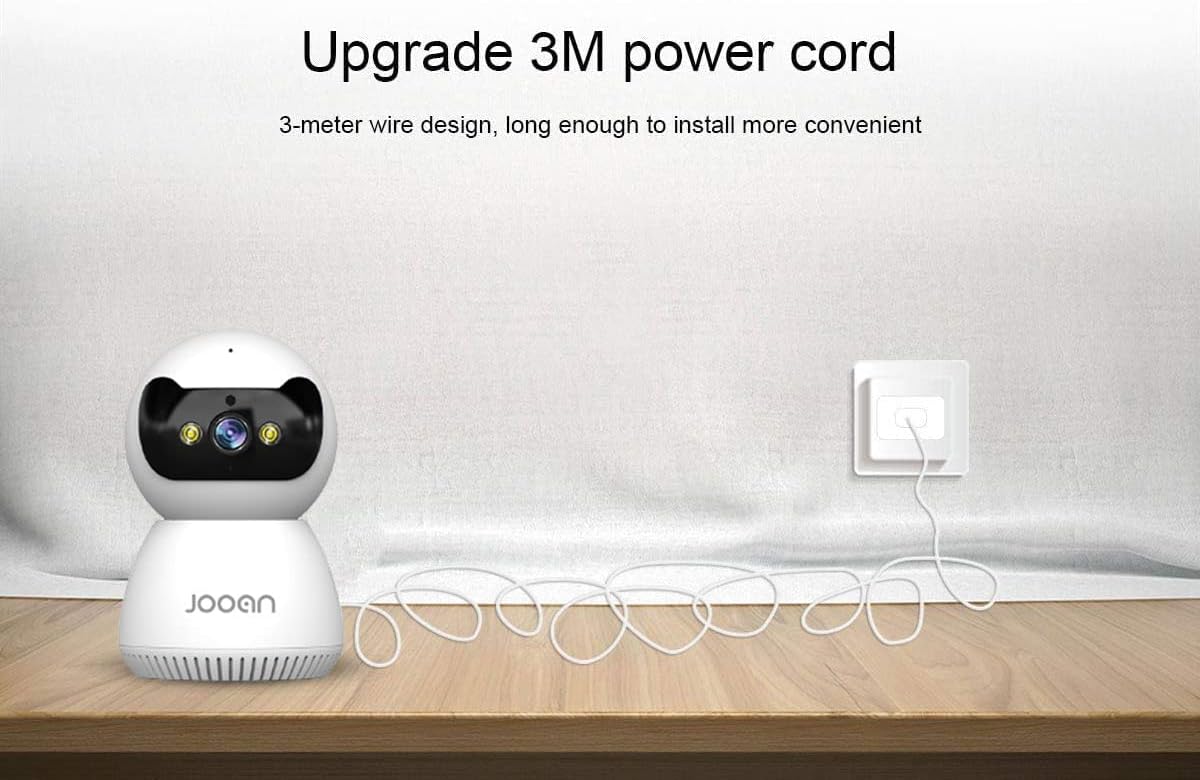
Image: The JOOAN camera connected to its 3-meter power cord and adapter, ready for power connection.
3.2 Prenos in namestitev aplikacije
To operate the camera, you need to download the official JOOAN application on your smartphone or tablet.
- Scan the QR code provided in the included instruction manual or search for 'JOOAN' in your device's app store (Google Play Store for Android, Apple App Store for iOS).
- Prenesite in namestite aplikacijo.
- Registrirajte nov račun ali se prijavite, če ga že imate.
3.3 Povezava Wi-Fi
The camera connects to your home Wi-Fi network. Pomembno: This camera is primarily compatible with 2.4GHz Wi-Fi networks. Connection to 5GHz Wi-Fi networks may not be supported or stable.
- Prepričajte se, da je vaš pametni telefon povezan z omrežjem Wi-Fi s frekvenco 2.4 GHz.
- Open the JOOAN app and follow the on-screen instructions to add a new device.
- Select your Wi-Fi network and enter the password when prompted.
- The app will guide you through the pairing process, which may involve scanning a QR code displayed on your phone with the camera or using audio pairing. Ensure your phone's volume is up during audio pairing.
- Ko je povezava vzpostavljena, se bo indikatorska lučka kamere spremenila in aplikacija bo potrdila uspešno seznanitev.

Image: The JOOAN camera on a pedestal, illustrating its wireless connectivity. While the image mentions 'Dual-Band WiFi 2.4/5G Hz', users should note that compatibility is primarily with 2.4GHz networks.
3.4 Namestitev fotoaparata
The camera can be placed on a flat surface or mounted to a wall or ceiling using the provided bracket.
- Postavitev na namizje: Kamero preprosto postavite na stabilno, ravno površino na želenem območju spremljanja.
- Montaža na steno/strop:
- Izberite primerno mesto za namestitev.
- Use the mounting bracket as a template to mark screw holes on the wall or ceiling.
- Drill pilot holes and insert the provided wall anchors if necessary.
- Secure the mounting bracket using the screws.
- Attach the camera to the bracket by twisting it until it locks into place.
4. Navodila za uporabo
4.1 V živo View in nadzor vrtenja/nagiba
Once connected, open the JOOAN app to access the live video feed from your camera.
- V živo View: The main screen of the app displays the real-time video feed.
- Pan/nagib: Use the directional controls within the app to remotely rotate the camera horizontally (355° Pan) and vertically (45° Tilt) to adjust the viewvhodni kot.
- Digitalni zoom: Za povečavo v živo s prsti približajte določena območja.
- Prednastavljene točke: Configure up to 6 preset viewing angles for quick navigation.

Image: A JOOAN camera mounted on a ceiling, demonstrating its 355° pan and 45° tilt capabilities, controlled via a smartphone app. Features like 4X digital zoom and preset points are also highlighted.
4.2 Dvosmerni zvok
The camera features a built-in microphone and speaker, allowing for two-way communication.
- V aplikaciji tapnite ikono mikrofona, da govorite prek zvočnika kamere.
- Listen to audio from the camera's environment through your smartphone.
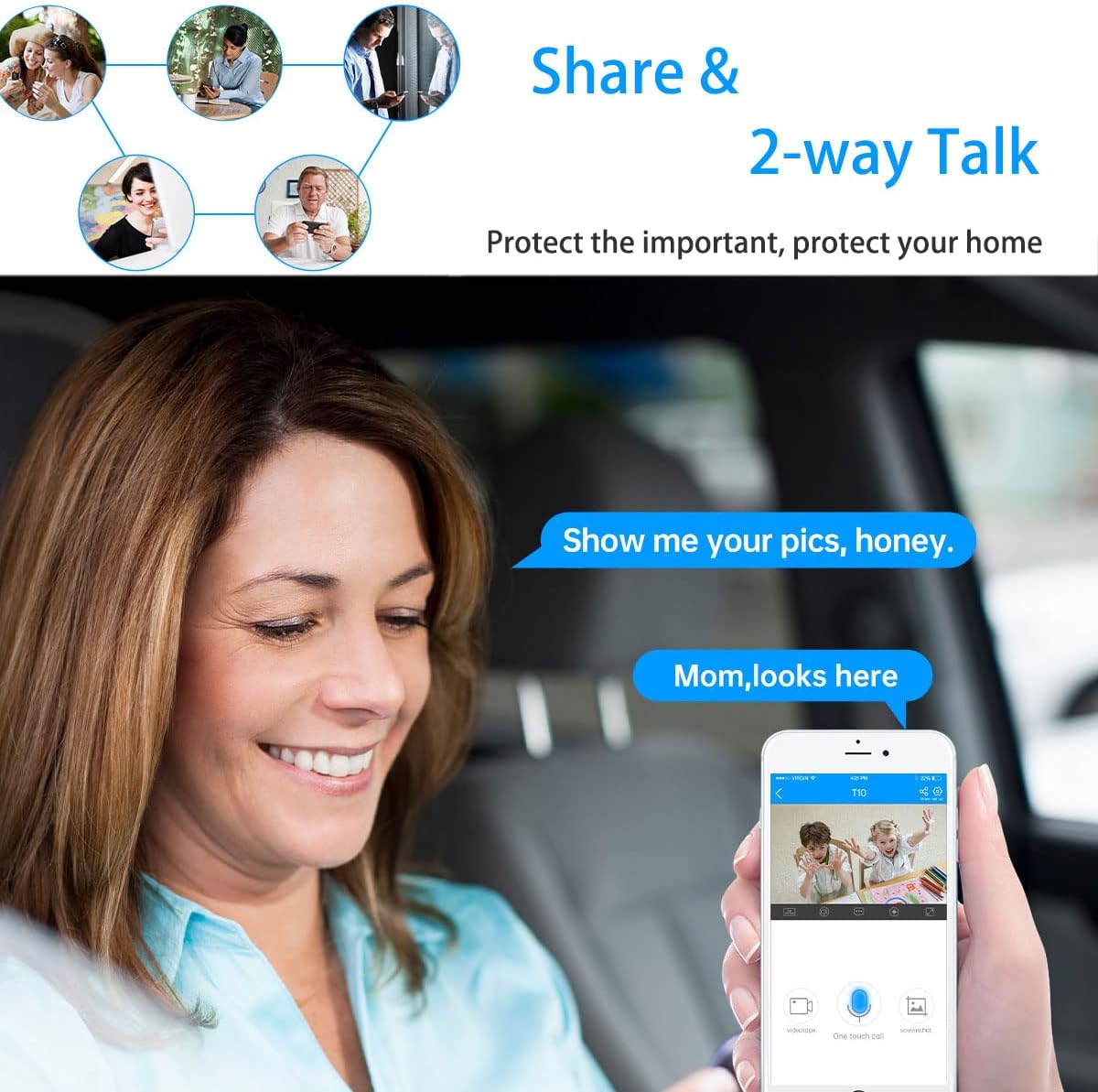
Image: A woman in a car using a smartphone app to engage in two-way communication through the JOOAN camera, demonstrating the 'Share & 2-way Talk' feature.
4.3 Načini nočnega vida
The camera offers multiple night vision modes for clear monitoring in low-light conditions.
- Infrardeči (IR) nočni vid: Automatically activates in low light, providing clear black and white video using 8 IR LEDs.
- Barvni nočni vid: Utilizes 2 white lights to provide color video in low light.
- Pametni nočni vid: Combines IR and white light. Floodlights can turn on automatically upon detection of a moving human shape, providing enhanced visibility and deterrence.
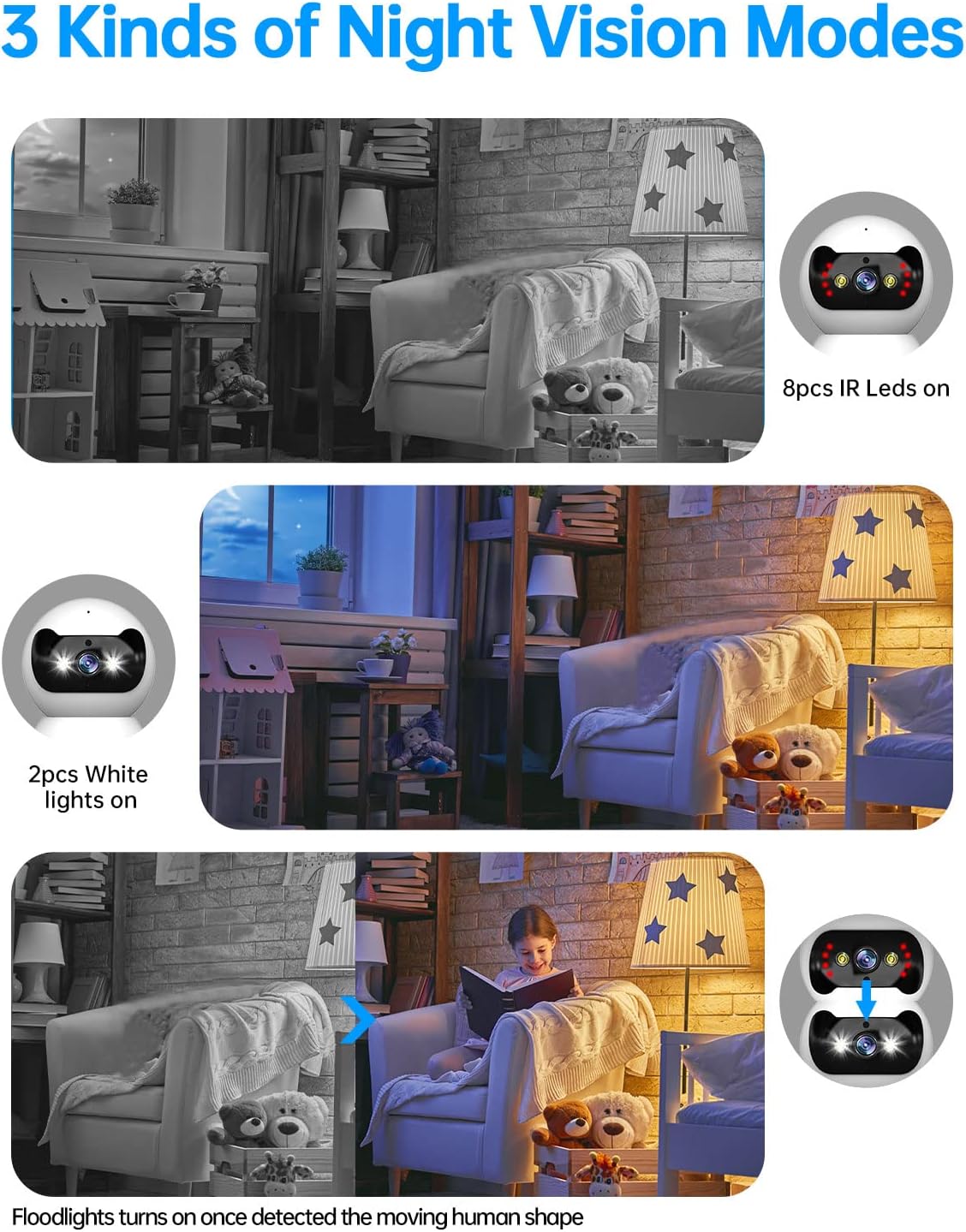
Image: Three panels illustrating the JOOAN camera's night vision capabilities: standard infrared (8 IR LEDs), color night vision (2 white lights), and smart night vision where floodlights activate upon motion detection.
4.4 Zaznavanje gibanja in opozorila
The camera can detect motion and send alerts to your smartphone.
- Omogočite zaznavanje gibanja v nastavitvah aplikacije.
- Prilagodite raven občutljivosti, da zmanjšate število lažnih alarmov.
- Prejemajte potisna obvestila na telefon, ko zazna gibanje.
- The camera supports automatic tracking, following detected movement within its field of view.

Image: A JOOAN camera mounted on a ceiling, demonstrating its automatic tracking feature by highlighting a person moving through a room with red detection zones.
4.5 Snemanje in predvajanje
The camera supports video recording, typically to a microSD card (not included) or cloud storage (subscription may be required).
- Insert a compatible microSD card into the camera's slot (refer to app for maximum supported capacity).
- Configure recording settings (e.g., continuous recording, motion-triggered recording) in the app.
- Dostop do posnetega footage through the app's playback feature, typically organized by date and time.
5. Vzdrževanje
5.1 Čiščenje
Za ohranjanje optimalne kakovosti slike naj bo objektiv fotoaparata čist.
- Pred čiščenjem se prepričajte, da je fotoaparat izklopljen.
- Za nežno brisanje objektiva in ohišja fotoaparata uporabite mehko, suho krpo, ki ne pušča vlaken.
- Avoid using harsh chemicals, solvents, or abrasive materials, as these can damage the camera's surface or lens.
5.2 Posodobitve vdelane programske opreme
Periodically check for firmware updates through the JOOAN app. Firmware updates can improve performance, add new features, and enhance security.
- Access the camera settings in the app.
- Look for a 'Firmware Update' or 'About Device' section.
- Follow the on-screen prompts to download and install any available updates. Ensure the camera remains powered during the update process.
5.3 Ponastavitev naprave
If you encounter persistent issues or wish to reconfigure the camera, a factory reset may be necessary.
- Locate the reset button on the camera (refer to the product diagram in the app or included manual).
- With the camera powered on, use a pin or a straightened paperclip to press and hold the reset button for approximately 5-10 seconds until you hear a voice prompt or see the indicator light change.
- The camera will restart, and all settings will revert to factory defaults. You will need to re-add the camera to the app.
6. Odpravljanje težav
This section addresses common issues you might encounter with your JOOAN camera.
6.1 Kamera se ne povezuje z omrežjem Wi-Fi
- Check Wi-Fi Band: Ensure your router is broadcasting a 2.4GHz Wi-Fi signal and your phone is connected to it during setup. The camera may not support 5GHz networks.
- Geslo za Wi-Fi: Double-check that the Wi-Fi password entered in the app is correct.
- Moč signala: Place the camera closer to your Wi-Fi router to ensure a strong signal.
- Nastavitve usmerjevalnika: Ensure your router's firewall or security settings are not blocking the camera.
- Ponastavi kamero: Perform a factory reset on the camera and attempt the setup process again.
6.2 Slaba kakovost slike
- Čista leča: Objektiv fotoaparata nežno očistite z mehko, suho krpo.
- Omrežna hitrost: Ensure your internet connection has sufficient upload speed for streaming high-definition video.
- Osvetlitev: Adjust ambient lighting conditions. For night vision, ensure no obstructions are blocking the IR or white lights.
6.3 Težave z dvosmernim zvokom
- Glasnost aplikacije: Check the volume settings on your smartphone and within the JOOAN app.
- Glasnost kamere: Ensure the camera's speaker volume is not muted or set too low in the app.
- Motnje: Move the camera away from other electronic devices that might cause audio interference.
6.4 Zaznavanje gibanja ne deluje
- Omogoči funkcijo: Preverite, ali je v nastavitvah kamere v aplikaciji omogočeno zaznavanje gibanja.
- Občutljivost: Adjust the motion detection sensitivity. If it's too low, it might miss events.
- Območje zaznavanja: Ensure the area you want to monitor is within the camera's detection zone.
7. Specifikacije
| Znamka | JOOAN |
| Številka modela | 366 |
| Učinkovita video ločljivost | 720 Pixels (Note: Product is marketed as 1080P) |
| Tehnologija povezljivosti | Brezžično (Wi-Fi) |
| Brezžična komunikacijska tehnologija | Wi-Fi (Primarily 2.4GHz) |
| Posebne lastnosti | HD 720p, Pan/Tilt Visibility, Two-Way Talk, Easy Setup |
| Notranja/zunanja uporaba | Notranja |
| Območje nočnega vida | 30 čevljev |
| Vrsta svetlobnega vira | Infrardeči |
| Vrsta opozorila | Samo gibanje |
| Nadzorna metoda | Remote (via Smartphone/Tablet App) |
| Združljive naprave | Namizni računalnik, pametni telefon, tablični računalnik |
| Vir napajanja | AC/DC |
| voltage | 12 volta |
| Wattage | 4.2 vatov |
| Mere predmeta (D x Š x V) | 1.77 x 1.85 x 2.05 palcev |
| Teža predmeta | 12 unč |
| barva | Bela |
| Material | Steklo |
| Format za zajem videa | MPEG-4 |
8. Informacije o garanciji
Specific warranty details for the JOOAN 1080P Wireless Indoor Security Camera (Model 366) are typically provided with the product packaging or on the manufacturer's official website. Please refer to these sources for comprehensive information regarding warranty coverage, terms, and conditions.
9. Podpora strankam
For technical assistance, product inquiries, or further support, please visit the official JOOAN website. You may find FAQs, additional resources, and contact information for their customer service team there.
Webspletno mesto: Visit the JOOAN Store on Amazon (za splošne informacije o blagovni znamki)


