Uvod
Welcome to the user manual for your new MODSTER Helix 150 Flybarless RC Helicopter. The Helix 150 is designed for beginners, offering extremely stable flight behavior thanks to its sophisticated 6-axis stabilization sensor. This manual provides essential information for setting up, operating, maintaining, and troubleshooting your helicopter to ensure a safe and enjoyable experience.
Varnostne informacije
Please read and understand all safety warnings before operating the MODSTER Helix 150. Failure to do so may result in injury or damage to the product.
- Samo za zunanjo uporabo. Do not operate indoors in confined spaces where damage to property or injury to persons may occur.
- Izogibajte se stiku z očmi. Keep the helicopter and its components away from your face, especially during operation.
- Hraniti ločeno od odprtega ognja in neposrednih virov toplote. This applies to the helicopter, battery, and charger.
- Priporočljiv je nadzor odraslih for users under the age of 14.
- Ne spreminjajte the helicopter or its components.
- Prepričajte se, da je baterija popolnoma napolnjena before each flight and disconnect it after use.
- Operate in open areas free from obstacles, people, and animals.
Vsebina paketa
Previdno razpakirajte vse predmete in jih preverite na spodnjem seznamu. Če kateri koli predmet manjka ali je poškodovan, se obrnite na podporo strankam.
- MODSTER Helix 150 Helicopter
- Daljinski upravljalnik (oddajnik)
- 300 mAh LiPo Battery
- USB polnilni kabel
- Spare Main Rotor Blades (Set)
- Spare Tail Rotor Blades (Set)
- Spare Swashplate Linkage Rod
- Phillips izvijač za glavo
- Allen Wrench
- User Manual (German/English)
Konec izdelkaview
The MODSTER Helix 150 is a compact and stable RC helicopter, perfect for learning to fly. Its design incorporates features for ease of use and durability.

Slika 1: The MODSTER Helix 150 Flybarless RC Helicopter. This image shows the complete helicopter with its main rotor blades, tail rotor, landing skids, and sleek body design.

Slika 2: The MODSTER Helix 150 helicopter alongside its remote control. This image highlights the "Flybarless Heli for Everyone" concept, emphasizing ease of use for beginners with features like auto start/landing and stabilization.

Slika 3: Visual representation of key features including 6-axis stabilization, RTF (Ready-To-Fly) out of the box, Gyro stabilization, and a length of 268 mm.
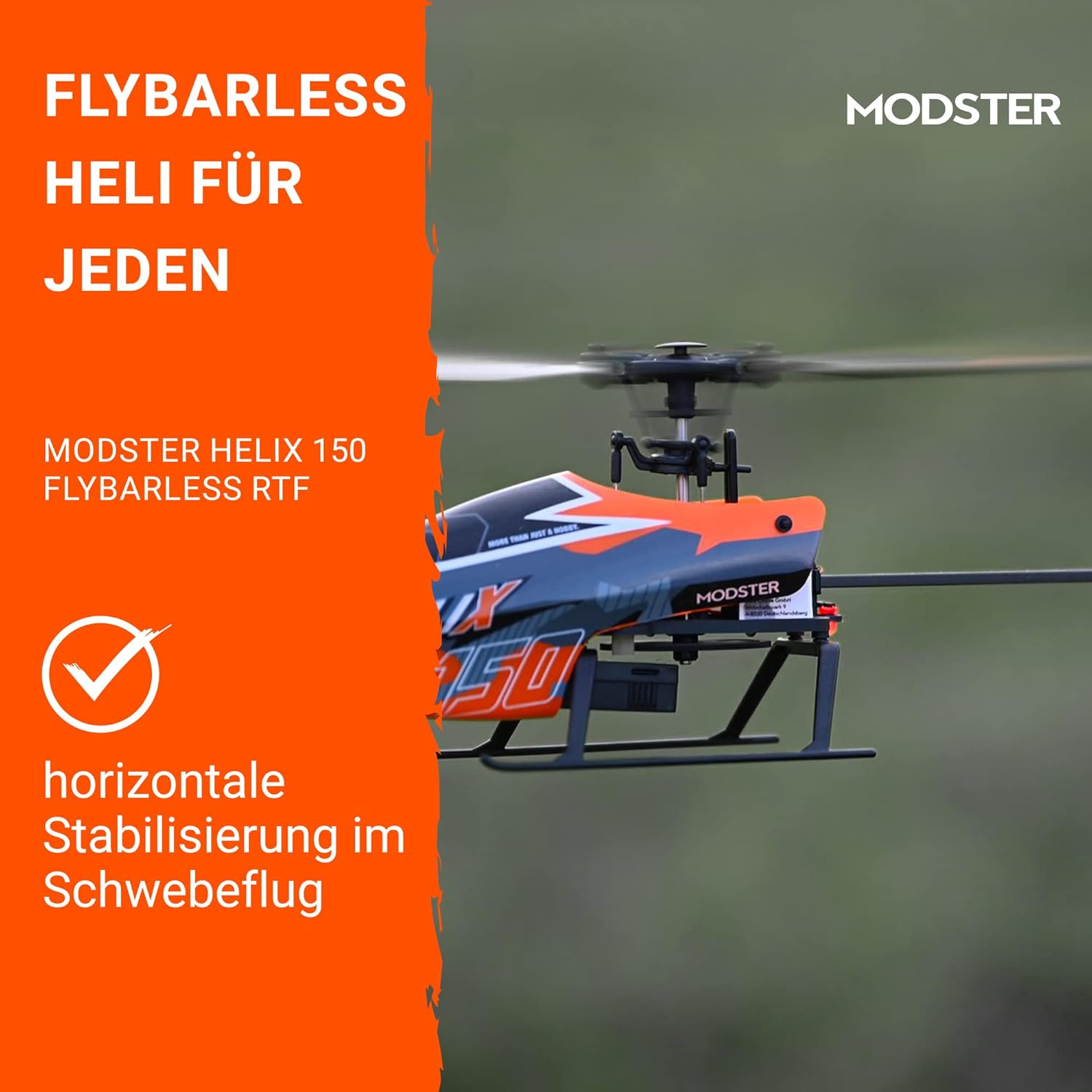
Slika 4: The helicopter demonstrating horizontal stabilization during hover flight, a key feature for beginner pilots.
Nastavitev
1. Polnjenje letalske baterije
- Connect the included USB charging cable to a USB power source (e.g., computer USB port, USB wall adapter).
- Connect the 300 mAh LiPo battery to the USB charging cable.
- The charging indicator light on the USB cable will show the charging status (e.g., red for charging, green for fully charged).
- Polnjenje običajno traja približno 30–60 minut. Baterije ne prenapolnite.
2. Vstavljanje baterij v daljinski upravljalnik
- Odprite prostor za baterije na zadnji strani daljinskega upravljalnika.
- Insert the required batteries (typically 4x AAA, not included) ensuring correct polarity (+/-).
- Varno zaprite predal za baterije.
3. Binding the Helicopter and Remote Control
- Ensure the helicopter's battery is disconnected and the remote control is turned off.
- Vklopite daljinski upravljalnik.
- Connect the flight battery to the helicopter. Place the helicopter on a flat, stable surface.
- The helicopter's indicator light will flash, and the remote control will beep.
- Move the throttle stick (left stick for Mode 2) all the way up, then all the way down.
- The indicator lights on both the helicopter and remote control should become solid, indicating a successful binding.
Navodila za uporabo
1. Predletni pregledi
- Ensure the flight battery is fully charged.
- Check that the remote control batteries are sufficient.
- Inspect rotor blades for any damage or cracks.
- Ensure all linkages are securely connected.
- Choose an open, clear area for flight, away from people, animals, and obstacles.
2. Take-off (Auto Start)
After binding, place the helicopter on a flat surface. Press the "Auto Take-off" button (often marked with an arrow pointing up or a take-off icon) on the remote control. The helicopter will automatically ascend to a stable hover height.
3. Osnovni elementi upravljanja leta (2. način)
The remote control supports both Mode 1 and Mode 2. This manual describes Mode 2, which is common for RC helicopters. Refer to your remote control's specific instructions for switching modes if needed.
- Leva palica (plin/zasuk):
- Gor, dol: Controls altitude (throttle).
- Levo/desno: Controls yaw (rotation around its vertical axis).
- Desna palica (nagib/kot):
- Gor, dol: Controls pitch (forward/backward movement).
- Levo/desno: Controls roll (sideways movement).
4. Landing (Auto Landing)
To land the helicopter, press the "Auto Landing" button (often marked with an arrow pointing down or a landing icon) on the remote control. The helicopter will automatically descend and land gently.
Alternatively, you can manually land by slowly lowering the throttle stick until the helicopter gently touches down. Once landed, immediately pull the throttle stick all the way down and hold for a few seconds to stop the rotors.
Vzdrževanje
- Čiščenje: Use a soft, dry cloth to wipe down the helicopter after each flight. Avoid using water or solvents.
- Pregled rotorskih lopatic: Regularly check main and tail rotor blades for any signs of damage (cracks, bends, chips). Replace damaged blades immediately using the included spare parts and screwdriver.
- Vzdrževanje baterije:
- Always disconnect the battery from the helicopter after use.
- Baterijo shranjujte na hladnem in suhem mestu, stran od neposredne sončne svetlobe in ekstremnih temperatur.
- Do not store fully charged or fully discharged for extended periods. For long-term storage, charge to approximately 50%.
- Linkage Check: Periodically check all control linkages for looseness or damage. Use the provided tools for adjustments or replacements.
Odpravljanje težav
| Težava | Možen vzrok | rešitev |
|---|---|---|
| Helikopter se ne odziva na daljinsko upravljanje. | Not bound, low remote control battery, helicopter battery low. | Re-bind the helicopter and remote. Replace remote control batteries. Charge helicopter battery. |
| Helikopter med lebdenjem zdrsne v zrak. | Trim settings incorrect, minor damage to blades, strong wind. | Adjust trim buttons on remote. Inspect and replace damaged blades. Fly in calm conditions. |
| Rotorji se vrtijo, vendar helikopter ne vzleti. | Low helicopter battery, damaged main rotor blades, motor issue. | Charge helicopter battery. Replace main rotor blades. Contact support if motor issue suspected. |
| Kratek čas letenja. | Battery not fully charged, aging battery, aggressive flying. | Ensure full charge. Battery life decreases over time; consider replacement. Practice smoother flying. |
Specifikacije
| Funkcija | Podrobnost |
|---|---|
| Ime modela | Helix 150 |
| Številka modela | HeliX 150 Flybarless 1S RTF |
| Premer rotorja | 245 mm |
| Dolžina | 268 mm |
| Teža | 52 g |
| Stabilizacija leta | 6-Axis Gyro Stabilization |
| Čas letenja | Do 15 minut |
| Baterija | 300 mAh LiPo |
| Vrsta nadzora | Radio Control (Mode 1 & Mode 2 switchable) |
| Posebne lastnosti | Auto Start/Landing, Horizontal Hover Stabilization |
| Priporočena starost | 14 leta in več |
| Glavni material | Plastika |
| barva | Bordeaux |
Garancija in podpora
For warranty information, please refer to the documentation provided at the time of purchase or visit the official MODSTER webmesto.
If you encounter any issues not covered in this manual or require further assistance, please contact MODSTER customer support. You can typically find contact details on the product packaging or the official MODSTER website. When contacting support, please have your product model number (HeliX 150 Flybarless 1S RTF) and purchase information ready.


