Uvod
This manual provides essential instructions for the setup, operation, and maintenance of your Gigaset Handset and Charging Station. This product is compatible with various Gigaset phone systems, including models S2, S44, S200, S440, S445, S645, SX440, and SX445. Please read this manual carefully to ensure proper use and to maximize the lifespan of your device.
1. Nastavitev
1.1 Razpakiranje in začetni pregled
Carefully unpack all components. Ensure that the handset, charging station, and power adapter are present and undamaged. If any items are missing or damaged, contact your retailer.
1.2 Connecting the Charging Station
- Connect the power adapter cable to the charging station.
- Priključite napajalnik v standardno električno vtičnico.
- Place the charging station on a flat, stable surface, away from heat sources and direct sunlight.

Slika 1.1: Zgoraj view of the Gigaset charging station. This image shows the compact design of the charging station, ready to receive the handset.
1.3 Inserting the Battery and Charging the Handset
- Odprite pokrov prostora za baterije na zadnji strani slušalke.
- Vstavite polnilno baterijo in pri tem pazite na pravilno polarnost.
- Zaprite pokrov prostora za baterije.
- Place the handset into the charging station. Ensure it is seated correctly and the charging indicator (if present) illuminates.
- Pred prvo uporabo pustite, da se telefon polni vsaj 6–8 ur, da zagotovite polno zmogljivost baterije.
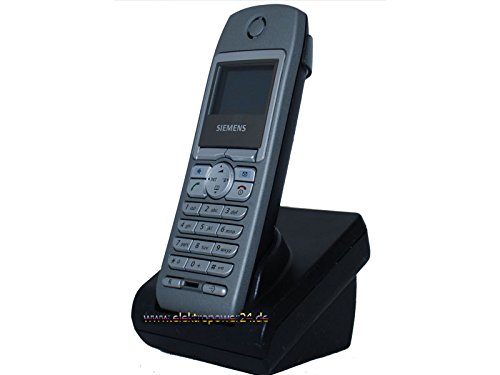
Slika 1.2: Spredaj view of the Gigaset handset securely placed in its charging station. The display shows "Wahlvorbereitung" (dialing preparation) and a phone number, indicating it's powered on and ready.
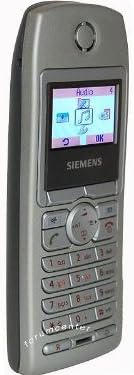
Slika 1.3: Stran view of the Gigaset handset, highlighting its ergonomic design and button layout. The display shows menu options like "Audio" and "OK".

Slika 1.4: Hrbet view of the Gigaset handset, showing the smooth casing and the location of the battery compartment cover.
1.4 Registering the Handset to a Base Station
This handset is designed to be compatible with various Gigaset base stations. The registration process may vary slightly depending on your specific base station model. Refer to your base station's manual for detailed instructions. Generally, the steps involve:
- Activate registration mode on your Gigaset base station (usually by pressing and holding a registration button).
- Na slušalki pojdite v meni »Nastavitve« ali »Registracija«.
- Select "Register Handset" and follow the on-screen prompts. You may need to enter a PIN (default is usually 0000).
- Once registered, the handset display will confirm successful connection to the base station.
2. Navodila za uporabo
2.1 Osnovne funkcije
- Klicanje: Enter the phone number and press the green call key.
- Sprejem klica: Press the green call key when the phone rings.
- Končanje klica: Pritisnite rdečo tipko za končanje klica.
- Prostoročno telefoniranje: During a call, press the dedicated hands-free key (often backlit) to activate the speakerphone.
2.2 Telefonski imenik
The handset features a directory capable of storing up to 200 phone numbers and names.
- Dodajanje vnosa: Navigate to the "Directory" or "Phonebook" menu, select "New Entry," and enter the name and number.
- Calling from Directory: Open the directory, scroll to the desired entry, and press the green call key.
2.3 Display and Indicators
The handset features a 5-line illuminated graphic display. Key indicators include:
- Date/Time Display: Always visible on the idle screen.
- CLIP Function (Call Display): Shows the caller's number or name (if stored in the directory) for incoming calls.
- Indikator baterije: Prikazuje trenutno raven napolnjenosti baterije.
- Indikator moči signala: Displays the connection quality to the base station.
3. Vzdrževanje
3.1 Čiščenje
- Wipe the handset and charging station with a soft, damp krpo.
- Ne uporabljajte abrazivnih čistil ali topil.
- Pazite, da v odprtine naprave ne pride tekočina.
3.2 Skrb za baterije
- Always use the original or approved replacement rechargeable batteries.
- Izogibajte se izpostavljanju baterije ekstremnim temperaturam.
- Če slušalke ne boste uporabljali dalj časa, odstranite baterijo.
4. Odpravljanje težav
| Težava | Možen vzrok | rešitev |
|---|---|---|
| Slušalka se ne vklopi. | Baterija ni pravilno vstavljena ali je prazna. | Check battery insertion. Place handset in charging station for several hours. |
| Brez klicnega tona. | Slušalka ni registrirana na bazno postajo ali je izven dosega. | Ensure handset is registered. Move closer to the base station. Check base station power. |
| Slaba kakovost klicev. | Interference or handset too far from base station. | Move away from other electronic devices. Move closer to the base station. |
| Ne morem klicati ali sprejemati klicev. | Line issue or base station problem. | Check your telephone line connection. Restart the base station by unplugging and replugging its power. |
5. Specifikacije
- Znamka: Gigaset
- Združljivi modeli: Gigaset S2, S44, S200, S440, S445, S645, SX440, SX445
- Zmogljivost telefonskega imenika: Up to 200 entries (names and numbers)
- Zaslon: 5-line illuminated graphic display
- Lastnosti: Backlit hands-free key, Date/Time display, CLIP function (Call Display)
- Proizvajalec: Gigaset
- ASIN: B0102FULTW
Note: Information regarding spare parts availability and guaranteed software updates is not provided. This product is currently not listed as discontinued by the manufacturer.
6. Garancija in podpora
Specific warranty details for this Gigaset Handset and Charging Station are not provided within the available product information. For warranty claims, technical support, or service inquiries, please refer to the documentation included with your original purchase or visit the official Gigaset webspletno mesto za vašo regijo.
You may also contact your retailer for assistance.


