Uvod
The Superior Electronics Freedom 2in1 is a universal programmable remote control designed to operate up to two different audio/video devices. This manual provides comprehensive instructions for setup, operation, maintenance, and troubleshooting to ensure optimal performance and longevity of your device.
Varnostne informacije
- Daljinskega upravljalnika ne izpostavljajte neposredni sončni svetlobi, virom toplote ali ekstremnim temperaturam.
- Pazite, da vam daljinski upravljalnik ne pade ali da ga ne izpostavljate močnim udarcem.
- Daljinskega upravljalnika ne potapljajte v vodo ali katero koli drugo tekočino.
- Baterije hranite izven dosega otrok. Če pride do zaužitja, takoj poiščite zdravniško pomoč.
- Izrabljene baterije zavrzite v skladu z lokalnimi predpisi.
Vsebina paketa
Prosimo, preverite, ali so v paketu prisotni vsi elementi:
- Superior Electronics Freedom 2in1 Universal Remote Control
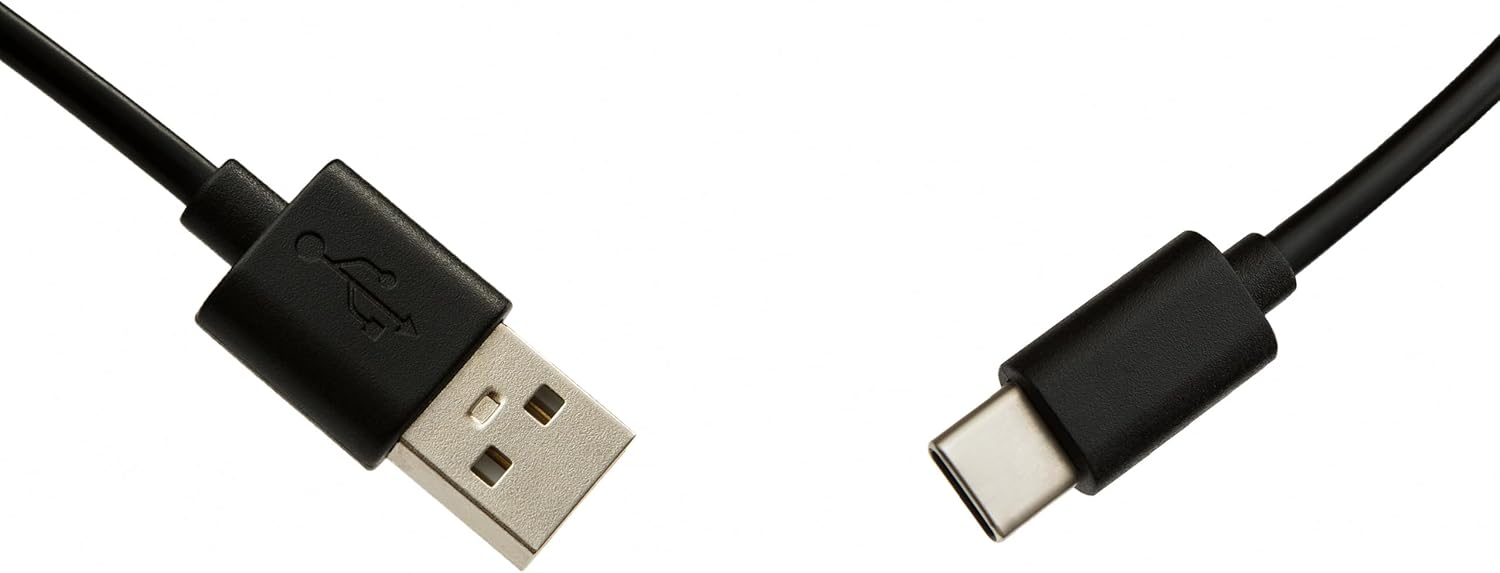
- USB-C Cable for programming
- Uporabniški priročnik (ta dokument)
Nastavitev
1. Namestitev baterije
Daljinski upravljalnik potrebuje dve bateriji AAA (nista priloženi). Za namestitev:
- Odprite pokrov prostora za baterije na zadnji strani daljinskega upravljalnika.
- Vstavite dve bateriji AAA in pazite na pravilno polarnost (+ in -).
- Trdno zaprite pokrov prostora za baterije.
2. Programiranje daljinskega upravljalnika
The Superior Electronics Freedom 2in1 remote control is programmable via a computer using the included USB-C cable and Superior's dedicated software. This allows for quick and accurate setup for a wide range of devices.
- Prenos programske opreme: Visit the official Superior Electronics website to download the latest programming software for your Freedom 2in1 remote.
- Poveži daljinski upravljalnik: Connect the remote control to your computer using the provided USB-C cable.
- Zagon programske opreme: Open the Superior programming software on your computer.
- Izberite napravo: Follow the on-screen instructions to select the brand and model of the device you wish to control (e.g., TV, SAT, DVD, Soundbar). The software utilizes a leading European database with over 260,000 compatible devices.
- Program: Initiate the programming process. Programming is typically completed in less than one minute by double-clicking the desired brand and model within the software.
- MAP Function: The dedicated MAP function allows you to recover the original remote control functions on the Superior Freedom keypad, ensuring all original functionalities are available.

Navodila za uporabo
Once programmed, your Superior Electronics Freedom 2in1 remote control is ready for use. It can control up to two devices, such as TVs, Smart TVs, decoders, DVD players, projectors, and soundbars.

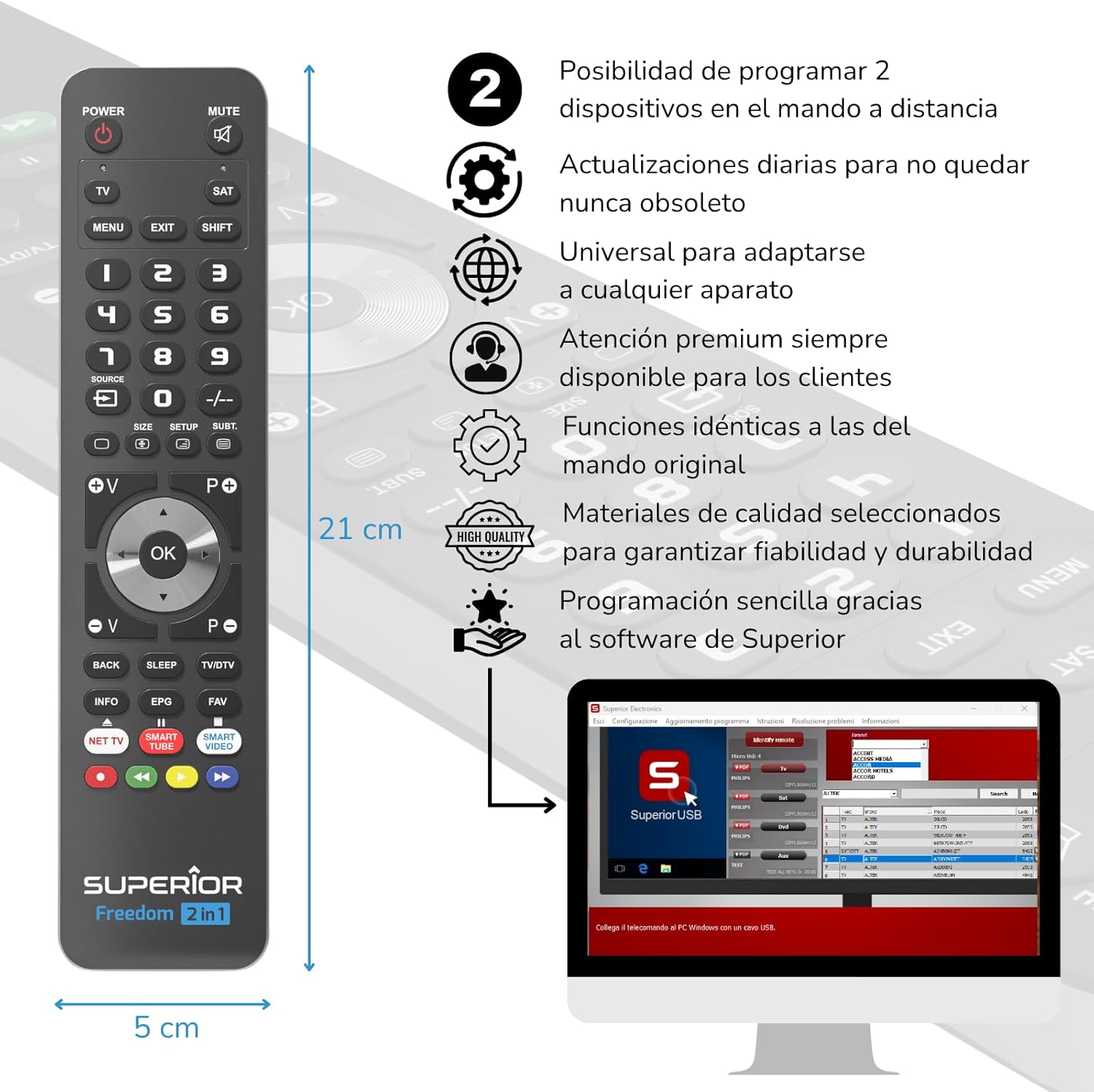
Funkcije gumba Konecview:
- MOČ: Vklopi ali izklopi izbrano napravo.
- MUTE: Izklopi ali vklopi zvok.
- TV / SAT: Selects the device to be controlled (e.g., TV or Satellite receiver).
- MENU / EXIT: Accesses or exits the device's menu.
- SHIFT: Activates secondary functions of certain buttons.
- 0-9: Number buttons for direct channel input.
- VIR: Changes the input source on your TV.
- , Adjusts channel up/down or navigates through menus.
- SIZE / SETUP / SUBT.: Specific functions depending on the device.
- Volume (V+/-) / Channel (P+/-): Prilagodi glasnost in preklaplja kanale.
- Navigacija (gor, dol, levo, desno, V redu): Navigacija po menijih in potrditev izbir.
- BACK / SLEEP / TV/DTV: Returns to previous screen, sets sleep timer, or switches between TV/Digital TV modes.
- INFO / EPG / FAV: Displays information, Electronic Program Guide, or Favorite channels.
- NET TV / SMART TUBE / SMART VIDEO: Dedicated buttons for smart TV applications.
- Barvni gumbi (rdeči, zeleni, rumeni, modri): Used for specific functions within menus or smart TV apps.
The maximum operating range of the remote control is 10 meters.
Vzdrževanje
Čiščenje
To clean the remote control, use a soft, dry cloth. Do not use abrasive cleaners, solvents, or chemical agents, as these may damage the surface or internal components.
Zamenjava baterije
When the remote control's performance diminishes or it stops responding, it is likely time to replace the batteries. Follow the battery installation steps outlined in the Setup section.
Odpravljanje težav
- Daljinec se ne odziva: Ensure batteries are correctly inserted and not depleted. Replace batteries if necessary.
- Device not controlling: Verify that the remote is pointed directly at the device's IR receiver. Ensure there are no obstructions between the remote and the device.
- Incorrect functions: The remote may not be programmed correctly for your specific device model. Re-program the remote using the Superior Electronics software and ensure you select the correct brand and model.
- Omejena funkcionalnost: If some functions are missing, use the MAP function in the programming software to ensure all original remote functions are mapped to the Freedom 2in1.
If issues persist after following these steps, please contact Superior Electronics customer support.
Specifikacije
| Številka modela | SUPTUB002 |
| Znamka | Vrhunska elektronika |
| Dimenzije | 23 x 5 x 1.5 cm |
| Teža | 80 g |
| Potrebne baterije | 2 x AAA (niso vključeni) |
| Povezljivost | USB-C (for programming) |
| Maximum Devices Supported | 2 |
| Največji doseg | 10 metrov |
| Združljive naprave | TVs, Smart TVs, Decoders, DVD players, Projectors, Soundbars, Hi-Fi systems |
Garancija in podpora
Superior Electronics is committed to providing high-quality products and excellent customer service.
- Posodobitve programske opreme: Enjoy free and constant updates for your remote control's programming database, ensuring compatibility with new devices.
- Pomoč strankam: Premium customer assistance is available 7 days a week to address any questions or issues you may encounter.
For further assistance, please visit the official Superior Electronics webspletno mesto ali se obrnite neposredno na njihovo podporo strankam.


