1. Uvod
This manual provides essential information for the safe and effective use of the VEMER VE755600 Digital Multifunction Tester. This device is designed for comprehensive electrical measurements, including continuity, insulation, loop impedance, short circuit analysis, differential current, earth resistance, AC voltage, and phase sequence detection. Please read this manual thoroughly before operating the instrument and retain it for future reference.
2. Varnostne informacije
Always adhere to local and national safety regulations when using this instrument. Failure to follow safety precautions can result in electric shock, injury, or damage to the device.
- ne use the tester if it appears damaged or if the test leads are compromised.
- ne attempt to measure voltagali tokovi, ki presegajo določene največje nazivne vrednosti.
- Ensure proper insulation and grounding when performing measurements.
- Preden začnete izvajati priključke za preizkus upornosti ali prevodnosti, vedno izklopite napajanje tokokroga.
- Nosite ustrezno osebno zaščitno opremo (OZO), kot so izolirane rokavice in zaščitna očala.
- Izogibajte se uporabi naprave v mokrem aliamp pogojev.
3. Izdelek je končanview
The VEMER VE755600 is a robust digital multifunction tester equipped with an internal memory for storing measurement results and a USB interface for PC connectivity. It is designed for professional use in electrical installations.
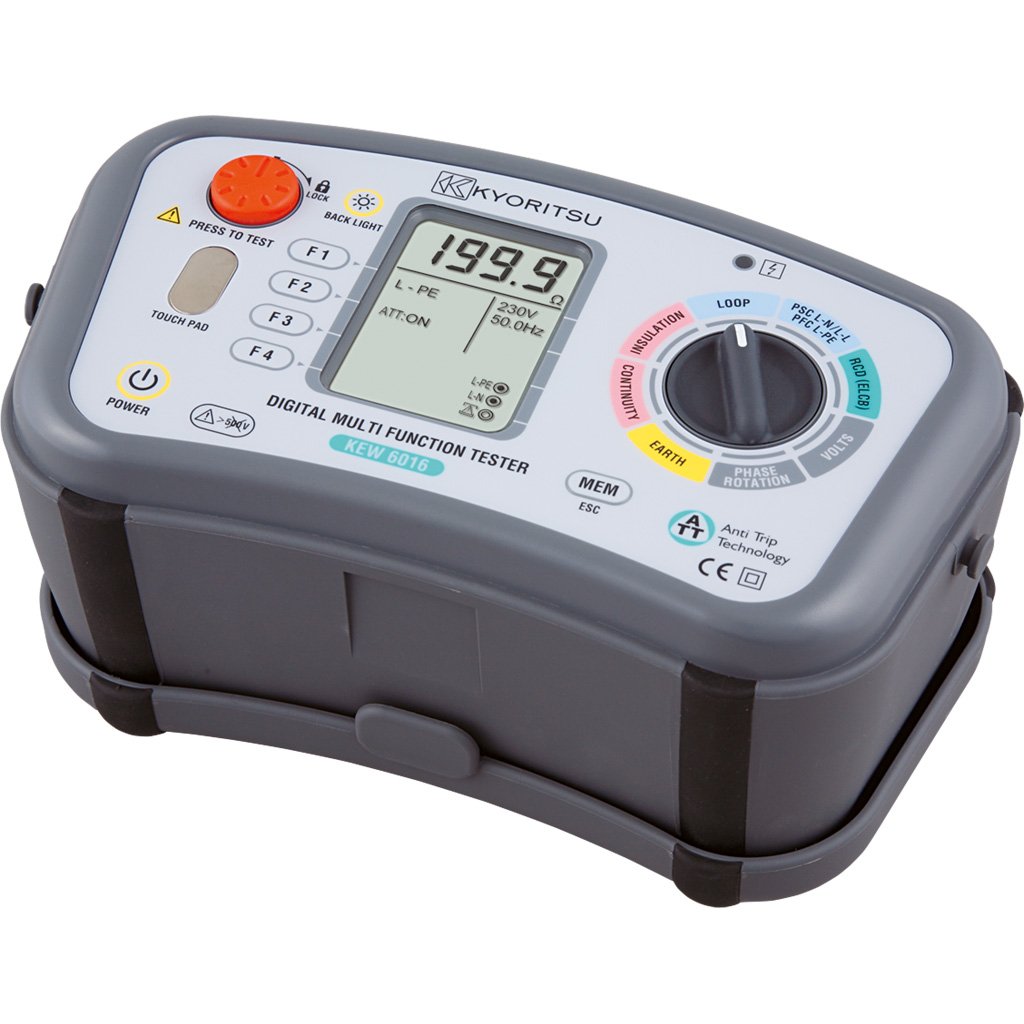
Slika 3.1: VEMER VE755600 Digital Multifunction Tester. This image displays the front view of the dark gray multifunction tester, showing its display screen, rotary selector switch, and various function buttons. Test lead input jacks are visible at the bottom.
Ključne značilnosti:
- Measures continuity, insulation resistance, loop impedance, short circuit current, differential current, earth resistance, AC voltage, and phase sequence.
- Internal memory for saving measurement data.
- USB interface for data transfer to a personal computer.
- Compact and durable design for field use.
4. Nastavitev
Before using the VEMER VE755600, ensure it is properly prepared for operation.
4.1 Namestitev baterije
- Poiščite predal za baterijo na zadnji strani naprave.
- Open the compartment cover using a suitable tool (e.g., screwdriver).
- Vstavite zahtevane baterije in pri tem upoštevajte pravilno polarnost (+/-).
- Trdno zaprite pokrov prostora za baterije.
4.2 Priključitev merilnih vodnikov
- Identify the appropriate input jacks for your desired measurement (e.g., COM, VΩmA, etc.).
- Insert the test leads firmly into the corresponding jacks.
- Ensure the test probes are clean and free from damage.
5. Navodila za uporabo
This section details the procedures for performing various measurements with the VEMER VE755600.
5.1 Vklop/izklop
To power on the device, rotate the selector switch to any measurement function. To power off, rotate the selector switch to the 'OFF' position.
5.2 Continuity Measurement
- Prepričajte se, da je preizkušani tokokrog brez napetosti.
- Rotate the selector switch to the Kontinuiteta position (often indicated by a speaker or ohm symbol).
- Connect the test leads across the component or conductor to be tested.
- Read the resistance value on the display. An audible tone typically indicates low resistance (continuity).
5.3 Merjenje izolacijskega upora
- Prepričajte se, da je preizkušani tokokrog brez napetosti in izoliran.
- Rotate the selector switch to the Izolacija position (often indicated by MΩ).
- Izberite želeno voltage (e.g., 250V, 500V, 1000V) if applicable.
- Connect the test leads between the conductor and earth, or between two conductors.
- Press the 'TEST' button and hold until the measurement stabilizes.
- Na zaslonu odčitajte vrednost izolacijske upornosti.
5.4 Loop and Short Circuit Measurement
- Ensure the circuit is energized for this test.
- Rotate the selector switch to the Zanka or Kratek stik položaj.
- Merilne kable priključite na fazni, nevtralni in ozemljitveni priključek vezja.
- Initiate the test as per the device's instructions (e.g., press 'TEST').
- The display will show the loop impedance or prospective short circuit current.
5.5 Earth Resistance (Terra) Measurement
- Ensure the circuit is de-energized and isolated from the main supply.
- Rotate the selector switch to the Zemeljski upor position (often indicated by RE or a ground symbol).
- Connect the test leads and auxiliary electrodes according to the chosen measurement method (e.g., 3-pole or 4-pole method). Refer to specific diagrams in the full manual for correct connections.
- Initiate the test and read the earth resistance value.
5.6 AC Voltage and Phase Sense Measurement
- Rotate the selector switch to the AC Voltage (V~) or Phase Sense položaj.
- Za AC Voltage: Connect the test leads in parallel across the voltage vir.
- For Phase Sense: Connect the test leads to the phases to determine their sequence.
- Preberite zvtage or phase sequence indication on the display.
5.7 Data Storage and PC Connection
The VE755600 features internal memory for storing measurement results. Consult the full product manual for detailed instructions on saving, recalling, and deleting data. To transfer data to a PC, connect the device via the USB interface and use the provided software (if applicable).
6. Vzdrževanje
Proper maintenance ensures the longevity and accuracy of your VEMER VE755600.
6.1 Čiščenje
Wipe the instrument's casing z mehkim, damp krpo. Ne uporabljajte abrazivnih čistil ali topil. Pred čiščenjem se prepričajte, da je naprava izklopljena in odklopljena iz vseh tokokrogov.
6.2 Zamenjava baterije
Replace batteries when the low battery indicator appears on the display. Use only the specified battery type. Dispose of old batteries responsibly according to local regulations.
6.3 Shranjevanje
When not in use, store the tester in a dry, cool place, away from direct sunlight and extreme temperatures. If storing for extended periods, remove the batteries to prevent leakage.
7. Odpravljanje težav
If you encounter issues with your VEMER VE755600, refer to the following common problems and solutions.
- Naprava se ne vklopi: Preverite namestitev baterij in njihovo napolnjenost. Po potrebi zamenjajte baterije.
- Netočne meritve: Ensure test leads are properly connected and not damaged. Verify the correct measurement function is selected. Calibrate the device if required (refer to service information).
- Display shows 'OL' (Overload): The measured value exceeds the device's range. Disconnect immediately and re-evaluate the circuit.
- No data transfer to PC: Check USB cable connection and ensure the correct software drivers are installed on your computer.
For persistent issues, contact VEMER customer support or an authorized service center.
8. Specifikacije
The following table outlines the technical specifications for the VEMER VE755600 Digital Multifunction Tester.
| Specifikacija | Vrednost |
|---|---|
| Znamka | VEMER |
| Številka modela | VE755600 |
| Mere izdelka (D x Š x V) | 23.5 x 11.4 x 13.6 cm |
| Teža predmeta | 4.6 kilogramov |
| Vir napajanja | Napajanje na baterije |
| Slog | Digitalno |
| barva | darkgray |
| Globalna trgovinska identifikacijska številka (GTIN) | 08007951126324 |
9. Garancija in podpora
For detailed warranty information, please refer to the warranty card included with your product or visit the official VEMER webGarancijski pogoji se lahko razlikujejo glede na regijo in prodajalca.
For technical support, service, or inquiries regarding your VEMER VE755600, please contact your authorized VEMER dealer or the manufacturer's customer service department. Keep your purchase receipt and product model number (VE755600) readily available when seeking support.


