1. Uvod
The Weintek MT8100iE is a 10.2-inch Human Machine Interface (HMI) designed for industrial automation applications. It features an 800 x 480 TFT industrial-grade LCD and is built to fully support major PLCs such as Rockwell, Siemens, Mitsubishi, and Omron. This manual provides essential information for the proper installation, operation, and maintenance of your MT8100iE HMI.
2. Varnostne informacije
Please read and understand all safety instructions before operating the device. Failure to comply may result in injury or damage to the equipment.
- Pred kakršno koli namestitvijo ali vzdrževanjem se prepričajte, da je napajanje izklopljeno.
- To opremo naj namesti in servisira samo usposobljeno osebje.
- Do not expose the device to excessive moisture, dust, or extreme temperatures.
- Verify correct wiring and connections to prevent electrical hazards.
- The front panel is NEMA4/IP65 compliant, but ensure proper sealing during installation to maintain this rating.
3. Vsebina paketa
Preverite, ali so v paketu prisotni vsi elementi:
- MT8100iE HMI Unit
- Mounting Brackets (4x)
- Napajalni priključek
- Uporabniški priročnik (ta dokument)
- CD-ROM with EasyBuilder Pro Software (or download link)
4. Izdelek je končanview
Familiarize yourself with the components and interfaces of the MT8100iE HMI.
4.1 Spredaj View

Slika 4.1: Spredaj view of the MT8100iE HMI, showing the 10.2-inch TFT LCD touchscreen and the power indicator LED at the top left.
4.2 Stran View
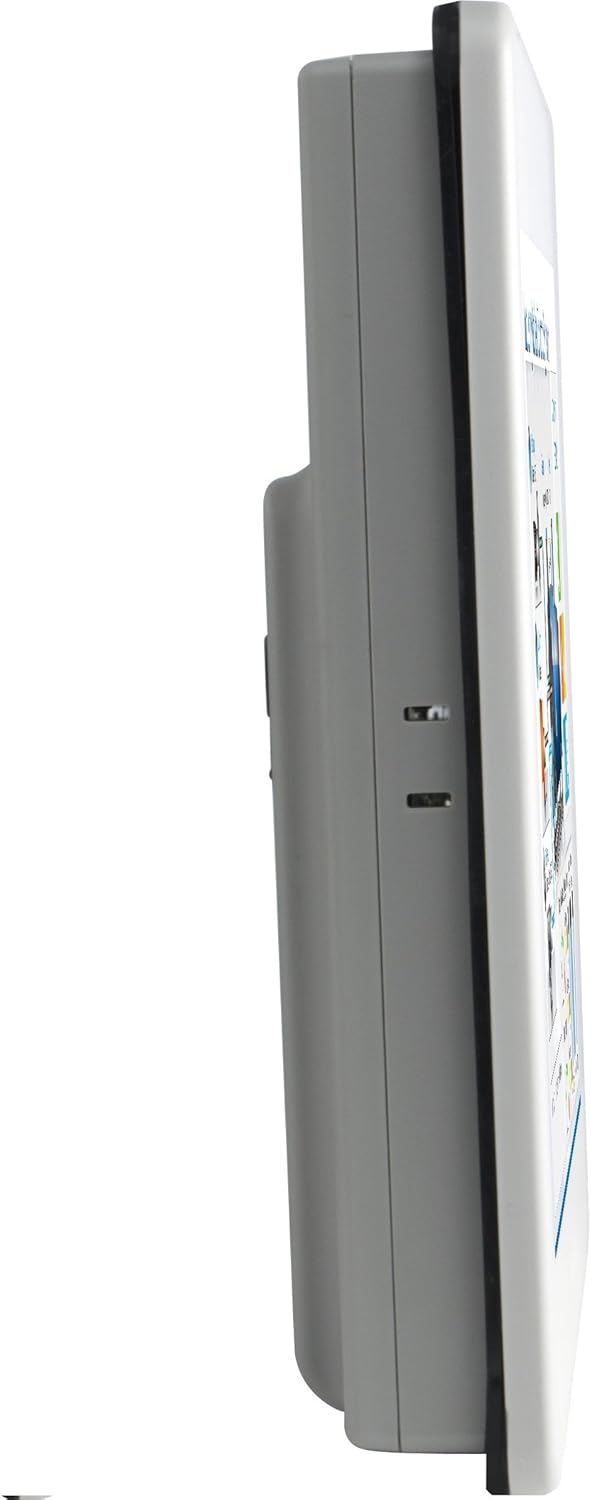
Slika 4.2: Stranski profesionalecfile of the MT8100iE, illustrating its compact form factor suitable for panel mounting.
4.3 zadaj View

Slika 4.3: Zadaj view of the MT8100iE, highlighting the mounting holes for panel installation, the fuse holder for power protection, and the system reset button.
4.4 Komunikacijska vrata

Slika 4.4: Spodaj view of the MT8100iE, detailing the various communication ports including USB, Ethernet, COM1 (RS-232), and COM2 (RS-485 2W/4W).
5. Nastavitev
5.1 Montaža na ploščo
- Cut an opening in the control panel according to the dimensions provided in the installation guide (refer to the separate installation template for precise measurements).
- Insert the MT8100iE HMI into the cutout from the front.
- From the rear of the panel, insert the four mounting brackets into the slots on the HMI unit.
- Tighten the screws on the mounting brackets evenly until the HMI is securely fastened to the panel. Do not overtighten.
5.2 Napajalni priključek
- Connect a 24V DC power supply to the power input terminal block on the rear of the HMI.
- Pazite na pravilno polarnost (+ in -).
- Secure the connection firmly.
5.3 Komunikacijske povezave
- Serijska vrata: Use the COM1 (RS-232) and COM2 (RS-485 2W/4W) ports to connect to PLCs or other serial devices. Refer to your PLC's documentation for specific wiring diagrams.
- Ethernet vrata: Connect an Ethernet cable to the RJ45 port for network communication with PLCs or for remote access.
- Vrata USB: Use the USB host ports for connecting USB flash drives for project transfers or other peripherals.
6. Navodila za uporabo
6.1 Vklop
Once all connections are secure, apply power to the HMI. The power indicator LED will illuminate, and the HMI will boot up, displaying the configured project.
6.2 Project Download
To load a new project or update an existing one:
- Create or modify your HMI project using the EasyBuilder Pro software on a PC.
- Connect the PC to the HMI via Ethernet or USB.
- In EasyBuilder Pro, use the 'Download' function to transfer the project to the HMI.
- The HMI will restart with the new project loaded.
6.3 Upravljanje zaslona na dotik
The MT8100iE features a resistive touchscreen. Use your finger or a non-sharp stylus to interact with the on-screen elements such as buttons, input fields, and displays.
6.4 PLC Communication
The HMI is designed to communicate with various PLCs. Ensure the communication settings (protocol, baud rate, station ID, etc.) configured in your EasyBuilder Pro project match those of your connected PLC.
7. Vzdrževanje
Regular maintenance ensures optimal performance and longevity of your HMI.
- Čiščenje: Uporabite mehko, damp krpo za čiščenje zaslona in casing. Do not use abrasive cleaners or solvents. Ensure no liquid enters the device.
- Posodobitve vdelane programske opreme: Periodically check the Weintek website for firmware updates to ensure your HMI has the latest features and bug fixes.
- Zamenjava varovalke: If the HMI does not power on, check the fuse located on the rear panel. Replace it with a fuse of the same type and rating if necessary. Always disconnect power before replacing the fuse.
- Okoljski pogoji: Za preprečitev poškodb zagotovite, da temperatura in vlažnost delovnega okolja ostaneta znotraj določenih razponov.
8. Odpravljanje težav
V tem razdelku so rešitve za pogoste težave, na katere lahko naletite.
| Težava | Možen vzrok | rešitev |
|---|---|---|
| HMI se ne vklopi. | No power supply, incorrect wiring, blown fuse. | Check power connection, verify wiring polarity, replace fuse if blown. |
| Zaslon na dotik se ne odziva. | Screen calibration issue, hardware fault. | Perform screen calibration (refer to EasyBuilder Pro documentation), contact support if issue persists. |
| Cannot communicate with PLC. | Incorrect communication settings, wrong cable, PLC offline. | Verify communication protocol, baud rate, and station ID in EasyBuilder Pro. Check cable connections. Ensure PLC is powered on and running. |
| Prenos projekta ni uspel. | Network issue, incorrect IP address, firewall blocking. | Check network cable, verify HMI and PC IP addresses are in the same subnet. Temporarily disable firewalls for testing. |
9. Specifikacije
| Funkcija | Opis |
|---|---|
| Številka modela | eMT3070A1WK |
| Velikost zaslona | 10.2 palcev |
| Resolucija | 800 x 480 |
| Razmerje stranic | 1.66:1 |
| Površina zaslona | Sijajni |
| Spomin | Vgrajen 128 MB bliskovnega pomnilnika |
| Ura realnega časa (RTC) | ja |
| Ocena sprednje plošče | NEMA4/IP65 Compliant |
| Serijska vrata | COM1 RS-232 / COM2 RS-485 (2W/4W) |
| E-poštno obvestilo | Status e-Mail notification feature |
10. Garancija in podpora
Weintek products are manufactured to high quality standards. For warranty information and technical support, please refer to the official Weintek webspletno mesto ali se obrnite na pooblaščenega distributerja. Račun shranite kot dokazilo o nakupu za uveljavljanje garancije.
For software downloads, drivers, and additional resources, visit the official Weintek support portal.