Uvod
The Logitech Harmony Hub (Model 915-000216) transforms your iOS or Android smartphone or tablet into a universal remote control for your home entertainment system. This device centralizes control of up to eight devices, including TVs, Blu-ray players, satellite/cable boxes, and streaming media players, allowing you to manage them through a single, intuitive mobile application. The Harmony Hub communicates with your devices using IR signals, and can even control devices located behind cabinet doors using the included IR mini-blaster.

Image: The Logitech Harmony Hub, a sleek black oval device, shown from a top-down perspective. This is the main unit that connects to your home entertainment devices.
Nastavitev
- Unpack and Connect:
Carefully unpack the Harmony Hub and its accessories. Connect the power adapter to the hub and plug it into an electrical outlet. Position the hub near your entertainment devices, ensuring a clear line of sight to devices that use infrared (IR) signals, or use the included IR mini-blaster for devices in cabinets.
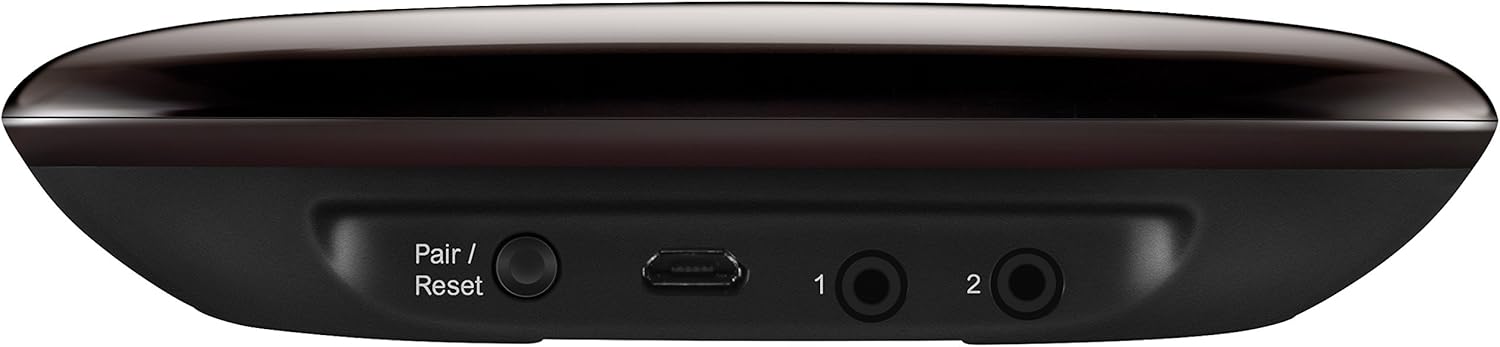
Slika: Zadaj view of the Logitech Harmony Hub, showing the 'Pair/Reset' button, micro-USB port, and two 3.5mm jacks for IR mini-blasters. This illustrates the connection points for power and accessories.
- Download the Harmony Mobile App:
On your iOS or Android smartphone or tablet, download the Logitech Harmony mobile app from the App Store or Google Play Store. Iskanje "Logitech Harmony".
- Launch and Configure:
Open the Harmony app. Follow the on-screen instructions to create a new account or log in. The app will guide you through the process of discovering your Harmony Hub and adding your entertainment devices. You will need to provide details about your TV, Blu-ray player, sound system, and other devices.
- Ustvari dejavnosti:
The app will prompt you to create "Activities" such as "Watch TV" or "Watch a Movie." These activities combine multiple device actions into a single command (e.g., turning on the TV, receiver, and cable box, and setting inputs correctly). This simplifies your control experience.
Operating the Harmony Hub
Once setup is complete, you can use your smartphone or tablet to control your entertainment system.
- Launching Activities:
Open the Harmony app. Select the desired activity (e.g., "Watch TV") from the main screen. The Harmony Hub will send the necessary commands to power on and configure all associated devices.
- Nadzor naprave:
Within an activity, the app provides controls relevant to that activity. For example, in "Watch TV," you'll see channel, volume, and playback controls. You can swipe and tap on your smartphone screen to navigate menus, change channels, adjust volume, and control playback for movies, music, and games.
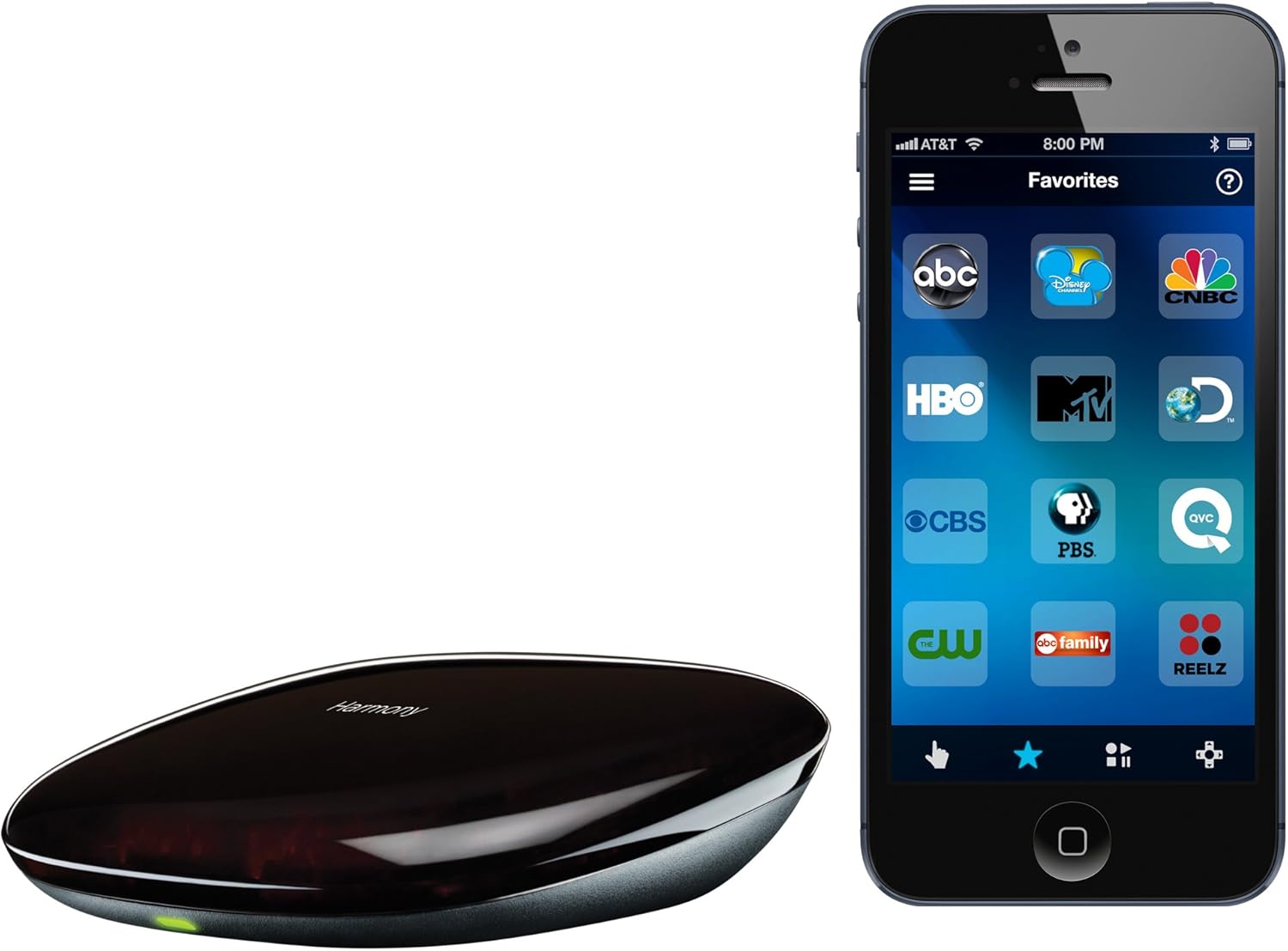
Image: The Logitech Harmony Hub positioned next to a smartphone displaying the Harmony mobile application interface. The app shows various channel icons, demonstrating the smartphone control feature.
- Streaming Media Control:
The Harmony Hub supports control of popular streaming devices and services like Apple TV, Roku, Amazon Fire TV, Xbox One, Netflix, and YouTube. Integrate these into your activities for seamless access.
- Prilagajanje:
The Harmony app allows for extensive customization. You can reorder buttons, create custom commands, and adjust settings for individual devices and activities to suit your preferences.
Vzdrževanje
- Čiščenje:
Wipe the Harmony Hub with a soft, dry cloth. Avoid using abrasive cleaners or solvents, as these can damage the device's finish.
- Posodobitve vdelane programske opreme:
Periodically check the Harmony app for firmware updates for your hub. Updates often include performance improvements, bug fixes, and compatibility enhancements for new devices.
- Optimalna postavitev:
Ensure the Harmony Hub is placed in a location where it can effectively communicate with your devices. If using IR mini-blasters, ensure they are positioned correctly to reach their target devices.
Odpravljanje težav
- Naprava se ne odziva:
Verify that the Harmony Hub is powered on and its status light is green. Check that your entertainment devices are plugged in and powered on. Ensure there are no obstructions between the hub (or IR mini-blaster) and the device. In the Harmony app, try re-syncing your devices or re-running the setup for the problematic device.
- Težave s povezljivostjo aplikacije:
Ensure your smartphone or tablet is connected to the same Wi-Fi network as your Harmony Hub. Restart the Harmony app or your mobile device. If issues persist, try restarting your Wi-Fi router and the Harmony Hub.
- Incorrect Activity Behavior:
If an activity isn't performing as expected (e.g., wrong input selected), go into the Harmony app's activity settings and review the startup and shutdown sequences for that activity. Adjust device power-on delays or input selections as needed.
- Ponastavitev vozlišča:
If the hub becomes unresponsive, locate the 'Pair/Reset' button on the back of the hub. A short press can sometimes resolve minor issues. For a factory reset (which will erase all configurations), press and hold the 'Pair/Reset' button for approximately 15 seconds until the status light changes.
Specifikacije
| Številka modela | 915-000216 |
| Znamka | Logitech |
| Dimenzije izdelka | 4.13 x 5 x 1 palcev |
| Teža predmeta | 3.2 unč |
| Največje število podprtih naprav | 225,000+ |
| Združljive naprave | Pametni telefon (iOS, Android) |
| barva | Črna |
| Prvič na voljo | 22. junij 2014 |
Garancija in podpora
Za podrobne informacije o garanciji in tehnično podporo se obrnite na uradno spletno stran Logitech website or contact Logitech customer service. You can typically find support resources, FAQs, and contact options on their dedicated support pages for Harmony products.
Obiščite: Podpora Logitech


