1. Uvod
This manual provides detailed instructions for the operation and maintenance of your Philips Wake-up Light, model HF3505/60. This device is designed to enhance your sleep and wake-up experience through a unique combination of light and sound, simulating a natural sunrise to gently prepare your body for waking.
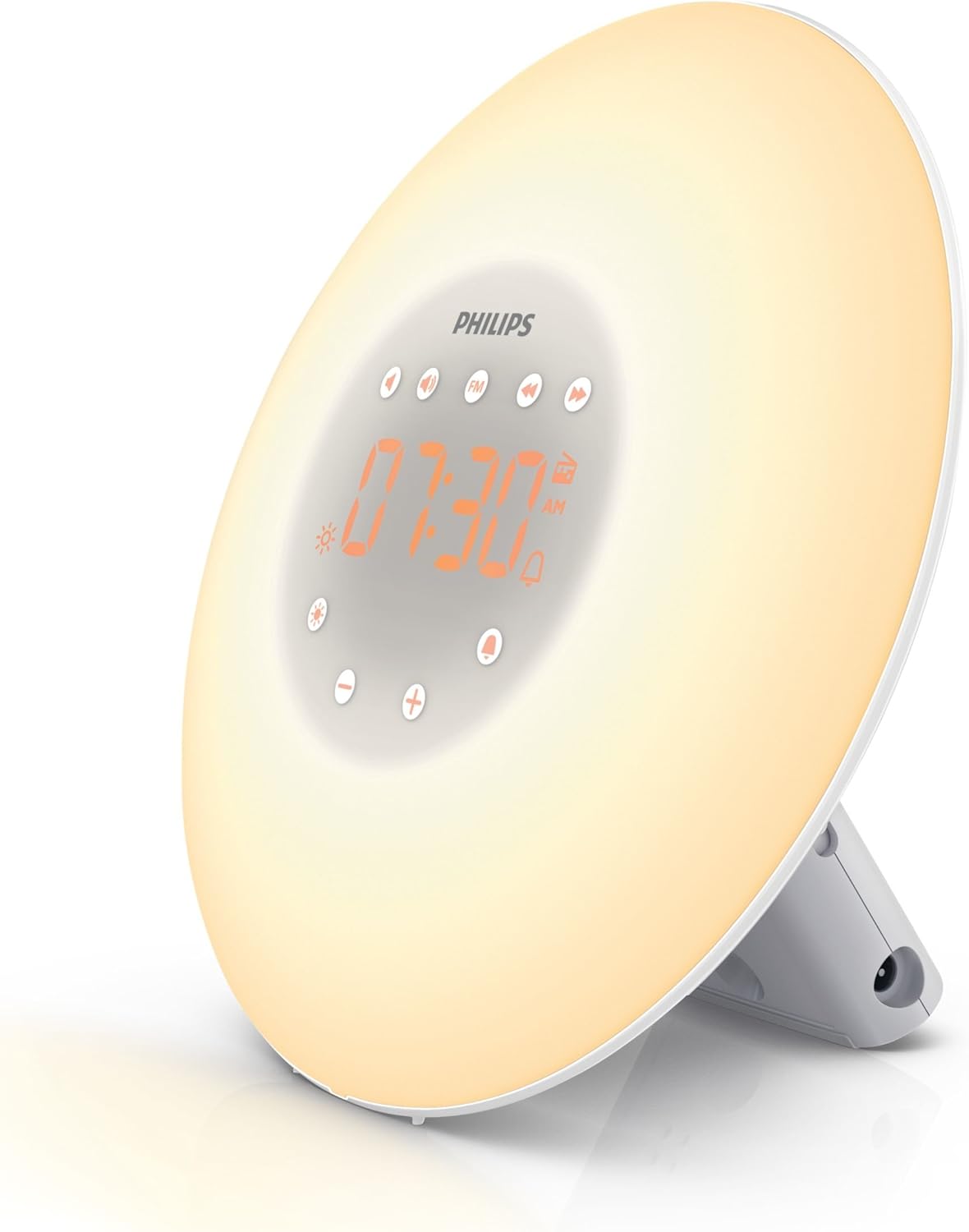
Figure 1: Philips Wake-up Light HF3505/60, angled view. This image displays the light disc, digital time display, and control buttons.
2. Ključne značilnosti
- Simulacija sončnega vzhoda: Gradually increasing light intensity over a set period (e.g., 30 minutes) before your alarm time, simulating a natural sunrise.
- Nastavljiva svetlost: Offers 10 different brightness levels for the light, allowing customization for both wake-up and bedside lamp uporaba.
- Natural Wake-up Sounds: Includes a choice of 2 natural sounds to complement the light simulation, providing a gentle awakening.
- FM radio: Integrated FM radio for waking up to your favorite station or for general listening.
- Nočna postelja Lamp Funkcija: Can be used as a dimmable bedside lamp.
- Funkcija dremeža: Features a tap-to-snooze function for additional sleep time.
3. Nastavitev
3.1 Razpakiranje in namestitev
- Previdno odstranite vse komponente iz embalaže.
- Place the Wake-up Light on a stable surface, such as a bedside table. For optimal effect, position it approximately 16-20 inches (40-50 cm) from your head.
3.2 Napajalni priključek
- Connect the power adapter to the device and then plug it into a wall outlet.
- Zaslon se bo zasvetil, kar pomeni, da je naprava vklopljena.
3.3 Nastavitev časa
- Press the 'Time' button (usually indicated by a clock icon or 'SET').
- Use the '+' and '-' buttons to adjust the hour. Press 'Time' again to confirm.
- Use the '+' and '-' buttons to adjust the minutes. Press 'Time' again to confirm.
- Čas je zdaj nastavljen.
4. Navodila za uporabo
4.1 Nastavitev alarma
- Press the 'Alarm' button (bell icon). The alarm time will flash.
- Use the '+' and '-' buttons to set the desired alarm hour. Press 'Alarm' again to confirm.
- Use the '+' and '-' buttons to set the desired alarm minutes. Press 'Alarm' again to confirm.
- The alarm is now set and activated. An alarm icon will appear on the display.
4.2 Simulacija sončnega vzhoda
The light will gradually increase in brightness 30 minutes before your set alarm time, transitioning from a soft red to a bright white light. This process is designed to gently prepare your body for waking.
4.3 naravnih zvokov
At your set alarm time, one of the 2 natural sounds will begin playing softly and gradually increase in volume. To select a sound:
- Press the 'Sound' button (music note icon).
- Use the '+' and '-' buttons to cycle through the available sounds.
- The selected sound will play briefly as a preview.
4.4 FM radio
To use the FM radio as your wake-up sound or for general listening:
- Press the 'FM Radio' button.
- Use the '+' and '-' buttons to tune to your desired station.
- To set the radio as your alarm sound, select it while setting the alarm.
4.5 Bedside Lamp
To use the device as a bedside lamp:
- Press the 'Light' button (sun icon).
- Use the '+' and '-' buttons to adjust the brightness level (1-10).
- Press the 'Light' button again to turn off the lamp.
4.6 Sunset Simulation (Sleep Timer)
The sunset simulation feature allows the light to gradually dim over a set period, helping you wind down for sleep. This feature is often activated via a dedicated 'Sunset' or 'Sleep Timer' button, or by holding the 'Light' button.
4.7 Funkcija dremeža
When the alarm sounds, tap the top of the device to activate the snooze function. The alarm will pause for 9 minutes and then resume.
4.8 Prilagajanje svetlosti zaslona
The brightness of the digital time display can be adjusted. Look for a dedicated 'Dimmer' button or a setting within the menu to cycle through brightness levels or turn it off completely.

Figure 2: Philips Wake-up Light HF3505/60, front view. This image highlights the digital time display and the touch-sensitive control buttons.
4.9 Official Product Video: Philips Wake-Up Light Alarm Clock
Video 1: Uradnik nadview of the Philips Wake-Up Light Alarm Clock, demonstrating its core functions and design.
4.10 Official Product Video: Natural Sounds Demonstration
Video 2: A demonstration of the various natural sounds available on the Philips Wake-up Light, highlighting their quality and variety.
5. Vzdrževanje
- Čiščenje: Unplug the device before cleaning. Use a soft, dry cloth to wipe the exterior. Do not use abrasive cleaners or solvents.
- Shranjevanje: Store the device in a dry place when not in use for extended periods.
6. Odpravljanje težav
| Težava | Možen vzrok | rešitev |
|---|---|---|
| Naprava se ne vklopi. | Not plugged in correctly or power outage. | Ensure power adapter is securely connected and plugged into a working outlet. Check household circuit breaker. |
| Alarm se ne oglasi. | Alarm ni aktiviran ali pa je glasnost prenizka. | Verify alarm is set and activated (alarm icon visible). Increase alarm volume. |
| Simulacija sončnega vzhoda ne deluje. | Alarm not set or set for less than 30 minutes before wake-up. | Ensure alarm is set. The light simulation begins 30 minutes prior to the set alarm time. |
| FM radio static. | Slab sprejem signala. | Adjust the position of the device or the antenna (if applicable) for better reception. |
7. Specifikacije
- Številka modela: HF3505/60
- Proizvajalec: Philips
- Dimenzije izdelka: 5.12 x 7.87 x 7.87 palcev (13 x 20 x 20 cm)
- Teža artikla: 1.19 funtov (0.54 kg)
- Osnovni material: Plastika
- Podnožje žarnice: E26 Srednje
- Tip zaključka: Nedokončano
- Prvič na voljo: 24. avgust 2013
8. Garancija in podpora
The Philips Wake-up Light HF3505/60 comes with a 90-Day No Hassle Money Back Guarantee from Philips. For further support or warranty claims, please refer to the contact information provided in your product packaging or visit the official Philips support webmesto.


