Uvod
This manual provides instructions for the proper setup, operation, and maintenance of your Black Box USB to Serial Cable, model IC199A-R3. This cable is designed to facilitate communication between devices with a DB9 serial port and computers equipped with a USB Type-A port. Please read this manual thoroughly before using the product to ensure optimal performance and longevity.
Konec izdelkaview
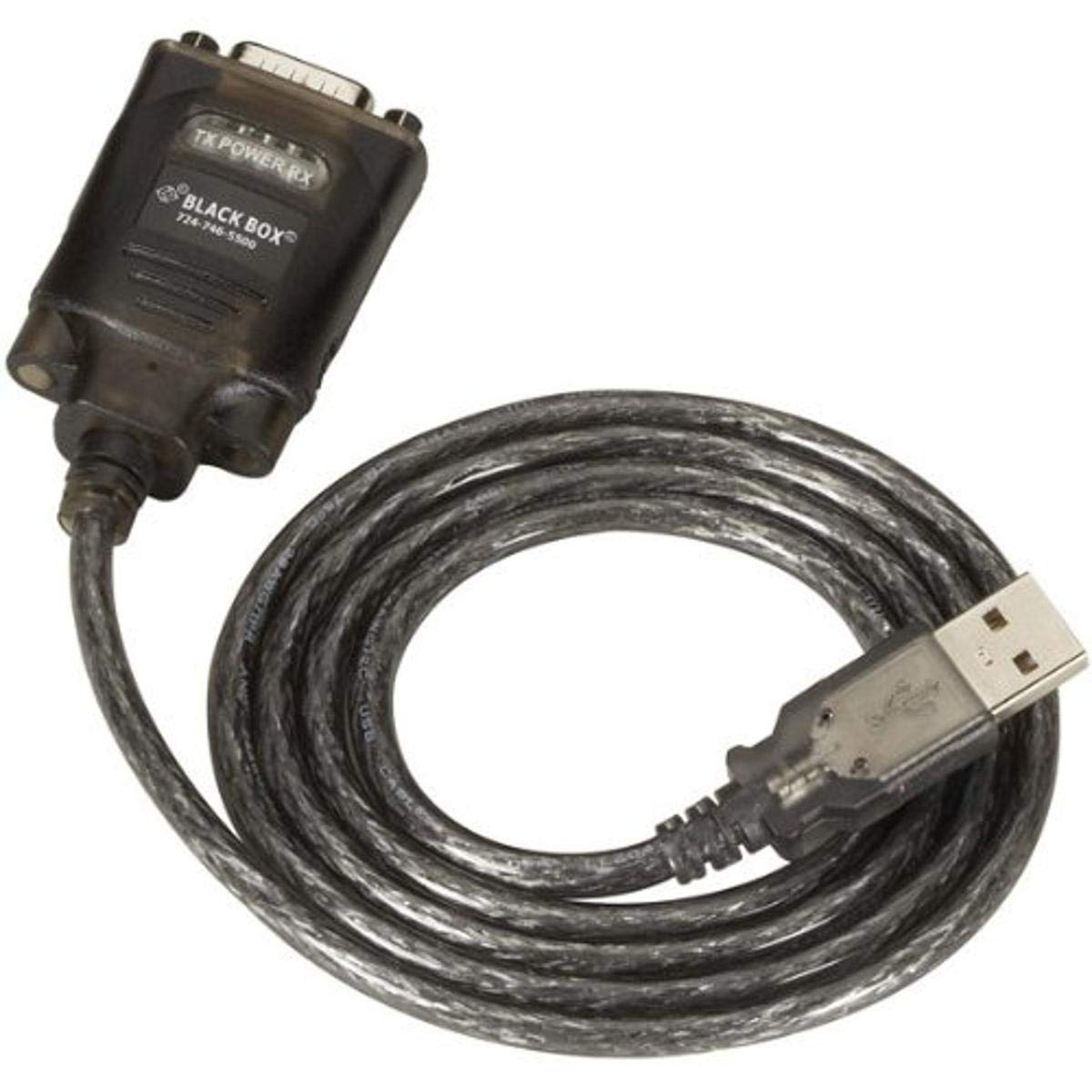
Figure 1: Black Box USB to DB9 Serial Cable (IC199A-R3)
This image displays the Black Box USB to DB9 Serial Cable, featuring a USB Type-A male connector on one end and a DB9 male serial connector on the other. The cable is black and designed for connecting serial devices to a computer's USB port.
The Black Box IC199A-R3 is a reliable solution for connecting legacy serial devices, such as modems, to modern computers that typically lack dedicated serial ports. Its robust design ensures stable data transmission.
Navodila za namestitev
- Identificirajte konektorje: Locate the USB Type-A male connector and the DB9 male serial connector on the cable.
- Povežite se z računalnikom: Insert the USB Type-A male connector into an available USB port on your computer.
- Connect to Serial Device: Connect the DB9 male serial connector to the DB9 female port on your serial device (e.g., modem). Ensure a secure connection.
- Namestitev gonilnika: In most modern operating systems (Windows 10/11, macOS, Linux), the necessary drivers should install automatically upon connection. If the device is not recognized, you may need to manually install drivers. Refer to your operating system's documentation or the Black Box support website for driver downloads if required.
- Preverite povezavo: After connecting, check your computer's Device Manager (Windows) or System Information (macOS/Linux) to confirm that the USB to Serial adapter is recognized and functioning correctly. It typically appears as a "USB Serial Port" or similar entry.
Navodila za uporabo
Once the Black Box IC199A-R3 cable is properly installed and recognized by your computer, it functions as a standard serial port.
- Konfiguracija programske opreme: Open the serial communication software or application you intend to use (e.g., HyperTerminal, PuTTY, minicom, or specific device configuration software).
- Izberite COM vrata: Within your software, select the virtual COM port assigned to the USB to Serial adapter. This port number can usually be found in your computer's Device Manager (under "Ports (COM & LPT)").
- Configure Serial Settings: Set the appropriate serial communication parameters (baud rate, data bits, parity, stop bits, flow control) to match the requirements of your connected serial device. Refer to the documentation of your serial device for these settings.
- Začni komunikacijo: Once configured, you can initiate data transfer or communication with your serial device through the software.
Vzdrževanje
To ensure the longevity and reliable performance of your Black Box USB to Serial Cable, follow these simple maintenance guidelines:
- Shranjevanje: Store the cable in a cool, dry place away from direct sunlight and extreme temperatures when not in use.
- Ravnanje: Izogibajte se ostremu upogibanju ali pregibanju kabla, zlasti v bližini priključkov, saj lahko s tem poškodujete notranje žice.
- Čiščenje: If necessary, gently wipe the cable and connectors with a soft, dry, lint-free cloth. Do not use liquid cleaners or solvents.
- Povezava/prekinitev povezave: Pri priklapljanju ali odklapljanju kabla vedno primite za ohišje priključka in ne vlecite za sam kabel.
Odpravljanje težav
If you encounter issues with your Black Box USB to Serial Cable, consider the following troubleshooting steps:
- Kabel ni prepoznan:
- Prepričajte se, da je USB priključek popolnoma vstavljen v USB vrata računalnika.
- Poskusite druga vrata USB na vašem računalniku.
- Znova zaženite računalnik.
- Check Device Manager (Windows) or System Information (macOS/Linux) for any error messages or unrecognized devices. Reinstall drivers if necessary.
- Ni komunikacije s serijsko napravo:
- Verify that the DB9 connector is securely attached to your serial device.
- Confirm that the correct COM port is selected in your serial communication software.
- Double-check that the serial communication parameters (baud rate, data bits, parity, stop bits, flow control) in your software match those of your serial device.
- Ensure the serial device itself is powered on and functioning correctly.
- Try using a different serial communication software to rule out software-specific issues.
- Prekinjena povezava:
- Inspect the cable for any visible damage or frayed wires.
- Prepričajte se, da so vse povezave trdne in ne ohlapne.
- Avoid placing the cable near sources of strong electromagnetic interference.
Specifikacije
| Znamka | Črna skrinjica |
| Številka modela | IC199A-R3 |
| Vrsta priključka (računalnik) | USB tip A moški |
| Connector Type (Device) | DB9 Male Serial |
| Vrsta kabla | USB v serijski vmesnik |
| Združljive naprave | Modem |
| Posebna funkcija | Brez zapletov |
| barva | Črna |
| Število zatičev | 9 (on DB9 connector) |
| Teža predmeta | 0.24 funta (približno 3.84 unče) |
| Dimenzije izdelka (embalaža) | 6.75 x 1.5 x 4 palcev |
| Proizvajalec | BLACK BOX CORPORATION |
Garancija in podpora
For information regarding warranty coverage, technical support, or to download the latest drivers, please visit the official Black Box webspletno mesto ali se obrnite na njihovo službo za stranke. Za uveljavljanje garancije shranite račun.


