Uvod
The Brother Innov-is 55 is a versatile electronic sewing machine designed for a wide range of sewing projects, including patchwork, quilting, and cross-stitch. This manual provides essential information for setting up, operating, maintaining, and troubleshooting your machine to ensure optimal performance and longevity.
Key features include 135 stitch types, 10 automatic buttonhole variations, an integrated work light, and an automatic threading system, making it suitable for both beginners and experienced sewers.
Varnostna navodila
- Always disconnect the machine from the power supply before cleaning, lubricating, or making any user servicing adjustments.
- Med delovanjem držite prste stran od vseh gibljivih delov, zlasti igle.
- Uporabljajte le dodatke, ki jih je določil proizvajalec.
- Naprave ne uporabljajte, če je poškodovan kabel ali vtič ali če ne deluje pravilno.
- Med uporabo poskrbite, da bo stroj postavljen na stabilno, ravno površino.
Nastavitev
1. Razpakiranje in namestitev
Carefully remove the sewing machine from its packaging. Place it on a sturdy, level surface. Ensure there is adequate space around the machine for comfortable operation and fabric handling.
2. Napajalni priključek
Connect the power cord to the machine's power input and then to a suitable electrical outlet. The machine operates on a standard corded power source.
3. Attaching the Foot Pedal
If using the foot pedal for speed control, connect it to the designated port on the machine. The Innov-is 55 also offers an option for operation without the foot pedal.
4. Navijanje vretenca
The machine features an automatic bobbin winding device. Place a spool of thread on the spool pin, guide the thread through the bobbin winding path, and place an empty bobbin onto the bobbin winder shaft. Engage the winder and start the machine. The bobbin will stop winding automatically when full.
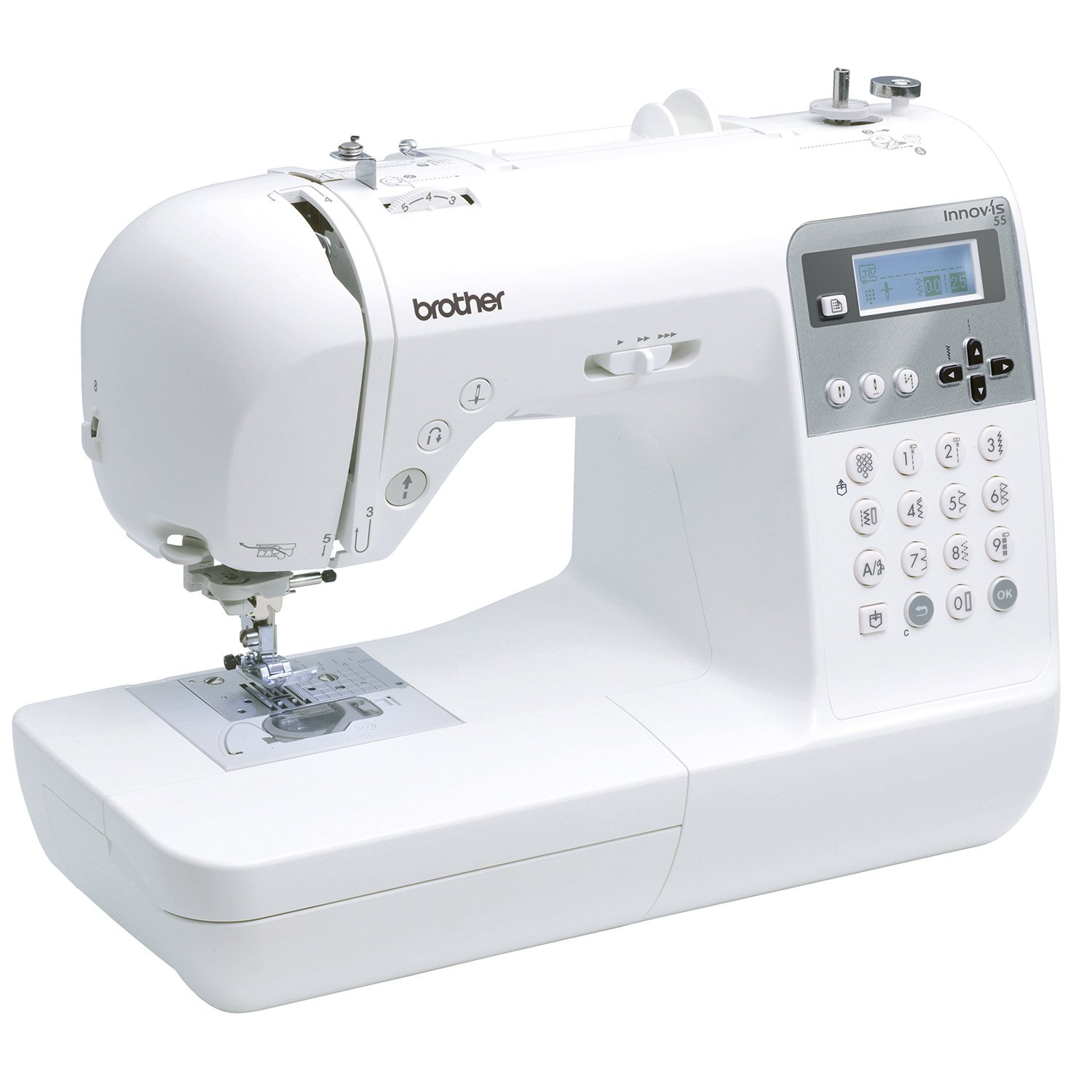
Slika: Zgoraj view of the Brother Innov-is 55, showing the bobbin winding area and thread path.
5. Vdevanje zgornje niti
Place the thread spool on the spool pin. Follow the numbered threading guides on the machine. The Innov-is 55 includes an automatic needle threading system for convenience. Lower the presser foot and use the automatic threader to pass the thread through the needle eye.

Slika: Podrobna view of the upper threading path and tension adjustment dials on the Brother Innov-is 55.
6. Vstavljanje vretenca
Open the bobbin cover plate. Insert the wound bobbin into the bobbin case, ensuring the thread unwinds in the correct direction as indicated by the machine markings. Pull the thread through the tension guide and replace the cover plate.

Image: Close-up of the needle plate, presser foot, and bobbin cover area of the Brother Innov-is 55.
Navodila za uporabo
1. Izbira šiva
Use the control panel and LCD display to select from 135 stitch types and 10 buttonhole variations. The machine offers 152 patterns, adjustable in width and length. Refer to the stitch pattern chart for available options.

Image: Close-up of the LCD display and control buttons on the Brother Innov-is 55.

Image: The comprehensive stitch pattern chart for the Brother Innov-is 55, showing various utility and decorative stitches.
2. Prilagajanje nastavitev šiva
Use the arrow keys on the control panel to adjust stitch length and width as desired. The LCD display will show the current settings. The needle positioner allows for precise needle placement.
3. Automatic Buttonholes
To create an automatic buttonhole, attach the buttonhole presser foot. Place the button you intend to use into the designated slot on the presser foot. The machine will automatically measure the button and sew a perfectly sized buttonhole.
4. Šivanje
Place your fabric under the presser foot. Lower the presser foot lever. Use the start/stop button or the foot pedal to begin sewing. Adjust the sewing speed using the speed controller. The integrated work light illuminates your sewing area.
For thicker fabrics, the double presser foot height provides extra clearance. The machine also features automatic beginning and ending reinforcement stitches.
5. Šivanje v obratni smeri
Pritisnite in držite gumb za vzvratni šiv, da šivate v vzvratni smeri, kar se običajno uporablja za zavarovanje šivov na začetku in koncu šiva.
Vzdrževanje
1. Čiščenje naprave
Regularly clean the bobbin area, feed dogs, and tension discs using the provided cleaning brushes. Lint and dust can accumulate and affect stitch quality. Always unplug the machine before cleaning.
2. Menjava igle
Replace the needle frequently, especially when sewing different types of fabric or if the needle becomes bent or dull. Using a fresh, sharp needle prevents skipped stitches and fabric damage. A needle set is included with your machine.
3. Mazanje
The Brother Innov-is 55 is designed to require minimal lubrication. Refer to the full instruction manual for specific lubrication points and frequency, if applicable. Over-lubrication can cause issues.
Odpravljanje težav
| Težava | Možen vzrok | rešitev |
|---|---|---|
| Preskočeni šivi | Napačna igla, upognjena igla, nepravilno vdevanje niti. | Replace needle with correct type and size. Re-thread the machine completely. |
| Zlom niti | Incorrect tension, poor quality thread, damaged needle, improper threading. | Check upper and bobbin thread tension. Use good quality thread. Replace needle. Re-thread the machine. |
| Neenakomerni šivi | Incorrect tension, lint in bobbin case, fabric not feeding smoothly. | Adjust tension. Clean bobbin case. Ensure fabric is guided evenly. |
| Stroj se ne zažene | Power cord not connected, bobbin winder engaged, safety feature activated. | Check power connection. Disengage bobbin winder. Ensure presser foot is down. |
For more detailed troubleshooting, please consult the comprehensive manual provided with your machine or visit the official Brother support webmesto.
Specifikacije
- Znamka: brat
- Model: Innov-is 55
- Številka modela: 4977766712712
- Vrste šivov: 135
- Vrste gumbnic: 10 (samodejno)
- Needle Width: 7 mm
- Zaslon: LCD
- vir energije: Električni na kabel
- Material: Metal components, Plastic casing
- barva: Bela
Informacije o garanciji
The Brother Innov-is 55 sewing machine comes with a 3-letna garancija. Please retain your proof of purchase for warranty claims. For specific terms and conditions, refer to the warranty card included with your product or contact Brother customer service.
Podpora
For further assistance, technical support, or to purchase genuine Brother accessories and parts, please visit the official Brother support website or contact their customer service department. You can often find FAQs, video tutorials, and downloadable manuals on their webmesto.
Official Brother Webspletno mesto: www.brother.com


