1. Uvod in konecview
The EPOS PC 7 USB is a lightweight, single-sided wired headset designed for clear communication and audio. It connects via USB, offering plug-and-play functionality for various computer systems. Its noise-cancelling microphone ensures clear conversations, making it suitable for online calls, gaming, and listening to audio while remaining aware of your surroundings.

Figure 1: EPOS PC 7 USB Wired Headset
2. Značilnosti izdelka
- Mikrofon z odpravljanjem šumov: Provides clear audio transmission by filtering out background noise.
- USB Plug-and-Play: Simple connection to your computer's USB port for immediate use without additional software installation.
- Single-Sided Wearing Style: Allows you to keep one ear free to stay aware of your environment.
- Lahek in udoben dizajn: Engineered for extended periods of use without discomfort.
- Širokopasovni zvok: Delivers high-quality sound for both listening and speaking.

Figure 2: Key features of the EPOS PC 7 USB Headset including noise-cancelling microphone, lightweight design, and plug-and-play simplicity.
3. Nastavitev
- Priključitev na vrata USB: Locate an available USB-A port on your computer (Windows, macOS, or Chromebook). Insert the headset's USB connector firmly into the port.
- Samodejno prepoznavanje: Your operating system should automatically detect and install the necessary drivers for the headset. This process typically takes a few moments.
- Preverite nastavitve zvoka: After connection, check your computer's sound settings to ensure the EPOS PC 7 USB is selected as the default input (microphone) and output (speaker) device.
The headset is designed for immediate plug-and-play functionality, requiring no complex installation steps.

Figure 3: Close-up of the single-sided USB headset, highlighting the plug-and-play USB connection and noise-cancelling microphone.
4. Navodila za uporabo
4.1 Nastavitev mikrofona
- Pozicioniranje: Gently adjust the flexible boom arm to position the microphone approximately 1-2 inches from your mouth for optimal voice pickup.
- Odpravljanje hrupa: The microphone features noise-cancelling technology to reduce ambient sounds, ensuring your voice is heard clearly.
4.2 Vgrajeni kontrolniki
The headset features an inline control unit for convenient management of calls and audio.
- Nadzor glasnosti: Use the '+' and '-' buttons to increase or decrease the listening volume.
- Izklop mikrofona: Press the microphone icon button to mute or unmute your microphone.
- Upravljanje klicev: Use the call button (phone icon) to answer or end calls in compatible applications (e.g., Skype, Zoom, Teams).

Figure 4: Detail of the earcup and microphone, designed for clear audio and comfortable fit.
5. Udobje in dizajn
The EPOS PC 7 USB is engineered for user comfort during prolonged use.
- Lahka konstrukcija: The headset's minimal weight reduces pressure on the head and ears.
- On-Ear Earpad: The single earpad rests comfortably on one ear, allowing for situational awareness.
- Nastavljiv naglavni trak: The headband can be adjusted to fit various head sizes securely.

Figure 5: User demonstrating the comfortable fit of the EPOS PC 7 USB Headset during a call.
6. Specifikacije
| Funkcija | Podrobnost |
|---|---|
| Ime modela | PC 7 USB |
| Znamka | EPOS |
| Tehnologija povezljivosti | Žično (USB-A) |
| Namestitev ušesa | On Ear (Mono) |
| Faktor oblike | Na uho |
| Nadzor hrupa | Aktivno odpravljanje šumov (mikrofon) |
| Frekvenčni odziv | 42–17000 Hz |
| Impedanca | 32 Ohmov |
| Teža predmeta | 2.19 unč |
| Material | Plastika |
| barva | Črna |
| Združljive naprave | Computers (Windows, macOS, Chromebook) |
7. Vzdrževanje
- Čiščenje: Za čiščenje slušalk uporabljajte mehko, suho krpo. Izogibajte se uporabi agresivnih kemikalij ali abrazivnih materialov.
- Shranjevanje: Store the headset in a cool, dry place when not in use. Avoid extreme temperatures and direct sunlight.
- Skrb za kabel: Do not excessively bend or pull the cable to prevent damage.
8. Odpravljanje težav
- Ni zvoka/mikrofon ne deluje:
- Prepričajte se, da je USB priključek popolnoma vstavljen v vrata.
- Check your computer's audio settings to confirm the EPOS PC 7 USB is selected as the default input/output device.
- Verify that the microphone is not muted via the inline control unit or your computer's software.
- Try connecting the headset to a different USB port or another computer to rule out port or system issues.
- Slaba kakovost zvoka:
- Adjust the microphone boom arm closer to your mouth.
- Ensure the earpad is properly positioned on your ear.
- Preverite, ali so v računalniku morebitni konflikti programske opreme ali zastareli gonilniki zvoka.
9. Uradni videoposnetek izdelka
Video 1: EPOS PC7 USB Mono Headset for Clear Office Calls. This video provides a visual overview of the headset's features and benefits for office communication.
10. Garancija in podpora
The EPOS PC 7 USB Headset comes with a 2-year warranty, as indicated on the product packaging. For further support, product registration, or warranty claims, please visit the official EPOS webspletno mesto ali se obrnite na njihovo službo za stranke.
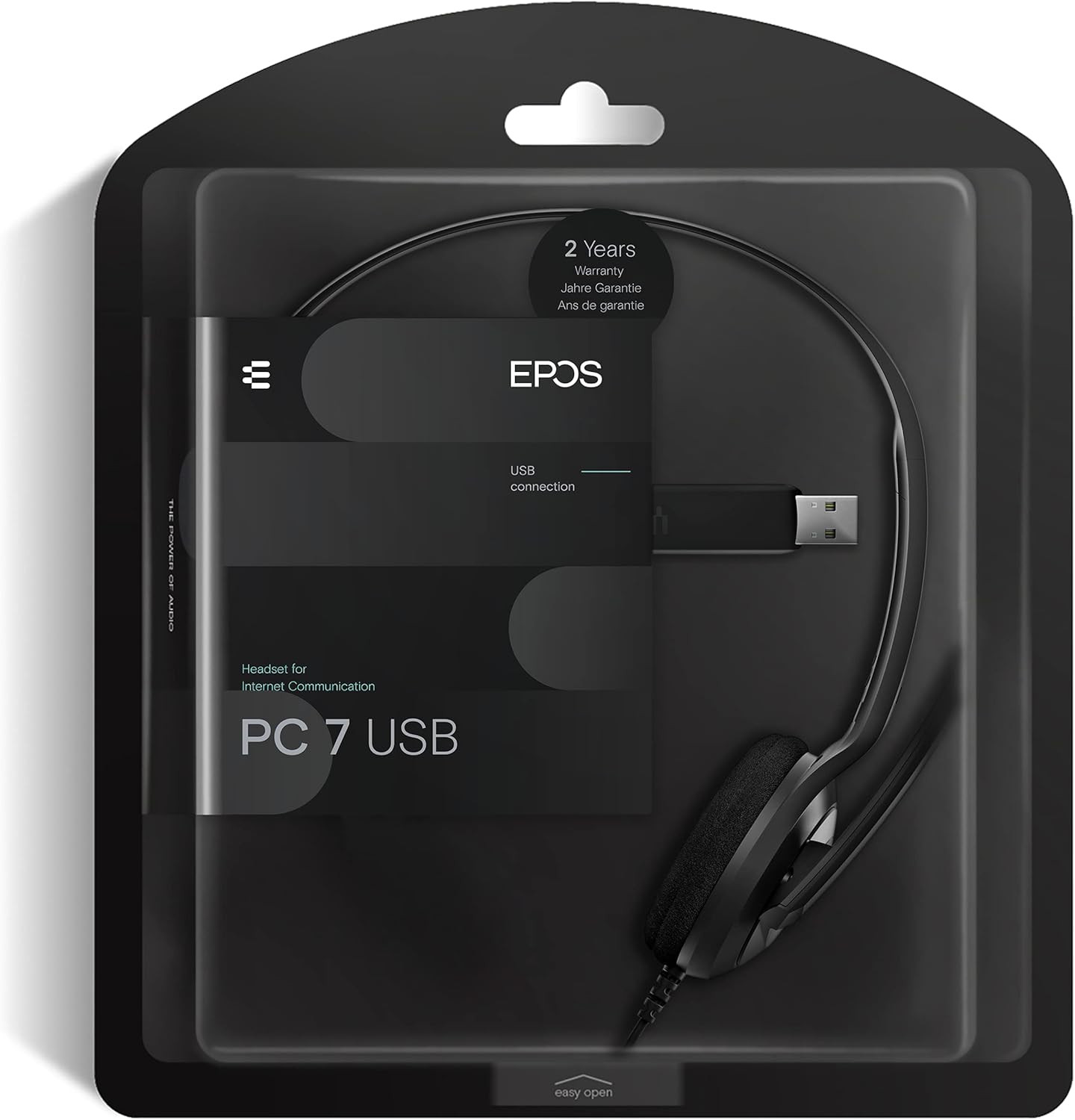
Figure 6: Product packaging highlighting the 2-year warranty information.


