Uvod
This instruction manual provides comprehensive guidance for the installation, operation, maintenance, and troubleshooting of your Intel Classic DH61CR Desktop Motherboard. Please read this manual thoroughly before proceeding with installation or operation to ensure proper functionality and to prevent damage to the product or other components.
The Intel DH61CR motherboard is designed to support Intel LGA 1155 socket processors and DDR3 memory, offering a reliable foundation for personal computer systems.
Nastavitev in namestitev
1. Unpacking and Component Overview
Carefully remove the motherboard from its packaging. Inspect all components for any signs of damage. Ensure all accessories listed in the product documentation are present.
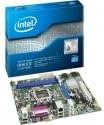
Image: The Intel DH61CR Desktop Motherboard shown alongside its retail packaging. This image provides a visual reference for the product and its initial presentation.
Familiarize yourself with the layout of the motherboard, including the CPU socket, RAM slots, expansion slots, and various connectors.
2. Namestitev procesorja (podnožje LGA 1155)
- Na matični plošči poiščite vtičnico LGA 1155 za procesor.
- Nežno potisnite ročico za nalaganje navzdol in jo povlecite na stran, da odprete okvir za zadrževanje podnožja procesorja.
- Poravnajte trikotno oznako na procesorju z ustrezno oznako na podnožju. Previdno namestite procesor v podnožje, ne da bi ga silili.
- Close the retention frame and secure it by pushing the load lever back into its locked position.
- Apply a thin, even layer of thermal paste to the top of the CPU (if not pre-applied to the cooler).
- Install the CPU cooler according to its manufacturer's instructions, ensuring it is securely fastened and making good contact with the CPU.
3. Namestitev RAM-a (DDR3)
- Identify the DDR3 memory slots. The Intel DH61CR supports DDR3 RAM.
- Odprite sponke na obeh koncih reže za pomnilnik.
- Poravnajte zarezo na pomnilniškem modulu DDR3 s ključem v reži za pomnilnik.
- Trdno pritisnite na oba konca pomnilniškega modula, dokler se sponke ne zaskočijo in pritrdijo modul.
4. Namestitev naprave za shranjevanje
Connect your SATA hard drives or solid-state drives to the SATA ports on the motherboard using SATA data cables. Ensure the power cables from your power supply are also connected to these devices.
5. Priključki za napajanje
- 24-pinski ATX napajalni priključek iz napajalnika priključite na glavno napajalno vtičnico na matični plošči.
- Connect the 4-pin (or 8-pin, if applicable) ATX 12V power connector to the CPU power socket.
- Prepričajte se, da so vse napajalne povezave varne.
6. Priključki na sprednji plošči
Connect the front panel cables from your computer case (power button, reset button, HDD LED, power LED, USB ports, audio jacks) to the corresponding headers on the motherboard. Refer to the motherboard's silkscreen labels for correct pin assignments.
7. Razširitvene kartice
Install any necessary expansion cards (e.g., graphics card, network card) into the appropriate PCIe x16 or PCIe x1 slots. Secure them with the case's retention mechanism.
Navodila za uporabo
1. Prvi zagon
After all components are installed and connected, connect your monitor, keyboard, and mouse. Power on the system. The system should display the BIOS POST screen. If not, refer to the Troubleshooting section.
2 Dostop do BIOS-a/UEFI-ja
Za dostop do orodja za nastavitev BIOS/UEFI pritisnite določeno tipko (običajno Del, F2, oz F10) during the initial boot sequence. The exact key is usually displayed on the screen during POST.
Within the BIOS/UEFI, you can configure boot order, system time, hardware settings, and other advanced options. Save changes before exiting.
Vzdrževanje
1. Čiščenje
Redno čistite notranjost ohišja računalnika, da preprečite nabiranje prahu, ki lahko povzroči pregrevanje. Za odstranjevanje prahu z ventilatorjev, hladilnikov in komponent matične plošče uporabite stisnjen zrak. Pred čiščenjem se prepričajte, da je sistem izklopljen in izklopljen iz električnega omrežja.
2. Posodobitve BIOS-a
Občasno preverite podporo Intelu website for BIOS updates for your DH61CR motherboard. BIOS updates can improve system stability, add support for new hardware, or fix bugs. Follow the instructions provided by Intel carefully when performing a BIOS update to avoid system damage.
Odpravljanje težav
Če naletite na težave, ponovnoview naslednji pogosti koraki za odpravljanje težav:
- Brez napajanja: Ensure all power cables (24-pin ATX, 4-pin CPU) are securely connected. Check the power supply unit (PSU) switch and wall outlet.
- Brez zaslona: Verify the monitor is connected and powered on. Ensure the graphics card (if dedicated) is properly seated and powered. If using integrated graphics, confirm the monitor is connected to the motherboard's video output.
- System Beeps: A series of beeps during startup usually indicates a hardware issue. Consult the motherboard's beep code guide (often found on the manufacturer's support website) to diagnose the specific problem (e.g., RAM error, graphics card issue).
- Nestabilnost/zrušitve sistema: Check for proper CPU cooler installation and thermal paste application. Ensure RAM modules are correctly seated. Test memory with diagnostic tools. Update drivers and BIOS.
- Operacijski sistem se ne nalaga: Verify the boot order in BIOS/UEFI. Check SATA cable connections to storage devices. Ensure the operating system is correctly installed on a bootable drive.
For persistent issues, consult the Intel support webspletno mesto ali se obrnite na njihovo tehnično podporo.
Tehnične specifikacije
| Funkcija | Specifikacija |
|---|---|
| Znamka | Intel |
| Ime modela | DH61CRB3 |
| CPU vtičnica | LGA 1155 |
| Združljivi procesorji | Intel Core i3-2100, Intel Core i5-2400, Intel Core i7-2600, Pentium |
| Vrsta čipseta | Intel H61 Express |
| Tehnologija pomnilnika RAM | DDR3 |
| Največji RAM | 8 GB |
| Hitrost ure pomnilnika | 1333 MHz |
| Združljive naprave | Osebni računalnik |
| Vmesnik za shranjevanje | Serial ATA/300 |
| Razširitvene reže | 1 x PCIe x16 reža |
| Video izhod | CPU Dependent Video |
| Platforma | Windows 7, Windows Vista Ultimate |
| Dimenzije izdelka | 10.5 x 8.5 x 2 palcev |
| Teža predmeta | 1.9 funtov |
| Proizvajalec | INTEL |
| Prvič na voljo | 30. april 2012 |
Garancija in podpora
Warranty information for the Intel Classic DH61CR Desktop Motherboard is typically provided with the product at the time of purchase or can be found on the official Intel webspletnega mesta. Prosimo, shranite dokazilo o nakupu za uveljavljanje garancije.
For technical support, driver downloads, and additional documentation, please visit the official Intel support website. You can often find detailed FAQs and community forums there to assist with common issues.
Note: Intel's official support channels are the primary resource for product-specific assistance.


