1. Uvod
This manual provides essential information for the safe and effective operation of your Canon PowerShot SX130IS digital camera. Please read it thoroughly before using the camera and keep it for future reference.

Slika 1: Spredaj view of the Canon PowerShot SX130IS Digital Camera.
2. Nastavitev
2.1. Namestitev baterij
The PowerShot SX130IS operates on AA-size batteries. For optimal performance and longevity, it is recommended to use rechargeable AA batteries.
- Open the battery compartment cover, typically located on the bottom of the camera.
- Insert two AA-size batteries, ensuring correct polarity (+/-) as indicated inside the compartment.
- Trdno zaprite pokrov prostora za baterije.
2.2. Vstavljanje pomnilniške kartice
Kamera podpira pomnilniške kartice SD, SDHC in SDXC (niso priložene). Za shranjevanje fotografij in videoposnetkov je potrebna pomnilniška kartica.
- Odprite pokrov reže za pomnilniško kartico, ki je običajno poleg predala za baterijo.
- Vstavite pomnilniško kartico z nalepko obrnjeno proti sprednji strani fotoaparata, dokler se ne zaskoči.
- Pokrov reže za pomnilniško kartico trdno zaprite.
2.3. Nastavitev datuma in časa
Ob prvi uporabi ali po zamenjavi baterij boste morda morali nastaviti datum in čas.
- Vklopi kamero.
- If prompted, follow the on-screen instructions to set the date, time, and time zone.
- Use the directional buttons to navigate and the FUNC.SET/OK button to confirm selections.
3. Upravljanje kamere
3.1. Vklop/izklop
Pritisnite VKLOP/IZKLOP Gumb na vrhu fotoaparata ga vklopite ali izklopite. Objektiv se bo ob vklopu izvlekel.
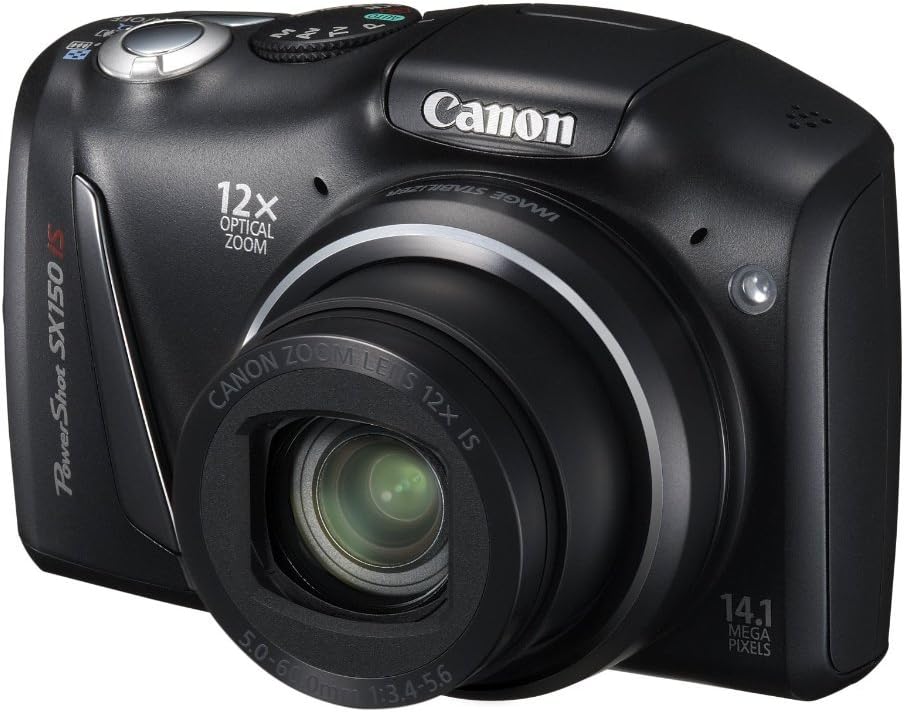
Slika 2: Pod kotom view of the camera, highlighting the top controls including the ON/OFF button and mode dial.
3.2. Fotografiranje
Za zajem mirujoče slike:
- Select a shooting mode using the mode dial (e.g., AUTO za samodejne nastavitve).
- Kadrirajte posnetek z 3.0-palčnim LCD-zaslonom.
- Pritisnite sprožilec do polovice, da izostrite sliko. Okvirček za izostritev se bo obarval zeleno, ko bo slika izostrena.
- Za fotografiranje pritisnite sprožilec do konca.
3.3. Snemanje videoposnetkov
The camera can record 720p HD video with stereo sound.
- Turn the mode dial to the movie mode icon (usually a small movie camera symbol).
- Press the movie button (often a red dot or movie camera icon) to start recording.
- Za ustavitev snemanja znova pritisnite gumb za videoposnetek.
3.4. Uporaba optičnega zooma
The camera features a 12x wide-angle optical zoom with Optical Image Stabilizer.
- Use the zoom lever, typically located around the shutter button, to zoom in (telephoto) or zoom out (wide-angle).
- The Optical Image Stabilizer helps reduce blur caused by camera shake, especially at higher zoom levels.
3.5. Uporaba bliskavice
The camera has a built-in pop-up flash for low-light conditions.
- In certain shooting modes, the flash may pop up automatically.
- You can manually activate or deactivate the flash by pressing the flash button (lightning bolt icon) and selecting the desired mode (Auto, On, Off, Slow Synchro).
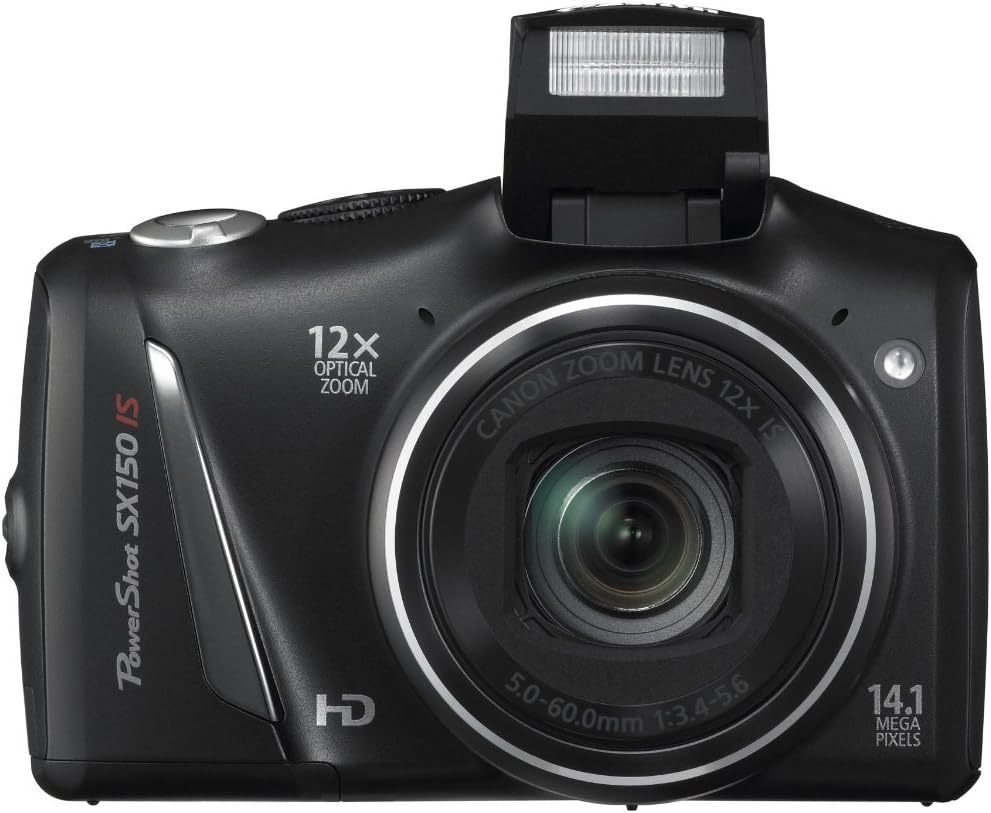
Slika 3: Spredaj view of the camera with the pop-up flash extended.
3.6. Scene Modes and Smart AUTO
The PowerShot SX130IS offers various scene modes and an advanced Smart AUTO system to optimize settings for different shooting situations.
- Smart AUTO: Automatically selects from 28 predefined shooting situations to ensure optimal image quality.
- Scenski načini: Includes creative options like Miniature Effect for Movies and Fisheye Effect for artistically distorted stills. Select these via the mode dial or menu.
- Smart Flash Exposure: Analyzes lighting conditions to apply the correct flash, preventing over or underexposed images.
3.7. Reviewsnemanje fotografij in videoposnetkov
Za view your captured images and videos:
- Pritisnite Predvajanje button (usually an arrow icon).
- Use the directional buttons to scroll through your media.
- Pritisnite FUNC.SET/OK gumb za view videoposnetek ali povečavo fotografije.
4. Vzdrževanje
4.1. Splošna nega
- Fotoaparat vzdržujte čist tako, da ga obrišete z mehko, suho krpo.
- Izogibajte se izpostavljanju fotoaparata ekstremnim temperaturam, vlagi ali prahu.
- Protect the lens and LCD screen from scratches.
4.2. Skrb za baterijo
- Always use high-quality batteries. Rechargeable batteries are recommended for cost-effectiveness and environmental reasons.
- Če fotoaparata ne boste uporabljali dlje časa, odstranite baterije.
5. Odpravljanje težav
5.1. "No Memory Card" Error
If this message appears, ensure the memory card is inserted correctly and fully seated in its slot. If the issue persists, try a different compatible memory card.
5.2. Kratka življenjska doba baterije
Battery life can vary significantly based on usage (e.g., frequent flash use, video recording, reviewing images). If you experience consistently short battery life:
- Ensure you are using fresh, high-quality alkaline batteries or fully charged rechargeable batteries.
- Consider using higher capacity rechargeable batteries.
- Reduce flash usage and LCD screen brightness if possible.
5.3. Dust in Lens
If dust appears on images, it may be on the lens. Avoid attempting to clean the internal lens elements yourself. Consult a professional camera service center for cleaning.
5.4. Video Playback Issues
The camera records videos in .mov format. If you encounter issues playing videos on a computer, ensure you have the necessary codecs or a compatible media player installed.
6. Specifikacije
| Funkcija | Specifikacija |
|---|---|
| Dimenzije izdelka | 4.45 x 1.81 x 2.87 palcev |
| Teža predmeta | 10.9 unč |
| Številka modela artikla | SX130 |
| Baterije | Potrebne so litijeve kovinske baterije (priložene) |
| Proizvajalec | Canonovi fotoaparati ZDA |
| Jezik | angleščina |
| Združljivi pritrdilni elementi | Canon |
| Razmerje stranic | 16:9 |
| Tehnologija foto senzorja | CCD |
| Podprto File Oblika | JPEG, RAW |
| Stabilizacija slike | Optični |
| Največja goriščna razdalja | 336 milimetrov |
| Optični zoom | 12 x |
| Največja zaslonka | 3.5 milimetrov |
| Razširjeni minimum ISO | 80 |
| Opis merjenja | Več, sredinsko uteženo, točkovno |
7. Garancija in podpora
Za informacije o garanciji, tehnično podporo ali servisne poizvedbe se obrnite na uradno Canonovo website or contact Canon customer service directly. Keep your purchase receipt as proof of purchase.
8. Videoposnetki izdelkov
Trenutno za ta izdelek ni na voljo nobenih uradnih videoposnetkov prodajalcev.


