Uvod
This manual provides essential information for the safe and efficient use of your Doro PhoneEasy 105wr cordless phone. Please read these instructions carefully before using the phone and retain them for future reference.
Vsebina paketa
Preden začnete, se prepričajte, da so v paketu vsi elementi:
- Slušalka Doro PhoneEasy 105wr
- Osnovna enota
- Napajalnik za osnovno enoto
- Telefonski kabel
- Polnilne baterije (NiMH)
- Uporabniški priročnik (ta dokument)
Nastavitev
1. Priključitev osnovne enote
- Priključite napajalnik: Plug the small end of the power adapter into the DC IN socket on the back of the base unit. Plug the other end into a wall power outlet.
- Connect the Telephone Line Cord: Plug one end of the telephone line cord into the LINE socket on the back of the base unit. Plug the other end into your telephone wall socket.
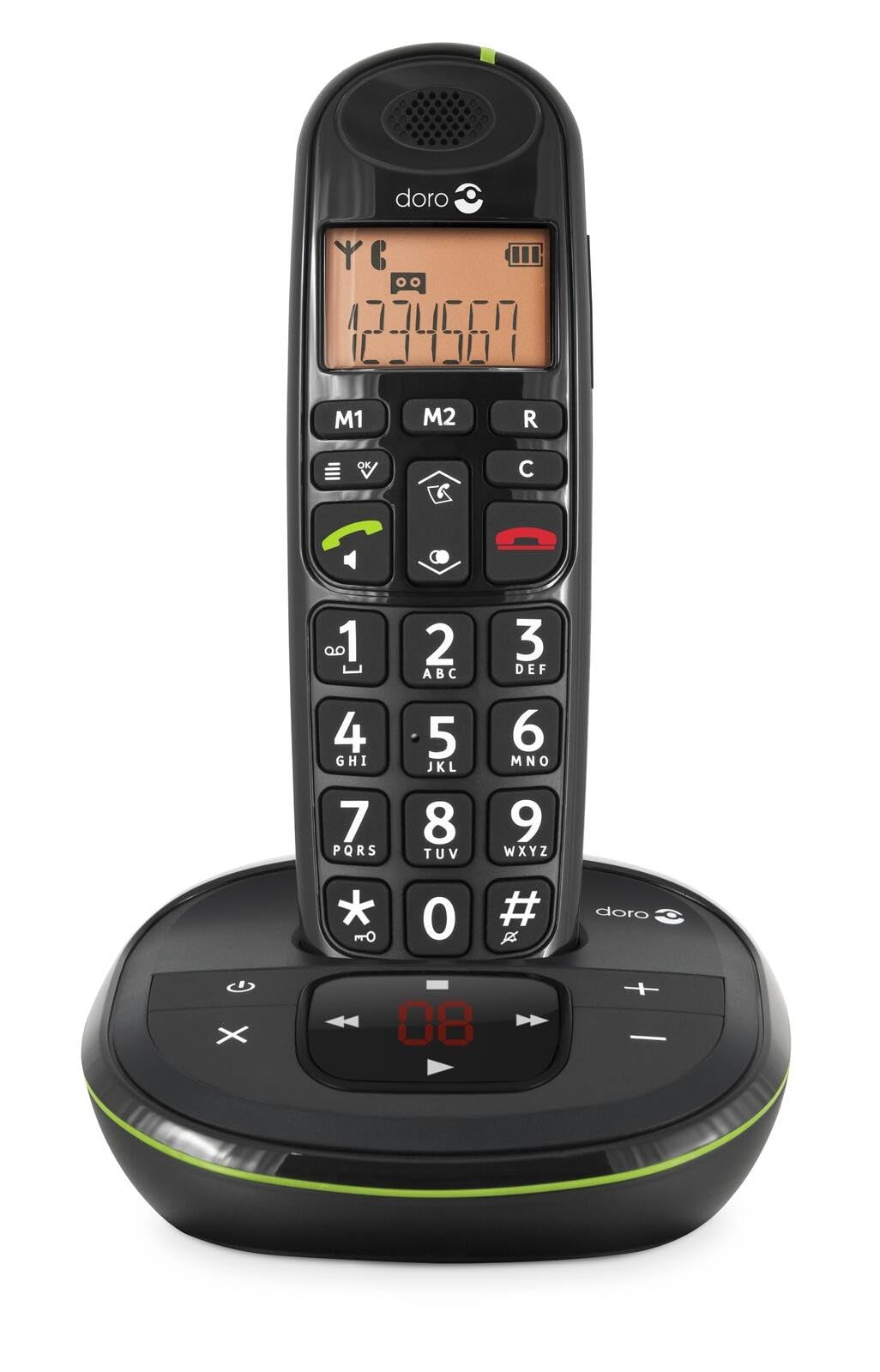 Image: The Doro PhoneEasy 105wr handset docked in its base unit, showing the keypad and display.
2. Installing Batteries in the Handset
- Odprite predal za baterije: Slide the battery compartment cover on the back of the handset downwards and remove it.
- Vstavite baterije: Insert the supplied rechargeable NiMH batteries, observing the correct polarity (+ and -) as indicated inside the compartment.
- Zaprite predal: Pokrovček predala za baterije namestite nazaj tako, da ga potisnete navzgor, dokler se ne zaskoči.
3. Polnjenje slušalke
Place the handset on the base unit. The battery icon on the handset display will animate to indicate charging. For optimal battery performance, charge the handset for at least 10-12 hours before its first use, even if the display indicates a full charge sooner.
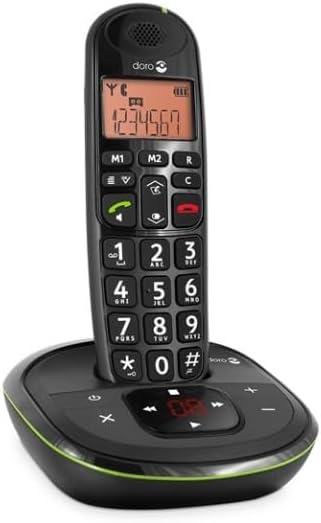
 Image: A slightly angled view of the Doro PhoneEasy 105wr handset in its charging cradle, highlighting its ergonomic design.
Navodila za uporabo
Klicanje
- Klicanje: Dvignite slušalko ali pritisnite Zeleni gumb za klic. Enter the phone number using the keypad.
- Končanje klica: Pritisnite Rdeči gumb za končanje klica ali pa slušalko postavite nazaj na osnovno enoto.
Prejemanje klica
Ko telefon zazvoni, pritisnite Zeleni gumb za klic to answer. To end the call, press the Rdeči gumb za končanje klica or return the handset to the base unit.
Prilagoditev glasnosti
Med klicem uporabite Up in Dol navigation buttons on the handset to adjust the earpiece volume.
Imenik
Your Doro PhoneEasy 105wr can store up to 20 entries in its phonebook.
- Dodajanje vnosa:
- Pritisnite meni gumb.
- Pomaknite se do »Telefonski imenik« in izberite »Dodaj novo«.
- Vnesite ime in številko ter shranite.
- Klicanje iz telefonskega imenika:
- Pritisnite Imenik button (often a book icon).
- Scroll through the entries using the navigation buttons.
- Pritisnite Zeleni gumb za klic to dial the selected entry.
Answering Machine (if applicable)
The Doro PhoneEasy 105wr features a digital answering machine with a recording capacity of 20 minutes.
- Predvajanje sporočil: Pritisnite Predvajaj/Ustavi gumb na osnovni enoti.
- Brisanje sporočil: During message playback, press the Izbriši gumb na osnovni enoti.
- Snemanje odhodnega sporočila: Refer to the handset menu for options to record or select a pre-recorded outgoing message.
 Slika: Neposredna fronta view of the Doro PhoneEasy 105wr cordless phone, showing the large buttons and clear display on the handset, and the answering machine controls on the base.
Vzdrževanje
- Čiščenje: Telefon in osnovno enoto obrišite z mehko krpoamp krpo. Ne uporabljajte abrazivnih čistil ali topil.
- Vzdrževanje baterije: Uporabljajte samo navedene polnilne baterije. Če telefona ne boste uporabljali dlje časa, odstranite baterije, da preprečite puščanje.
- Okoljski pogoji: Izogibajte se izpostavljanju telefona ekstremnim temperaturam, neposredni sončni svetlobi ali vlagi.
Odpravljanje težav
| Težava | Možen vzrok | rešitev |
|---|---|---|
| Ni znaka centrale | Telefonski kabel ni priključen ali je pokvarjen. | Check the telephone line cord connection to the base unit and wall socket. Test with another phone if possible. |
| Slušalka se ne polni | Handset not correctly placed on the base unit; dirty charging contacts; faulty batteries. | Ensure the handset is seated correctly. Clean charging contacts on both handset and base with a dry cloth. Replace batteries if old. |
| Slaba kakovost zvoka | Handset too far from base unit; interference; low battery. | Move closer to the base unit. Avoid placing the base near other electronic devices. Charge the handset battery. |
| Ne morem klicati/sprejemati klicev | No power to base unit; handset not registered. | Check power adapter connection. Refer to the full manual for handset registration instructions if needed. |
Specifikacije
| Funkcija | Podrobnost |
|---|---|
| Znamka | Doro |
| Številka modela | 380102 |
| barva | Črna |
| Vrsta telefona | Brezžično |
| Material | Kovina (notranje komponente) |
| Vir napajanja | Na baterije (1 A baterija priložena) |
| Vrsta klicalnika | Enojna tipkovnica |
| Mere predmeta (D x Š x V) | 19.4 x 15.4 x 10.3 centimetrov |
| Teža predmeta | 706 gramov |
| Vrsta telefonskega odzivnika | Digitalno |
| Čas pogovora | 600 Minutes (10 hours) |
| Čas pripravljenosti | 100 ur |
| Kapaciteta snemanja | 20 minute |
| ID klicatelja | ja |
| Independent Test Certification | Energy Star |
Garancija in podpora
Information regarding specific warranty terms and customer support contact details is not available in this document. Please refer to the warranty card included with your product or visit the official Doro webspletno mesto za najnovejše informacije.
For further assistance, you may contact Doro customer service through their official channels.


