Uvod
This manual provides essential instructions for the setup, operation, and maintenance of your Logitech Stereo Headset H110. Please read this guide thoroughly before using the product to ensure optimal performance and longevity.
Vsebina paketa
The Logitech Stereo Headset H110 package typically includes:
- Logitech Stereo Headset H110
- Uporabniška dokumentacija (ta priročnik)
Konec izdelkaview
The Logitech Stereo Headset H110 is designed for clear audio communication and listening. It features a comfortable over-the-head design with an adjustable microphone.

Slika 1: The Logitech Stereo Headset H110, showing the adjustable headband, earcups with foam padding, and the flexible microphone boom.
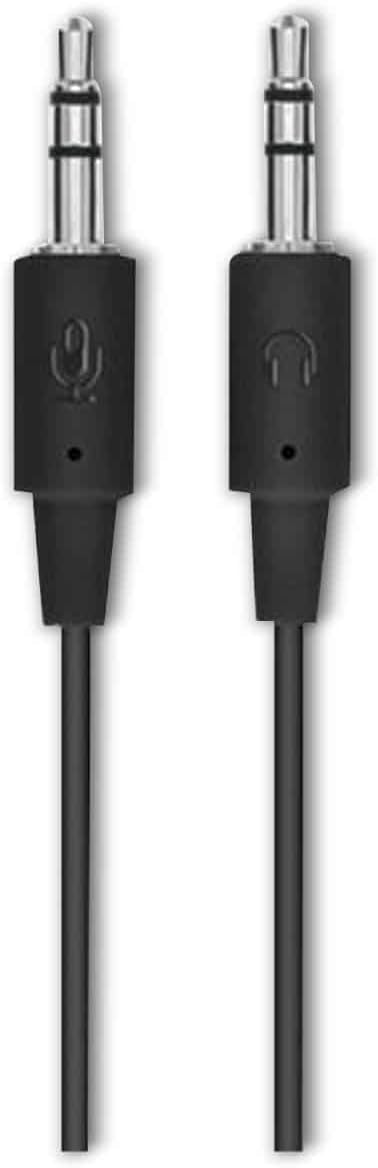
Slika 2: The two 3.5mm audio jacks for the Logitech H110 headset. One jack is for audio output (headphones), and the other is for microphone input.
Nastavitev
- Priključite slušalke:
The Logitech H110 headset uses two 3.5mm audio jacks. One jack is typically green for audio output (headphones), and the other is pink for microphone input. Connect the green jack to your computer's audio output port and the pink jack to your computer's microphone input port.
Opomba: Some devices, such as laptops or smartphones, may use a single combined 3.5mm jack for both audio and microphone. An adapter (not included) may be required for compatibility with such devices.
- Adjust the Headset:
Adjust the headband for a comfortable fit on your head. The earcups should rest gently over your ears.
- Postavite mikrofon:
Position the flexible microphone boom so that the microphone is approximately 1-2 inches (2.5-5 cm) from your mouth for optimal voice clarity.
Navodila za uporabo
- Predvajanje zvoka:
Once connected, your computer should automatically detect the headset as an audio output device. Play any audio (music, video, calls) to test the sound. Adjust the volume using your computer's system volume controls.
- Uporaba mikrofona:
For voice communication (e.g., video calls, online gaming), ensure the headset microphone is selected as the input device in your computer's sound settings or within the application you are using. Speak clearly into the microphone.
Vzdrževanje
- Čiščenje:
Wipe the headset surfaces with a soft, dry cloth. Do not use liquid cleaners or abrasive materials. For the foam earpads, gently dab with a slightly damp cloth if necessary, and allow to air dry completely before use.
- Shranjevanje:
Slušalke shranjujte na čistem in suhem mestu, stran od ekstremnih temperatur in neposredne sončne svetlobe. Izogibajte se zapletanju kabla.
- Skrb za kabel:
Do not pull on the cable to disconnect the headset. Always grasp the plug firmly. Avoid sharp bends or kinks in the cable to prevent internal damage.
Odpravljanje težav
| Težava | Možna rešitev |
|---|---|
| Ni zvoka iz slušalk |
|
| Mikrofon ne deluje |
|
| Slaba kakovost zvoka |
|
Specifikacije
- Model: H110
- Številka dela (P/N): 981-000271
- Povezljivost: Dual 3.5mm audio jacks (one for audio, one for microphone)
- Dimenzije (V x Š x G): Približno 5.91 x 2.36 x 0.79 palcev (15 x 6 x 2 cm)
- Teža: Približno 5.3 unč (150 gramov)
- Mikrofon: Adjustable, noise-cancelling (typical for basic headsets)
- Slušalke: Foam padded
Garancija in podpora
Specific warranty information for the Logitech Stereo Headset H110 is typically provided with the product packaging or available on the official Logitech website. For technical support, product registration, or further assistance, please visit the official Logitech support page:
Opomba: Warranty terms and conditions may vary by region and purchase date. Please retain your proof of purchase for warranty claims.


