Uvod
Welcome to the official instruction manual for Atari Ghostbusters: The Video Game. This guide provides essential information for installing, operating, and maintaining your game on a PC platform. Please read this manual thoroughly to ensure an optimal gaming experience.
Ghostbusters: The Video Game allows players to join the Ghostbusters team as a new recruit, using unique gadgets and proton packs to capture ghosts and save New York City from paranormal threats. The game features an original story written by the creators of the original films.
Nastavitev
Sistemske zahteve
Before installation, ensure your computer meets the minimum system requirements for PC DVD-ROM games. These typically include a compatible operating system (e.g., Windows XP/Vista/7), a processor, sufficient RAM, a DirectX-compatible graphics card, and adequate free hard drive space. Refer to the game's packaging for specific requirements.
Koraki namestitve
- Vstavite igralni disk: Place the Ghostbusters: The Video Game DVD-ROM into your computer's DVD drive.
- Start Installation: The installer should launch automatically. If it does not, navigate to "My Computer" or "This PC," right-click on the DVD drive icon, and select "Open" or "Explore" to locate and run the "setup.exe" file.
- Sledite navodilom na zaslonu: Adhere to the instructions provided by the installation wizard. This will typically involve accepting the End User License Agreement (EULA), choosing an installation directory, and selecting components to install.
- Enter Product Key: If prompted, enter the unique product key found on the game's packaging or disc sleeve.
- Popolna namestitev: Allow the installation process to finish. This may take several minutes. Once complete, you may be prompted to install DirectX or other necessary software components.
- Znova zaženite računalnik: It is often recommended to restart your computer after installation to ensure all changes are applied correctly.
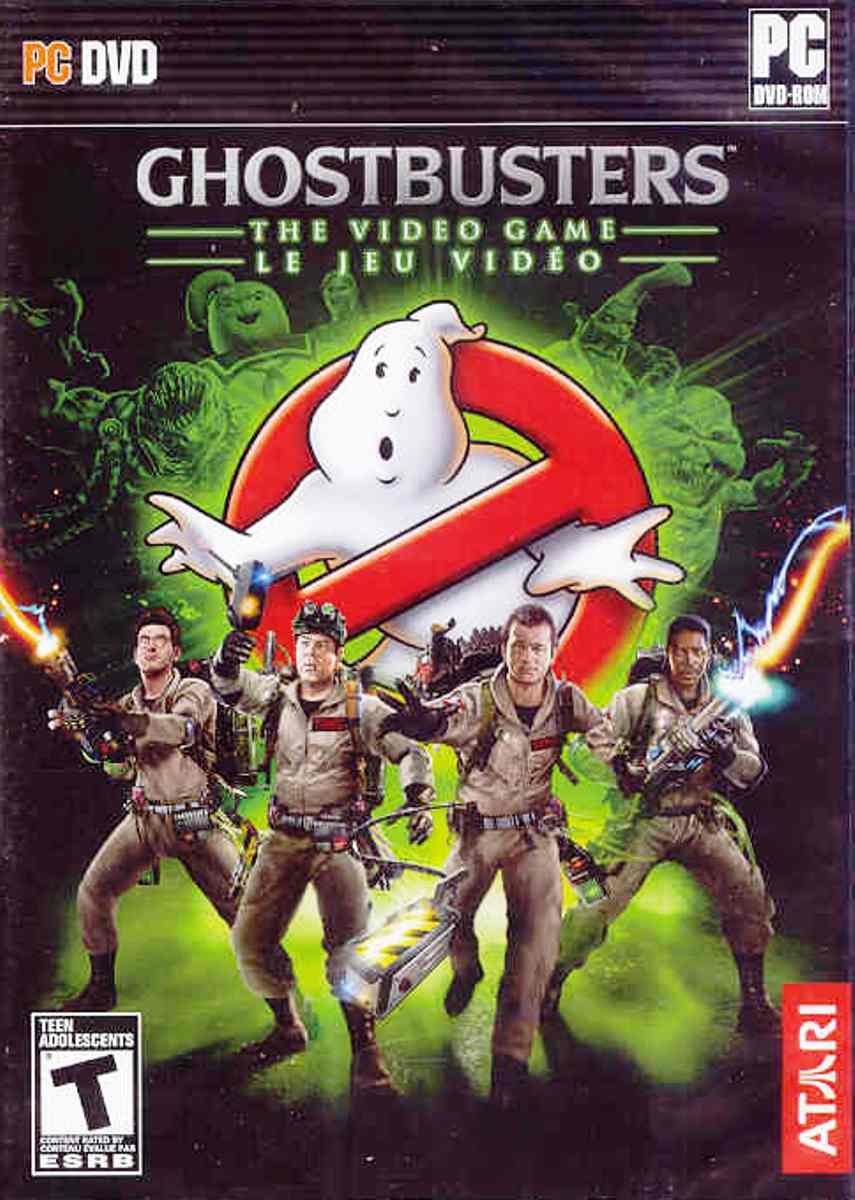
Image: The front cover of the Ghostbusters: The Video Game PC DVD-ROM. It features the iconic Ghostbusters logo with the four main characters and the new recruit standing in front of a spectral New York City skyline.
Upravljanje igre
Zagon igre
After successful installation, you can launch the game by double-clicking the Ghostbusters: The Video Game icon on your desktop or by selecting it from the Start Menu (or equivalent application launcher).
Basic Controls (PC)
The game typically uses a standard PC control scheme. Below are common default controls, which can usually be customized within the game's options menu:
- W, A, S, D: Movement (Forward, Left, Backward, Right)
- Miška: Look/Aim
- Levi gumb miške: Primary Fire (Proton Stream)
- Desni gumb miške: Secondary Fire/Alternate Gadget Function
- E: Interact/Use
- preslednica: Jump/Dodge
- Q/F: Switch Gadgets/Weapons
- Esc: Pause Menu/Options
Refer to the in-game tutorial or options menu for a complete list of controls and customization options.
Saving and Loading Progress
Ghostbusters: The Video Game typically features an auto-save system that automatically records your progress at key points. Manual saving options may also be available through the in-game pause menu. To load a saved game, select "Load Game" from the main menu and choose your desired save file.
Vzdrževanje
Proper maintenance ensures the longevity of your game disc and optimal software performance.
- Nega diska: Keep the game DVD-ROM clean and free from scratches. Store it in its original case when not in use. Use a soft, lint-free cloth to gently wipe the disc from the center outwards if cleaning is necessary.
- Posodobitve programske opreme: Periodically check the official Atari or Ghostbusters: The Video Game website for any available patches or updates. These updates can improve performance, fix bugs, and enhance compatibility.
- Sistemske posodobitve: Ensure your operating system and graphics card drivers are up to date. Outdated drivers can cause performance issues or prevent the game from running correctly.
Odpravljanje težav
If you encounter issues while installing or playing Ghostbusters: The Video Game, consider the following troubleshooting steps:
- Igra se ne zažene:
- Preverite, ali vaš sistem izpolnjuje minimalne zahteve.
- Ensure the game disc is clean and properly inserted.
- Try running the game as an administrator (right-click the shortcut and select "Run as administrator").
- Reinstall the game.
- Performance Issues (Low FPS, Lag):
- Posodobite gonilnike grafične kartice.
- Lower the in-game graphics settings (resolution, texture quality, anti-aliasing).
- Zaprite druge aplikacije, ki se izvajajo v ozadju.
- Ensure your PC is not overheating.
- Crashes or Freezes:
- Ensure all system drivers (graphics, sound, chipset) are up to date.
- Check for game patches or updates.
- Disable any background programs that might conflict with the game.
- Perform a clean reinstallation of the game.
- Težave z zvokom:
- Check your speaker/headphone connections and volume levels.
- Update your sound card drivers.
- Verify in-game audio settings.
For persistent issues, consult online forums or the official support channels for Atari or Ghostbusters: The Video Game.
Specifikacije
| Funkcija | Podrobnost |
|---|---|
| Naslov izdelka | Atari-Ghostbusters: The Video Game |
| Znamka | Atari |
| Številka modela | 27934 |
| ASIN | B002IVV0Y4 |
| Vrsta artikla | DVD-ROM |
| Ocena ESRB | Najstnica |
| Teža predmeta | 5.6 unč |
| Dimenzije paketa | 7.48 x 5.35 x 0.55 palcev |
| Proizvajalec | Atari Inc. |
| Prvič na voljo | 26. marec 2012 |
| Prekinjeno | ja |
Informacije o garanciji
Warranty coverage for Ghostbusters: The Video Game is typically provided by the manufacturer, Atari Inc., and is subject to the terms and conditions outlined at the time of purchase. Please refer to the warranty card or documentation included with your game packaging for specific details regarding warranty duration, coverage, and claims procedures. Keep your proof of purchase for any warranty-related inquiries.
Podpora
For technical assistance, gameplay questions, or further support regarding Ghostbusters: The Video Game, please visit the official Atari support website or the game's dedicated support page. Online resources often include FAQs, forums, and contact information for customer service. Ensure you have your product key and system information ready when contacting support.
Note: As this product is listed as discontinued, direct manufacturer support may be limited. Community forums and fan-made resources might offer additional assistance.


