
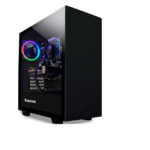
iBUYPOWER Element Pulse X Gaming PC Case Instruction Manual
iBUYPOWER Element Pulse X Gaming PC Case Specifications Dimensions: 462 mm L x 250 mm W x 501 mm H Supported Motherboard Sizes: ITX, mATX, ATX Fans: Side: 3x 120…


iBUYPOWER is a premier manufacturer of high-performance custom gaming PCs, desktops, and notebooks tailored for gamers, content creators, and esports professionals.
Ustanovljeno leta 1999, iBUYPOWER has evolved into a leading brand in the high-performance computing market, specializing in custom gaming desktops and laptops. Known for combining cutting-edge components with unique aesthetics, iBUYPOWER offers systems that feature transparent side panels, advanced RGB lighting, and robust liquid cooling solutions like the AW4 AIO series. Their product lines, such as the Trace, Element, in Skrilavec series, cater to a wide range of users from casual gamers to competitive esports athletes.
In addition to pre-built and custom PCs, iBUYPOWER provides a variety of gaming peripherals and internal components. The company emphasizes user experience with dedicated customer support and comprehensive warranty coverage for their systems. Whether for heavy gaming, video editing, or professional graphical work, iBUYPOWER aims to deliver reliability and speed through their carefully configured hardware solutions.
Najnovejši priročniki od manuals+ izbrano za to blagovno znamko.




Oglejte si videoposnetke o nastavitvi, namestitvi in odpravljanju težav za to blagovno znamko.
Pogosta vprašanja o priročnikih, registraciji in podpori za to blagovno znamko.
You can reach iBUYPOWER technical support by calling (888) 618-6040 or emailing support@ibuypower.com for assistance with hardware or software issues.
New desktop systems typically come with a standard warranty that includes 3 years of labor and 2 years of parts, subject to terms regarding normal use and shipping.
Drivers for specific components (motherboard, GPU) are usually found on the manufacturer's website (e.g., ASUS, MSI, NVIDIA), but general system support resources are available on the iBUYPOWER support page.
Generally, opening the case to clean or upgrade components does not void the warranty, provided that no damage is caused during the process. However, any damage resulting from improper installation or modification is not covered.