
1. Uvod
This manual provides instructions for the proper setup, operation, and maintenance of your BCZWLWCND Air Conditioner Remote Control. Please read this manual thoroughly before using the remote control to ensure optimal performance and longevity. This remote is designed to be compatible with various air conditioner models, including YR-M10, YR-M02, YR-M05, YR-M07, YR-M09, and YL-M10.
2. Izdelek je končanview
The BCZWLWCND remote control is a replacement unit designed for specific air conditioner models. It features a simple, ergonomic design for comfortable handling and ease of use. The primary function is to control your air conditioner's settings, including power, mode, temperature, and fan speed.
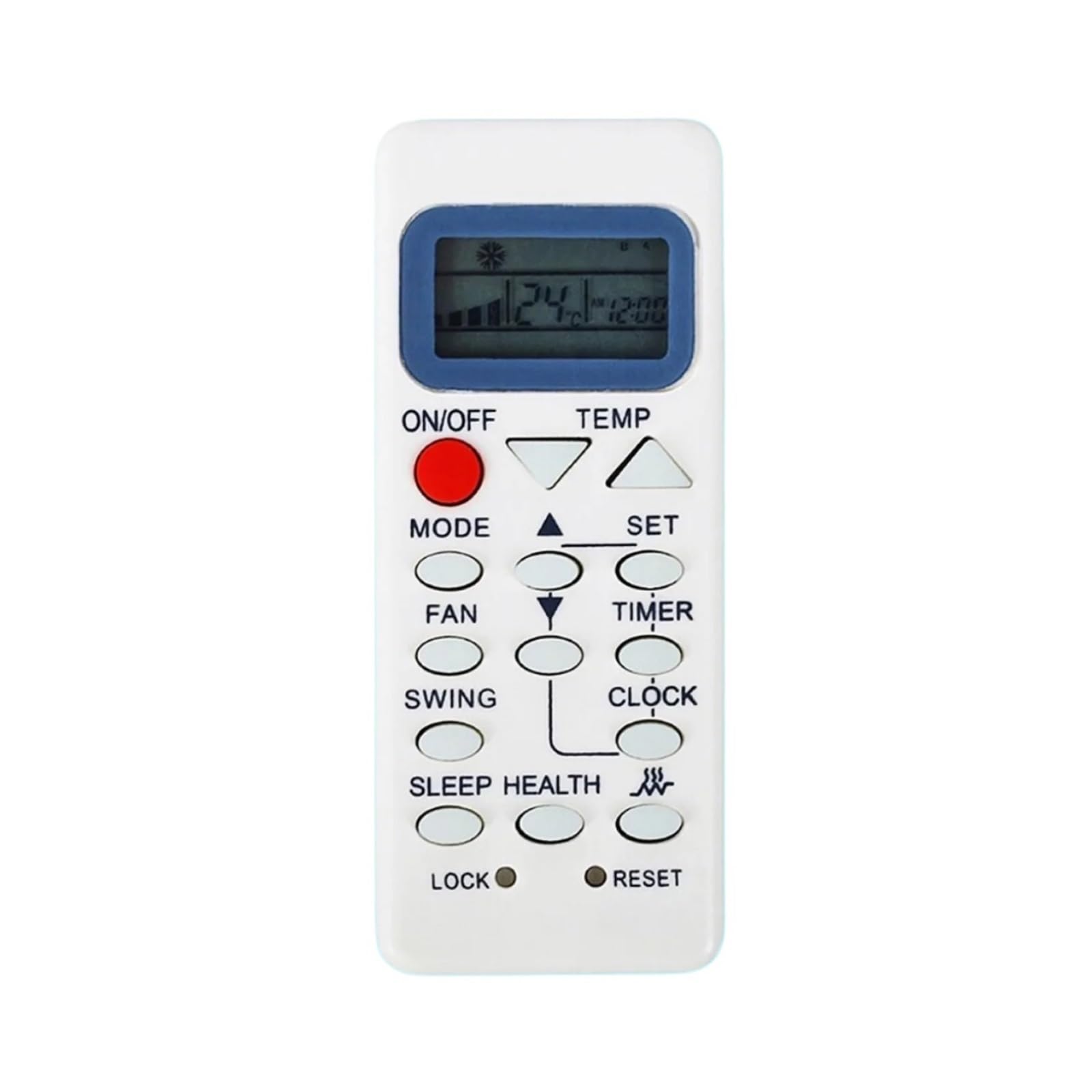
This image displays the back of the BCZWLWCND air conditioner remote control. The design is simple and ergonomic, featuring a removable cover for the battery compartment located at the bottom half of the remote. The top half shows a smooth, slightly recessed area, possibly for grip or internal components. The overall color is white.
3. Nastavitev
3.1 Namestitev baterije
- Poiščite pokrov prostora za baterije na zadnji strani daljinskega upravljalnika.
- Potisnite pokrov navzdol ali pritisnite zapah (če je prisoten), da odprete predal.
- Insert two new AAA batteries (not included), ensuring the positive (+) and negative (-) terminals match the diagrams inside the compartment.
- Pokrov predalčka za baterije potisnite nazaj na svoje mesto, dokler se ne zaskoči.
Opomba: Vedno zamenjajte obe bateriji hkrati z novima. Ne mešajte starih in novih baterij ali različnih vrst baterij.
4. Navodila za uporabo
Med delovanjem usmerite daljinski upravljalnik neposredno v sprejemnik klimatske naprave.
4.1 Osnovne funkcije
- Vklop/izklop: Pritisnite VKLOP/IZKLOP button to turn the air conditioner on or off.
- Izbira načina: Pritisnite NAČIN button repeatedly to cycle through available modes: Auto, Cool, Dry, Fan, Heat (if applicable).
- Prilagoditev temperature: Uporabite DVIŽANJE TEMPERATURE (▲) in ZNIŽANJE TEMPERATURE (▼) gumbe za zvišanje ali znižanje želene temperature.
- Hitrost ventilatorja: Pritisnite FAN gumb za nastavitev hitrosti ventilatorja (npr. nizka, srednja, visoka, samodejna).
- Funkcija nihanja: If your air conditioner supports it, press the SWING button to activate or adjust the louver swing.
Refer to your air conditioner's original manual for specific functions and their corresponding remote control buttons if this remote has additional features.
5. Vzdrževanje
5.1 Čiščenje daljinskega upravljalnika
To clean the remote control, wipe it gently with a soft, dry cloth. Do not use liquid cleaners, sprays, or chemical solvents, as these may damage the remote's surface or internal components.
5.2 Zamenjava baterije
Replace the batteries when the remote control's range decreases significantly or if the air conditioner does not respond to commands. Follow the battery installation steps outlined in Section 3.1.
6. Odpravljanje težav
- Daljinski upravljalnik ne deluje:
- Preverite, ali so baterije pravilno vstavljene s pravilno polarnostjo.
- Zamenjajte stare baterije z novimi.
- Prepričajte se, da med daljinskim upravljalnikom in sprejemnikom klimatske naprave ni ovir.
- Omejen doseg:
- Zamenjajte baterije.
- Ensure you are within the effective operating range (typically 8-10 meters) and pointing directly at the unit.
- Klimatska naprava se ne odziva na določene funkcije:
- Verify that your air conditioner model supports the specific function you are trying to use.
- Some advanced functions may require specific programming or may not be supported by a universal replacement remote.
7. Specifikacije
| Znamka | BCZWLWCND |
| Združljivi modeli | YR-M10, YR-M02, YR-M05, YR-M07, YR-M09, YL-M10 |
| barva | One Color (White) |
| Število elementov | 1 |
8. Garancija in podpora
For warranty information or technical support, please refer to the retailer or platform where the product was purchased. Keep your purchase receipt as proof of purchase.


