
1. Uvod
Welcome to the OnePlus Nord CE6 Lite user manual. This guide provides essential information to help you get started with your new smartphone, understand its features, and ensure optimal performance. The OnePlus Nord CE6 Lite combines a powerful MediaTek Dimensity 7400 Apex Processor with a long-lasting 7000mAh battery and a smooth 144Hz display, designed for a seamless user experience.

Image: The OnePlus Nord CE6 Lite smartphone in Vivid Mint, showcasing njegovo elegantno obliko.
2. Navodila za namestitev
2.1. Namestitev kartice SIM
- Poiščite pladenj za kartico SIM na strani naprave.
- Vstavite orodje za izmet SIM kartice v majhno luknjo poleg pladnja in močno pritisnite, dokler pladenj ne izskoči.
- Place your Nano SIM cards (supports Dual SIM) into the designated slots on the tray, ensuring the gold contacts face downwards.
- Previdno vstavite pladenj za SIM kartico nazaj v telefon, dokler se ne zaskoči.
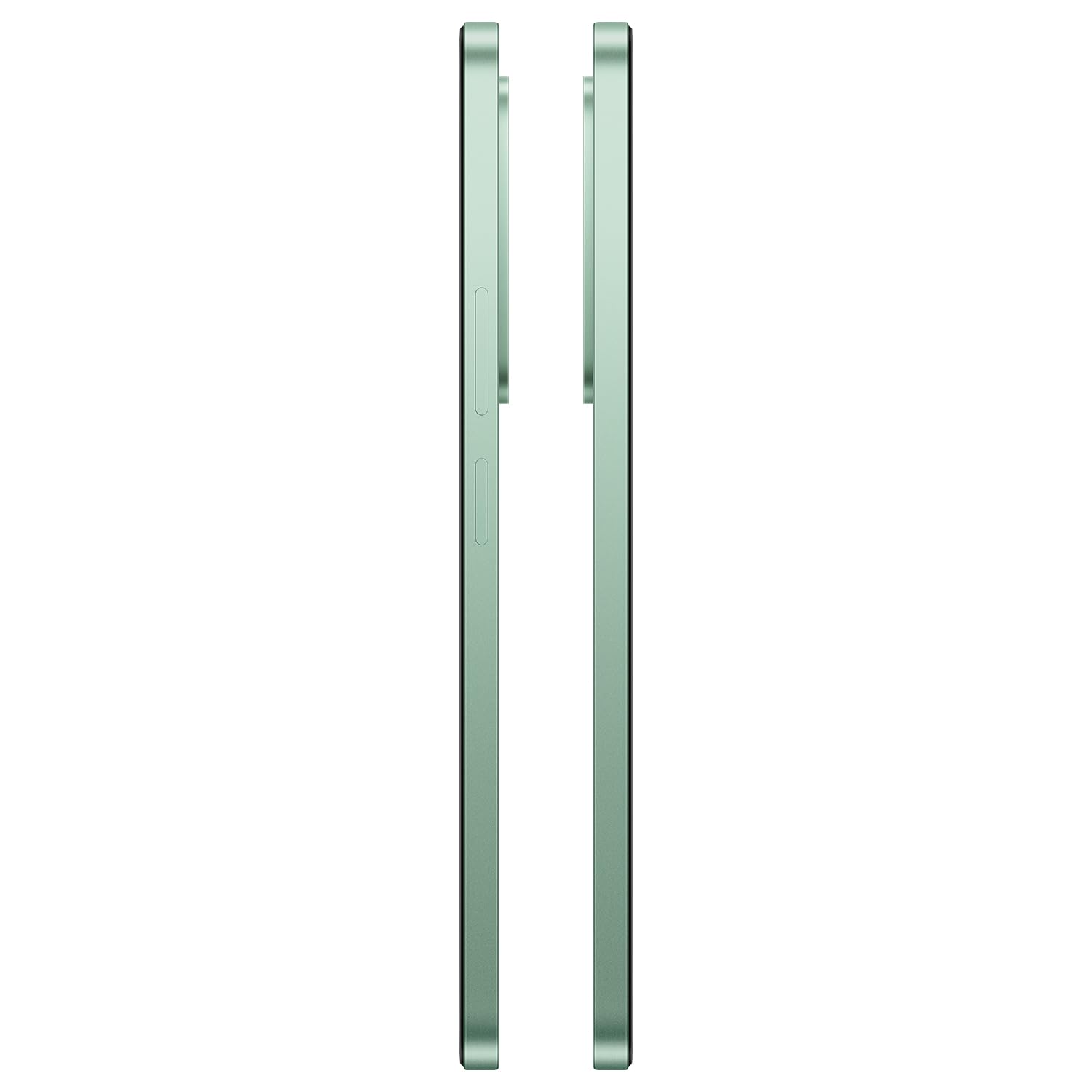
Slika: Stran view of the OnePlus Nord CE6 Lite, indicating the location of the SIM card tray.
2.2 Začetni vklop in nastavitev
- Pritisnite in držite gumb za vklop, dokler se ne prikaže logotip OnePlus.
- Sledite navodilom na zaslonu, da izberete jezik, se povežete z omrežjem Wi-Fi in nastavite svoj Google Račun.
- Configure security features such as fingerprint recognition and screen lock.
2.3. Polnjenje vaše naprave
The OnePlus Nord CE6 Lite is equipped with a 7000mAh battery and supports 45W SUPERVOOC fast charging. Use the provided power adapter and USB Type-C cable for optimal charging speed.
- Kabel USB Type-C priključite na polnilni priključek na spodnji strani telefona.
- Priključite napajalnik v stensko vtičnico.
- A full charge takes approximately 97 minutes. A quick 10-minute charge can provide up to 7.5 hours of call time.

Image: The OnePlus Nord CE6 Lite charging with its 45W SUPERVOOC fast charger, highlighting the 7000mAh battery capacity.
3. Upravljanje vaše naprave
3.1. Funkcije zaslona
Experience fluid visuals on the 6.72-inch LCD display with a 144Hz refresh rate and 2400 x 1080 pixel resolution. The display offers up to 1000 nits peak brightness for clear viewing even in bright sunlight. Aqua Touch technology ensures precise control, even with wet or oily fingers.

Image: The OnePlus Nord CE6 Lite display highlighting its 144Hz refresh rate for smooth visuals.
3.2. Zmogljivost in igranje iger
Powered by the MediaTek Dimensity 7400 Apex Processor and 8GB RAM, the Nord CE6 Lite delivers enhanced performance for multitasking and gaming. Enjoy up to 144 FPS support for compatible games and 90 FPS for top-rated shooters, ensuring a responsive and lag-free experience.

Image: Visual representation of the MediaTek Dimensity 7400 Apex Processor, 8GB RAM, and 256GB ROM.

Image: A user playing a game on the OnePlus Nord CE6 Lite, illustrating high FPS gaming performance.
3.3. Uporaba kamere
Capture every moment with the versatile triple camera system: a 50MP main camera, an 8MP front camera, and a 2MP depth-assist camera. Record sharp and smooth videos in 4K at 30 FPS. Utilize features like 4K Motion Photos, AI Portrait Glow, and AI Eraser for enhanced photography.
- 50MP glavna kamera: For high-resolution photos and detailed shots.
- 8MP sprednja kamera: Za jasne selfije in video klice.
- 2MP kamera z globinsko asistenco: Enhances portrait mode for professional-looking bokeh effects.
- 4K video snemanje: Capture moments with superior clarity and motion.
- 4K Motion Photos: Bring still images to life with short video clips.
- Lastnosti AI: Utilize AI Portrait Glow for improved portraits and AI Eraser to remove unwanted objects from photos.

Image: Diagram illustrating the 8MP front, 50MP main, and 2MP depth-assist cameras on the OnePlus Nord CE6 Lite.

Image: A scene captured with 4K 30 FPS video recording on the OnePlus Nord CE6 Lite.

Image: A comparison showing the effect of AI Portrait Glow on a photograph.
3.4. Programska oprema in uporabniški vmesnik
The OnePlus Nord CE6 Lite runs on OxygenOS 16, offering a smooth and intuitive user experience. It integrates Google Gemini, a personal AI assistant from Google, to help with various tasks from planning to learning.

Image: The OxygenOS 16 interface, showcasing its clean and user-friendly design.

Slika: Bivši/aample of Google Gemini in action on the OnePlus Nord CE6 Lite, assisting with a query.
3.5. Zvok
Enhance your audio experience with the 300% Ultra Volume Mode, providing powerful sound that cuts through noise. The device features a Type-C headphone jack.

Image: The OnePlus Nord CE6 Lite illustrating the 300% Ultra Volume Mode for powerful audio output.
4. Vzdrževanje
4.1. Vzdržljivost naprave
The OnePlus Nord CE6 Lite is built with military-grade durability, designed to withstand real-world toughness and maintain its performance for up to 5 years.

Image: The OnePlus Nord CE6 Lite depicted in a rugged environment, symbolizing its military-grade durability.
4.2. Battery Health Management
The 7000mAh battery is designed for longevity, retaining up to 80% of its capacity even after 6 years of daily use. To maximize battery life, avoid extreme temperatures and use the official charger.

Image: Graphic indicating 6 years of battery health for the OnePlus Nord CE6 Lite.
4.3. Hladilni sistem
The device features a category-leading 5,300 mm² VC (Vapor Chamber) cooling system to effectively manage heat during intensive tasks like gaming or heavy multitasking, ensuring stable performance.

Slika: Notranja view of the OnePlus Nord CE6 Lite highlighting the 5300 mm² vapor chamber cooling system.
5. Odpravljanje težav
If you encounter issues with your OnePlus Nord CE6 Lite, consider the following basic troubleshooting steps:
- Znova zaženite napravo: Preprost ponovni zagon lahko odpravi številne manjše programske napake.
- Preverite povezave: Ensure Wi-Fi, Bluetooth, and cellular connections are active and stable.
- Posodobitve programske opreme: Redno preverjajte in nameščajte posodobitve sistema, da zagotovite optimalno delovanje in varnost. Pojdite na Nastavitve > O napravi > Različica OxygenOS.
- Počisti predpomnilnik: Če aplikacija ne deluje pravilno, poskusite počistiti njen predpomnilnik prek Settings > Apps > [App Name] > Storage usage > Clear cache.
- Tovarniška ponastavitev: As a last resort, if issues persist, you may consider a factory reset. Opozorilo: S tem boste izbrisali vse podatke v telefonu. Pred nadaljevanjem varnostno kopirajte pomembne podatke. Pojdite na Settings > System settings > Backup and reset > Reset phone > Erase all data.
For more advanced troubleshooting or persistent issues, please contact OnePlus customer support.
6. Specifikacije
| Funkcija | Podrobnost |
|---|---|
| Znamka | OnePlus |
| Model | Nord CE6 Lite |
| Operacijski sistem | OxygenOS 16 |
| Procesor | MediaTek Dimensity 7400 Apex (2.6 GHz) |
| RAM | 8 GB |
| Zmogljivost shranjevanja | 128 GB |
| Velikost zaslona | 6.72 palcev |
| Ločljivost zaslona | 2400 x 1080 slikovnih pik |
| Hitrost osveževanja | 144 Hz |
| Glavna kamera | 50 MP |
| Sprednja kamera | 8 MP |
| Ločljivost zajema videa | 4K pri 30 FPS |
| Kapaciteta baterije | 7000 mAh |
| Polnjenje | 45W SUPERVOOC Fast Charging |
| Število rež za SIM-kartice | Dual SIM (Nano) |
| Povezljivost | 5G, Bluetooth, USB Type-C, Wi-Fi |
| Biometrična varnost | Prepoznavanje prstnih odtisov |
| Stopnja vodoodpornosti | Vodoodporen |
| Teža predmeta | 208 gramov |
| Mere predmeta | 16.6 x 7.6 x 0.9 centimetrov |
7. Kaj je v škatli
Your OnePlus Nord CE6 Lite package includes the following items:
- OnePlus Nord CE6 Lite Smartphone
- Napajalnik (45W SUPERVOOC)
- Kabel USB (vrsta C)
- Ovitek za telefon
- Vodnik za hiter začetek
- Izmetalo pladnja SIM
8. Garancija in podpora
8.1. Informacije o garanciji
The OnePlus Nord CE6 Lite comes with a 1-year manufacturer's warranty. Please refer to the warranty card included in your package for detailed terms and conditions. Additional protection plans may be available for purchase separately.
8.2. Kontaktni podatki proizvajalca
For support, service, or inquiries, please contact the manufacturer:
Proizvajalec: DBG TECHNOLOGY (INDIA) PRIVATE LIMITED
Naslov: PLOT NO 10, SECTOR-5, HSIIDC INDUSTRIAL MODEL TOWNSHIP, BAWAL, REWARI, HARYANA -123501, India
You can also visit the official OnePlus support webstran za nadaljnjo pomoč.