
1. Uvod
Welcome to the OPPO K14 5G Smartphone user manual. This guide provides comprehensive instructions to help you set up, operate, and maintain your new device. Please read this manual thoroughly to ensure optimal performance and longevity of your smartphone.
2. Izdelek je končanview
The OPPO K14 5G is a high-performance smartphone designed for daily use, gaming, and content creation. It features a durable design, a powerful 7000 mAh battery, 6GB RAM, 128GB internal storage, and a SuperCool VC System for efficient thermal management.
2.1 Komponente naprave
- Zaslon: Large, vibrant screen for immersive viewing.
- Zadnji fotoaparati: Dual AI camera system for high-quality photography.
- Sprednja kamera: Za selfije in video klice.
- Gumb za vklop: Nahaja se ob strani in se uporablja za vklop/izklop ter zaklepanje zaslona.
- Gumbi za glasnost: Located on the side, used to adjust audio levels.
- Vrata USB-C: Za polnjenje in prenos podatkov.
- Reža za SIM/SD kartico: Za vstavljanje SIM kartic in razširljiv pomnilnik.
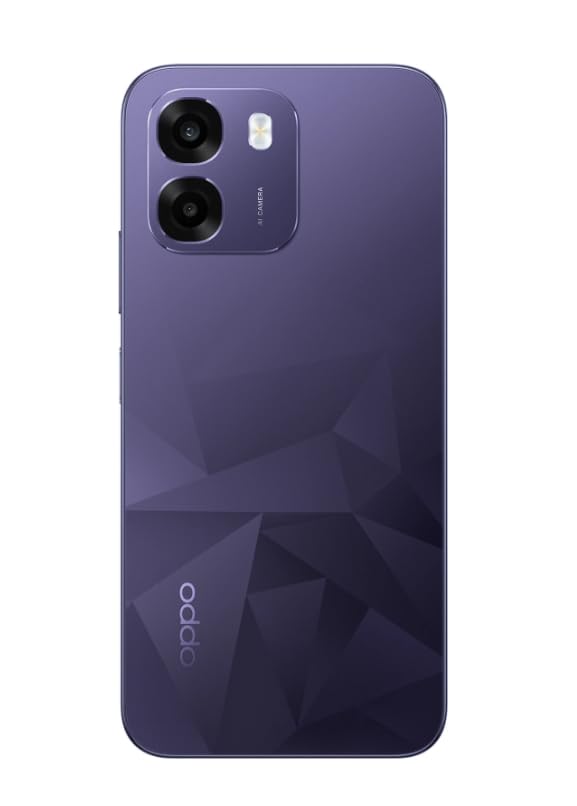
Slika: Zadaj view of the OPPO K14 5G Smartphone, showcasing the dual camera setup and geometric pattern in Prism Violet.
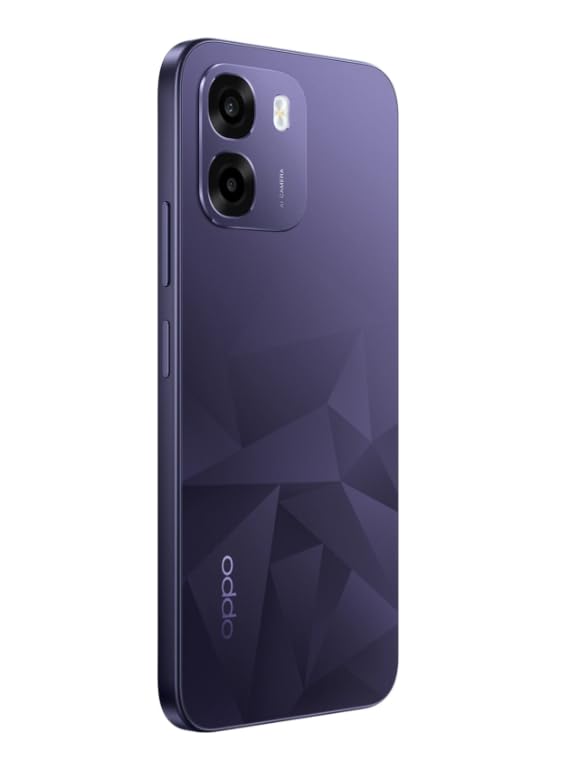
Slika: Stran view of the OPPO K14 5G Smartphone, highlighting the slim profile in postavitev gumbov.
3. Nastavitev
3.1 Vstavljanje kartice SIM/SD
- Poiščite pladenj za kartico SIM/SD na strani naprave.
- Vstavite orodje za izmet SIM kartice v majhno luknjo poleg pladnja in ga nežno potisnite, dokler pladenj ne izskoči.
- Vstavite kartico(-e) Nano-SIM in/ali kartico microSD v reži z zlatimi kontakti obrnjenimi navzdol. Prepričajte se, da so pravilno nameščene.
- Previdno vstavite pladenj nazaj v telefon.
3.2 Začetni vklop in nastavitev
- Pritisnite in držite gumb za vklop, dokler se ne prikaže logotip OPPO.
- Sledite navodilom na zaslonu, da izberete jezik, regijo, se povežete z omrežjem Wi-Fi in nastavite svoj Google Račun.
- You can transfer data from an old device during this process or skip it for later.
3.3 Polnjenje naprave
Before first use, it is recommended to fully charge your OPPO K14 5G. Connect the USB-C cable to the phone's charging port and the other end to a compatible power adapter. The device supports 45W fast charging.
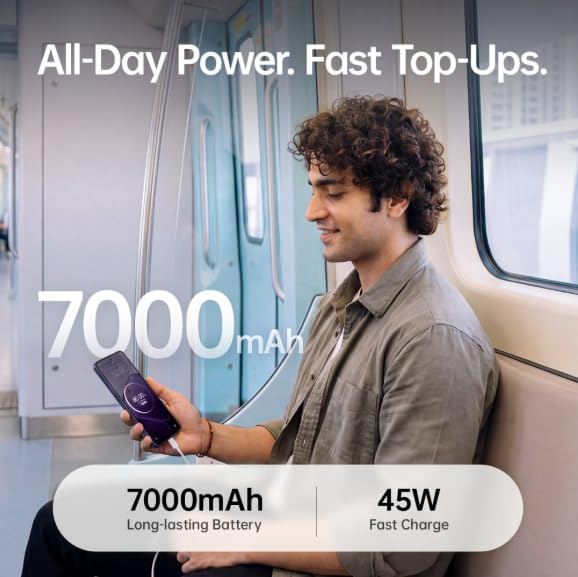
Image: The OPPO K14 5G highlighting its 7000mAh long-lasting battery and 45W fast charge capability.
4. Navodila za uporabo
4.1 Osnovna navigacija
- Dotaknite se: Dotaknite se za izbiro elementov, odpiranje aplikacij ali potrditev dejanj.
- Povlecite: Za pomikanje, preklapljanje med začetnimi zasloni ali navigacijo znotraj aplikacij premaknite prst po zaslonu.
- Ščepec: Z dvema prstoma povečajte ali pomanjšajte fotografije in web strani.
- Poteze: Customize navigation gestures in Settings for a fluid experience. The 120Hz display ensures smooth motion.
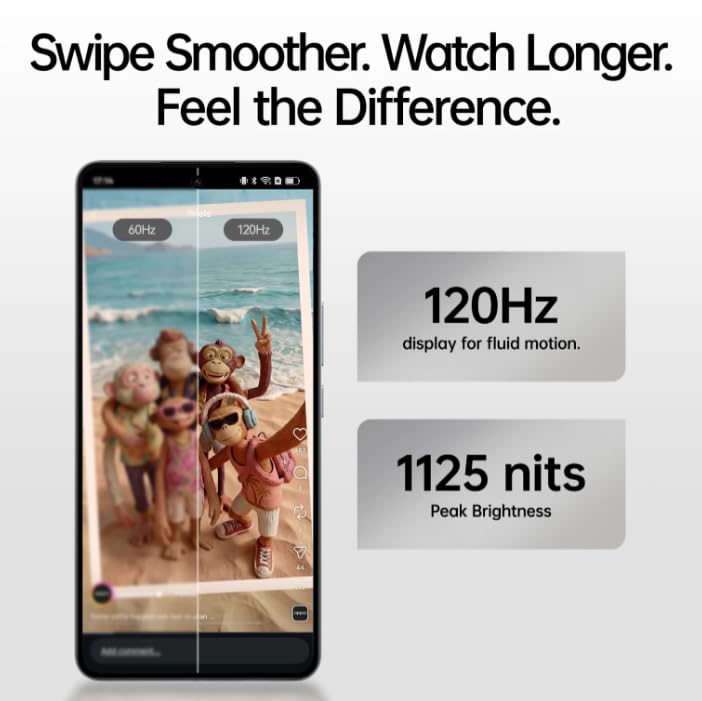
Image: The OPPO K14 5G display showcasing 120Hz for fluid motion and 1125 nits peak brightness.
4.2 Klici in sporočila
- Klicanje: Odprite aplikacijo Telefon, vnesite številko in tapnite ikono za klic.
- Pošiljanje sporočil: Odprite aplikacijo Sporočila, tapnite , da začnete nov pogovor, vnesite prejemnika in svoje sporočilo.
4.3 Omrežna povezljivost
The OPPO K14 5G supports 5G connectivity for fast internet speeds. Ensure your SIM card supports 5G and that you are in a 5G coverage area. You can manage Wi-Fi and mobile data settings in the Settings app.
5. Uporaba kamere
Your OPPO K14 5G is equipped with a dual AI camera system designed to capture sharp and detailed photos in various conditions. The main camera is 50MP.
5.1 Fotografiranje in snemanje videoposnetkov
- Odprite aplikacijo Kamera.
- Izberite želeni način (Fotografija, Video, Portret, Noč itd.).
- Dotaknite se gumba sprožilca, da posnamete fotografijo ali začnete/ustavite snemanje videa.
- Use the zoom controls or switch between lenses as needed.
6. Upravljanje baterije
The OPPO K14 5G features a large 7000 mAh battery, providing extended usage time. To maximize battery life:
- Prilagodite svetlost zaslona.
- Zaprite neuporabljene aplikacije, ki se izvajajo v ozadju.
- Omogočite načine varčevanja z energijo, ko je baterija skoraj prazna.
- Izogibajte se ekstremnim temperaturam.
7. Zmogljivost in hlajenje
The device is engineered for smooth performance with 6GB RAM and is equipped with a SuperCool VC System. This system includes a 3900 mm² vapour chamber cooling area, which effectively dissipates heat during intensive tasks like gaming, ensuring sustained performance without overheating.
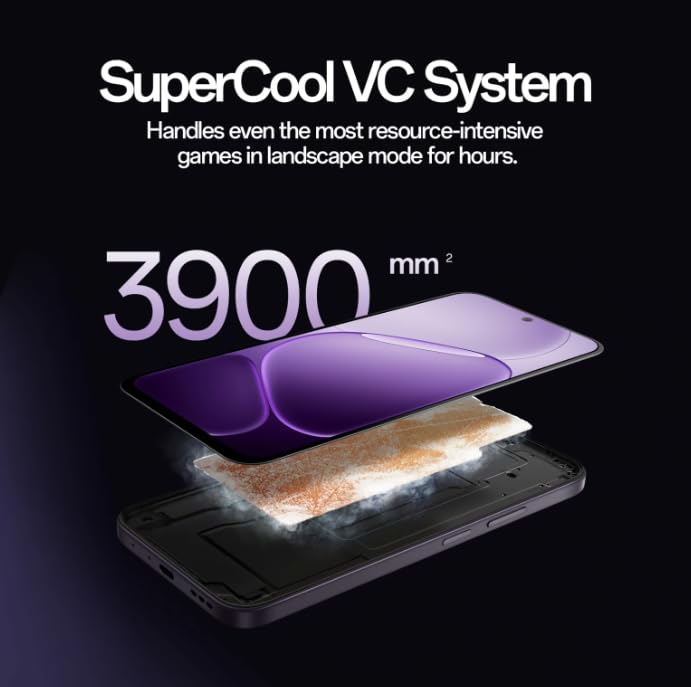
Image: Diagram illustrating the SuperCool VC System with its 3900 mm² vapour chamber, designed to prevent overheating during extended use.
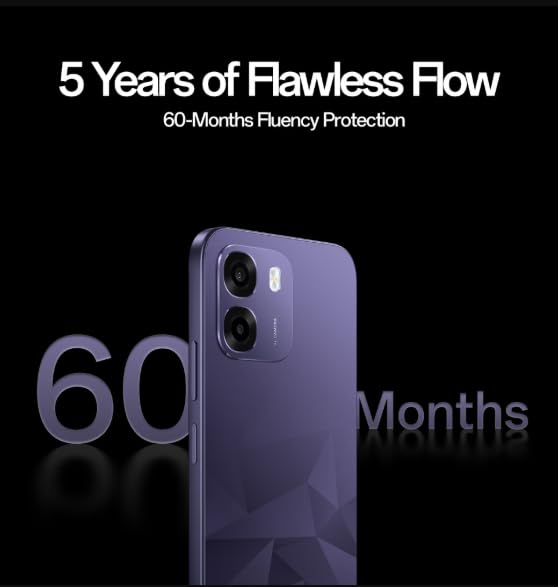
Image: The OPPO K14 5G promoting 60-Months Fluency Protection for long-term smooth performance.
8. Vzdrževanje
8.1 Čiščenje naprave
Use a soft, lint-free cloth to clean the screen and body of your phone. Avoid using harsh chemicals or abrasive materials. The device offers IP69 all-weather protection.
8.2 Posodobitve programske opreme
Regularly check for and install software updates to ensure your device has the latest features, security patches, and performance improvements. Go to Settings > About device > Software update.
8.3 Varnostno kopiranje podatkov
Občasno varnostno kopirajte pomembne podatke (fotografije, stike, dokumente) v storitev v oblaku ali računalnik, da preprečite izgubo podatkov.
9. Odpravljanje težav
If you encounter issues with your OPPO K14 5G, try the following steps:
- Naprava se ne vklopi: Prepričajte se, da je baterija napolnjena. Preden poskusite vklopiti napravo, jo priključite na polnilnik vsaj 15 minut.
- Zrušitve/zamrznitve aplikacij: Zaprite aplikacijo in jo znova odprite. Če težava ne izgine, počistite predpomnilnik aplikacije (Nastavitve > Aplikacije > [Ime aplikacije] > Pomnilnik > Počisti predpomnilnik).
- Network Issues (5G/Wi-Fi): Check if Airplane Mode is off. Restart your phone. For Wi-Fi, try forgetting the network and reconnecting. For 5G, ensure you have coverage and your SIM is active.
- Počasno delovanje: Close background apps, clear cache, or restart the device.
- Tovarniška ponastavitev: As a last resort, if problems persist, you can perform a factory reset (Settings > System settings > Back up and reset > Reset phone). Opozorilo: S tem boste izbrisali vse podatke v telefonu. Pred nadaljevanjem varnostno kopirajte podatke.
10. Specifikacije
| Funkcija | Specifikacija |
|---|---|
| Znamka | OPPO |
| Model | K14 5G |
| Velikost nameščenega RAM-a | 6 GB |
| Zmogljivost pomnilnika | 128 GB |
| Celična tehnologija | 5G |
| Tehnologija povezljivosti | 5G |
| barva | Prism Violet |
| Number of Rear Facing Cameras | 2 |
| Kapaciteta baterije | 7000 milliamp ure |
| Posebne uporabe za izdelek | Gaming, Content Creation |
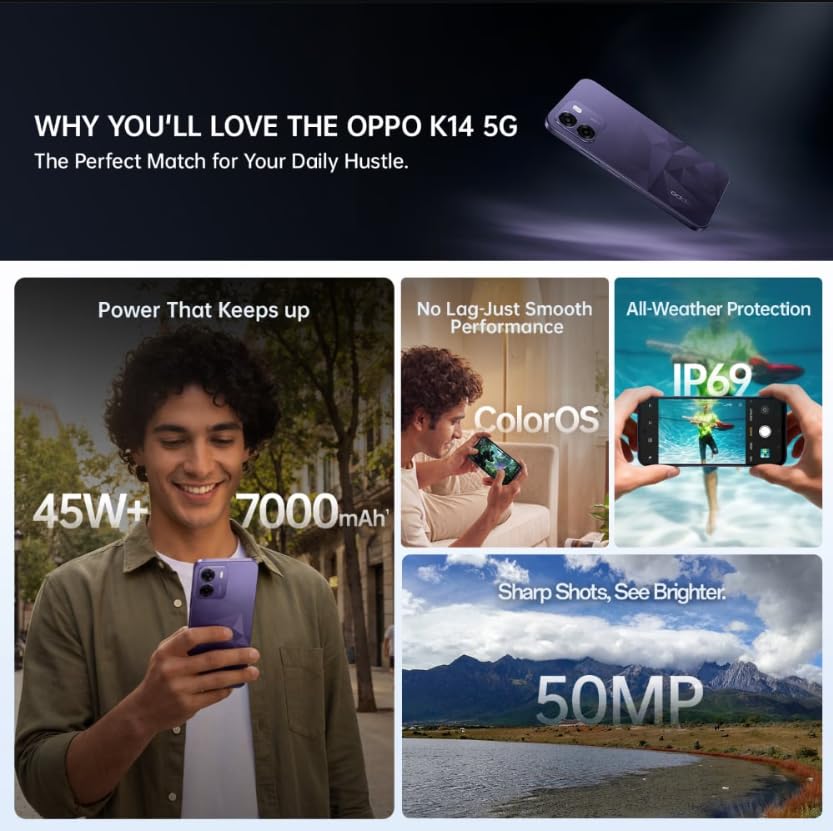
Image: A collage of key features for the OPPO K14 5G, including 7000mAh battery, smooth performance with ColorOS, IP69 all-weather protection, and a 50MP camera.
11. Garancija in podpora
Your OPPO K14 5G Smartphone comes with a standard manufacturer's warranty. Please refer to the warranty card included in your product packaging for specific terms and conditions, including coverage duration and service procedures. For technical assistance, troubleshooting beyond this manual, or warranty claims, please contact OPPO customer support through their official website or designated service centers.
Keep your purchase receipt and product packaging for warranty purposes.