
1. Navodila za namestitev
1.1 Razpakiranje in vsebina paketa
Carefully unpack your LG OLED77C6HUP TV. Ensure all components listed below are present. Retain the packaging materials for future transport or service needs.
- LG 77-palčni OLED evo AI 4K pametni televizor serije C6
- Čarobni daljinec
- Baterije za daljinski upravljalnik (2 AAA)
- Napajalni kabel
- Sestavni deli stojala
- Uporabniški priročnik (ta dokument)
- Vodnik za hiter začetek

Image: LG OLED evo AI TV showing overall dimensions and included accessories.
1.2 Namestitev stojala
If you are not wall-mounting the TV, attach the included stand. Follow the instructions provided in the Quick Start Guide for secure assembly. The stand footprint is 20.5 inches wide.

Slika: Podrobna view of the TV stand base.
1.3 Montaža na steno
For wall mounting, use a VESA compatible mount with a standard of 300 x 200 mm. Consult a professional for installation to ensure safety and proper mounting.

Slika: Stranski profesionalecfile of the LG OLED TV, illustrating its thin design suitable for wall mounting.
1.4 Priključitev zunanjih naprav
Connect your external devices to the TV's ports. The TV features 4 HDMI ports, 2 USB 2.0 ports, 1 USB 3.0 port, an Ethernet port, and an antenna input.
- HDMI: For Blu-ray players, gaming consoles, and set-top boxes.
- USB: For external storage devices or compatible accessories.
- Ethernet (LAN): Za žično internetno povezavo.
- Antena/kabel: For over-the-air broadcasts or cable TV.

Slika: Zadaj view of the LG OLED TV highlighting the connectivity ports.
1.5 Vstavljanje baterij daljinskega upravljalnika
Open the battery compartment on the back of the Magic Remote. Insert two AAA batteries, ensuring correct polarity (+/-). Close the compartment securely.
1.6 Začetni vklop in webNastavitev operacijskega sistema
Connect the power cable to the TV and a wall outlet. Press the power button on the remote or TV. Follow the on-screen instructions to complete the initial setup of webOS, including network connection, channel scanning, and basic settings.
2. Upravljanje televizorja
2.1 Osnovne funkcije
- moč: Pritisnite gumb za vklop na daljinskem upravljalniku, da vklopite ali izklopite televizor.
- obseg: Z gumboma za povečanje/zmanjšanje glasnosti prilagodite raven zvoka.
- Kanal: Use the channel up/down buttons to change channels or navigate lists.
- Vnos: Press the input button to select connected devices (HDMI, USB, etc.).
2.2 Funkcije pametnega televizorja (webOS)
Vaš televizor deluje na webOS operating system, providing access to various streaming services and smart features. Use the Magic Remote to navigate the intuitive interface.

Slika: The webOS smart TV platform interface, showcasing available applications and content.
AI Hub for Personalization
The AI Hub, accessible via the AI button on your remote, offers personalized AI experiences including Multi AI Search, AI Concierge, AI Picture Wizard, AI Sound Wizard, AI Voice ID, and AI Chatbot.
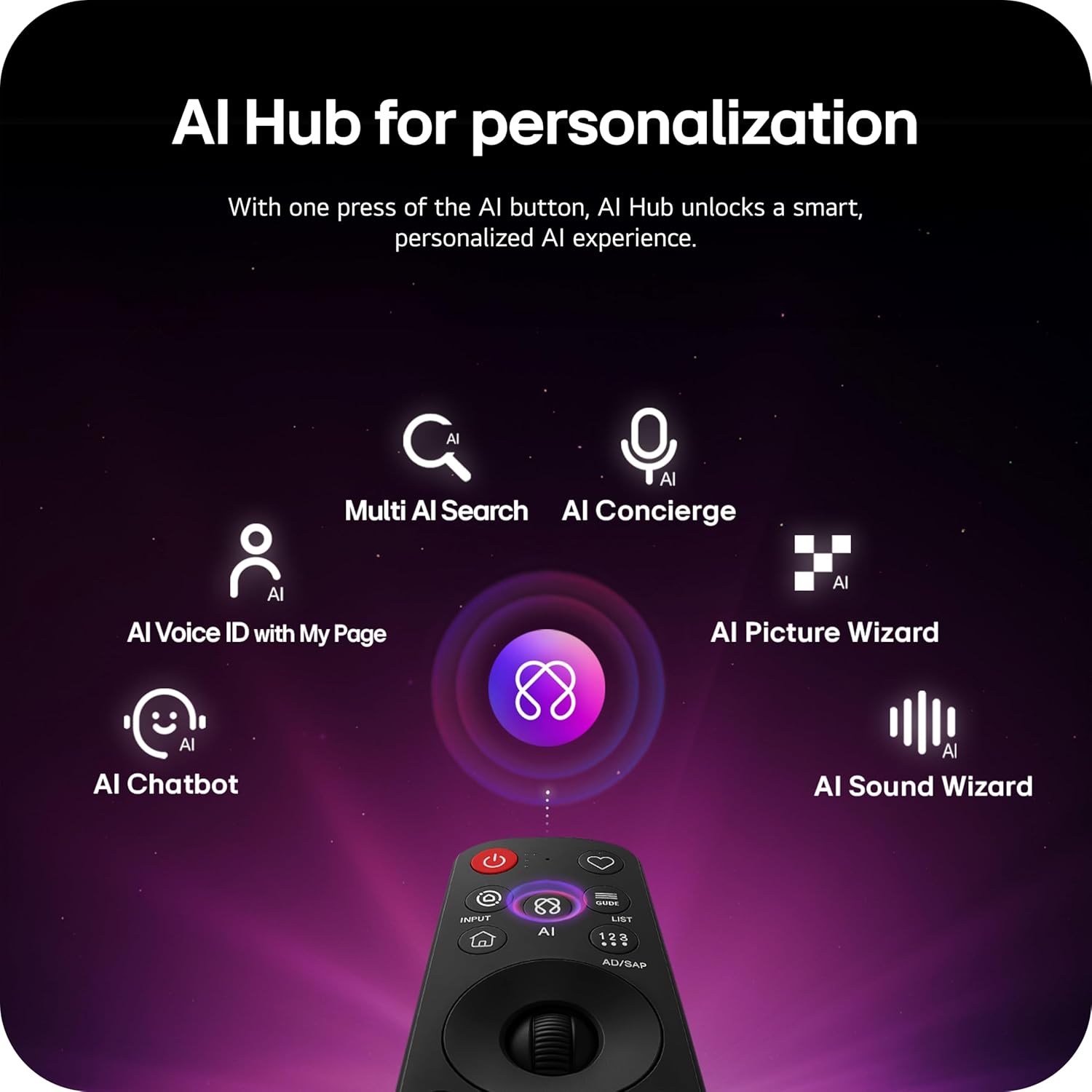
Image: Magic Remote highlighting the AI button and various AI Hub features.
Multi AI Search with Google Gemini and Microsoft Copilot
Utilize the Multi AI search function to find content and information across multiple AI models, including Google Gemini and Microsoft Copilot, for broader and more relevant results.
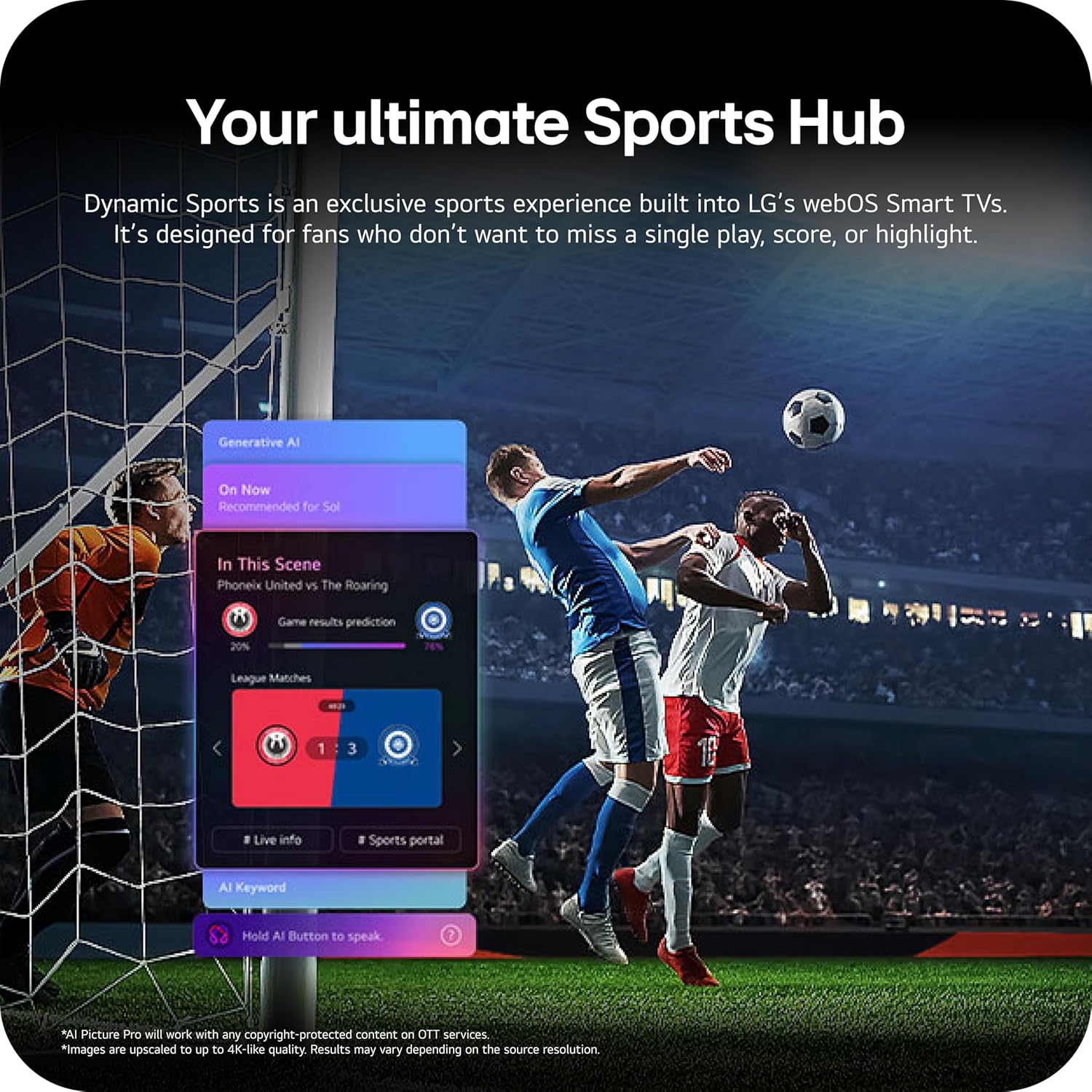
Image: Multi AI search interface displaying integration with Google Gemini and Microsoft Copilot.
2.3 Nastavitve slike
Your LG OLED TV offers advanced picture technologies for optimal viewing.
- Brightness Booster Pro: Magnifies each pixel to shine up to 3.2 times brighter for enhanced luminosity.
- Popolna črna in popolna barva: Over 8.3 million self-lit pixels deliver perfect black levels and accurate colors in any lighting condition.
- Dolby Vision, HDR10, HLG: Supports multiple HDR formats for extraordinary color, contrast, and brightness.
- Način filmarja: Ohrani režiserjevo izvirno vizijo z onemogočitvijo učinkov naknadne obdelave.
- Slika AI: The a11 AI Processor Gen3 optimizes picture quality in real-time.
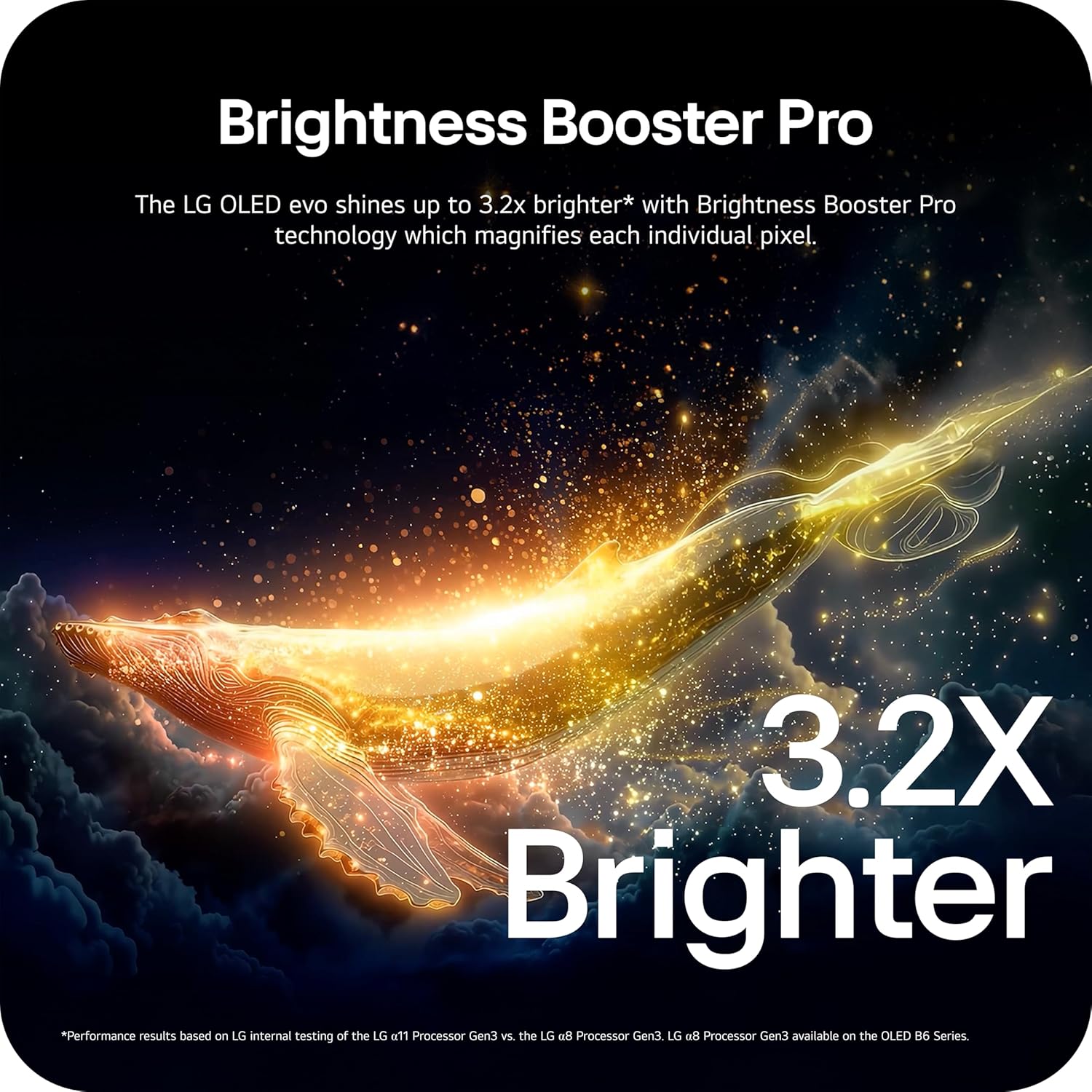
Image: Visual representation of Brightness Booster Pro technology, illustrating increased brightness.

Image: Display demonstrating Perfect Black and Perfect Color capabilities in various light conditions.
2.4 Nastavitve zvoka
Experience immersive audio with your TV's sound features.
- Dolby Atmos: Zagotavlja večdimenzionalni zvok, ki se giblje okoli vas.
- Vau orkester: Integrates the TV's speakers with a compatible LG soundbar for an enhanced audio experience.
2.5 Igralne funkcije
The TV is equipped with features for an optimal gaming experience.
- Hitrost osveževanja 165 Hz: Supports high frame rates for smooth gameplay.
- Odzivni čas 0.1 ms: Minimizes input lag for quick reactions.
- NVIDIA G-Sync in AMD FreeSync Premium: Zmanjša trganje in zatikanje zaslona za tekočo sliko.

Image: Dynamic gaming visual highlighting the 165Hz refresh rate and G-Sync/FreeSync compatibility.
2.6 Sports Hub
The Dynamic Sports Hub provides an exclusive sports experience, ensuring you don't miss any key moments, scores, or highlights.

Image: Screenshot of the Dynamic Sports Hub interface during a live soccer game.
3. Vzdrževanje in nega
3.1 Nega OLED zaslonov
To maintain the best picture quality and longevity of your OLED display, utilize the built-in OLED Care features. These features help protect the display from potential issues over time.
3.2 Navodila za čiščenje
- zaslon: Gently wipe the screen with a soft, dry, microfiber cloth. For stubborn marks, lightly dampkrpo sperite z destilirano vodo. Izogibajte se agresivnim kemikalijam ali abrazivnim materialom.
- Televizijsko telo: Za čiščenje okvirja in stojala uporabite mehko, suho krpo.
- Daljinski upravljalnik: Obrišite z mehko, suho krpo.
3.3 Posodobitve programske opreme
Ensure your TV's software is up-to-date for optimal performance and new features. webOS 26 automatically downloads updates for up to 5 years. If auto-update is disabled, you will receive a notification to accept or deny updates. An LG account is required to access network-based smart services.
3.4 LG Shield Security
LG Shield provides digital protection against malware, viruses, and other cyber threats through real-time scanning and automatic updates. An LG account is required to access network-based smart services.

Image: LG Shield security feature, represented by shield and lock icons, indicating digital protection.
4. Odpravljanje pogostih težav
This section addresses common problems you might encounter with your TV. If the issue persists, contact customer support.
| Težava | Možna rešitev |
|---|---|
| Brez moči | Prepričajte se, da je napajalni kabel varno priključen na televizor in delujočo električno vtičnico. Vtičnico preizkusite z drugo napravo. |
| Ni slike / črn zaslon | Check if the TV is turned on. Verify the correct input source is selected. Ensure all HDMI cables are securely connected. Try restarting the TV by unplugging it for 30 seconds and plugging it back in. |
| Brez zvoka | Preverite glasnost in se prepričajte, da televizor ni utišan. Preverite, ali so zunanje avdio naprave (zvočniški modul, sprejemnik) pravilno priključene in vklopljene. Preverite nastavitve avdio izhoda v meniju televizorja. |
| Daljinski upravljalnik se ne odziva | Replace the batteries in the Magic Remote. Ensure there are no obstructions between the remote and the TV. Re-pair the remote if necessary (refer to the Quick Start Guide). |
| Network Connectivity Issues (Wi-Fi/Ethernet) | Check your router and modem to ensure they are working correctly. Restart your network equipment. Re-enter Wi-Fi password or check Ethernet cable connection. |
| Picture Quality Issues (e.g., motion blur, color smearing) | Adjust picture settings (e.g., sharpness, color, motion interpolation). Ensure Filmmaker Mode is off if you prefer motion smoothing. Check the source content quality. |
5. Tehnične specifikacije
Below are the key technical specifications for the LG OLED77C6HUP TV.
| Funkcija | Specifikacija |
|---|---|
| Številka modela | OLED77C6HUP |
| Velikost zaslona | 77 palcev |
| Tehnologija zaslona | OLED (Self-Luminous Pixels) |
| Resolucija | 4K (3840 x 2160) |
| Hitrost osveževanja | 120 Hz (Native), up to 165 Hz (PC Gaming) |
| Procesor | Procesor a11 AI 4K Gen3 |
| Podpora za HDR | Dolby Vision, HDR10, HLG |
| Odzivni čas | 0.1 milisekund |
| Operacijski sistem | webOS |
| Avdio izhod | 2.2 kanalov, Dolby Atmos |
| Vrata HDMI | 4 |
| Vrata USB | 2 (USB 2.0), 1 (USB 3.0) |
| Povezljivost | Wi-Fi, Bluetooth 5.3, Ethernet |
| Zrcaljenje zaslona | AirPlay, Google Cast |
| Standard VESA za montažo | 300 x 200 mm |
| Dimenzije izdelka (s stojalom) | 67.4 cm Š x 40.7 cm V x 10.5 cm G |
| Dimenzije izdelka (brez stojala) | 67.4 cm Š x 38.7 cm V x 1.9 cm G |
| Teža artikla (s stojalom) | 59.5 funta |
| Teža artikla (brez stojala) | 51.8 funta |
6. Informacije o garanciji
Your LG OLED77C6HUP TV comes with a 1 leto Deli in delo limited warranty. Please retain your proof of purchase for warranty claims. For detailed terms and conditions, refer to the warranty card included with your product or visit the official LG webmesto.
7. Podpora strankam
For further assistance, technical support, or service inquiries, please visit the official LG support website or contact their customer service. You can also refer to the comprehensive User Manual (PDF) available for download on the LG support page.
Podpora LG Webspletno mesto: https://www.lg.com/us/support
Uporabniški priročnik (PDF): Prenesi PDF