
Uvod
Thank you for choosing the Cillso Smartwatch. This manual provides detailed instructions on how to set up, operate, and maintain your device. This smartwatch features a 1.95-inch HD display, Bluetooth calling capabilities, IP68 water resistance, comprehensive health monitoring including SpO2 and sleep tracking, over 100 sports modes, and integrated Alexa for voice control. Please read this manual carefully to ensure optimal performance and longevity of your smartwatch.
Nastavitev
1. Polnjenje pametne ure
Before initial use, fully charge your smartwatch. Connect the provided charging cable to the charging port on the back of the watch and to a standard USB power adapter (not included). A full charge typically takes approximately 2 uri. The watch has a 300 mAh baterija, zagotavljanje 5-7 days of normal use in do 30 days of standby time.

Image: The smartwatch display indicating a 1.95-inch screen, 2 hours charging time, 5-7 days normal use, 30 days standby time, and a 300mAh battery capacity.
2. Namestitev in seznanjanje aplikacij
- Prenesite aplikacijo: Scan the QR code in the quick start guide or search for the companion app (e.g., 'GloryFit' as suggested by watch dial image) in your smartphone's app store (Android or iOS).
- Registracija/Prijava: Sledite navodilom na zaslonu, da ustvarite račun ali se prijavite.
- Seznanite pametno uro: Ensure Bluetooth is enabled on your smartphone. Open the app, navigate to the device section, and select 'Add Device'. Choose your Cillso Smartwatch from the list of available devices. Confirm the pairing request on both your phone and the smartwatch.
Navodila za uporabo
1. Osnovna navigacija
- Zaslon na dotik: Za navigacijo po menijih in obvestilih povlecite navzgor, navzdol, levo ali desno. Dotaknite se za izbiro elementov.
- Stranski gumb: Press the side button to return to the home screen or to wake up the display.
2. Klicanje prek Bluetootha
Pametna ura podpira Bluetooth 5.3 calling, allowing you to make and receive calls directly from your wrist when connected to your smartphone. It features a vgrajen mikrofon and supports evidenca klicev in do 100 stiki.
- Odgovarjanje na klice: When an incoming call notification appears, tap the green phone icon to answer.
- Zavrnitev klicev: Tap the red phone icon to reject an incoming call.
- Klicanje: Access the dial pad or contact list on your smartwatch to initiate a call.
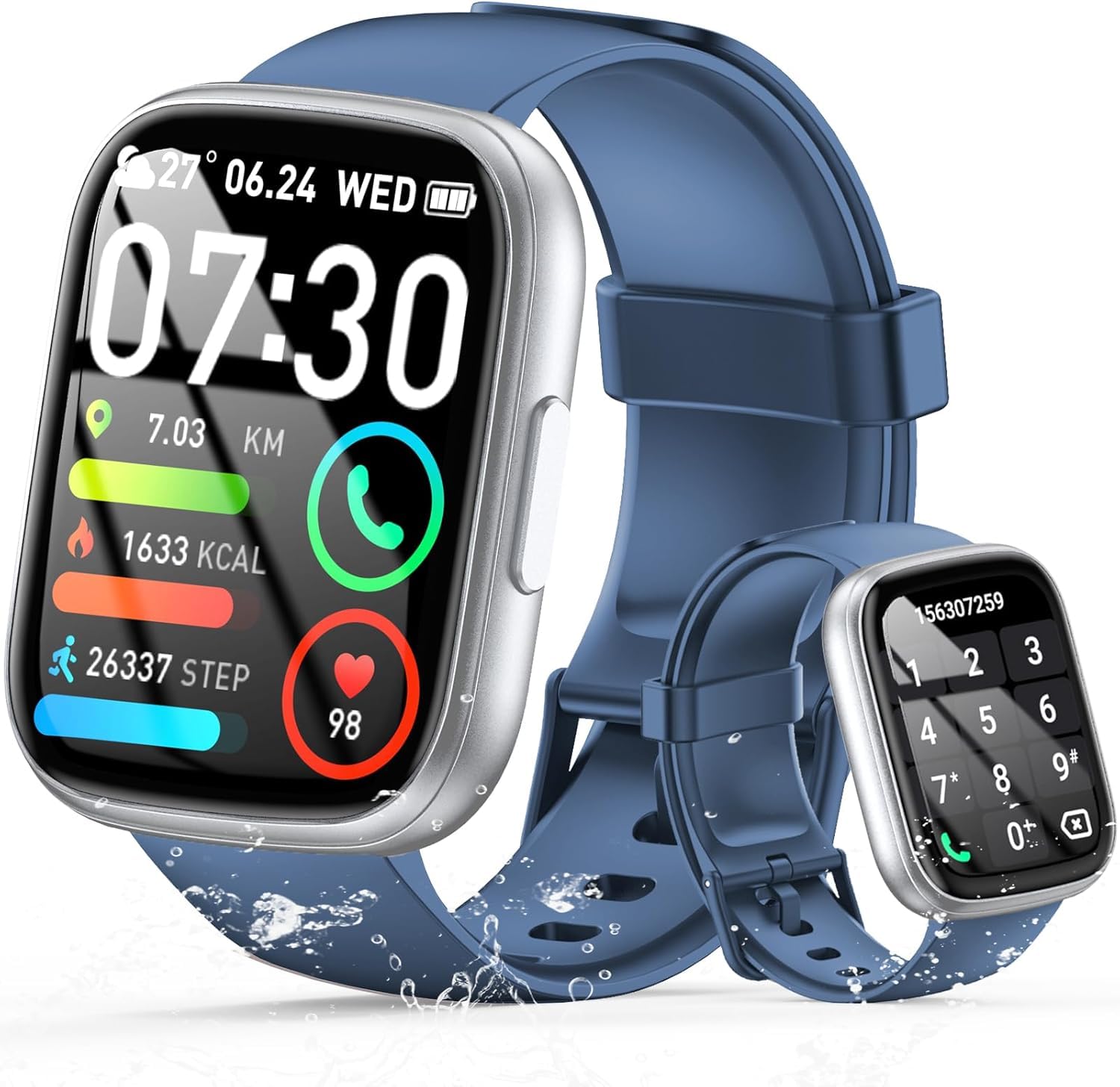
Image: The smartwatch displaying an incoming call, along with icons for built-in mic, Hi-Fi Spectra, call records, and 100 contacts. Examples of dial pad and contact list are also shown.
3. Spremljanje zdravja
The smartwatch provides continuous health monitoring features to help you track your well-being.
- Spremljanje srčnega utripa: Ura neprekinjeno spremlja vaš srčni utrip ves dan. View your heart rate data on the watch or in the app.
- Spremljanje kisika v krvi (SpO2): Izmerite raven nasičenosti krvi s kisikom.
- Spremljanje spanja: Tracks your sleep patterns, including deep sleep, light sleep, and wake times, to provide insights into your sleep quality.

Image: Visual representation of heart rate, blood oxygen (SpO2), and sleep monitoring graphs and data on the smartwatch and a person sleeping while wearing the watch.
4. Športni načini
Pametna ura podpira over 100 sports modes to accurately track your workouts. Common modes include running, basketball, climbing, skipping, swimming, and badminton. It tracks metrics such as steps, distance, calories burned, and exercise duration.

Image: A person cycling with the smartwatch, illustrating various sports modes like running, basketball, climbing, skipping, swimming, and badminton. Also shows tracking for steps, distance, and calories.
5. Integracija z Alexo
z Alexa integrated, you can use voice commands to control music playback, check weather, set alarms, and more directly from your smartwatch.
6. Personalized Watch Dials
Customize your smartwatch with over 200 stylish watch faces available through the companion app. You can also upload your favorite photos to create personalized watch dials. The display features wide color gamut, AM LED technology, and color accuracy.

Slika: Razstava pametnih urasing multiple personalized watch dial options, highlighting wide color gamut, AM LED, and color accuracy features.
7. Večnamenske funkcije
- Nadzor glasbe: Predvajajte, začasno ustavite, preskočite skladbe in prilagodite glasnost glasbe, ki se predvaja na povezanem pametnem telefonu.
- Nadzor kamere: Remotely control your smartphone's camera to frame, focus, and snap photos or start/stop video recording.
- Budilka: Nastavite si alarme, ki vas bodo zbudili ali opomnili na pomembne dogodke.
- Druge lastnosti: Includes weather forecasts, stopwatch, timer, and more.

Image: The smartwatch displaying interfaces for music control, remote camera control, and alarm clock settings, along with icons for other features like temperature, weather, and microphone.
Vzdrževanje
1. Čiščenje
Wipe the smartwatch regularly with a soft, dry cloth. For stubborn dirt, use a slightly damp krpo in nato temeljito posušite. Izogibajte se uporabi agresivnih kemikalij ali abrazivnih materialov.
2. Vodoodpornost (IP68)
The Cillso Smartwatch is IP68 vodoodporen, meaning it is protected against dust ingress and can withstand immersion in water up to 1.5 meters for up to 30 minutes. It is suitable for daily use, hand washing, and light rain. However, it is not recommended for hot showers, saunas, or diving, as steam and high water pressure can compromise the seal.
3. Skrb za baterijo
- Izogibajte se ekstremnim temperaturam, ki lahko skrajšajo življenjsko dobo baterije.
- Pred daljšimi obdobji neaktivnosti napravo popolnoma napolnite.
- Uporabljajte samo priloženi polnilni kabel.
Odpravljanje težav
- Ura se ne vklopi: Prepričajte se, da je ura popolnoma napolnjena. Priključite jo na polnilnik za vsaj 30 minut.
- Seznanitev s telefonom ni mogoča: Make sure Bluetooth is enabled on your phone and the watch is within range. Restart both devices and try pairing again through the app.
- Netočni zdravstveni podatki: Poskrbite, da bo ura tesno prilegala zapestju, ne pretesno ali preohlapno. Redno čistite senzorje.
- Obvestila niso bila prejeta: Check app permissions on your phone to ensure the companion app has access to notifications. Verify that notifications are enabled within the app settings.
- Alexa se ne odziva: Ensure the watch is connected to your phone and has an active internet connection. Check Alexa settings within the companion app.
Specifikacije
| Številka modela | B0GQGYDJS7 |
| Znamka | Cillso |
| Velikost zaslona | 1.95 palcev |
| Tehnologija povezljivosti | Bluetooth 5.3 |
| Ocena vodoodpornosti | IP68 |
| Kapaciteta baterije | 300 mAh (litij-polimer) |
| Čas polnjenja | Pribl. 2 ur |
| Življenjska doba baterije pri normalni uporabi | 7-10 dni |
| Čas pripravljenosti | Do 30 dni |
| Zmogljivost pomnilnika | 1 GB |
| Vnos človeškega vmesnika | Mikrofon, Zaslon na dotik |
| Vključene komponente | Polnilni kabel |
Garancija in podpora
Warranty information for your Cillso Smartwatch is typically provided with your purchase documentation. Please refer to those materials for details regarding warranty coverage and terms. For technical support, product inquiries, or assistance with troubleshooting beyond this manual, please contact Cillso customer service through the contact information provided with your product or on the official Cillso webmesto.