
Uvod
The Roku Hiro 32-inch 720p HD Smart TV offers an integrated Roku streaming experience. This television features an HD display for clear picture quality and speakers with enhanced audio. It supports Bluetooth for private listening with headphones and includes Wi-Fi for internet connectivity. The Roku operating system provides a customizable home screen, access to numerous streaming channels, and automatic updates, making it suitable for various living spaces.
Kaj je v škatli
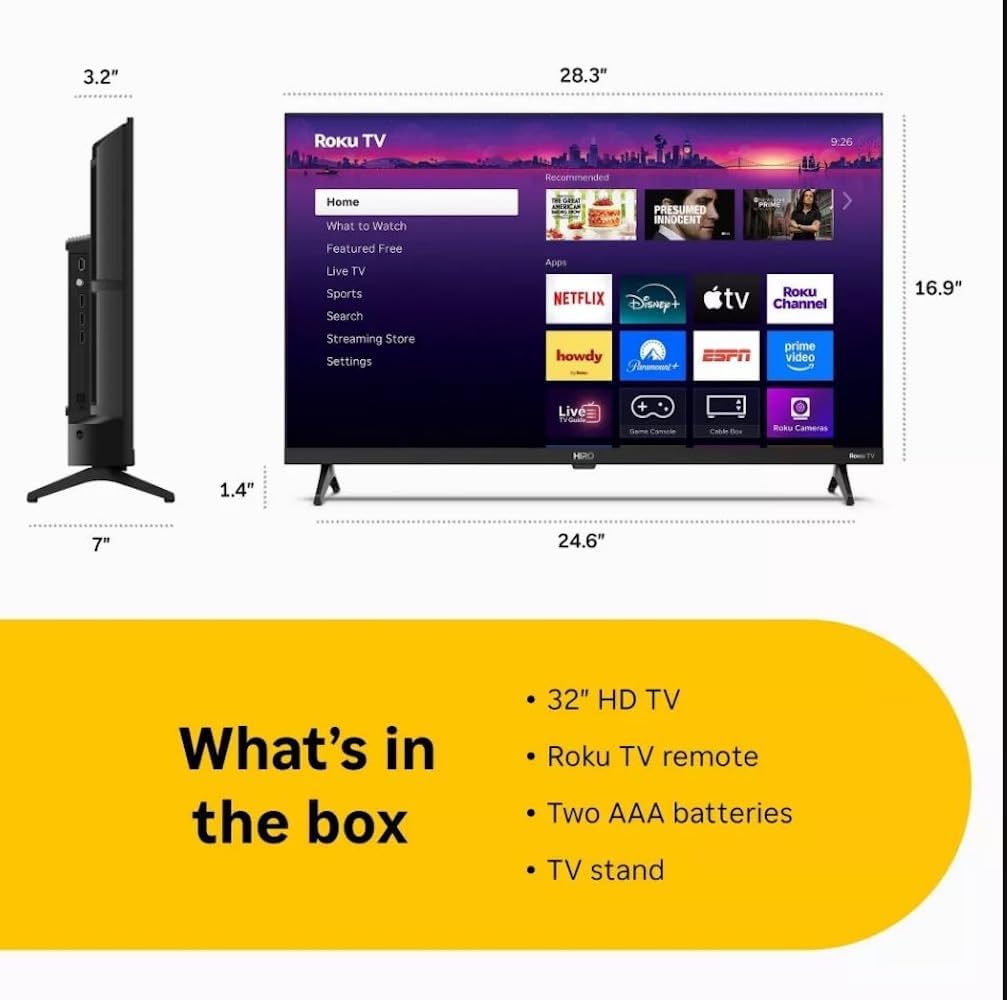
Diagram showing the dimensions of the Roku Hiro 32-inch TV and a list of included accessories: 32-inch HD TV, Roku TV remote, two AAA batteries, and TV stand.
- Hiro 32" 720p HD Smart TV Flat Screen LED Television with Roku TV
- Daljinski upravljalnik
- TV stojalo
- Napajalni kabel
- Uporabniški priročnik
Nastavitev
1. Namestitev stojala
Carefully place the TV screen-down on a soft, clean surface to prevent damage. Align the TV stand with the designated slots on the bottom of the TV. Secure the stand using the provided screws. Ensure the stand is firmly attached before proceeding.
2. Povezovanje naprav

Zadaj view of the Roku Hiro TV, showing the input/output ports including USB, HDMI, and antenna connections.
- moč: Napajalni kabel priključite na vhod za napajanje televizorja in nato v stensko vtičnico.
- HDMI: Connect external devices such as Blu-ray players, game consoles, or cable boxes to the HDMI ports. This TV features 3 HDMI ports.
- USB: Za predvajanje medijev z USB-ključa uporabite vrata USB.
- Optični zvok: Connect an external sound system using an optical audio cable for enhanced sound.
- Antena/kabel: Connect an antenna or cable TV feed to the RF input for over-the-air or cable channels.
3. Začetna nastavitev
After connecting all necessary cables, power on the TV. Follow the on-screen instructions to:
- Izberite svoj jezik.
- Povežite se z omrežjem Wi-Fi.
- Aktivirajte svoj račun Roku (ali ustvarite novega).
- Scan for available channels if an antenna is connected.
Navodila za uporabo
Funkcije daljinskega upravljanja

Close-up of the Roku TV remote control, highlighting buttons for TV power, volume, mute, sleep timer, instant replay, options, and app shortcuts.
- Gumb za vklop: Vklopi ali izklopi TV.
- Smerna ploščica (D-Pad): Navigira po menijih in izbira elemente.
- Gumb V redu: Potrjuje izbire.
- Domov gumb: Vrne se na začetni zaslon Rokuja.
- Gumb za nazaj: Vrnitev na prejšnji zaslon.
- Povečanje/zmanjšanje glasnosti: Prilagodi glasnost televizorja.
- Gumb za izklop zvoka: Utiša ali vklopi zvok televizorja.
- Gumbi bližnjic do aplikacij: Direct access to popular streaming services (e.g., Netflix, Disney+, Apple TV+, Prime Video).
- Časovnik spanja: Nastavi časovnik za samodejni izklop televizorja.
- Hitra ponovitev: Jumps back a few seconds in supported content.
- možnosti: Accesses additional settings or information for the current content.
Navigating the Roku OS

The Roku TV home screen interface, showing recommended content and various streaming applications.
The Roku home screen provides access to all your streaming channels, inputs, and settings. Use the D-Pad on your remote to navigate through the menu options on the left and the app grid on the right. You can customize the order of your channels by highlighting an app, pressing the * (Options) button, and selecting 'Move channel'.
Pretočna vsebina
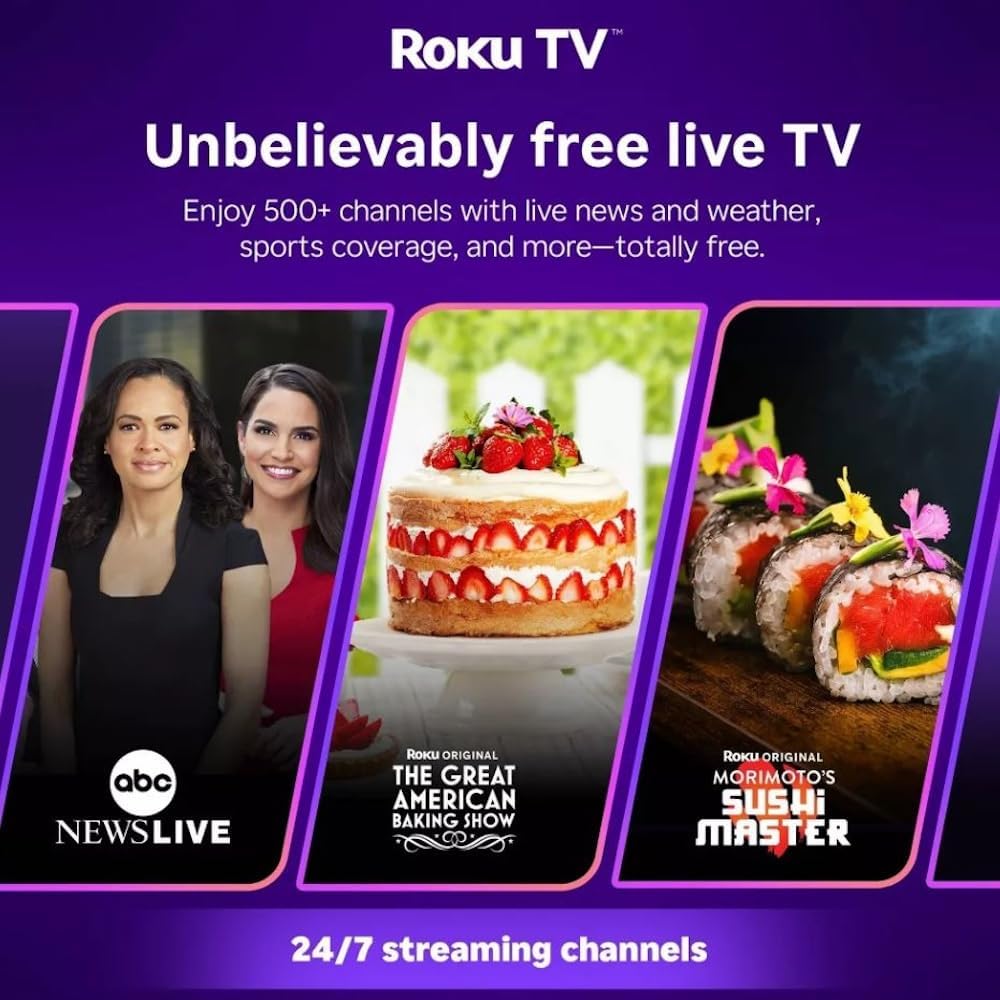
Roku TV interface promoting free live TV channels, featuring examples like ABC News Live, The Great American Baking Show, and Morimoto's Sushi Master.
Access a wide range of streaming services and free content through the Roku Channel Store. The Roku platform offers over 500 free channels, including live television, movies, and news. Use the 'Search' function on the home screen to find specific titles or channels.
Avdio funkcije

Roku Hiro TV displaying the home screen with various streaming apps, emphasizing enhanced audio quality.
The TV features enhanced audio quality. For private listening, you can pair Bluetooth headphones directly with the TV. Navigate to Settings > Remotes & devices > Bluetooth devices > Pair new device to connect your headphones.
Vzdrževanje
Čiščenje televizorja
- Pred čiščenjem vedno izključite televizor iz električnega omrežja.
- Zaslon in ohišje nežno obrišite z mehko krpo, ki ne pušča vlaken.
- Za trdovratne madeže rahlo obrišiteampKrpo sperite z vodo ali blagim, neabrazivnim čistilom za zaslone. Čistila ne pršite neposredno na zaslon.
- Izogibajte se uporabi agresivnih kemikalij, abrazivnih gobic ali topil.
Posodobitve programske opreme
The Roku TV automatically checks for and installs software updates when connected to the internet. To manually check for updates, go to Nastavitve > Sistem > Posodobitev programske opreme.
Odpravljanje težav
| Težava | rešitev |
|---|---|
| Brez moči | Prepričajte se, da je napajalni kabel varno priključen na televizor in delujočo električno vtičnico. Poskusite z drugo vtičnico. |
| Ni slike, vendar je zvok prisoten | Preverite vhodni vir. Pritisnite domov button on the remote and select the correct input. Ensure all HDMI cables are securely connected. |
| Ni zvoka, vendar je slika prisotna | Check the volume level and ensure the TV is not muted. If using external audio, verify connections and settings. |
| Ni mogoče vzpostaviti povezave z Wi-Fi | Verify your Wi-Fi password. Restart your router and modem. Go to Nastavitve > Omrežje > Nastavitev povezave to reconfigure. |
| Daljinski upravljalnik ne deluje | Zamenjajte baterije v daljinskem upravljalniku. Prepričajte se, da med daljinskim upravljalnikom in infrardečim senzorjem televizorja ni ovir. |
Specifikacije
| Ime modela | H32C2C4 |
| Velikost zaslona | 32 palcev |
| Tehnologija zaslona | LED |
| Resolucija | 720p |
| Hitrost osveževanja | 60 Hz |
| Operacijski sistem | Roku OS |
| Tehnologija povezljivosti | Bluetooth, HDMI, Optical Audio, USB, Wi-Fi |
| Total Number of HDMI Ports | 3 |
| Skupno število vrat USB | 1 |
| Mere izdelka (D x Š x V) | 3.2"D x 28.3"Š x 16.9"V |
| Teža predmeta | 7.5 funta |
| voltage | 120 voltov (AC) |
| Vrsta namestitve | Namizni nosilec |
| barva | Črna |
Informacije o garanciji
This Roku Hiro TV is covered by a 90-day Replacement Warranty. Please retain your proof of purchase for any warranty claims. For detailed terms and conditions, refer to the warranty documentation included with your product or visit the official Roku support webmesto.
Podpora
For further assistance, troubleshooting guides, or to contact customer support, please visit the official Roku support website. You can find comprehensive FAQs and contact information there.