
1. Uvod
This manual provides essential information for setting up, operating, maintaining, and troubleshooting your TCL TAB A1 Plus tablet. Please read this manual thoroughly before using your device to ensure proper and safe operation.
The TCL TAB A1 Plus features a large 12.2-inch 2.4K display with a 120 Hz refresh rate, powered by a 4 nm Qualcomm Snapdragon 4 Gen 2 processor. It boasts a slim metal unibody design and integrates AI features like Google Gemini for enhanced productivity and an intuitive user interface for seamless multitasking.
2. Nastavitev
2.1 Razpakiranje in začetni pregled
Carefully remove all components from the packaging. Verify that all items are present and undamaged. If any items are missing or damaged, contact your retailer.
2.2 Polnjenje naprave
Before first use, fully charge your TCL TAB A1 Plus. Connect the provided USB cable to the tablet's charging port and the other end to a compatible power adapter. Plug the adapter into a wall outlet. The charging indicator will show the charging status.
2.3 Vklop in začetna konfiguracija
- Pritisnite in držite gumb za vklop, dokler se ne prikaže logotip TCL.
- Sledite navodilom na zaslonu, da izberete jezik, se povežete z omrežjem Wi-Fi in nastavite svoj Google Račun.
- Complete the initial setup steps, including setting up security features like a PIN, pattern, or fingerprint.
3. Upravljanje tabličnega računalnika
3.1 Prikaz in vizualna izkušnja
The TCL TAB A1 Plus features a 12.2-inch 2.4K display with a 120 Hz refresh rate, providing a sharp, fluid, and natural viewing experience for videos, browsing, and multitasking.

Image: The TCL TAB A1 Plus display showcasing vibrant colors and a large screen. This image highlights the immersive visual experience.

Image: A visual representation of the 120Hz refresh rate on the TCL TAB A1 Plus, indicating smooth motion and responsiveness.
3.2 Performance and Processor
Powered by a Qualcomm Snapdragon 4 Gen 2 (4 nm) processor, the tablet delivers quick responses, stable performance, and efficient power consumption, suitable for daily tasks, entertainment, and multitasking.

Image: A close-up of the Snapdragon 4 Gen 2 processor, illustrating the advanced technology powering the tablet.
3.3 AI Features with Google Gemini
The integrated Google Gemini AI assistant enhances daily activities, making them smoother and smarter. Features like Circle to Search, Writing Assist, Text Assist, and Smart Translator assist with research, writing, summarizing, and translation.
3.4 User Interface and Multitasking
The intuitive user interface includes Magic Hub, Sidebar, and Large Folders for organization. Quick-launch Split Screen and Floating Window features enable seamless multitasking, allowing you to work, watch, and interact simultaneously.

Image: A screenshot of the Magic Hub feature on the TCL TAB A1 Plus, demonstrating its organizational capabilities for saving and sharing content.
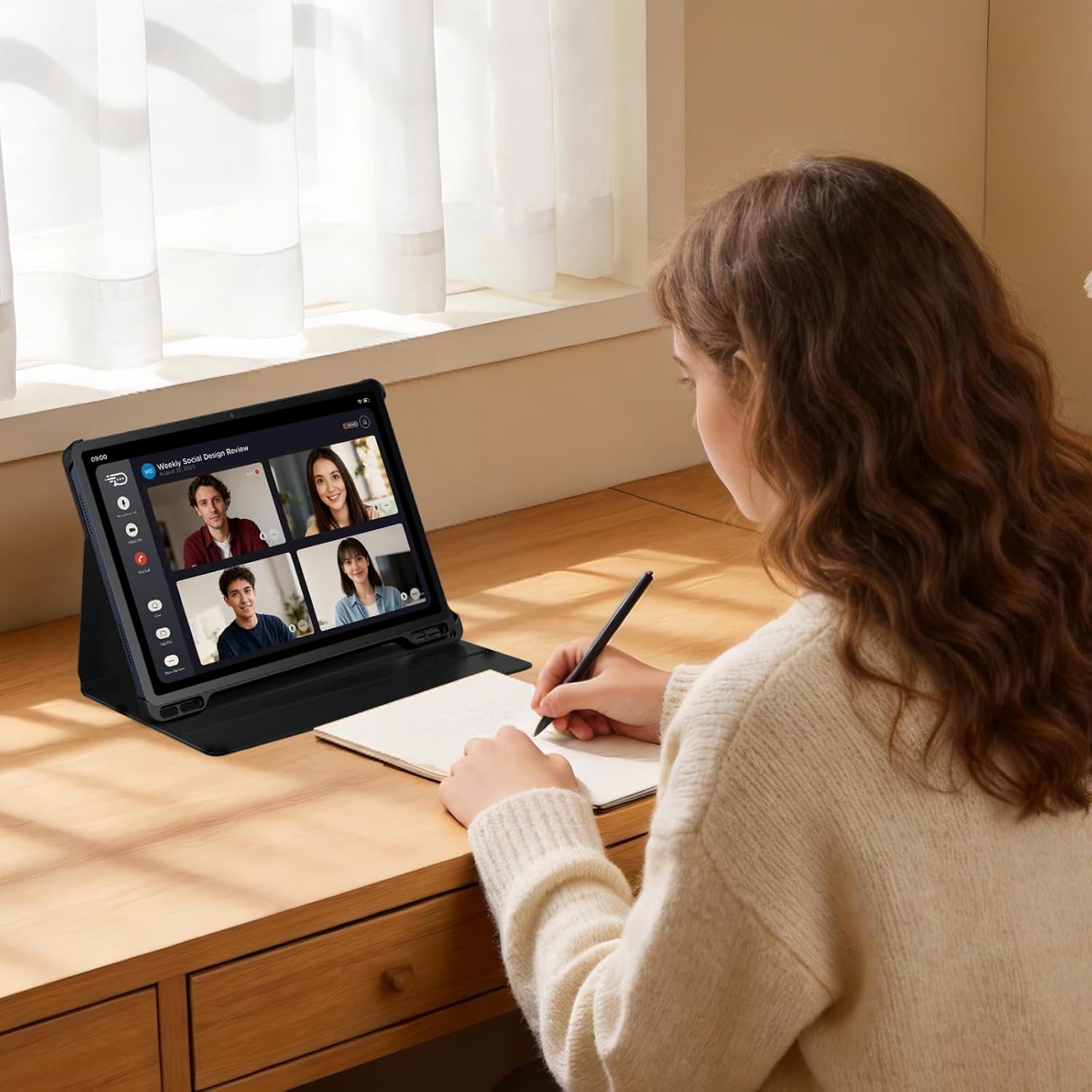
Image: A user participating in a video call on the TCL TAB A1 Plus, illustrating its use for communication and productivity.

Image: A user interacting with the TCL TAB A1 Plus using a T-Pen, demonstrating its suitability for creative and note-taking tasks.
4. Vzdrževanje
4.1 Čiščenje tabličnega računalnika
Za čiščenje tabličnega računalnika uporabite mehko krpo, ki ne pušča vlaken. Za trdovratne madeže rahlo obrišiteampen the cloth with water or a screen cleaner specifically designed for electronics. Avoid using harsh chemicals, abrasive materials, or aerosol sprays.
4.2 Skrb za baterije
To prolong battery life, avoid exposing the tablet to extreme temperatures. Do not leave it fully charged or fully discharged for extended periods. For optimal performance, keep the battery charge between 20% and 80% when possible.
4.3 Posodobitve programske opreme
Regularly check for and install software updates to ensure your tablet has the latest features, security patches, and performance improvements. You can usually find this option in the tablet's settings under "System" or "About tablet."
5. Odpravljanje težav
5.1 Naprava se ne vklopi
- Ensure the battery is sufficiently charged. Connect the tablet to a charger and wait a few minutes before attempting to power it on again.
- Za prisilni ponovni zagon pritisnite in držite gumb za vklop vsaj 10–15 sekund.
5.2 Zaslon se ne odziva
- Ponovno zaženite tablico.
- If the screen remains unresponsive, try a factory reset (note: this will erase all data). Consult the TCL support webza podrobna navodila o ponastavitvi na tovarniške nastavitve.
5.3 Težave z omrežjem Wi-Fi
- Prepričajte se, da je Wi-Fi v tabličnem računalniku omogočen.
- Znova zaženite usmerjevalnik Wi-Fi.
- V nastavitvah Wi-Fi-ja tabličnega računalnika pozabite na omrežje in se znova povežite.
5.4 Splošne težave z delovanjem
- Zaprite neuporabljene aplikacije, ki se izvajajo v ozadju.
- Clear cache data for apps that are slowing down.
- Zagotovite si dovolj prostora za shranjevanje.
6. Specifikacije

Slika: Prekoview graphic highlighting key features of the TCL TAB A1 Plus, including 120Hz refresh rate, 2.4K display, Snapdragon 4 Gen 2 processor, metal unibody design, 8000mAh battery, and Google Gemini integration.
| Funkcija | Podrobnost |
|---|---|
| Znamka | TCL |
| Ime modela | TCL TAB A1 Plus |
| Zmogljivost shranjevanja | 128 GB |
| Velikost zaslona | 12.2 palcev |
| Največja ločljivost zaslona | 2560 Pixels (2.4K) |
| Operacijski sistem | Android 16 |
| barva | Vesoljsko modra |
| Velikost RAM-a | 6 GB |
| Posebne lastnosti | 2.4K Display with 120 Hz, Advanced 4 nm Processor, AI with Google Gemini, Intuitive User Interface |
| Modelno leto | 2026 |
7. Garancija in podpora
Za podrobne informacije o garanciji glejte garancijski list, ki je priložen izdelku, ali obiščite uradno podporo TCL. webspletno mesto. Tam lahko najdete vire za podporo, pogosta vprašanja in kontaktne podatke za podporo strankam.
TCL Official Support: https://www.tcl.com/global/en/support


