
1. Izdelek je končanview
The TJOY Smart LED Strip Lights with Motion Sensor provide versatile and intelligent lighting solutions for various indoor spaces. This 10-piece kit features a motion sensor for automatic operation, adjustable white light color temperature (warm to cool), and dimmable brightness. Control is available via a smartphone app and an RF remote, making it suitable for kitchens, shelves, closets, and more.
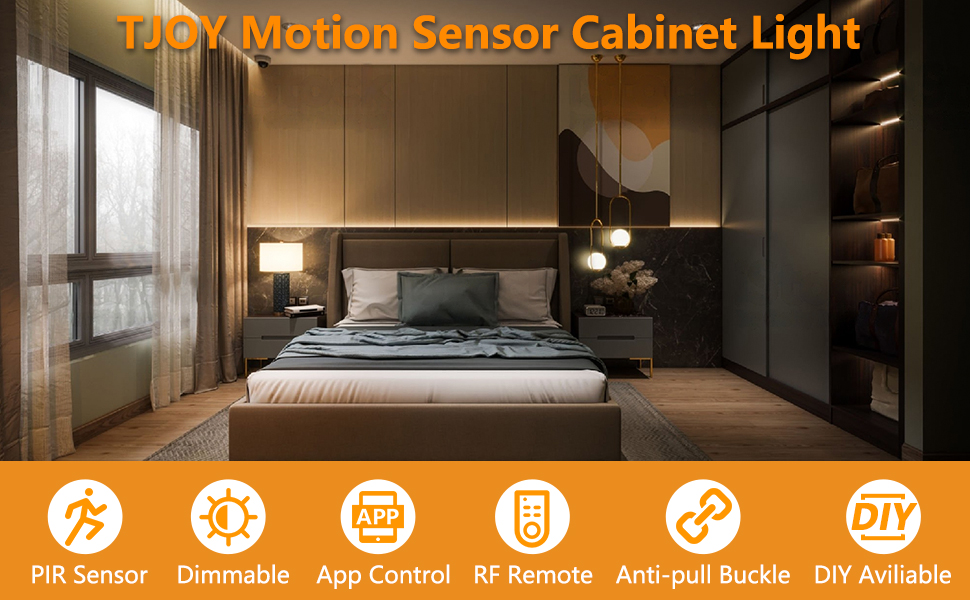
Slika: Konecview of the TJOY Smart LED Strip Light kit, highlighting key features like PIR sensor, dimmable, app control, RF remote, anti-pull buckle, and DIY availability.
2. Vsebina paketa
Preverite, ali so v paketu prisotne vse komponente:
- LED Light Strips (10 pieces, 16.4ft total)
- Krmilnik senzorja gibanja
- RF daljinski upravljalnik
- Napajalnik
- Adhesive Tape (pre-applied or separate)
- Connection Cables/Extenders
3. Specifikacije izdelka
| Znamka | TJOY |
| Številka modela | PD01 (TCA0615020A-PD01-AUS-L1) |
| Vir svetlobe | LED |
| Število svetlobnih virov | 10 |
| Svetla barva | Warm White (2700K) to Cool White (6500K) |
| Svetlost | Do 800 Lumens |
| Nadzorna metoda | App, RF Remote |
| Tip stikala | Senzor gibanja |
| Vir napajanja | Električni na kabel |
| Notranja/zunanja uporaba | Notranja |
| Material | Plastika |
| Vrsta namestitve | Pod omarico |
| Mere predmeta (D x Š x V) | 5.51"L x 4.33"W x 2.56"H (Package) |
4. Nastavitev in namestitev
The TJOY LED strip lights are designed for easy DIY installation without the need for an electrician or complex wiring. Follow these steps for proper setup:
4.1 Priprava
- Čista površina: Ensure the installation surface (under cabinets, shelves, etc.) is clean, dry, and smooth. Dust, grease, or moisture can affect adhesive performance.
- Postavitev načrta: Before peeling the adhesive, plan the desired layout for your LED strips. The strips can be cut to length at designated marks if needed.
- Dostop do napajanja: Confirm you have access to a power outlet for the power supply.
4.2 koraki namestitve
- Connect Light Strip: Connect the arrow on the light strip connector to the +12V output of the controller. Ensure a secure connection.
- Connect Motion Sensor Controller: Connect the motion sensor controller to the DC wire from the power supply.
- Krmilnik položaja: Fix the controller in the desired direction, ensuring the motion sensor has a clear line of sight for optimal detection.
- Apply Light Strip: Carefully peel the release layer from the adhesive backing of the light strip. Press the light strip firmly onto the clean, flat surface. Apply even pressure along the entire length to ensure good adhesion.
Opomba: If using extender strips to bypass obstacles, these may not have adhesive backing and might require additional tape for secure placement.

Slika: npramples of flexible installation, showing linear and random patterns for the LED strips in a closet setting.
5. Navodila za uporabo
The TJOY Smart LED Strip Lights offer multiple operating modes and control options for customized lighting.
5.1 Motion Sensor Mode (PIR Mode)
In Motion Sensor Mode, the built-in PIR sensor detects human movement and automatically turns the lights on. After a preset delay (configurable via the app, e.g., 20s/60s) without further motion, the lights will gently fade out. This mode is ideal for areas like closets, hallways, and cabinets to conserve energy.

Image: A kitchen scene demonstrating motion-activated lighting, with a visual representation of the sensor detecting movement.

Image: Diagram illustrating the PIR motion sensor's 120-degree sensing range and 30ft distance, showing when lights turn on and off based on motion detection.
5.2 Intelligent Night Light Mode (Dual Sensor)
Enable Night Mode for automated lighting in low-light conditions. The ambient light sensor detects surrounding brightness. The lights will only activate when it is dark AND motion is detected, preventing unnecessary illumination during daylight hours. This functions as a smart night light for bedrooms, stairs, or kitchens.

Image: Illustration of Smart Night Light Mode, showing lights off at dawn and automatically turning on at dusk.
5.3 Dual Color Temperature & Dimmable Brightness
The LED strips feature high-quality dual-color LEDs, allowing you to switch between Warm White (2700K) and Cool White (6500K). Brightness is steplessly dimmable, providing infinite adjustability to create the desired ambiance for any situation, from bright task lighting to a soft glow.

Image: Visual representation of 6 brightness levels (10% to 100%) and three color temperatures: Yellow (3000K), Natural (4000K), and White (6000K).

Image: A bedroom setting demonstrating the ability to adjust brightness from 100% to 10% and color temperature from Warm 2700K to Cool 6500K.
6. Nadzor aplikacij
The TJOY Smart LED Strip Lights can be fully controlled using a dedicated smartphone application. This provides comprehensive access to all settings and modes.
6.1 Prenos aplikacije
Iskanje "Marvellight" in the Google Play Store (for Android devices) or the Apple App Store (for iOS devices) and download the application.
6.2 Funkcije aplikacije
- 4 načinov dela: Manual Mode, PIR Mode, Night Light Mode, Dual-Sensor Mode.
- Prilagoditev barvne temperature: Precisely select your desired white light temperature.
- Nadzor svetlosti: Brezstopenjsko zatemnitev od 1 % do 100 %.
- Nastavitve senzorja gibanja: Adjust sensitivity and time delay for PIR mode.
- Night Light Thresholds: Set ambient light levels for activation in Night Light Mode.
- Razporejanje: Set active times for specific modes.

Image: Screenshots of the Marvellight app interface, showing options for Manual Mode, PIR Mode, Night Light Mode, and Dual-Sensor Mode settings.
7. Daljinski upravljalnik RF
The included 20-key RF remote control provides convenient operation from anywhere in the room without needing line-of-sight to the controller.
7.1 Funkcije na daljavo
- Vklop/izklop: Vklopite ali ugasnite luči.
- Prilagoditev svetlosti: Povečajte ali zmanjšajte intenzivnost svetlobe.
- Izbira barvne temperature: Switch between warm and cool white tones.
- Izbira načina: Activate different lighting modes (e.g., motion sensor, manual).
- Timed Off: Nastavite časovnik, da se luči samodejno izklopijo.
- Dinamična osvetlitev: Access pre-programmed lighting effects (if available).
- Razdalja zaznavanja: Adjust motion sensor range (if supported by remote).
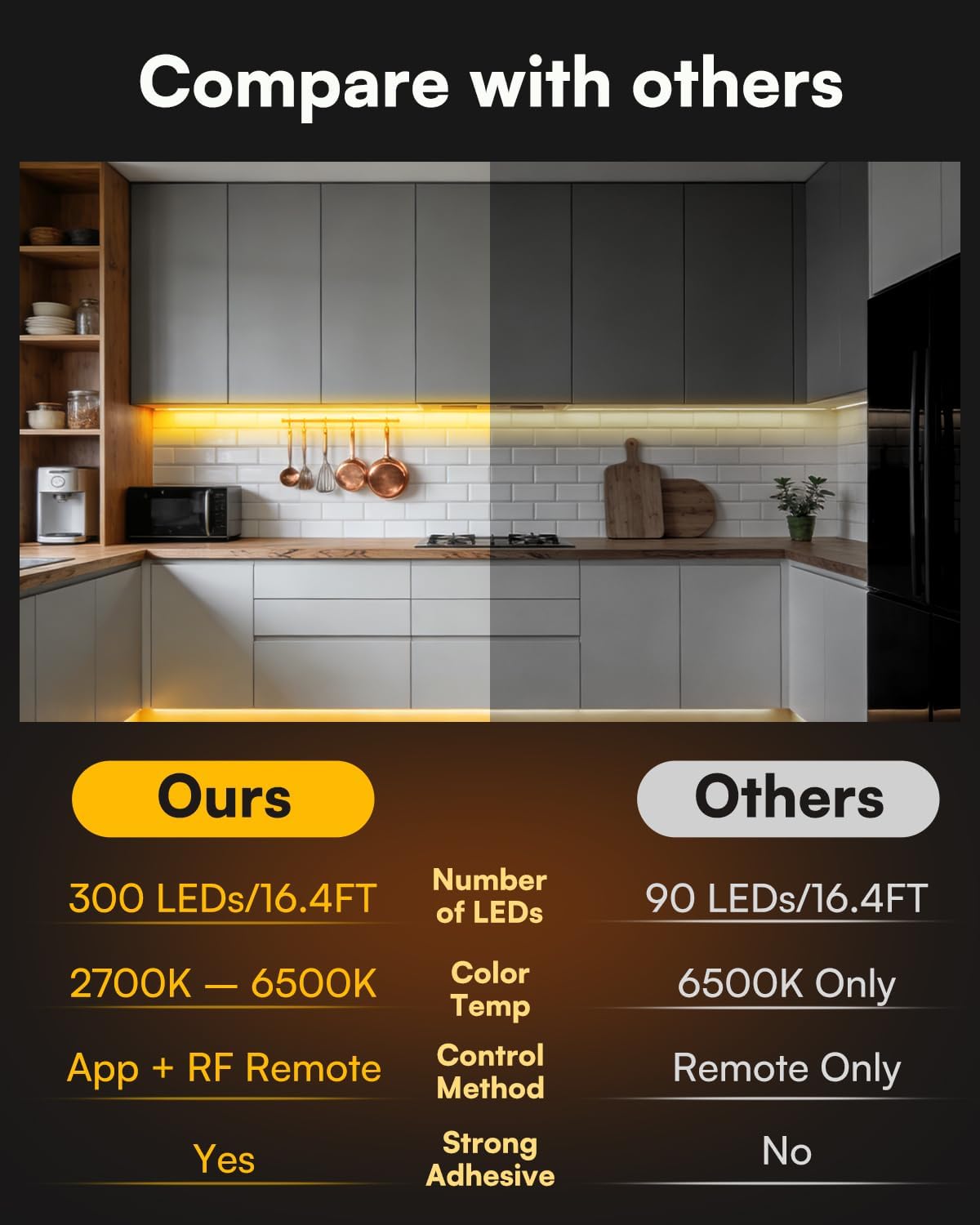
Image: The 20-key RF remote control shown alongside a smartphone displaying the app interface, illustrating dual control options.
8. Vzdrževanje
Proper maintenance ensures the longevity and optimal performance of your TJOY LED Strip Lights.
- Čiščenje: Gently wipe the LED strips and sensor with a soft, dry cloth. Avoid using abrasive cleaners or excessive moisture, which can damage the electronics.
- Preverjanje povezave: Občasno preverite vse povezave, da se prepričate, da so varne in brez korozije.
- Adhesive Integrity: If the adhesive begins to lose its grip, reinforce it with additional double-sided tape suitable for electronics.
- Oviranje senzorja: Ensure the motion sensor is not obstructed by objects, which could impair its detection capabilities.
9. Odpravljanje težav
If you encounter issues with your TJOY LED Strip Lights, refer to the following common problems and solutions:
| Težava | rešitev |
|---|---|
| Luči se ne prižgejo. |
|
| Daljinski upravljalnik ne deluje. |
|
| Senzor gibanja ne zazna gibanja ali pa je preobčutljiv. |
|
| Luči utripajo ali nepričakovano spreminjajo barvo. |
|
| Adhesive is not holding the strips. |
|
10. Informacije o garanciji
The TJOY Smart LED Strip Lights (Model PD01) come with a 1-letna garancija proizvajalca od datuma nakupa. Ta garancija krije napake v materialu in izdelavi pri normalni uporabi. Ne krije škode, ki jo povzroči napačna uporaba, nesreče, nepooblaščene spremembe ali nepravilna namestitev.
Za garancijske zahtevke shranite dokazilo o nakupu.
11. Podpora strankam
For further assistance, technical support, or warranty inquiries, please contact TJOY customer service through the following channels:
- Spletna podpora: Visit the official TJOY store on Amazon: TJOY Store
- E-pošta: Refer to your product packaging or the TJOY store page for specific customer service email addresses.
When contacting support, please have your product model number (PD01) and proof of purchase ready.