
Uvod
Thank you for choosing the OneOdio Focus A1Pro Wireless On-Ear Headphones. This manual provides detailed instructions for setting up, operating, maintaining, and troubleshooting your new headphones. Please read this manual thoroughly before use to ensure optimal performance and longevity of your device.
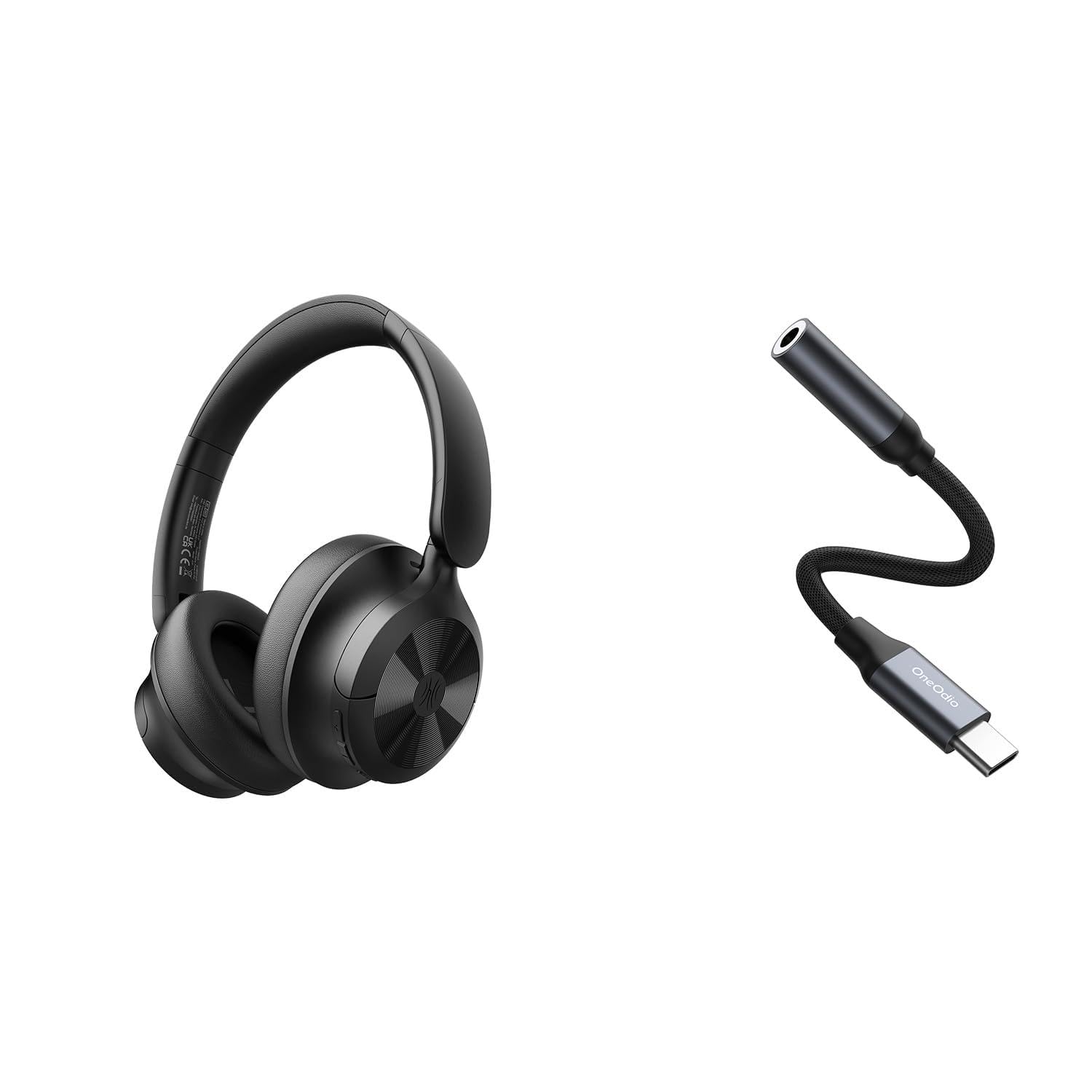
Image: OneOdio Focus A1Pro Wireless On-Ear Headphones. This image displays the headphones in their typical on-ear design, showcasinušesne školjke in naglavni trak.
Vsebina paketa
Prosimo, preverite paket za naslednje artikle:
- OneOdio Focus A1Pro Wireless On-Ear Headphones
- USB-C na 3.5 mm avdio adapter
- Polnilni kabel USB-C
- Torbica za nošenje
- Uporabniški priročnik (ta dokument)
Nastavitev
1. Polnjenje slušalk
Before first use, fully charge the headphones. Connect the USB-C charging cable to the charging port on the headphones and the other end to a USB power source (e.g., computer USB port, wall adapter). The LED indicator will show charging status and turn off or change color when fully charged.

Image: Close-up of the USB-C charging port on the OneOdio Focus A1Pro headphones, with a charging cable connected.
2. Vklop/izklop
- Za vklop: Press and hold the Multi-function button for approximately 3 seconds until the LED indicator flashes blue.
- Za izklop: Press and hold the Multi-function button for approximately 3 seconds until the LED indicator flashes red and then turns off.
3. Bluetooth seznanjanje
- Prepričajte se, da so slušalke izklopljene.
- Press and hold the Multi-function button for 5-7 seconds until the LED indicator flashes red and blue alternately. This indicates pairing mode.
- V napravi (pametnem telefonu, tablici, računalniku) omogočite Bluetooth in poiščite razpoložljive naprave.
- Select "OneOdio A1Pro" from the list of found devices.
- Ko je priključen, LED indikator počasi utripa modro.
- Če je potrebno geslo, vnesite »0000«.
Slušalke se bodo ob vklopu samodejno poskušale ponovno povezati z zadnjo seznanjeno napravo.
4. Wired Connection (using USB-C to 3.5mm Audio Adapter)
For a wired connection, use the provided USB-C to 3.5mm audio adapter. This allows you to connect the headphones to devices with a standard 3.5mm audio jack.
- Plug the USB-C end of the adapter into the USB-C port on the headphones.
- Plug the 3.5mm end of the adapter into the 3.5mm audio jack of your audio source device.
- Ensure the headphones are powered off for wired mode to function correctly and conserve battery.

Image: The OneOdio Focus A1Pro headphones connected to an audio source via the USB-C to 3.5mm audio adapter.
Navodila za uporabo
Nadzor nadview
The headphones feature intuitive controls located on the earcup. Familiarize yourself with these buttons for seamless operation.

Image: Diagram showing the location and function of control buttons on the OneOdio Focus A1Pro headphones, including volume, multi-function, and ANC buttons.
Predvajanje glasbe
- Predvajanje/pavza: Enkrat pritisnite večfunkcijski gumb.
- Naslednja skladba: Pritisnite in držite gumb za povečanje glasnosti 2 sekundi.
- Prejšnja skladba: Pritisnite in držite gumb za zmanjšanje glasnosti 2 sekundi.
- Povečaj glasnost: Na kratko pritisnite gumb za povečanje glasnosti.
- Znižaj glasnost: Na kratko pritisnite gumb za zmanjšanje glasnosti.
Upravljanje klicev
- Sprejmi/končaj klic: Enkrat pritisnite večfunkcijski gumb.
- Zavrni klic: Pritisnite in držite večfunkcijski gumb 2 sekundi.
- Ponovno klicanje zadnje številke: Dvakrat pritisnite večfunkcijski gumb.
Prekinitev aktivnega hrupa (ANC)
The Focus A1Pro headphones feature Active Noise Cancellation to reduce ambient noise.
- Aktiviraj ANC: Enkrat pritisnite gumb ANC. Indikatorska lučka ANC bo zasvetila zeleno.
- Deaktiviraj ANC: Ponovno pritisnite gumb ANC. Indikatorska lučka ANC ugasne.
Nošenje slušalk
Adjust the headband to fit comfortably over your head. The earcups should fully cover your ears for optimal sound quality and noise cancellation. The earcups are typically marked 'L' for left and 'R' for right.
Vzdrževanje
Čiščenje
- Slušalke obrišite z mehko, suho krpo, ki ne pušča vlaken.
- Ne uporabljajte abrazivnih čistil, alkohola ali kemičnih topil.
- Izogibajte se vdoru vlage v morebitne odprtine.
- The earpads can be gently wiped with a slightly damp krpo in blago milno raztopino, nato pa temeljito posušite.
Shranjevanje
When not in use, store the headphones in the provided carrying pouch to protect them from dust and scratches. Store in a cool, dry place away from extreme temperatures.
Skrb za baterijo
- Izogibajte se pogostemu popolnemu praznjenju baterije.
- Slušalke redno polnite, tudi če jih dlje časa ne uporabljate, da ohranite stanje baterije.
- Do not expose the headphones to high temperatures, as this can degrade battery performance.
Odpravljanje težav
Brez moči
- Prepričajte se, da so slušalke popolnoma napolnjene.
- Press and hold the Multi-function button for 3 seconds to power on.
Brez zvoka
- Bluetooth:
- Ensure the headphones are paired and connected to your device.
- Preverite glasnost tako na slušalkah kot na napravi.
- Poskusite razdružiti in ponovno združiti slušalke.
- Žično:
- Ensure the USB-C to 3.5mm adapter is securely connected to both the headphones and the audio source.
- Verify the audio source is playing and its volume is up.
- Test with a different audio cable or device if possible.
Težave s povezavo Bluetooth
- Ensure the headphones are in pairing mode (red and blue flashing LED).
- Slušalke premaknite bližje napravi.
- Clear the Bluetooth list on your device and try pairing again.
- Izogibajte se motnjam zaradi drugih brezžičnih naprav.
Ponastavitev slušalk
If you experience persistent issues, you can try resetting the headphones to their factory settings. (Note: Specific reset procedures vary by model. A common method is to press and hold the Multi-function and Volume Down buttons simultaneously for 5-10 seconds while powered on, or connect to power while holding a button. Refer to the manufacturer's official support for exact steps if this general method does not work.)
Specifikacije
| Ime modela | Focus A1Pro |
| Različica Bluetooth | 5.0 (Estimated, common for modern headphones) |
| Premer gonilnika | 40 mm (Ocenjeno) |
| Frekvenčni odziv | 20Hz - 20kHz (Tipično) |
| Kapaciteta baterije | 500mAh (Ocenjeno) |
| Čas polnjenja | Pribl. 2-3 ur |
| Čas predvajanja | Do 30 ur (Varies with volume and ANC usage) |
| Teža | Approx. 250g (Ocenjeno) |
Note: Specifications are subject to change without notice. Actual performance may vary.
Garancija in podpora
Informacije o garanciji
OneOdio products are covered by a limited warranty from the date of purchase. This warranty covers manufacturing defects in materials and workmanship. It does not cover damage caused by misuse, accidents, unauthorized modifications, or normal wear and tear. Please retain your proof of purchase for warranty claims.
Podpora uporabnikom
For technical support, warranty inquiries, or other assistance, please contact OneOdio customer service through their official webspletno mesto ali prodajalec, kjer ste izdelek kupili.
Uradno Webspletno mesto: www.oneodio.com
Podpora po e-pošti: support@oneodio.com