
1. Izdelek je končanview
The Edifier W280NB Pro are neckband wireless headphones designed for immersive audio experiences with advanced features. They offer hybrid active noise cancellation, Hi-Res Audio support with LDAC, and a durable, comfortable design suitable for various activities.

Image: Edifier W280NB Pro headphones with key features highlighted.
Ključne značilnosti:
- Deep Hybrid Active Noise Cancellation: Up to -45dB noise reduction with 4 selectable modes (High ANC, Medium ANC, Ambient Aware, Wind Reduction).
- Studio-Quality Hi-Res Audio: 10mm dynamic drivers with titanium-coated composite diaphragms, supporting LDAC codec and Hi-Res Audio Wireless certification (20Hz-40KHz frequency response).
- Long-Lasting Battery & Fast Charging: Up to 23 hours of playback (ANC off), 14 hours (ANC on). 15 minutes of charging provides 5 hours of playtime. Full charge in 1.5 hours.
- Stable Bluetooth 5.4 Connection: Ensures stable transmission, low power consumption, and multipoint connection for seamless device switching.
- All-Day Comfort & Secure Fit: Lightweight, flexible neckband with skin-friendly material and multiple sizes of ear wings for a secure fit. Magnetic earbuds for tangle-free storage.
- Durable & Clear Calls: IP55 dust and water resistance. Built-in AI noise-canceling microphones for clear communication in noisy environments.
2. Navodila za namestitev
2.1 Vsebina paketa
Before use, please ensure all items are present in the package:
- Edifier W280NB Pro Neckband Wireless Headphones
- Polnilni kabel USB-C
- Multiple sizes of ear tips and ear wings
- Uporabniški priročnik (ta dokument)
2.2 Polnjenje slušalk
Charge the headphones fully before first use to ensure optimal battery performance.
- Connect the provided USB-C charging cable to the charging port on the neckband.
- Drugi konec kabla priključite na napajalnik USB (ni priložen) ali na vrata USB računalnika.
- The indicator light will show charging status (refer to the LED indicator section for details).
- A full charge takes approximately 1.5 hours. A 15-minute quick charge provides approximately 5 hours of playback.

Image: Visual representation of battery life (23 hours ANC off, 14 hours ANC on) and fast charging (15 mins = 5 hours).
2.3 Fitting the Headphones
Proper fit is crucial for comfort, sound quality, and effective noise cancellation.
- Select the ear tips and ear wings that best fit your ears. Experiment with different sizes for the most secure and comfortable seal.
- Place the neckband around your neck.
- Insert the earbuds into your ear canals and adjust the ear wings to sit snugly in your outer ear for stability.

Image: Diagram showing various ear tip and ear wing sizes for a secure and comfortable fit.
2.4 Bluetooth seznanjanje
Pair your Edifier W280NB Pro headphones with your device via Bluetooth.
- Prepričajte se, da so slušalke napolnjene in izklopljene.
- Press and hold the multi-function button (usually the power button) until the indicator light flashes rapidly (e.g., blue and red alternately), indicating pairing mode.
- V napravi (pametnem telefonu, tablici, prenosniku) omogočite Bluetooth in poiščite razpoložljive naprave.
- Select "Edifier W280NB Pro" from the list of found devices.
- Once connected, the indicator light will typically show a steady blue light or flash slowly.
Večtočkovna povezava:
The W280NB Pro supports multipoint connection, allowing you to connect to two Bluetooth devices simultaneously.
- Slušalke seznanite s prvo napravo, kot je opisano zgoraj.
- Onemogočite Bluetooth na prvi napravi.
- Slušalke vrnite v način seznanjanja in jih seznanite z drugo napravo.
- Re-enable Bluetooth on the first device. The headphones should now be connected to both devices, allowing seamless switching.

Image: Illustration of Bluetooth 5.4 technology for stable transmission and multipoint connection.
3. Navodila za uporabo
3.1 Vklop/izklop
- Vklop: Press and hold the multi-function button for approximately 3 seconds until the indicator light illuminates.
- Ugasniti: Press and hold the multi-function button for approximately 5 seconds until the indicator light turns off.
3.2 Kontrolni gumbi
The Edifier W280NB Pro features intuitive button controls on the neckband for easy management of music, calls, and noise cancellation modes.

Image: Diagram illustrating the functions of each button on the neckband for calls, music playback, and mode switching.
| Akcija | funkcija |
|---|---|
| Multi-function Button (Power) | Press and hold 3s: Power On Press and hold 5s: Power Off Press and hold (pairing mode): Enter Bluetooth pairing Enkratni pritisk (med klicem): Sprejmi/končaj klic Double press (during call): Reject Call |
| Povečanje glasnosti (+) | Enkratni pritisk: Povečanje glasnosti Pritisnite in držite: Naslednja skladba |
| Znižaj glasnost (-) | Enkratni pritisk: Zmanjšanje glasnosti Pritisnite in držite: Prejšnja skladba |
| Gumb za predvajanje/pavzo | Single press: Play/Pause Music |
| Gumb za način ANC | Single press: Cycle through ANC modes (High ANC, Medium ANC, Ambient Aware, Wind Reduction, ANC Off) |
3.3 Načini aktivnega odpravljanja šumov (ANC)
The W280NB Pro offers four distinct noise cancellation modes to adapt to your environment.

Image: Visual guide to the four ANC modes and their typical use cases.
- Visok absolutni številčni odziv: Provides maximum noise reduction, ideal for very noisy environments like airplanes or subways.
- Srednje ANC: Offers a balanced level of noise cancellation, suitable for offices or cafes.
- Ambient Aware: Allows you to hear your surroundings while still enjoying your audio, useful for urban environments or when needing to be aware of announcements.
- Zmanjšanje vetra: Posebej zasnovan za zmanjšanje hrupa vetra med aktivnostmi na prostem.
3.4 Klicanje in sprejemanje klicev
The headphones feature AI noise-canceling microphones for clear call quality.
- Sprejmi klic: Enkrat pritisnite večfunkcijski gumb.
- Končaj klic: Enkrat pritisnite večfunkcijski gumb.
- Zavrni klic: Dvakrat pritisnite večfunkcijski gumb.

Image: A person using the headphones for a call, highlighting the AI-enhanced clear call feature.
3.5 Aplikacija Edifier Connect
For advanced settings and customization, download the Edifier Connect app from your device's app store. The app allows you to:
- Preimenujte svojo napravo.
- Personalize ANC levels.
- Fine-tune audio with preset EQs or custom EQs.
- Poiščite izgubljene slušalke.
4. Vzdrževanje
4.1 Čiščenje
The W280NB Pro headphones are IP55 rated for dust and water resistance, but proper cleaning helps maintain their condition.
- Wipe the neckband and earbuds with a soft, dry, lint-free cloth.
- For ear tips, gently remove them and clean with a damp krpo in po potrebi blagim milom. Pred ponovno namestitvijo se prepričajte, da so popolnoma suhi.
- Avoid using harsh chemicals, abrasive materials, or submerging the headphones in water.
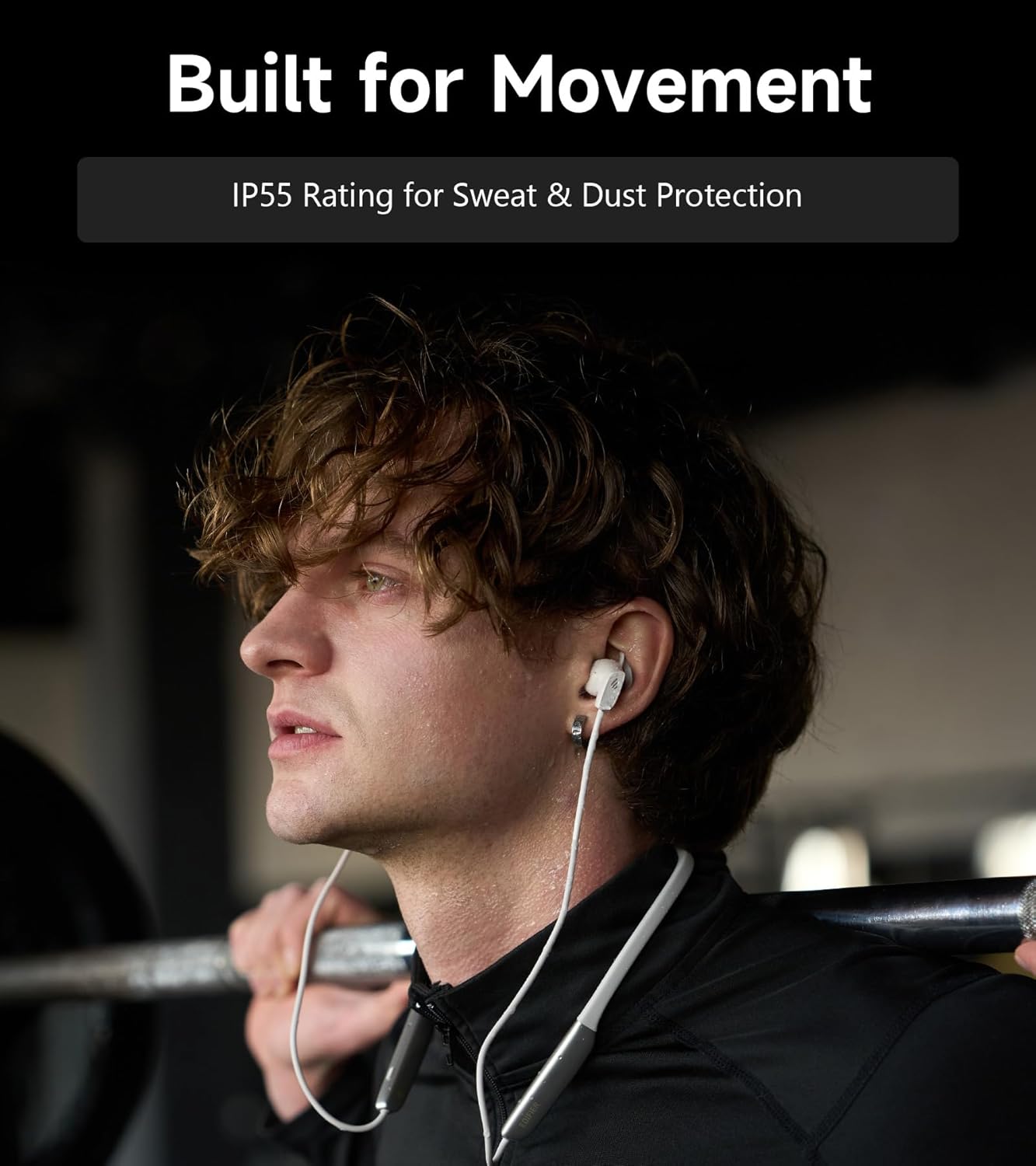
Image: A person wearing the headphones during a workout, illustrating the IP55 sweat and dust protection.
4.2 Shranjevanje
When not in use, store your headphones properly to prevent damage.
- The earbuds are magnetic, allowing them to snap together for tangle-free storage around your neck or in a bag.
- Hraniti na hladnem in suhem mestu, stran od neposredne sončne svetlobe in ekstremnih temperatur.
4.3 Skrb za baterije
- Izogibajte se pogostemu popolnemu praznjenju baterije.
- Slušalke redno polnite, tudi če jih dlje časa ne uporabljate, da ohranite stanje baterije.
5. Odpravljanje težav
If you encounter issues with your Edifier W280NB Pro headphones, refer to the following common problems and solutions.
| Težava | Možen vzrok | rešitev |
|---|---|---|
| Slušalke se ne vklopijo. | Nizka baterija. | Slušalke povsem napolnite. |
| Seznanitev z napravo ni mogoča. | Slušalke niso v načinu seznanjanja. Bluetooth na napravi onemogočen. Naprava je predaleč od slušalk. | Ensure headphones are in pairing mode (flashing indicator). V napravi omogočite Bluetooth. Move device closer to headphones (within 10 meters). Try resetting the headphones (refer to manual for specific reset procedure if available, or power cycle). |
| Ni zvoka ali nizka glasnost. | Volume too low on headphones or device. Headphones not connected. Na napravi je izbran napačen zvočni izhod. | Increase volume on both headphones and device. Prepričajte se, da so slušalke uspešno seznanjene in povezane. Check your device's audio settings to ensure output is set to Edifier W280NB Pro. |
| Slaba kakovost zvoka. | Slaba povezava Bluetooth. Improper ear tip fit. Kakovost zvočnega vira. | Premaknite se bližje povezani napravi. Poskrbite, da ušesni nastavki zagotavljajo varno tesnjenje. Poskusite z drugim virom zvoka ali file. |
| Aktivno odpravljanje šumov ni učinkovito. | Improper ear tip fit. Incorrect ANC mode selected. Extreme noise conditions. | Poskrbite, da ušesni nastavki zagotavljajo varno tesnjenje. Cycle through ANC modes to select the most appropriate one. ANC works best for low-frequency, constant noise. |
| Mikrofon ne deluje med klici. | Headphones not selected as input device. Mikrofon na napravi je izklopljen. | Check your device's call settings to ensure Edifier W280NB Pro is selected for microphone input. Ensure microphone is not muted on your device. |
6. Specifikacije
Detailed technical specifications for the Edifier W280NB Pro Neckband Wireless Headphones.
| Funkcija | Podrobnost |
|---|---|
| Znamka | Edifier |
| Ime modela | W280NB Pro |
| barva | Črna |
| Namestitev ušesa | V ušesu |
| Faktor oblike | Ovratni trak |
| Impedanca | 24 Ohmov |
| Nadzor hrupa | Aktivno odpravljanje hrupa |
| Frekvenčno območje | 20Hz-40KHz |
| Vrsta zvočnega gonilnika | Dynamic Driver (10mm with Titanium-Coated Diaphragm) |
| Tehnologija povezljivosti | Brezžično (Bluetooth) |
| Različica Bluetooth | 5.4 |
| Bluetooth obseg | 10 metra (33 čevljev) |
| Battery Average Life (Playback) | 23 ur (izklopljeno ANC), 14 ur (vklopljeno ANC) |
| Čas polnjenja baterije | 1.5 ur |
| Stopnja vodoodpornosti | IP55 (Dust & Waterproof) |
| Združljive naprave | Pametni telefoni, tablice, prenosniki, pametni zvočniki |
| Material | Silicone (Enclosure) |
| UPC | 628430220005 |
7. Informacije o garanciji
The Edifier W280NB Pro Neckband Wireless Headphones come with a 1-letna garancija proizvajalca.
Ta garancija krije napake v materialu in izdelavi pri normalni uporabi. Ne krije škode, ki jo povzroči nepravilna uporaba, nesreče, nepooblaščene spremembe ali običajna obraba. Prosimo, shranite dokazilo o nakupu za uveljavljanje garancije.
8. Podpora strankam
For further assistance, technical support, or warranty inquiries, please contact Edifier customer service.
- Webspletno mesto: Obiščite uradni Edifier webspletno mesto za pogosta vprašanja, vire za podporo in kontaktne podatke.
- E-pošta/Telefon: Refer to the Edifier website or your product packaging for specific contact details in your region.