
1. Uvod
Thank you for choosing the ACEMAGIC M5 Mini PC. This manual provides essential information for setting up, operating, and maintaining your device. Please read it carefully to ensure optimal performance and longevity of your Mini PC.
The ACEMAGIC M5 is a compact and powerful computing solution, featuring an Intel Core i5-14500HX processor, 32GB DDR4 RAM, and a 1TB NVMe PCIe4.0 SSD. It comes pre-installed with Windows 11 Pro and supports triple 4K display output, making it suitable for various applications from office work to multimedia entertainment.
2. Kaj je v škatli
Preverite vsebino paketa. Če kateri koli predmet manjka ali je poškodovan, se obrnite na podporo strankam.
- 1 x ACEMAGIC M5 Mini PC
- 1 x napajalnik
- 1 x HDMI kabel
- 1 x VESA Mount & Screws
- 1 x uporabniški priročnik

Image: Contents of the ACEMAGIC M5 Mini PC package, including the Mini PC unit, power adapter, HDMI cable, VESA mount, and user manual.
3. Izdelek je končanview
The ACEMAGIC M5 Mini PC is designed for high performance in a compact form factor. Below is an overview of its key features and connectivity options.

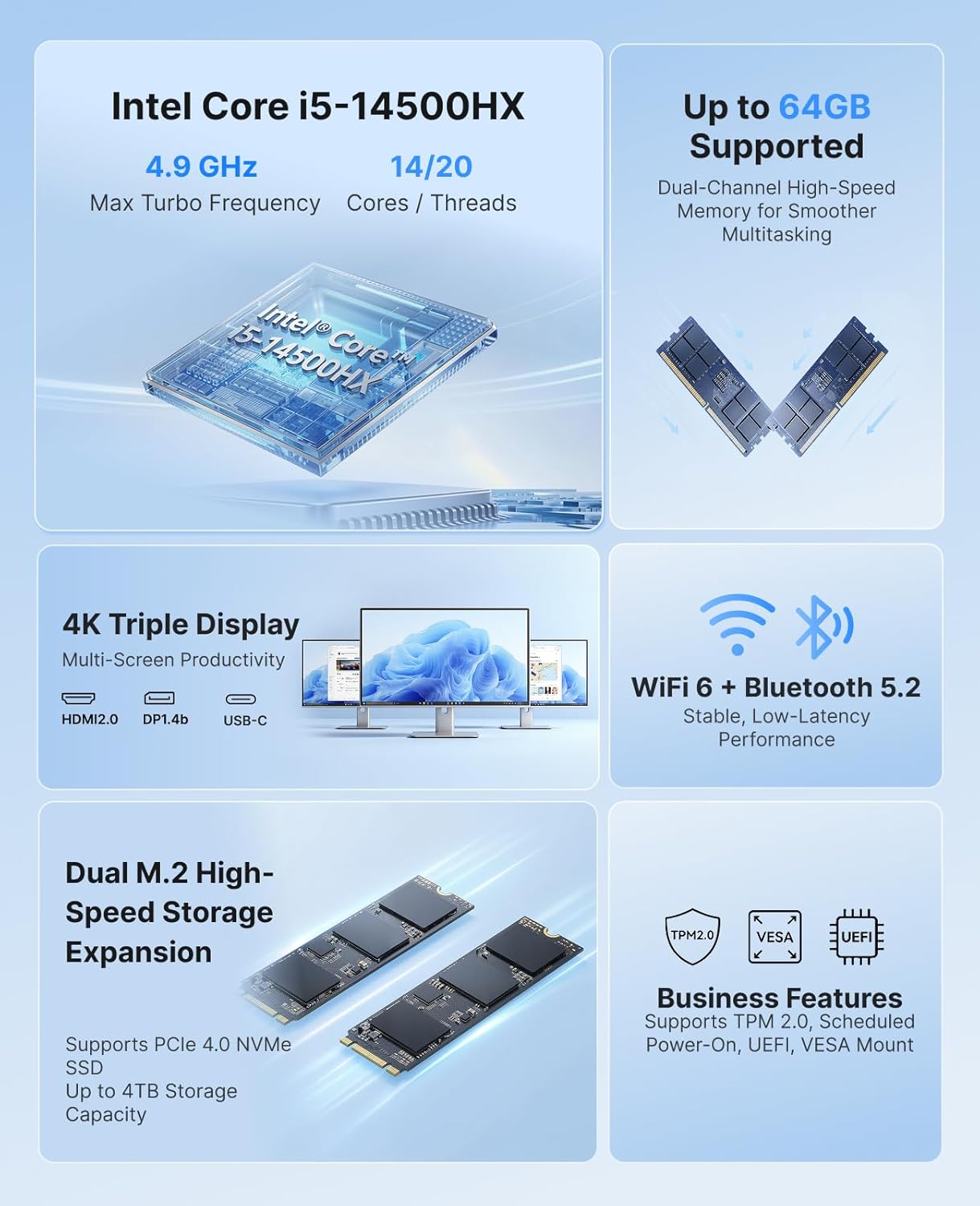
Slika: Prekoview of the ACEMAGIC M5 Mini PC highlighting its Intel Core i5-14500HX processor, up to 64GB RAM support, dual M.2 high-speed storage expansion, 4K triple display, WiFi 6 + Bluetooth 5.2, and business features like TPM 2.0 and VESA mount.
3.1 Front and Side Ports
Slika: Bližnji posnetek view of the ACEMAGIC M5 Mini PC showing the front and side ports. The front includes a power button, USB 3.2 Gen 2 Type-A ports, and a 3.5mm audio jack. The sides feature ventilation grilles.
- Gumb za vklop: Za vklop/izklop naprave.
- Vrata USB 3.2 Gen 2 tipa A (x2): For connecting peripherals like keyboards, mice, or external drives.
- 3.5 mm avdio priključek: Za slušalke ali zvočnike.
- Prezračevalne rešetke: Ensures proper airflow for cooling.
3.2 Zadnja vrata

Image: A diagram illustrating the rear ports of the ACEMAGIC M5 Mini PC. It shows multiple USB ports, HDMI, DisplayPort, LAN, and DC power input.
- Vrata tipa C (x1): 10Gbps data transfer, DP1.4 4K@60Hz video output, and 15W PD output.
- Vrata USB 3.2 Gen 2 tipa A (x4): High-speed connectivity for various USB devices.
- RJ45 Gigabit Ethernet Port (x1): Za žično omrežno povezavo.
- Vrata HDMI 2.0 (x1): Podpira video izhod 4K pri 60 Hz.
- DisplayPort 1.4b (x1): Podpira video izhod 4K pri 60 Hz.
- DC Power Input (x1): Tukaj priključite priloženi napajalnik.
4. Navodila za nastavitev
Follow these steps to set up your ACEMAGIC M5 Mini PC for the first time.
- Poveži zaslon: Connect your monitor(s) to the Mini PC using the HDMI, DisplayPort, or Type-C ports. The device supports up to three 4K displays simultaneously.
- Povežite zunanje naprave: Priključite tipkovnico, miško in vse druge naprave USB v razpoložljiva vrata USB.
- Priključite napajanje: Connect the power adapter to the DC power input port on the back of the Mini PC, then plug the adapter into a power outlet.
- Vklop: Pritisnite gumb za vklop na sprednji strani Mini PC-ja. Lučka indikatorja napajanja bo zasvetila.
- Začetna nastavitev: The Mini PC comes with Windows 11 Pro pre-installed. Follow the on-screen instructions to complete the initial Windows setup. It is recommended to avoid connecting to Wi-Fi or LAN initially to prevent long updates from delaying desktop access.
5. Navodila za uporabo
5.1 Osnovna operacija
- Vklop/izklop: Press the power button once to turn on. To turn off, click the Start menu in Windows and select Power > Shut down.
- Ponovni zagon: V meniju Start izberite Napajanje > Ponovni zagon.
- Spanje: V meniju Start izberite Napajanje > Spanje.
5.2 Konfiguracija zaslona
The ACEMAGIC M5 supports triple 4K display output, allowing for enhanced multitasking and visual fidelity.

Image: A user working with three monitors connected to the ACEMAGIC M5 Mini PC, demonstrating its triple 4K display capability via HDMI, DisplayPort, and USB-C.
- Connect up to three monitors using any combination of HDMI, DisplayPort, and Type-C ports.
- To configure display settings in Windows, right-click on the desktop and select
Ask a question about this manual
Ask about setup, troubleshooting, compatibility, parts, safety, or missing instructions. Manuals+ will review the question and use this page’s manual context to help answer it.