
GOBOULT Tuff Hawk Smart Watch User Manual
Model: Tuff Hawk
Uvod
This manual provides essential instructions for setting up, operating, and maintaining your GOBOULT Tuff Hawk Smart Watch. Please read this guide thoroughly before using your device to ensure optimal performance and longevity.

Image: The GOBOULT Tuff Hawk Smart Watch, highlighting its design and features.
Kaj je v škatli
Preverite, ali so v embalaži izdelka vsi elementi:
- GOBOULT Tuff Hawk Smart Watch
- Polnilni kabel
- Uporabniški priročnik (ta dokument)
Nastavitev
1. Polnjenje pametne ure
Before initial use, fully charge your GOBOULT Tuff Hawk Smart Watch. Connect the provided charging cable to the charging port on the watch and a compatible USB power source. A full charge takes approximately 150 minutes.

Image: The GOBOULT Tuff Hawk Smart Watch connected to its charging cable, illustrating the charging process and battery indicator.
2. Vklop/izklop
To power on the watch, press and hold the Power button until the screen illuminates. To power off, press and hold the Power button, then select "Power Off" on the screen.
3. Seznanjanje s pametnim telefonom
The GOBOULT Tuff Hawk Smart Watch uses Bluetooth 5.3 for connectivity. Follow these steps to pair your watch with your smartphone:
- Prepričajte se, da je vaša ura napolnjena in vklopljena.
- V pametnem telefonu omogočite Bluetooth.
- Download and install the companion application (refer to the watch screen or packaging for app name) from your phone's app store.
- Odprite aplikacijo in sledite navodilom na zaslonu, da dodate svojo napravo.
- Select "GOBOULT Tuff Hawk" from the list of available Bluetooth devices in the app to establish a one-click connection.

Image: The GOBOULT Tuff Hawk Smart Watch showing an incoming call notification, demonstrating its Bluetooth calling feature with a dedicated speaker and microphone.
Upravljanje pametne ure
1. Prikaz in navigacija
The watch features a 1.39-inch TFT HD display with a 240x240 resolution and 450 nits brightness for clear visuals. Navigate the interface using the touchscreen or the working crown.
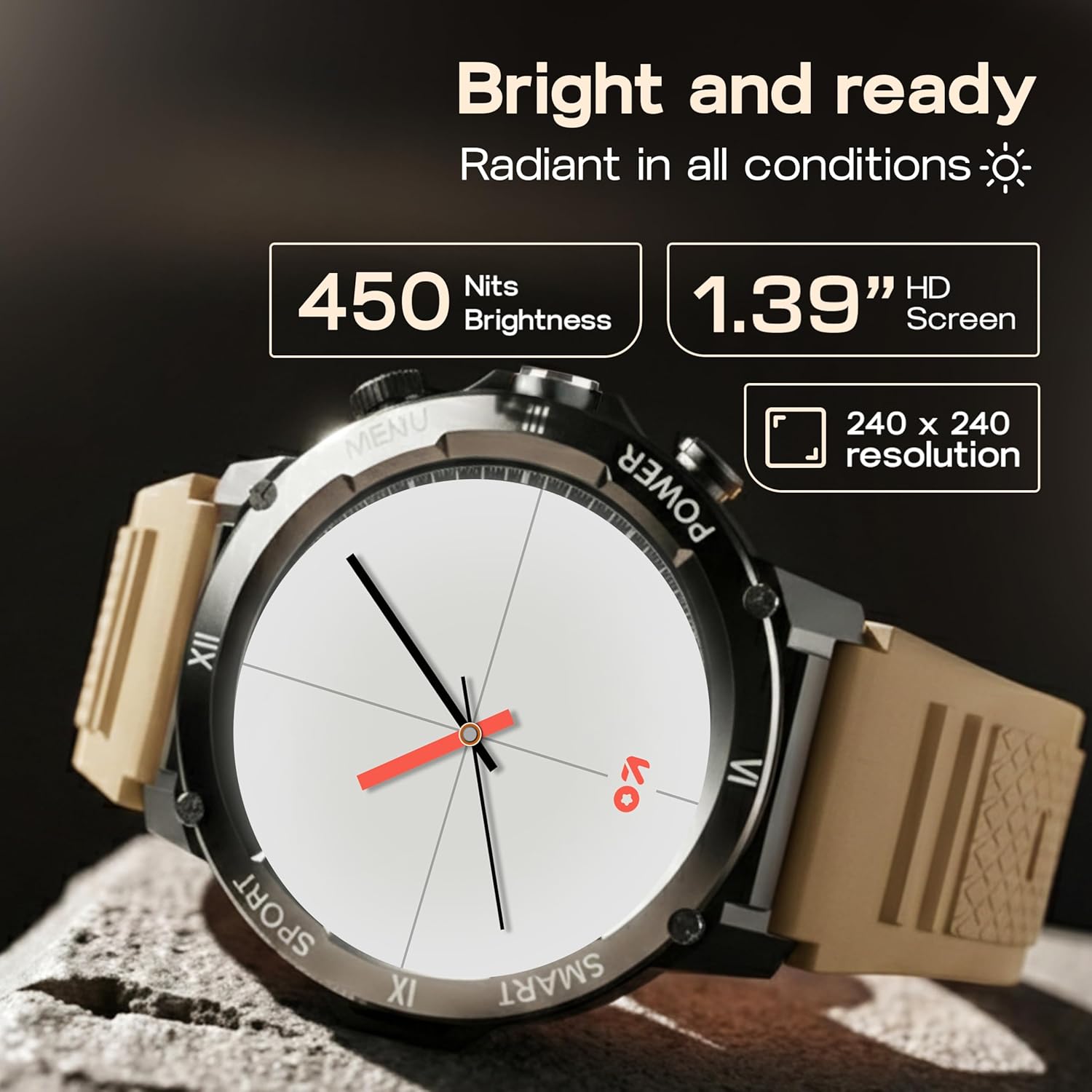
Image: Close-up of the GOBOULT Tuff Hawk Smart Watch display, highlighting its 1.39-inch HD screen, 240x240 resolution, and 450 nits brightness.
2. Using the Working Crown
Rotate the working crown to scroll through menus, lists, and adjust settings effortlessly. Press the crown to select items or return to the home screen.

Image: The GOBOULT Tuff Hawk Smart Watch interface with app icons, demonstrating how to use the rotating working crown for navigation.
3. Klicanje prek Bluetootha
With Bluetooth 5.3 and a single-chip design, the Tuff Hawk Smart Watch allows you to make and receive calls directly from your wrist. It includes a dedicated speaker and microphone for clear communication.
4. Glasovni asistent z umetno inteligenco
Access your AI Voice Assistant (compatible with Google Assistant and Siri) directly from your watch. Simply activate the feature and speak your commands for hands-free assistance.
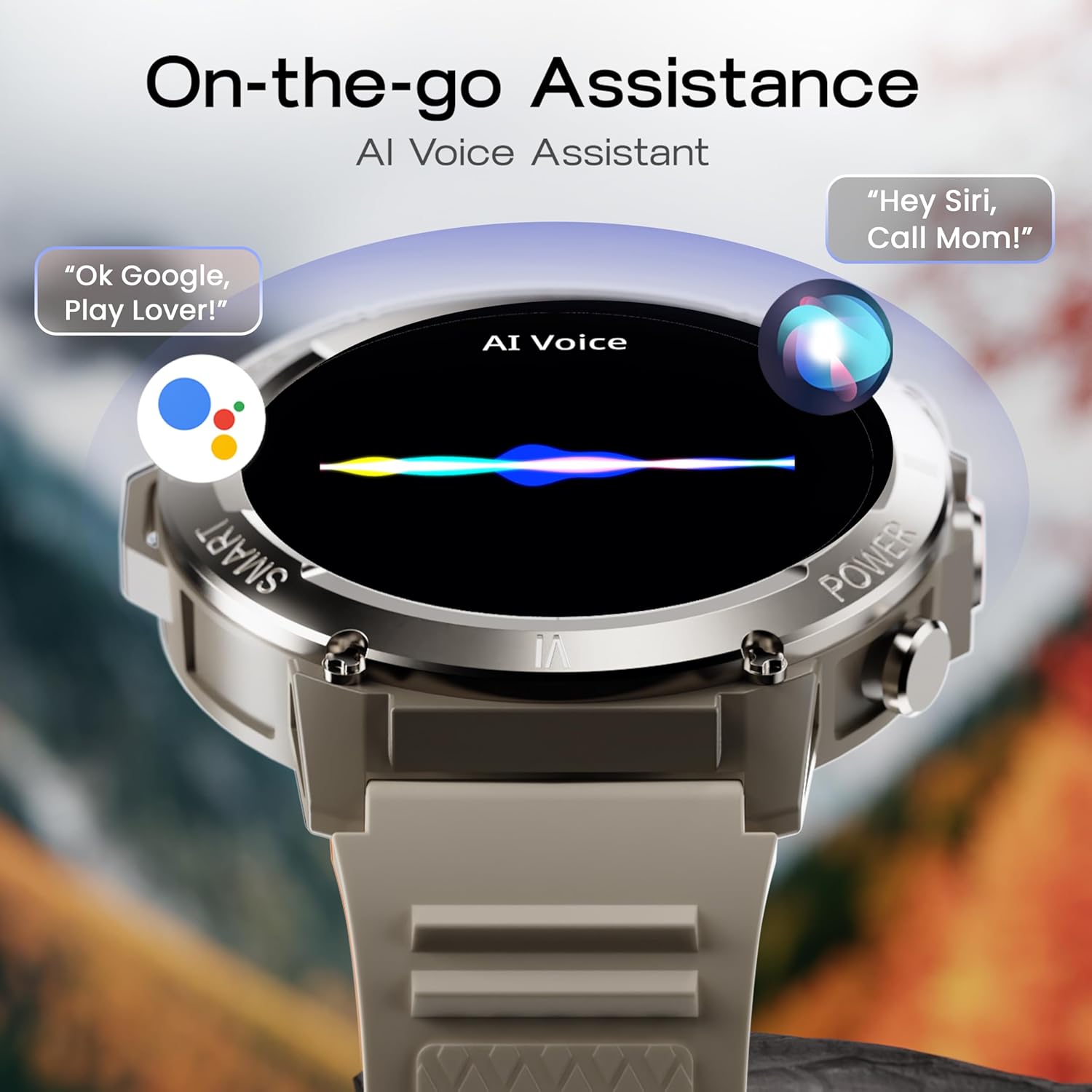
Image: The GOBOULT Tuff Hawk Smart Watch screen showing the AI Voice Assistant in action, with examples of voice commands for Google Assistant and Siri.
5. Sports Modes and Health Tracking
The watch supports over 120 sports modes for various activities. It also provides comprehensive health monitoring features:
- Merilnik krvnega tlaka: Spremljajte raven krvnega tlaka.
- Monitor srčnega utripa: Continuously monitor your heart rate.
- Monitor spanja: Analizirajte svoje vzorce spanja.
- Monitor SpO2: Izmerite nasičenost krvi s kisikom.
- Sledilnik dejavnosti: Records steps taken, calories burned, and distance covered.
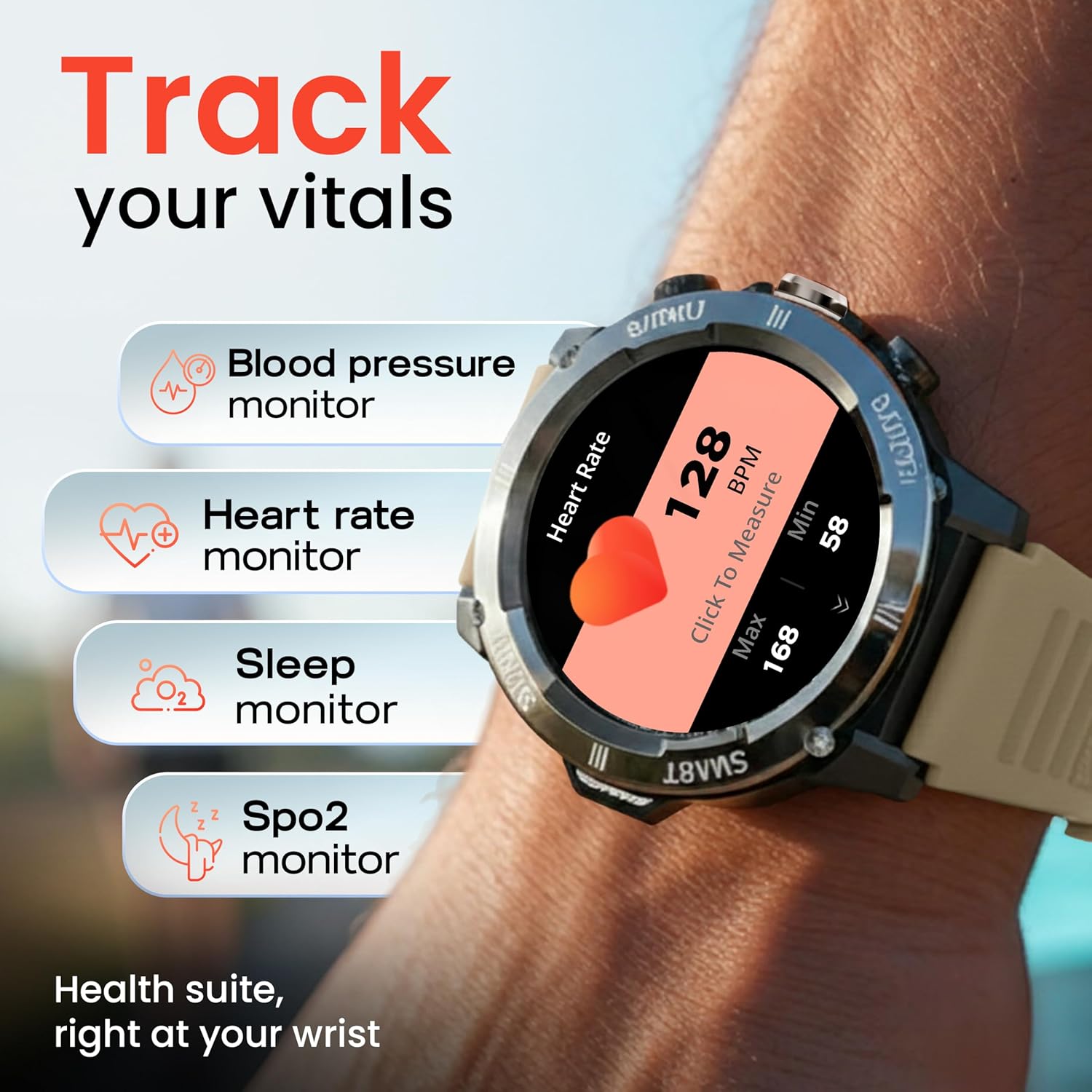
Image: The GOBOULT Tuff Hawk Smart Watch displaying various health tracking features such as blood pressure, heart rate, sleep, and SpO2 monitoring.

Image: The GOBOULT Tuff Hawk Smart Watch on a user's wrist, illustrating the availability of over 120 sports modes for diverse activities.
6. Številčnice za ure
Personalize your watch with over 150 available watch faces to match your style or activity.

Image: The GOBOULT Tuff Hawk Smart Watch showcasing a selection of over 150 customizable watch faces.
7. Dedicated Flashlight
Activate the quick access flashlight feature for instant illumination when needed.

Slika: Bližnji posnetek view of the GOBOULT Tuff Hawk Smart Watch demonstrating its dedicated flashlight feature, providing instant light.
8. Dodatne funkcije
Ura ima več uporabnih funkcij:
- Najdi moj telefon: Poiščite seznanjeni pametni telefon.
- svetovna ura: View čas v različnih časovnih pasovih.
- Weather Details: Pridobite trenutne vremenske informacije.
- Daljinski nadzor kamere: Upravljajte kamero telefona na daljavo.
- Kalkulator: Izvedite osnovne izračune.

Image: The GOBOULT Tuff Hawk Smart Watch screen showing the 'Find My Phone' feature, alongside icons for world clock, weather details, remote camera, and calculator.
Vzdrževanje
1. Vodoodpornost
The GOBOULT Tuff Hawk Smart Watch is IP68 water resistant, making it suitable for rain, dust, and rugged outdoor conditions. It can withstand immersion up to 1.5 meters. Avoid prolonged exposure to hot water or steam.

Image: The GOBOULT Tuff Hawk Smart Watch partially submerged in water, highlighting its IP68 water resistance for protection against rain and dust.
2. Čiščenje
Uro in pašček redno obrišite z mehko, suho krpo. Po potrebi uporabite rahloamp krpo in blagim milom, nato pa temeljito posušite. Izogibajte se agresivnim kemikalijam ali abrazivnim materialom.
3. Shranjevanje
When not in use for extended periods, store the watch in a cool, dry place. Ensure it is partially charged to prevent battery degradation.
Odpravljanje težav
1. Ura se ne vklopi
- Ensure the watch is fully charged. Connect it to the charging cable and allow it to charge for at least 30 minutes before attempting to power on again.
- Pritisnite in držite gumb za vklop 10–15 sekund, da izvedete prisilni ponovni zagon.
2. Unable to Pair with Smartphone
- Prepričajte se, da je Bluetooth omogočen na vašem pametnem telefonu in uri.
- Prepričajte se, da je ura v dosegu Bluetooth vašega telefona (običajno 10 metrov).
- Znova zaženite pametni telefon in uro.
- Clear the Bluetooth cache on your phone or forget the device and try pairing again.
- Prepričajte se, da je spremljevalna aplikacija posodobljena na najnovejšo različico.
3. Netočni zdravstveni podatki
- Prepričajte se, da je ura tesno pritisnjena na zapestje, vendar ne pretesno.
- Očistite senzor na zadnji strani ure.
- Med meritvami se izogibajte pretiranemu gibanju.
- Note that the watch is not a medical device; readings are for reference only.
4. Kratka življenjska doba baterije
- Zmanjšajte svetlost zaslona.
- Onemogočite nepotrebna obvestila.
- Omejite neprekinjeno spremljanje srčnega utripa ali druge intenzivne funkcije.
- Vsakič se prepričajte, da je ura popolnoma napolnjena.
Specifikacije
| Funkcija | Podrobnost |
|---|---|
| Ime modela | Tuff Hawk |
| Velikost zaslona | 1.39 palcev |
| Vrsta zaslona | TFT |
| Resolucija | 240x240 |
| Maximum Display Brightness | 450 gnid |
| Tehnologija povezljivosti | Bluetooth 5.3 |
| Sestava baterijskih celic | Litijev polimer |
| Čas polnjenja baterije | 150 minute |
| Življenjska doba baterije | Do 7 dni |
| Ocena vodoodpornosti | IP68 (1.5 Metres depth) |
| Material ohišja | Zink Alloy |
| Material traku | Silikon |
| Teža | 48 gramov |
| Vnos človeškega vmesnika | Touchscreen, Working Crown |
| Vrsta krmilnika | Google Assistant, Siri |
| Izmerjene metrike | Blood Oxygen (SpO2), Calories Burned, Sleep Duration, Step Count |
| Združljive naprave | Android, iOS Smartphones |
| Vsebina škatle | Polnilni kabel, uporabniški priročnik |
Garancija in podpora
Informacije o garanciji
Your GOBOULT Tuff Hawk Smart Watch comes with a 1-letna garancija proizvajalca od datuma nakupa. Ta garancija krije proizvodne napake. Za uveljavljanje garancije shranite dokazilo o nakupu.
Podpora uporabnikom
For technical assistance, warranty claims, or product inquiries, please contact GOBOULT customer support. Refer to the product packaging or the official GOBOULT webspletno mesto za najnovejše kontaktne podatke.
Proizvajalec: Exotic Mile Private Limited, Boult Audio, industrijsko območje Wazirpur B-67, New Delhi 110052
