
Uvod
This manual provides detailed instructions for the GOWENIC Wireless Keyboard, model GOWENICryt20kq5je. This compact 61-key keyboard offers versatile connectivity options including 2.4G wireless, Bluetooth, and USB wired modes, designed for various computing environments.
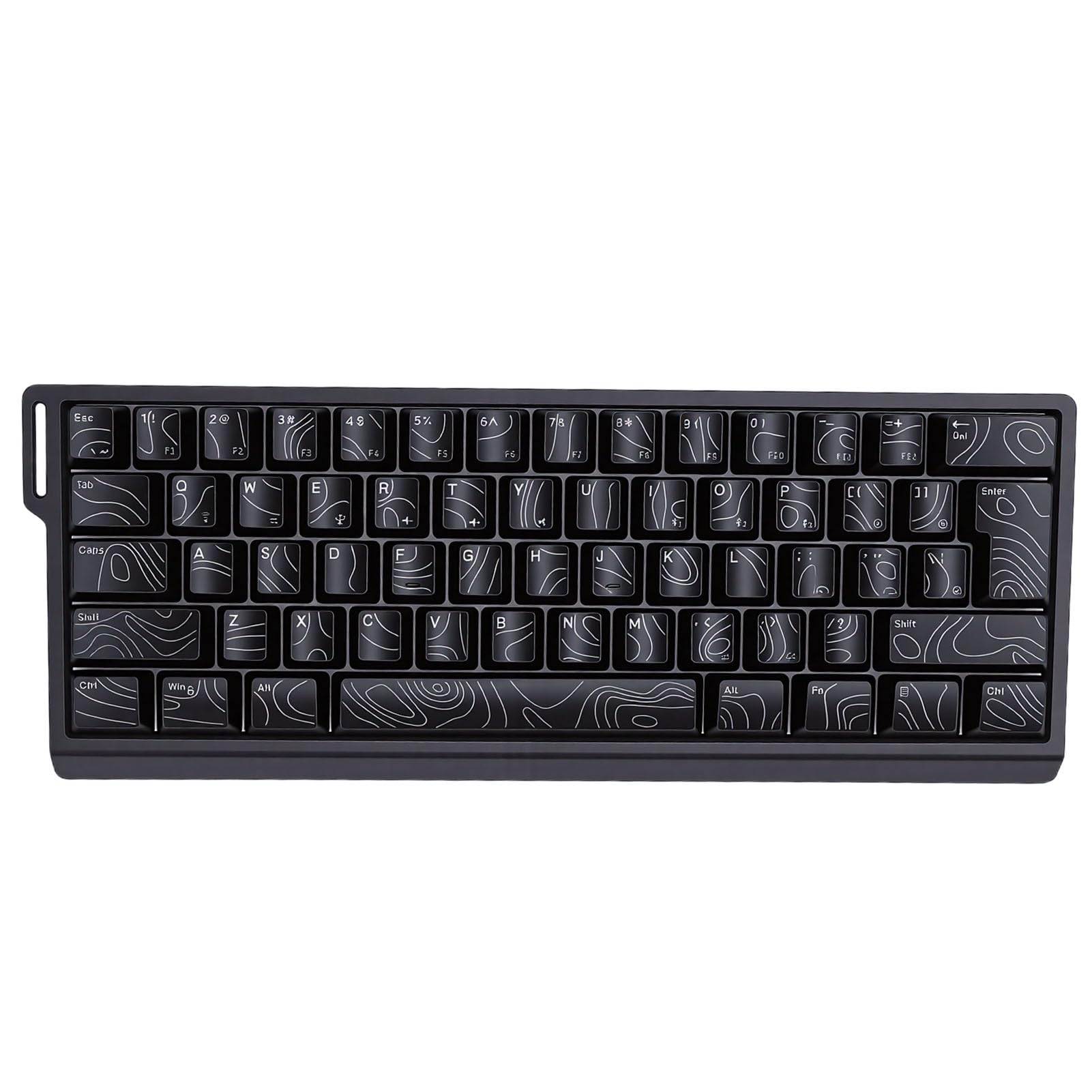
Image: GOWENIC Wireless Keyboard demonstrating its tri-mode connection capability with multiple devices like a laptop, desktop, and tablet.
Vsebina paketa
Prosimo, preverite, ali so v vašem paketu priloženi vsi spodaj navedeni artikli:
- 1 x GOWENIC Wireless Keyboard
- 1 x USB sprejemnik (za brezžično povezavo 2.4 G)
- 1 x USB Cable (for wired connection and charging)
- 1 x uporabniški priročnik
- 1 x Ribbon (Lanyard)

Image: The GOWENIC Wireless Keyboard displayed with its USB cable, USB receiver, and ribbon lanyard.
Specifikacije
| Ime modela | GOWENICryt20kq5je |
| Ključi | 61 ključev |
| Povezljivost | 2.4G brezžično, Bluetooth, USB žično |
| Material | ABS |
| Baterija | Built-in 2000mAh Li-Ion Polymer Battery |
| Key Rollover | 25-Key Anti-ghosting |
| Združljivost | PC (98SE, Me, 2000, XP, VISTA, Win 7, Win10), OS X systems |
| Opis tipkovnice | Mehanski |

Image: Diagram illustrating the internal structure of the keyboard, including ABS keycaps, positioning plate, silicone conductive film, light-emitting board, and ABS bottom shell.
Navodila za namestitev
The GOWENIC Wireless Keyboard supports three connection modes: 2.4G wireless, Bluetooth, and USB wired. Choose the mode that best suits your device and needs.
1. Žična povezava USB
- Priloženi kabel USB priključite na vrata USB na tipkovnici.
- Drugi konec kabla USB priključite v razpoložljiva vrata USB na vašem računalniku.
- The keyboard will be automatically recognized and ready for use. This mode also charges the keyboard's internal battery.
2. 2.4G brezžična povezava
- Poiščite USB-sprejemnik, ki je priložen v paketu.
- USB-sprejemnik priključite v razpoložljiva vrata USB na vašem računalniku.
- Ensure the keyboard is powered on and in 2.4G wireless mode (refer to keyboard's mode switch, if present, or combination keys for mode selection).
- Tipkovnica bi se morala povezati samodejno.
3. Bluetooth povezava
- Ensure the keyboard is powered on and in Bluetooth pairing mode (refer to keyboard's mode switch or combination keys for Bluetooth mode selection and pairing initiation).
- On your device (PC, laptop, tablet, etc.), enable Bluetooth and search for new devices.
- Select "GOWENIC Keyboard" or a similar name from the list of available devices to pair.
- Sledite morebitnim pozivom na zaslonu, da dokončate postopek seznanjanja.

Image: The GOWENIC Wireless Keyboard positioned on a desk, highlighting its 60% compact layout and portability, suitable for various setups.
Navodila za uporabo
Once connected, the GOWENIC Wireless Keyboard functions as a standard keyboard. Below are some key operational aspects:
Ključne funkcije
- Standardno tipkanje: Use the keys for text input as you would with any conventional keyboard.
- Funkcijske tipke: Due to the 60% compact layout, some function keys (F1-F12) and navigation keys may be accessed via a combination with the Fn key. Refer to the keycap legends for specific combinations.
- 25-tipkovna zaščita pred ignoriranjem: This feature ensures that up to 25 keys can be pressed simultaneously without input conflicts, providing accurate and responsive input, especially beneficial for gaming and fast typing.
- Ergonomic Keycaps: The contoured keycap design is intended to provide a comfortable typing experience, fitting the natural curve of your fingertips.
Polnjenje tipkovnice
The keyboard is equipped with a built-in rechargeable battery. To charge:
- Connect the provided USB cable to the keyboard's charging port.
- Drugi konec priključite na vir napajanja USB (npr. vrata USB računalnika, stenski adapter USB).
- An indicator light on the keyboard will typically show charging status and turn off or change color when fully charged.

Slika: Podrobna view of the keyboard's keycaps, highlighting the clear and transparent characters and contoured design for improved readability and comfort.
Vzdrževanje
Proper maintenance ensures the longevity and optimal performance of your GOWENIC Wireless Keyboard.
- Čiščenje: Za brisanje površine tipkovnice uporabite mehko, suho krpo. Za trdovratno umazanijo rahlo obrišiteampKrpo sperite z vodo ali blagim, neabrazivnim čistilom. Izogibajte se prekomerni vlagi.
- Odstranjevanje prahu: Za odstranitev prahu in umazanije med tipkami uporabite stisnjen zrak.
- Shranjevanje: Ko tipkovnice dalj časa ne uporabljate, jo shranite na hladnem in suhem mestu, stran od neposredne sončne svetlobe in ekstremnih temperatur.
- Vzdrževanje baterije: To preserve battery life, avoid fully discharging the keyboard frequently. Charge it regularly, especially if it will be stored for a long time.
Odpravljanje težav
If you encounter issues with your GOWENIC Wireless Keyboard, refer to the following common solutions:
Tipkovnica se ne odziva
- Preverite moč: Ensure the keyboard is powered on and has sufficient battery charge. Connect it via USB cable to charge.
- Način povezave: Verify that the keyboard is in the correct connection mode (2.4G, Bluetooth, or Wired) for your device.
- USB Receiver (2.4G): For 2.4G mode, ensure the USB receiver is securely plugged into a working USB port on your computer. Try a different USB port.
- Bluetooth seznanjanje: For Bluetooth mode, ensure the keyboard is properly paired with your device. If not, unpair and re-pair the keyboard. Ensure Bluetooth is enabled on your device.
- Žična povezava: If using wired mode, ensure the USB cable is firmly connected to both the keyboard and the computer. Try a different USB cable if available.
Tipke ne delujejo pravilno
- Čiste tipke: Remove any debris or dust that might be stuck under the keycaps using compressed air.
- Težave s programsko opremo: Restart your computer to rule out any temporary software glitches.
- Test na drugi napravi: If possible, test the keyboard on another computer or device to determine if the issue is with the keyboard or the original device.
Garancija in podpora
The GOWENIC Wireless Keyboard (Model: GOWENICryt20kq5je) comes with a manufacturer warranty for 90 days from the date of purchase.
For technical support, warranty claims, or further assistance, please refer to the contact information provided with your purchase documentation or visit the official GOWENIC webspletno mesto. Ko se obrnete na podporo, imejte pripravljeno številko modela in podatke o nakupu.