
1. Uvod
Hvala za nakupasing the OXS Thunder Duo Speaker System. This manual provides essential information for the safe and efficient use of your new speaker system. Please read this manual thoroughly before operating the device and retain it for future reference.
The OXS Thunder Duo is a 3.1.2 channel bookshelf speaker system designed for an immersive audio experience, compatible with various devices including TVs, PCs, gaming consoles, and mobile devices.
2. Varnostne informacije
- vir energije: Uporabljajte samo priloženi napajalnik. Prepričajte se, da je glasnosttage ustreza vašemu lokalnemu napajalniku.
- Umestitev: Place the speakers on a stable, flat surface. Avoid placing near heat sources, direct sunlight, or in areas with high humidity or dust.
- Prezračevanje: Ne blokirajte prezračevalnih odprtin. Zagotovite dovolj prostora okoli zvočnikov za pravilen pretok zraka.
- Voda in vlaga: Do not expose the device to water, rain, or moisture. This product is not waterproof.
- Čiščenje: Disconnect from power before cleaning. Use a soft, dry cloth. Do not use liquid cleaners or aerosols.
- Servisiranje: Ne poskušajte sami popravljati ali razstavljati enote. Vsa servisna dela prepustite usposobljenemu osebju.
- Baterije: The remote control uses AAA batteries. Ensure correct polarity when inserting. Do not mix old and new batteries.
3. Vsebina paketa
Preverite, ali so v vašem paketu priloženi vsi spodaj navedeni elementi:
- OXS Thunder Duo Speakers (2 units)
- Daljinski upravljalnik (z 2 baterijama AAA priloženima)
- HDMI kabel
- Optični kabel
- Napajalni adapter
- Uporabniški priročnik (ta dokument)
4. Izdelek je končanview
The OXS Thunder Duo speaker system consists of two bookshelf speakers designed for tabletop placement. Below is a general representation of the product and its typical components.
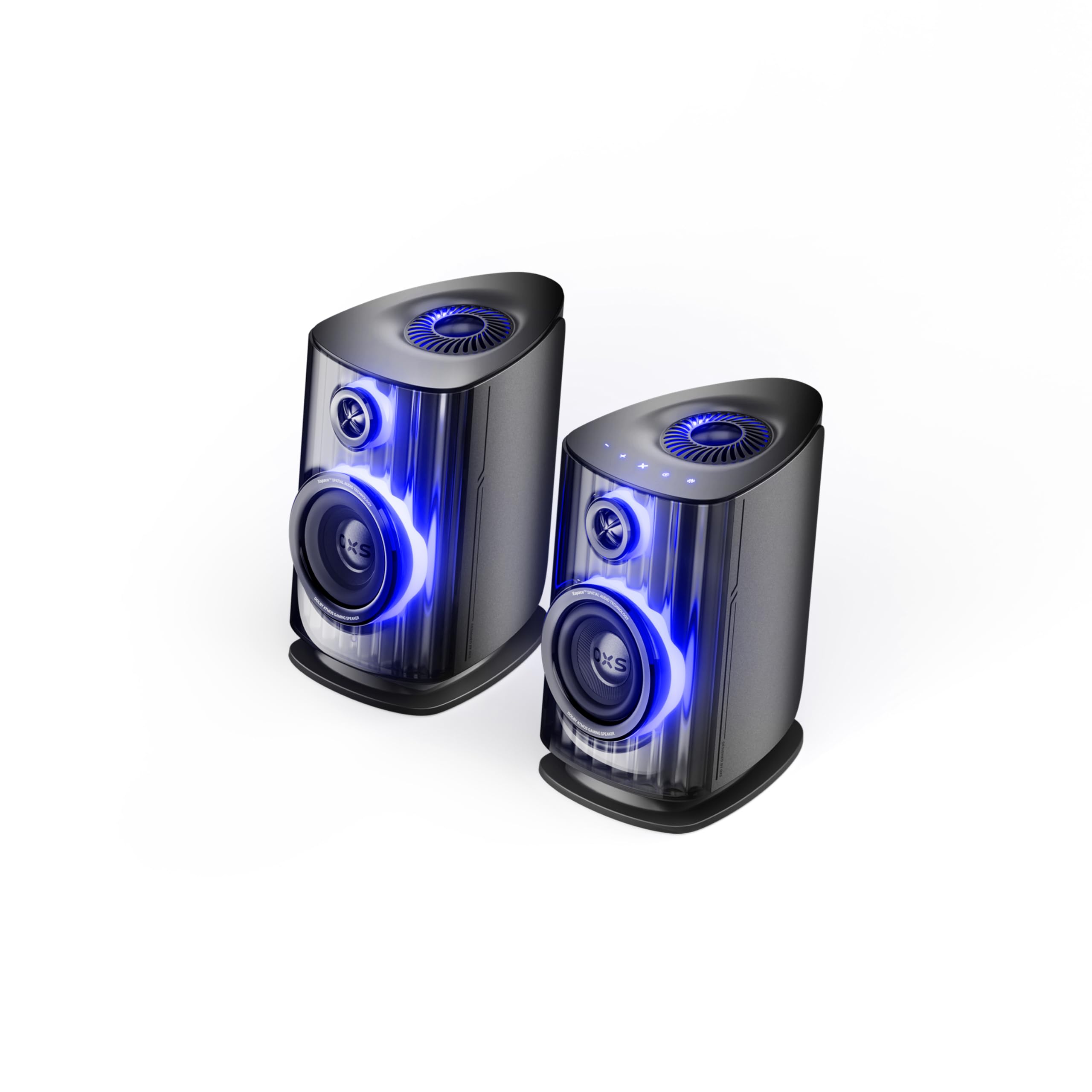
Image: OXS Thunder Duo Speaker System. This image shows the two main speaker units, typically placed on a tabletop. The design features a sleek, modern aesthetic with speaker grilles visible on the front.
4.1. Komponente zvočnikov
- Glavna zvočniška enota: Houses the primary audio drivers and control circuitry.
- Satellite Speaker Unit: Connects to the main unit to provide a wider soundstage.
- Vhodna moč: Za priključitev napajalnika.
- Avdio vhodi: HDMI IN, USB-C, eARC, Optical for various source connections.
4.2. Daljinski upravljalnik
The included remote control allows for convenient operation of the speaker system from a distance. It typically includes buttons for:
- Vklop/izklop
- Povečanje/zmanjšanje glasnosti
- Input Source Selection (HDMI, USB-C, eARC, Optical)
- Mute
- Audio Mode Selection (e.g., Surround)
5. Nastavitev
5.1. Postavitev zvočnikov
Place the OXS Thunder Duo speakers on a stable, flat tabletop surface. For optimal sound, position them equidistant from your listening position and at ear level. Ensure there are no obstructions between the speakers and your listening area.
5.2. Napajalni priključek
- Connect the power adapter to the power input port on the main speaker unit.
- Priključite napajalnik v stensko vtičnico.
- The power indicator on the speaker will illuminate, indicating it is in standby mode.
5.3. Priključitev avdio virov
The OXS Thunder Duo offers multiple connectivity options:
- HDMI (eARC): For connecting to TVs with an HDMI eARC/ARC port. Use the provided HDMI cable. This connection supports high-quality audio and allows TV remote control of speaker volume.
- Vhod HDMI: For connecting other HDMI-enabled devices like gaming consoles or Blu-ray players.
- Optični: For connecting to TVs or other devices with an optical audio output. Use the provided optical cable.
- USB-C: For connecting to PCs, laptops, or compatible mobile devices.
Connect your desired audio source to the corresponding input port on the main speaker unit.
6. Navodila za uporabo
6.1. Vklop/izklop
Press the Power button on the remote control or the main speaker unit to turn the system on or off. The power indicator will change status accordingly.
6.2. Izbira vhodnega vira
Press the 'Input' or dedicated source buttons (e.g., HDMI, Optical, USB-C) on the remote control to switch between connected audio sources. The current input source will typically be indicated by an LED or display on the main speaker unit.
6.3. Nadzor glasnosti
Use the 'Volume Up' (+) and 'Volume Down' (-) buttons on the remote control to adjust the audio level. Press the 'Mute' button to temporarily silence the audio.
6.4. Zvočni načini
The OXS Thunder Duo supports surround sound audio output. Use the 'Mode' button on the remote control to cycle through available audio modes, if applicable, to optimize your listening experience for different content types.
7. Povezljivost
The OXS Thunder Duo offers versatile connectivity for a wide range of devices:
- Vhod HDMI: Connects to various HDMI-enabled devices.
- USB-C: Ideal for direct digital audio connection to computers (PC), laptops, and mobile devices running Windows, Android, or iOS.
- eARC (izboljšan povratni zvočni kanal): Connects to compatible TVs for high-fidelity audio transmission and simplified control.
- Optični: Provides a digital audio connection for TVs, game consoles (PlayStation, XBOX, Switch), and other devices with an optical output.
8. Vzdrževanje
Proper maintenance ensures the longevity and performance of your OXS Thunder Duo speaker system.
- Čiščenje: Regularly wipe the speaker surfaces with a soft, dry, lint-free cloth. Do not use abrasive cleaners, waxes, or solvents.
- Prah: Keep the speaker grilles free from dust accumulation. Use a soft brush or a vacuum cleaner with a brush attachment on a low setting.
- Shranjevanje: If storing the speakers for an extended period, disconnect them from power and store them in a cool, dry place, preferably in their original packaging.
9. Odpravljanje težav
If you encounter issues with your OXS Thunder Duo, refer to the following common problems and solutions:
| Težava | Možen vzrok | rešitev |
|---|---|---|
| Brez moči | Power cable not connected; Power outlet not active; Speaker is off. | Ensure power cable is securely connected. Test the outlet with another device. Press the Power button on the remote or speaker. |
| Brez zvoka | Incorrect input source selected; Volume too low or muted; Audio cable not connected properly; Source device not outputting audio. | Select the correct input source. Increase volume and check if muted. Reconnect audio cables. Check audio settings on your source device. |
| Daljinski upravljalnik ne deluje | Batteries are dead or incorrectly inserted; Obstruction between remote and speaker. | Replace batteries, ensuring correct polarity. Remove any obstructions. Ensure remote is pointed at the main speaker unit. |
| Popačen zvok | Previsoka glasnost; Slaba kakovost zvoka; Ohlapna kabelska povezava. | Lower the volume. Check the audio quality from the source. Ensure all cables are securely connected. |
If the problem persists after trying these solutions, please contact OXS customer support.
10. Specifikacije
| Funkcija | Specifikacija |
|---|---|
| Znamka | OXS |
| Številka modela | Thunder DUO |
| Največja izhodna moč zvočnika | 220 vatov |
| Frekvenčni odziv | 20 KHz |
| Tehnologija povezljivosti | HDMI IN, USB-C, eARC, Optical |
| Način avdio izhoda | Surround |
| Vrsta namestitve | Namizni nosilec |
| Product Exterior Material | ABS & PVC |
| Vrsta zvočnika | Knjižna polica |
| Priporočene uporabe | Computer, TV, Gaming Consoles |
| barva | Titan |
| Vodotesen | False |
| Vrsta garancije | Omejena garancija |
| Velikost zvočnika | 1.5 palcev |
| Speaker Channel Configuration | 3.1.2 |
| Razmerje S/N | 96 dB |
| Baterije | 2 AAA baterije (priložene za daljinski upravljalnik) |
| Mere predmeta (D x Š x V) | 17.8 x 21.5 x 27.6 cm |
| Teža predmeta | 11.02 funtov |
| Združljive naprave | TV, PC, PlayStation, XBOX, Mobile devices (Windows, Android, iOS), Switch |
| UPC | 199284067936 |
| ASIN | B0GDFVBVB3 |
11. Garancija in podpora
The OXS Thunder Duo Speaker System comes with a Limited Warranty. Please refer to the warranty card included in your package for specific terms and conditions, including the duration and coverage details.
For technical support, troubleshooting assistance, or warranty claims, please contact OXS customer service through the contact information provided on the official OXS website or your purchase documentation. Please have your model number (Thunder DUO) and proof of purchase ready when contacting support.