
Uvod
This manual provides detailed instructions for the Edillas Digital Fitness Tracker Watch S06. This watch is designed for both men and women, offering a range of features including activity tracking, timekeeping, alarms, and sleep monitoring without requiring a smartphone app connection.
Kaj je v škatli
Upon opening your Edillas S06 watch package, you will find the following items:
- Edillas Digital Fitness Tracker Watch S06
- Polnilni kabel
- Uporabniški priročnik
- Two (2) Replaceable Straps

Image: The Edillas S06 watch, charging cable, user manual, and two interchangeable straps are neatly arranged in the product box.
Lastnosti izdelka
The Edillas S06 watch offers a variety of functions to support your daily activities and well-being:
- All-day Activity Tracking: Spremlja korake, razdaljo in porabljene kalorije.
- EL osvetlitev ozadja: Provides a 3-second backlight for visibility in low-light conditions.
- Prikaz časa in datuma: Clear digital display of current time and date.
- Multiple Vibration Alarms: Set up to 3 distinct alarms with vibration alerts.
- Funkcija štoparice: For timing activities and workouts.
- Odštevalnik: Useful for timed tasks or exercises.
- Spremljanje spanja: Tracks sleep duration and quality.
- Sedeči opomnik: Opozarja vas, da se premaknete po obdobjih neaktivnosti.
- Vodoodpornost: Rated 30M/3BAR, suitable for daily use like hand washing and sweating, but not for swimming.
- Dolga življenjska doba baterije: Up to 30 days on a single charge, with quick 1.5-hour charging.

Image: A visual representation of the Edillas S06 watch's diverse functionalities, including fitness tracking, time management, and health monitoring features.
Nastavitev
Nastavitev časa in datuma
To set the time and date on your Edillas S06 watch, follow these steps:
- Tap the screen or press any button to wake the display.
- Pritisnite in držite NAČIN gumb za vstop v način nastavitev.
- When the hour flashes, tap the START button to change the hour.
- Pritisnite in držite NAČIN button again to switch to minutes, then tap START prilagoditi.
- Continue pressing and holding NAČIN to cycle through setting the month, date, and year, tapping START za prilagoditev vsake vrednosti.
- Next, select your preferred 12-hour or 24-hour format.
- Then, select units for height and stride length to ensure accurate distance calculation.
- Finally, press and hold the NAČIN button to save all settings and return to the time screen.
Video: This video demonstrates the process of setting the time, date, and personal metrics on the Edillas S06 watch.
Strap Installation and Replacement
The Edillas S06 watch comes with interchangeable straps. To install or replace a strap:
- Gently pull the existing strap away from the watch body to detach it.
- Align the new strap with the watch body's slot.
- Push the strap firmly into place until it clicks securely.

Image: Step-by-step instructions for easily changing the watch strap.
Video: This video demonstrates the simple process of installing and replacing the watch strap.
Navodila za uporabo
Activity Tracking (Steps, Distance, Calories)
The Edillas S06 automatically tracks your daily steps, estimated distance, and calories burned. These metrics are displayed on the main screen. You can view your steps, calories, and mileage for the past seven days.

Image: The watch tracks steps, distance, and calories throughout the day, helping you visualize progress and stay motivated.
Spremljanje spanja
To activate sleep monitoring, press and hold the SVETLOBA button for 3 seconds until the sleep monitoring icon appears and blinks. The watch will automatically exit sleep mode if more than 50 steps are detected during monitoring. A sleep quality score will only be provided if the monitored sleep duration exceeds one hour.
To exit sleep monitoring mode, press and hold the SVETLOBA gumb. Nato pritisnite gumb PONASTAVI gumb za view your sleep duration and sleep quality score.

Image: The watch monitors your sleep and provides a score to help you adjust your sleep schedule.
Video: This video demonstrates how to activate and use the sleep monitoring feature on the S06 watch.
Funkcija budilke
The watch supports up to 3 vibration alarms. To set an alarm:
- From the default time interface, press the NAČIN button once to select the alarm group (choose 1, 2, or 3).
- Pritisnite START button to turn the alarm on/off.
- Dolgo pritisnite na PONASTAVI button to enter the alarm setting interface.
- Pritisnite NAČIN button to switch between setting positions (hours - minutes - vibration duration).
- Pritisnite START button to set the flashing digits.
- Pritisnite PONASTAVI button once to complete the setting.
A bell icon and a number displayed on the screen indicate that the corresponding alarm group is enabled. When an alarm is triggered, the watch will vibrate. Press the NAČIN button to stop the alarm. The flashing alarm icon indicates that snooze mode is activated, and the alarm will sound again after five minutes (snooze is supported up to 4 times).
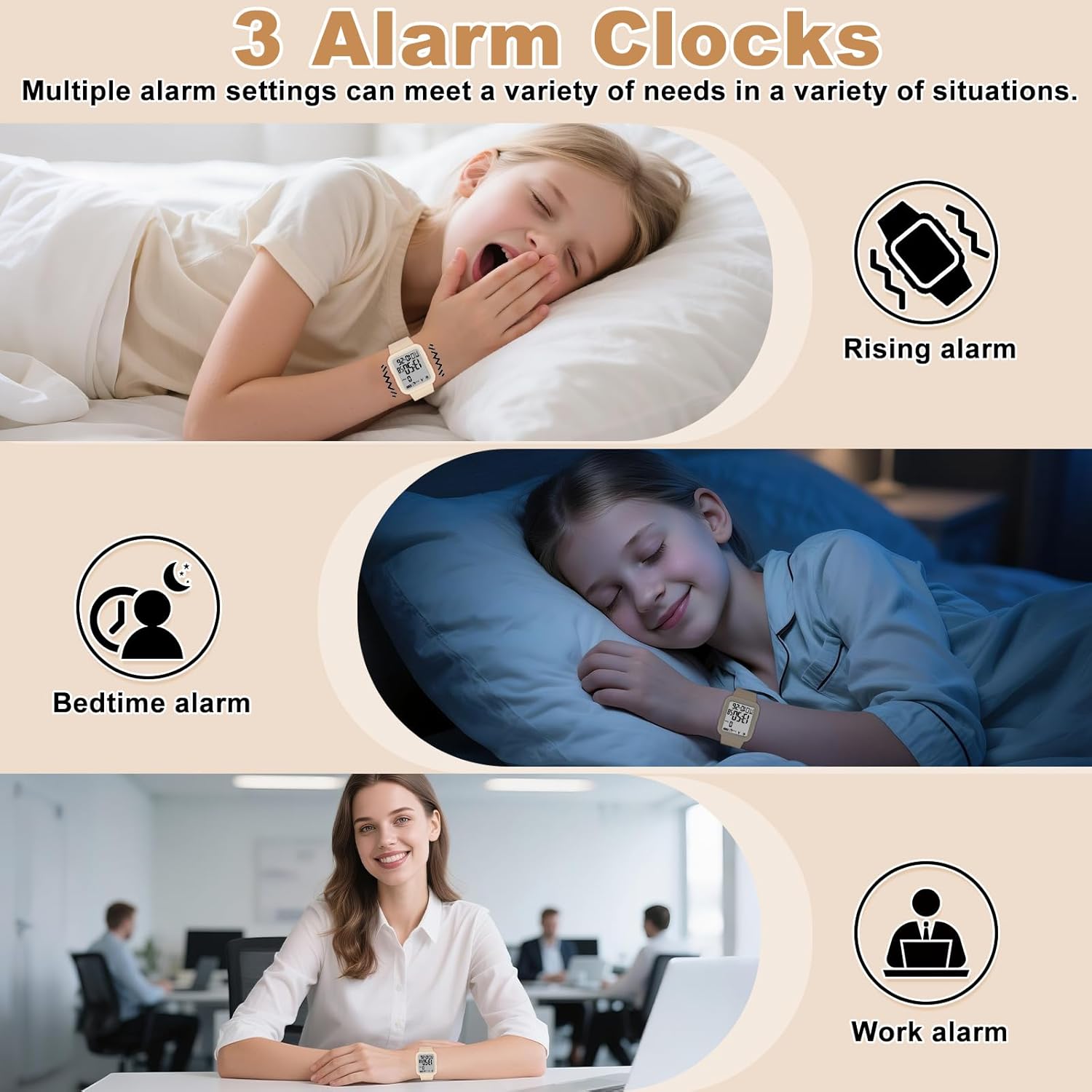
Image: Multiple alarm settings can be configured to meet various daily needs.
Video: This video guides you through setting up the alarm feature on your S06 watch.
Funkcija štoparice
Za uporabo štoparice:
- Pritisnite NAČIN button 4 times to enter stopwatch mode.
- Pritisnite START gumb za začetek merjenja časa.
- Pritisnite START ponovno pritisnite gumb, da začasno ustavite štoparico.
- Za view the current stopwatch time without interrupting the timing (SPL mode), press the PONASTAVI gumb. Pritisnite PONASTAVI again to return to the stopwatch timing interface.
- To reset the stopwatch while paused, press the PONASTAVI gumb.
- Pritisnite NAČIN button to exit stopwatch mode.

Image: The stopwatch function is ideal for timing various sports and exercises.
Video: This video explains how to operate the stopwatch feature on the S06 watch.
Funkcija odštevalnika časa
Za uporabo odštevalnika časa:
- Pritisnite NAČIN button 5 times to enter countdown mode.
- Pritisnite START gumb za začetek odštevanja.
- Pritisnite START za premor odštevanja pritisnite še enkrat.
- To reset the countdown, press and hold the PONASTAVI gumb za 3 sekundi.
- To adjust the countdown time, press the START button after resetting.

Image: The countdown function is useful for timing exercise intervals or other activities.
Video: This video demonstrates how to set and use the countdown timer on your S06 watch.
Sedentarni opomnik
The sedentary reminder alerts you to move after periods of inactivity. To set the sedentary reminder time:
- Pritisnite in držite NAČIN button with one finger, then press the START button with another finger.
- Pritisnite START button to set the desired reminder time (e.g., 0:10 for 10 minutes).
The watch will vibrate to alert you after the set time of inactivity. The reminder vibrates 5 times every 30 minutes until movement is detected. Customizable intervals are available (up to 2 hours).

Image: The sedentary reminder promotes healthy habits by gently alerting you to move after periods of prolonged sitting.
Video: This video demonstrates how to set up the sedentary reminder feature on the S06 watch.
Osvetlitev ozadja
To activate the backlight for 3 seconds, press the SVETLOBA button located on the side of the watch.
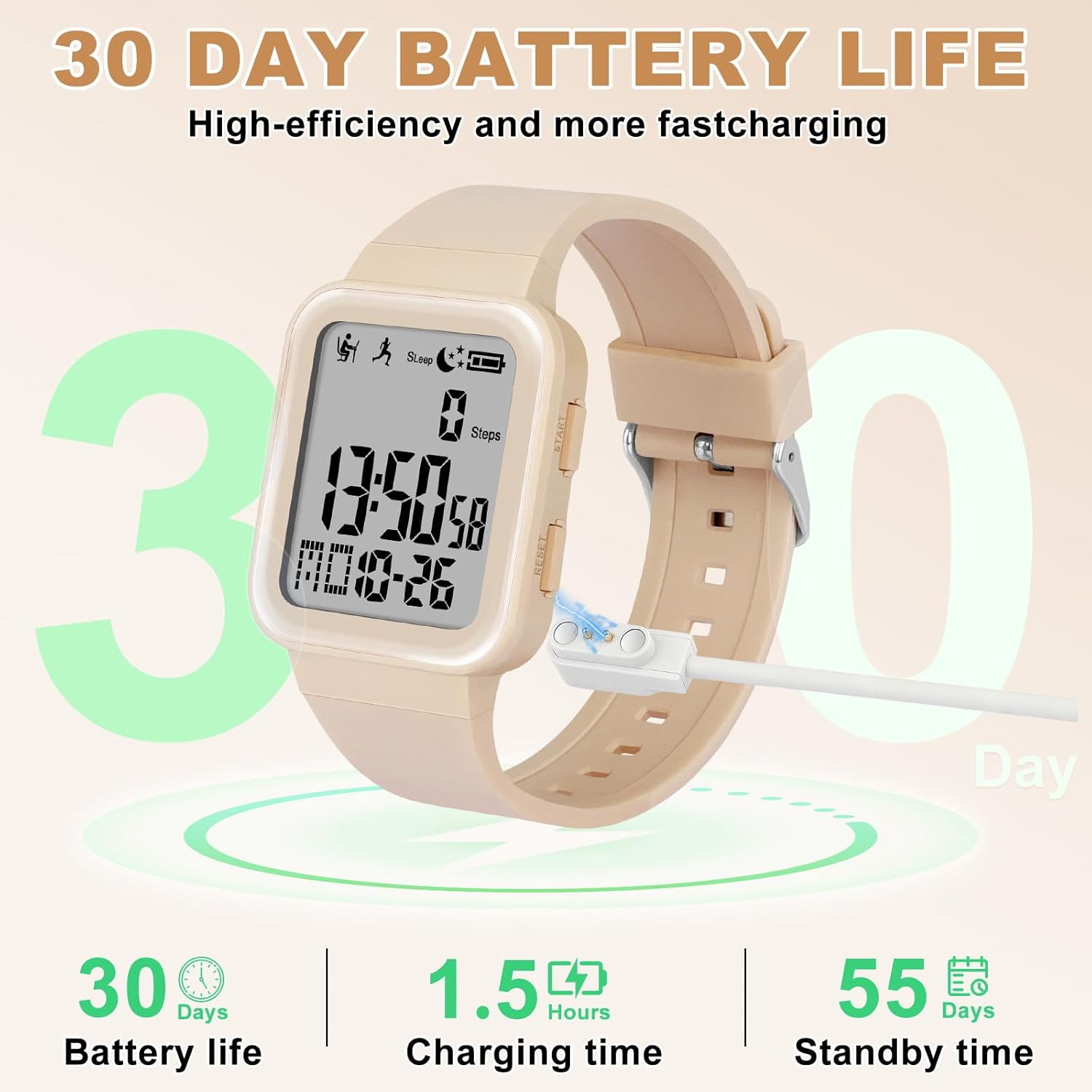
Image: The 3-second backlight ensures clear visibility of the display in low-light conditions.
Vzdrževanje
Polnjenje ure
The watch battery cannot be replaced. The product package includes a dedicated charging cable. The watch can only be charged using this cable. When the battery is running low, an icon will flash as a reminder. We recommend that users charge the watch promptly. If the battery is fully depleted, the time and data on the watch will be reset after recharging, and you will need to reset the watch's time and data.

Image: The watch features high-efficiency charging, providing long battery life for extended use.
Video: This video demonstrates the charging process for the S06 watch.
Vodoodpornost
The Edillas S06 watch is rated 30M/3BAR water resistant. This means it is suitable for everyday activities such as sweating, washing hands, and light housework. It is ne recommended for swimming or showering, as prolonged exposure to water pressure or hot water may compromise its water resistance.

Image: The watch is designed to withstand splashes and brief immersion, making it suitable for daily wear.
Odpravljanje težav (vprašanja in odgovori)
Here are answers to some common questions about the Edillas S06 watch:
- Q: Does the watch have a charging function? Does it have a replaceable battery? And how does the watch's charging reminder work?
A: The watch's battery cannot be replaced. The product package includes a dedicated charging cable (the watch can only be charged using the cable we provide). When the battery is running low, an icon will flash as a reminder. We recommend that users charge the watch promptly. If the battery is fully depleted, the time and data on the watch will be reset after recharging, and you will need to reset the watch's time and data.
- Q: How to set the exercise goal function and how does this feature work?
A: Setup steps: Long press the NAČIN gumb. Uporabite START button to set the target distance (setting range: 0.50-999.50 km). Long press the NAČIN button to confirm the setting (a 3-second countdown will begin before tracking starts). When halfway to the goal, the watch will vibrate three times as a reminder. Upon goal completion, it will vibrate five times.
- Q: How is the watch's alarm set and how does it work? Does it have a snooze function?
A: Setup steps: From the default time interface, press the NAČIN button once to select the alarm group (choose the corresponding number 1, 2, or 3). Press the START button to turn the alarm on/off. Long-press the PONASTAVI button to enter the alarm setting interface. Press the NAČIN button to switch between setting positions (hours - minutes - vibration duration). Press the START button to set the flashing digits. Press the PONASTAVI button once to complete the setting. A bell icon and a number displayed on the screen indicate that the corresponding alarm group is enabled. The alarm will remind the user through vibration. When the alarm is triggered, press the NAČIN button. The flashing alarm icon indicates that snooze mode is activated, and the alarm will sound again after five minutes (snooze is supported up to 4 times).
- V: Kako view the final score of the sleep monitoring function?
A: Long-press the SVETLOBA button to enter the sleep monitoring function. Once activated, the sedentary reminder and step counting functions will be unavailable. If the watch detects more than 50 steps within one minute, it will automatically exit the sleep monitoring mode. A sleep duration of more than one hour is required to generate a score. To exit the sleep monitoring mode, long-press the SVETLOBA in nato pritisnite PONASTAVI gumb za view the sleep duration and sleep quality score.
Specifikacije
| Funkcija | Podrobnost |
|---|---|
| Ime modela | S06 |
| Znamka | Edillas |
| Vrsta zaslona | Digitalno |
| Vrsta gibanja | Japonski avtomatski |
| Vir napajanja | Na baterije (1 baterija C priložena) |
| Globina vodoodpornosti | 30 metrov (3 barov) |
| Vrsta materiala traku | Termoplastični poliuretan (TPU) |
| Vrsta materiala ohišja | Akrilonitril butadien stiren (ABS) |
| Teža predmeta | 36 gramov |
| Vključene komponente | 2 trakov |
Garancija in podpora
The Edillas S06 Digital Fitness Tracker Watch comes with a Doživljenjska garancija. For any support inquiries or warranty claims, please refer to the contact information provided with your purchase or visit the official Edillas webmesto.