
Uvod
The GAN i4 Leap is an advanced smart speed cube designed for competitive speedcubers and enthusiasts. It integrates Bluetooth connectivity with an omni-directional smart ball core to provide real-time tracking and performance analysis through the CubeStation app. This manual provides essential information for setting up, operating, maintaining, and troubleshooting your GAN i4 Leap Smart Speed Cube.
Varnostne informacije
Opozorilo: Ni primerno za otroke, mlajše od 36 mesecev, zaradi majhnih delov, ki lahko predstavljajo nevarnost zadušitve.
Vsebina paketa
Upon opening your GAN i4 Leap package, please ensure all the following items are present:
- GAN i4 Bluetooth Cube
- Charging GanPod
- Polnilni kabel tipa C
- Cap Opener & Tuning Tool
- Vodnik za uglaševanje

Image: The GAN i4 Leap cube and its accessories, including the charging GanPod, Type-C cable, cap opener, and tuning tool.
Nastavitev
1. Charging the Cube
Before first use, fully charge your GAN i4 Leap cube. Place the cube into the Charging GanPod and connect the GanPod to a power source using the provided Type-C charging cable. A full charge typically provides extended usage.

Image: The GAN i4 Leap cube placed inside its charging GanPod, connected via a Type-C cable.
The cube features a 10-minute quick charge function, providing approximately 10 hours of use in Endurance Mode.
2. Installing the CubeStation App
Download the CubeStation app from your device's app store (iOS or Android). The app is essential for accessing the smart features of your GAN i4 Leap cube, including tracking, training, and online competitions.
3. Povezava prek Bluetooth
Ensure Bluetooth is enabled on your smartphone or tablet. Open the CubeStation app and follow the on-screen instructions to pair your GAN i4 Leap cube. The cube will connect automatically once paired.
Navodila za uporabo
1. Basic Cube Operation
The GAN i4 Leap functions as a standard 3x3 speed cube. Rotate the layers to mix and solve the puzzle. Its design incorporates a hollow structure for minimized friction and elastic space for flexible, jam-free turning.

Slika: Izrez view of the GAN i4 Leap cube, highlighting its omni-support spherical orbit and hollow design for smooth operation.
2. Smart Features and Tracking
The cube's omni-directional smart ball core, equipped with 0-contact Hall Effect sensors and a 360° smart gyroscope, accurately tracks every movement in real-time. This data is transmitted to the CubeStation app for detailed analysis of your solves.

Image: The central omni-directional smart ball core of the GAN i4 Leap, responsible for accurate move tracking.
3. Battery Modes
The GAN i4 Leap offers two battery modes:
- Način delovanja: Provides up to 30 hours of continuous tracking with the gyroscope active, ideal for intensive training sessions.
- Vzdržljivostni način: Offers up to 200 hours of uptime with the gyroscope turned off, suitable for extended practice without real-time orientation tracking.
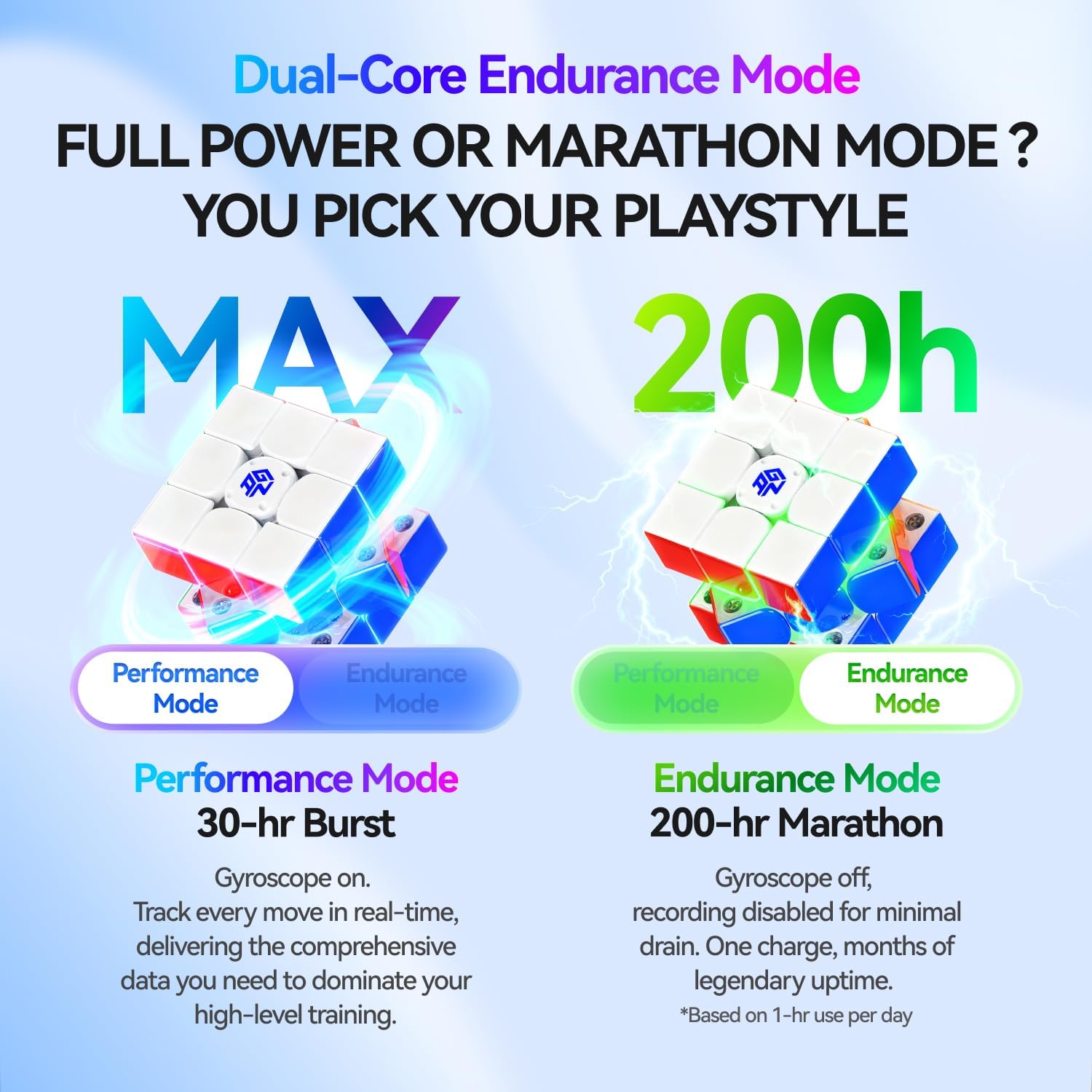
Image: Visual representation of the two battery modes: Performance Mode (30 hours with gyroscope) and Endurance Mode (200 hours without gyroscope).
4. CubeStation App Features
The CubeStation app enhances your cubing experience with various features:
- Sledenje v realnem času: Monitor your moves, turns per second (TPS), and solve times.
- Online Racing: Compete against other cubers globally in real-time.
- Načini vadbe: Access AI-assisted tutorials, algorithm practice, and statistical analysis to improve your skills.
- Challenges and Tournaments: Participate in various in-app competitions.

Image: The CubeStation app displaying features like global battles, tournaments, and AI-assisted training.
Video: An official video demonstrating the smart features and app integration of the GAN i4 Leap cube, titled "Turn Smart. Play Smart."
Vzdrževanje
1. Čiščenje
Wipe the cube regularly with a soft, dry cloth to remove dust and grime. Avoid using harsh chemicals or abrasive materials that could damage the plastic or internal components.
2. Adjusting Tension and Magnet Strength
The GAN i4 Leap features a numerical tuning system with MagLev technology, offering 72 flexible handfeel combinations. Use the provided tuning tool to adjust the cube's tension and magnetic strength according to your preference. Refer to the included Tuning Guide for detailed instructions.

Image: The Magnetic GES tuning system, illustrating the gears for adjusting tension and feel, offering 72 combinations.
3. Reassembly (if disassembled)
If the cube is disassembled, use the 6-color ball core as a guide for reassembly. Matching the colors on the core ensures correct synchronization between the physical cube and the app.

Image: The 6-color ball core, designed to simplify reassembly and ensure proper alignment.
Odpravljanje težav
- Cube not connecting to app:
- Prepričajte se, da je Bluetooth v vaši napravi omogočen.
- Make sure the cube is charged.
- Restart the CubeStation app and try pairing again.
- Ensure the cube is within Bluetooth range of your device.
- Netočno sledenje:
- Check if the cube is in Performance Mode (gyroscope active).
- Ensure the cube's firmware is up to date via the CubeStation app.
- Recalibrate the cube if an option is available in the app settings.
- Kratka življenjska doba baterije:
- Verify if you are using Performance Mode, which consumes more power. Switch to Endurance Mode for longer battery life if real-time gyroscope tracking is not needed.
- Ensure the cube is fully charged before use.
- Cube feels stiff or loose:
- Adjust the tension and magnetic settings using the provided tuning tool and guide.
Specifikacije
| Funkcija | Podrobnost |
|---|---|
| Znamka | GAN |
| Številka modela | GAN3x3 |
| Slog izdelka | Leap Version |
| Vrsta materiala | Plastika |
| Oblika predmeta | Kocka |
| Mere predmeta (D x Š) | 5.2 cm D x 5.2 cm Š |
| Teža predmeta | 100 g |
| Vir napajanja | Rechargeable battery (1 Nonstandard Battery included) |
| Način delovanja | Samodejno |
| Povezljivost | Bluetooth |
| Osnovna tehnologija | Omni-directional Smart Ball Core with Hall Effect sensors and 360° Smart Gyroscope |
| Sistem uglaševanja | MagLev with numerical tuning (72 handfeel combinations) |
| Battery Life (Performance Mode) | Up to 30 hours (gyroscope on) |
| Battery Life (Endurance Mode) | Up to 200 hours (gyroscope off) |
| Čas polnjenja (hitro polnjenje) | 10 minutes for 10 hours of use (Endurance Mode) |
| Izobraževalni cilj | Problem Solving Skill, Spatial Awareness, Hand-Eye Coordination, Concentration Skill, Perseverance |
Garancija in podpora
The GAN i4 Leap Smart Speed Cube comes with a manufacturer warranty. For specific details regarding warranty coverage, duration, and claims, please refer to the documentation included with your product or contact GAN customer support directly. For technical assistance or further inquiries, please visit the official GAN webspletno mesto ali se obrnite na njihove kanale za podporo.
Video: An official unboxing video for the GAN i4, providing a visual guide to the product and its components, titled "GAN i4 Unboxing: Smart Cube Magic!".