
1. Uvod
This manual provides detailed instructions for the installation, operation, and maintenance of your JOOAN 4G Solar Security Camera. This outdoor wireless surveillance camera is designed for areas without traditional power or network infrastructure, utilizing 4G cellular connectivity and solar power for continuous operation. Please read this manual thoroughly before use to ensure proper setup and functionality.

Image 1.1: JOOAN 4G Solar Security Camera with its solar panel and a smartphone displaying the camera's live feed, highlighting its 4MP/5MP HD resolution capability.
2. Značilnosti izdelka
- 4G povezljivost: Operates independently using a SIM card, ideal for remote locations.
- Na sončno energijo: Equipped with a solar panel for continuous charging, reducing the need for external power sources.
- Visoka ločljivost: Zajame jasne videoposnetketage for effective surveillance.
- Barvni nočni vid: Offers multiple night vision modes including infrared, full-color, and smart color night vision for enhanced visibility in low-light conditions up to 10 meters.
- Lokalno in oblačno shranjevanje: Supports up to 256GB SD card storage and optional cloud storage for recorded footage.
- Enostavna namestitev: Designed for straightforward setup and mounting.
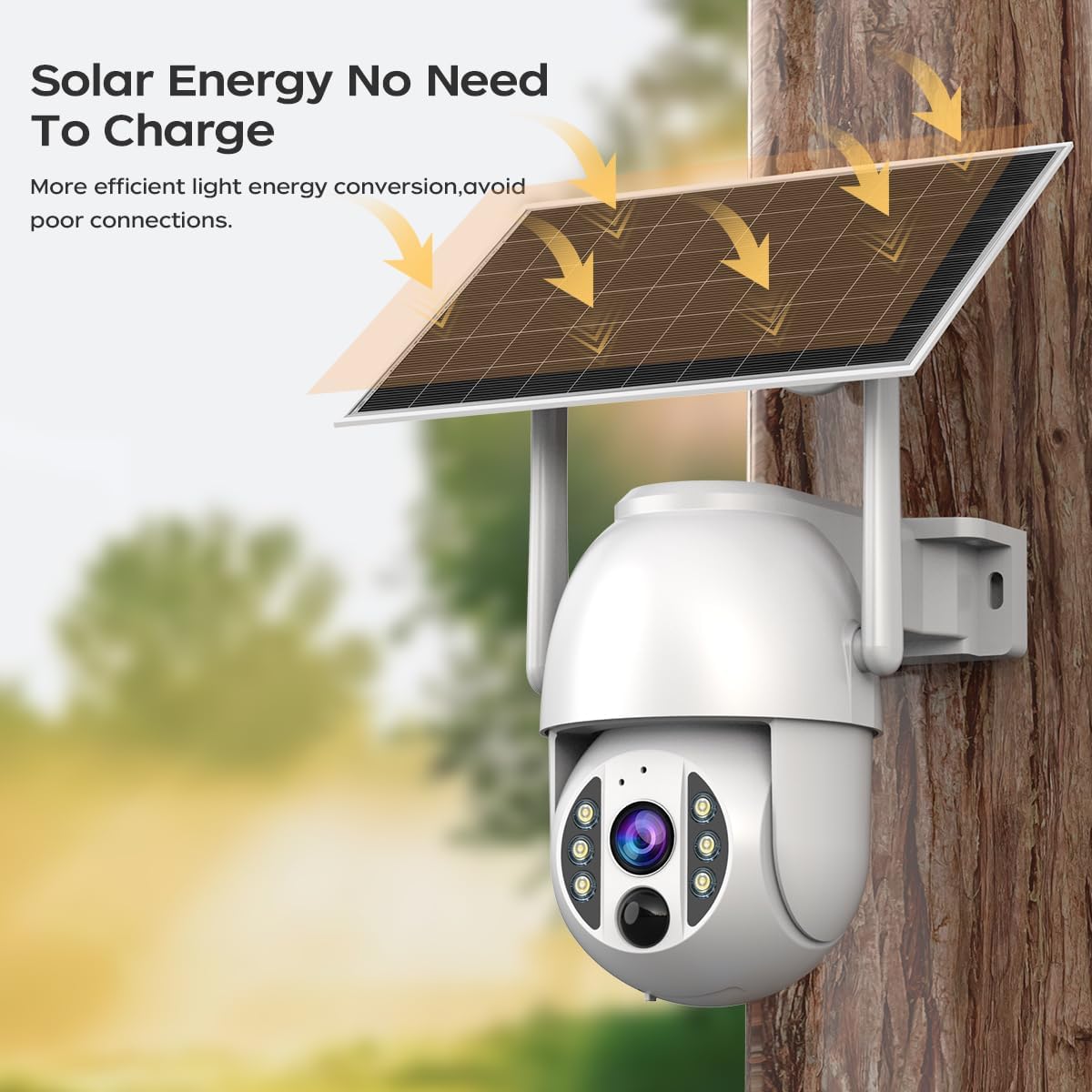
Image 2.1: The JOOAN 4G Solar Security Camera mounted with its solar panel, illustrating its solar energy capability for efficient light energy conversion and avoiding poor connections.
3. Nastavitev in namestitev
3.1. Namestitev SIM in SD kartice
Before mounting, install a 4G SIM card (not included) and an SD card (up to 256GB, not included) into the designated slots on the camera. Ensure the camera is powered off before inserting or removing cards.

Slika 3.1: Bližnji posnetek view of the JOOAN camera's SD card slot, indicating support for cloud storage and a maximum 256GB SD card.
3.2. Montažni koraki
- Positioning and Punching: Select a suitable location for the camera and solar panel. Mark the drilling points on the wall. Use a drill to create holes at the marked positions.
- Vstavite ekspanzijske vijake: Gently tap the expansion screws into the drilled holes until they are flush with the surface.
- Namestite kamero: Align the camera bracket with the expansion screws and secure it using the provided screws.
- Popolna namestitev: Attach the solar panel to the camera bracket or mount it separately in a location with ample sunlight. Ensure all connections are secure.

Image 3.2: Visual guide showing the four installation steps: 1. Positioning and punching, 2. Inserting expansion screws, 3. Mounting the camera with screws, and 4. Completing the installation with the solar panel.
3.3. Povezava z aplikacijo
Download the official JOOAN app from your smartphone's app store. Follow the in-app instructions to add your camera. There are typically two methods:
- Add APP Phone Code: Scan the QR code displayed on your mobile phone APP with the camera lens from a distance of 20-30cm to add the distribution network.
- Add Camera Body Code: Scan the QR code located on the camera body using the mobile phone APP to add the distribution network.

Image 3.3: Illustration of the two connection methods: scanning the APP phone code or scanning the camera body code to establish a network connection.
4. Delovanje
4.1. Vklop/izklop
The camera automatically powers on when sufficient solar power is available or when connected to a power source. To power off, disconnect the power source and allow the battery to deplete, or use the app if a power-off function is available.
4.2. V živo View in Snemanje
Once connected to the app, you can access the live video feed. The camera supports continuous recording to the SD card or cloud storage (subscription may be required). You can also manually record video or capture screenshots from the live view.
4.3. Zaznavanje gibanja in opozorila
Configure motion detection sensitivity and alert settings within the app. The camera will send notifications to your smartphone when motion is detected. Recorded events can be reviewv razdelku za predvajanje v aplikaciji.
4.4. Načini nočnega vida
The camera offers three night vision modes, selectable via the app:
- Infrardeči nočni vid: Zagotavlja jasne črno-bele slike v popolni temi.
- Nočni vid v polni barvi: Uporablja vgrajene reflektorje za zagotavljanje barvnih slik v slabih svetlobnih pogojih.
- Pametni barvni nočni vid: Automatically switches from infrared to full-color vision upon detection of motion or specific events.

Image 4.1: Comparison of the three night vision modes: Infrared night vision, Full color night vision, and Smart color night vision, demonstrating the camera's ability to pick out details in darkness up to 10 meters away.
5. Vzdrževanje
- Čiščenje leče: Lečo kamere redno čistite z mehko, suho krpo, da zagotovite jasno kakovost slike. Izogibajte se abrazivnim čistilom.
- Čiščenje sončne plošče: Keep the solar panel free from dust, dirt, and debris to maximize charging efficiency. Clean with a damp krpo po potrebi.
- Posodobitve vdelane programske opreme: Check the app periodically for available firmware updates to ensure optimal performance and security.
- Zdravje baterije: Ensure the solar panel receives adequate sunlight to maintain battery charge. Prolonged periods without sunlight may require temporary charging via a USB power adapter (not included).
6. Odpravljanje težav
6.1. Camera Not Connecting to 4G Network
- Prepričajte se, da je kartica SIM pravilno vstavljena in aktivirana z veljavnim podatkovnim paketom.
- Preverite moč signala 4G na lokaciji kamere.
- Fotoaparat znova zaženite tako, da ga na kratko odklopite in ponovno priklopite.
6.2. No Video Feed or Poor Quality
- Verify the camera has sufficient power.
- Check the 4G signal strength.
- Očistite lečo fotoaparata.
6.3. Solar Panel Not Charging
- Poskrbite, da bo sončna celica nameščena tako, da bo več ur na dan prejemala neposredno sončno svetlobo.
- Clean any dirt or obstructions from the solar panel surface.
- Preverite priključni kabel med sončno celico in kamero.
6.4. SD Card Not Recording
- Prepričajte se, da je SD-kartica pravilno vstavljena in formatirana v aplikaciji.
- Preverite, ali je na kartici SD dovolj prostega prostora.
- Preverite nastavitve snemanja v aplikaciji.
7. Specifikacije
| Funkcija | Podrobnost |
|---|---|
| Znamka | JOOAN |
| Model | B0GCFGYCLX |
| Vir napajanja | Na sončno energijo |
| Protokol povezljivosti | 4G Cellular (SIM card required), Wi-Fi (for initial setup/local access if applicable) |
| Priporočene uporabe | Indoor/Outdoor Surveillance |
| Posebna funkcija | Enostaven za namestitev |
| Shranjevanje | Supports up to 256GB SD card, Cloud Storage (subscription may apply) |
8. Garancija in podpora
For warranty information and technical support, please refer to the JOOAN official webspletno mesto ali se obrnite neposredno na njihovo službo za stranke. Shranite račun kot dokazilo o nakupu.
Za dodatno pomoč obiščite: JOOAN Store on Amazon