
1. Uvod
Thank you for choosing the Picun G2 Wireless Gaming Headset. This manual provides detailed instructions for setting up, operating, and maintaining your headset to ensure optimal performance and an immersive gaming experience. Please read this manual thoroughly before use.
Kaj je v škatli
- 1 x Picun G2 Wireless Gaming Headset
- 1 x USB-A & Type-C 2-in-1 Wireless Dongle
- 1 x polnilni kabel USB-C
- 1 x 3.5 mm avdio kabel
- 1 x uporabniški priročnik
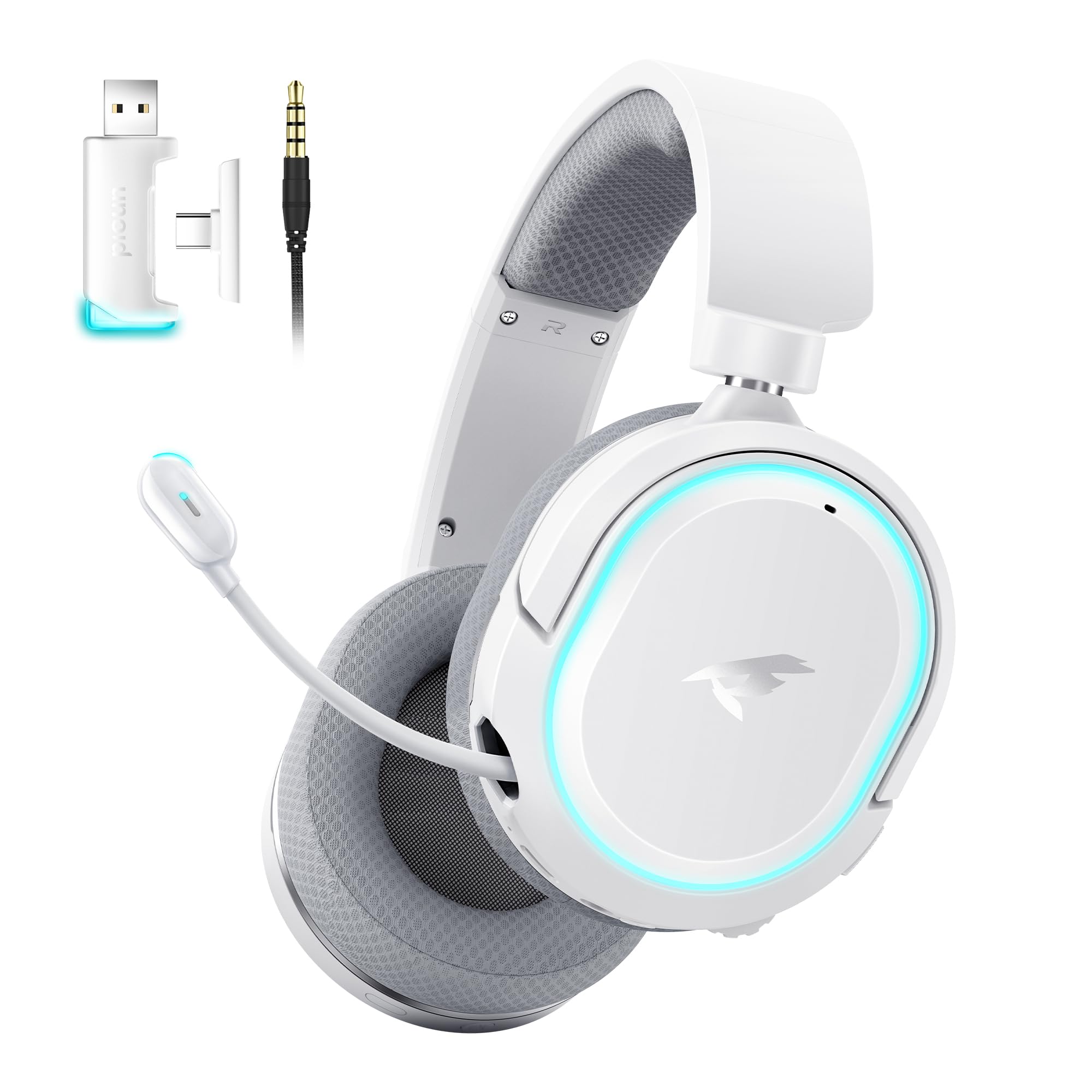
Image: Picun G2 Wireless Gaming Headset (Grey)
2. Izdelek je končanview
Familiarize yourself with the various components and controls of your Picun G2 headset.

Image: Headset Controls Diagram
- 7.1 Mode Light Control: Button to activate/deactivate 7.1 virtual surround sound and control RGB lighting.
- Vrata za polnjenje: Vrata USB-C za polnjenje slušalk.
- 3.5 mm avdio vrata: Za žično povezavo z uporabo priloženega 3.5 mm avdio kabla.
- Gumb za vklop: Press and hold to power on/off. Short press for play/pause in Bluetooth mode.
- Kolo za glasnost: Scroll up or down to adjust the volume.
- Izklop mikrofona: Slide switch to mute or unmute the microphone.
3. Nastavitev in povezava
3.1 Polnjenje slušalk
Before first use, fully charge the headset using the provided USB-C charging cable. Connect the USB-C end to the headset's charging port and the USB-A end to a power source (e.g., computer USB port, USB wall adapter).
3.2 Connecting via 2.4GHz Wireless (Dongle)
For ultra-low latency gaming on PC, PS5, PS4, or Nintendo Switch (docked mode):
- Insert the 2.4GHz USB-A/Type-C dongle into an available USB port on your device.
- Power on the headset. It will automatically connect to the dongle.
- Prepričajte se, da so v nastavitvah zvoka vaše naprave kot izhodna in vhodna naprava za zvok izbrane slušalke.
3.3 Povezovanje prek Bluetooth 5.4
For wireless connection to smartphones, tablets, and other Bluetooth-enabled devices:
- With the headset powered off, press and hold the Power Button until the LED indicator flashes blue and red, indicating pairing mode.
- On your device, enable Bluetooth and search for "Picun G2".
- Select "Picun G2" to pair. The LED will turn solid blue once connected.
3.4 Connecting via 3.5mm Wired
For universal compatibility with devices featuring a 3.5mm audio jack:
- Connect one end of the 3.5mm audio cable to the headset's 3.5mm audio port.
- Connect the other end to your device's 3.5mm audio jack.
- Note: Microphone functionality may vary or be unavailable in wired mode depending on the device.

Image: Multiple Connection Options
4. Navodila za uporabo
4.1 Vklop/izklop
- Vklop: Pritisnite in držite gumb za vklop 3 sekunde.
- Ugasniti: Pritisnite in držite gumb za vklop 3 sekunde.
4.2 Nadzor glasnosti
- Zavrtite Prostorninsko kolo upwards to increase volume.
- Zavrtite Prostorninsko kolo downwards to decrease volume.
4.3 Microphone Usage (Retractable ENC Noise-Canceling Mic)
- Extend/Retract Mic: Gently pull out or push in the microphone from the left earcup.
- Izklop/vklop zvoka: Uporabite Izklop mikrofona slide switch located on the earcup.

Image: Retractable ENC Noise-Canceling Microphone
4.4 7.1 Virtual Surround Sound Activation
- Pritisnite 7.1 Mode Light Control button to toggle 7.1 virtual surround sound on or off.
- The RGB lighting will indicate the status of the 7.1 mode.

Image: 7.1 Surround Sound Activation
5. Informacije o bateriji
The Picun G2 headset offers extended battery life for prolonged usage.
- Up to 100 hours playtime in Bluetooth mode (RGB off).
- Approximately 42-45 hours playtime via 2.4GHz wireless (RGB on).
- Full charge typically takes 2-3 hours.
- The headset supports charging while in use.

Slika: Življenjska doba baterije in polnjenje
6. Udobje in dizajn
The Picun G2 is designed for comfort during extended gaming sessions.
- Nastavljiv naglavni trak: Customize the fit for various head sizes.
- Rotatable Earcups: Allows for flexible positioning and storage.
- Soft Memory Sponge Cushions: Breathable fabric earcups and headband provide comfort and reduce pressure.

Image: Comfort Features
7. Odpravljanje težav
If you encounter any issues with your Picun G2 headset, please refer to the following common solutions:
| Težava | rešitev |
|---|---|
| Ni zvoka iz slušalk |
|
| Mikrofon ne deluje |
|
| Cannot connect via 2.4GHz wireless |
|
| Ni mogoče vzpostaviti povezave prek Bluetooth |
|
| Kratka življenjska doba baterije |
|
8. Specifikacije
| Funkcija | Podrobnost |
|---|---|
| Znamka | Picun |
| Ime modela | Picun-G2 |
| Tehnologija povezljivosti | 2.4 GHz brezžično, Bluetooth 5.4, 3.5 mm žično |
| Namestitev ušesa | Nad ušesi |
| Vrsta zvočnega gonilnika | Dinamični gonilnik (40 mm) |
| Impedanca | 32 Ohmov |
| Frekvenčno območje | 20 Hz - 20,000 Hz |
| Zvočna zakasnitev | 5 Milliseconds (2.4GHz) |
| Različica Bluetooth | 5.4 |
| Bluetooth obseg | 10 metrov |
| Življenjska doba baterije | Up to 100 Hours (Bluetooth, RGB off) / 42-45 Hours (2.4GHz, RGB on) |
| Čas polnjenja | 2-3 ur |
| Mikrofon | Retractable ENC Noise-Canceling Omnidirectional Mic |
| Združljive naprave | PC, Mac, Laptop, Desktop, Phone, Pad, Tablet, PlayStation 4/5/pro/Slim, Gaming Consoles, Switch, Nintendo Switch (microphone invalid on Switch via 3.5mm) |
| Material | ABS, Breathable Fabric, PC, Soft Memory Sponge Cushions |
| Dodatne funkcije | 7.1 Virtual Surround Sound, RGB Lighting, Adjustable Headband, Rotatable Earcups |
9. Garancija in podpora
9.1 Informacije o garanciji
The Picun G2 Wireless Gaming Headset comes with a 1-letna garancija from the date of purchase. This warranty covers manufacturing defects and ensures the product is free from defects in material and workmanship under normal use. Please retain your proof of purchase for warranty claims.
Garancija ne zajema:
- Škoda, povzročena zaradi napačne uporabe, zlorabe, nesreče ali malomarnosti.
- Nepooblaščeno popravilo ali sprememba.
- Normalna obraba.
9.2 Podpora strankam
For technical assistance, warranty claims, or any questions regarding your Picun G2 Wireless Gaming Headset, please contact Picun customer support through the following channels:
- E-pošta: support@picun.com (Nprampnpr. dejanski e-poštni naslov ni bil naveden)
- Webspletno mesto: Visit the official Picun webspletno mesto za pogosta vprašanja in vire za podporo.
Please have your model number (Picun-G2) and proof of purchase ready when contacting support.