
1. Izdelek je končanview
The HONOR Magic8 Lite 5G is a robust and feature-rich smartphone designed for durability and high performance. It boasts industry-leading resistance to drops, water, and dust, a long-lasting battery, a high-resolution camera, and an immersive display, all powered by an efficient processor with advanced AI capabilities.
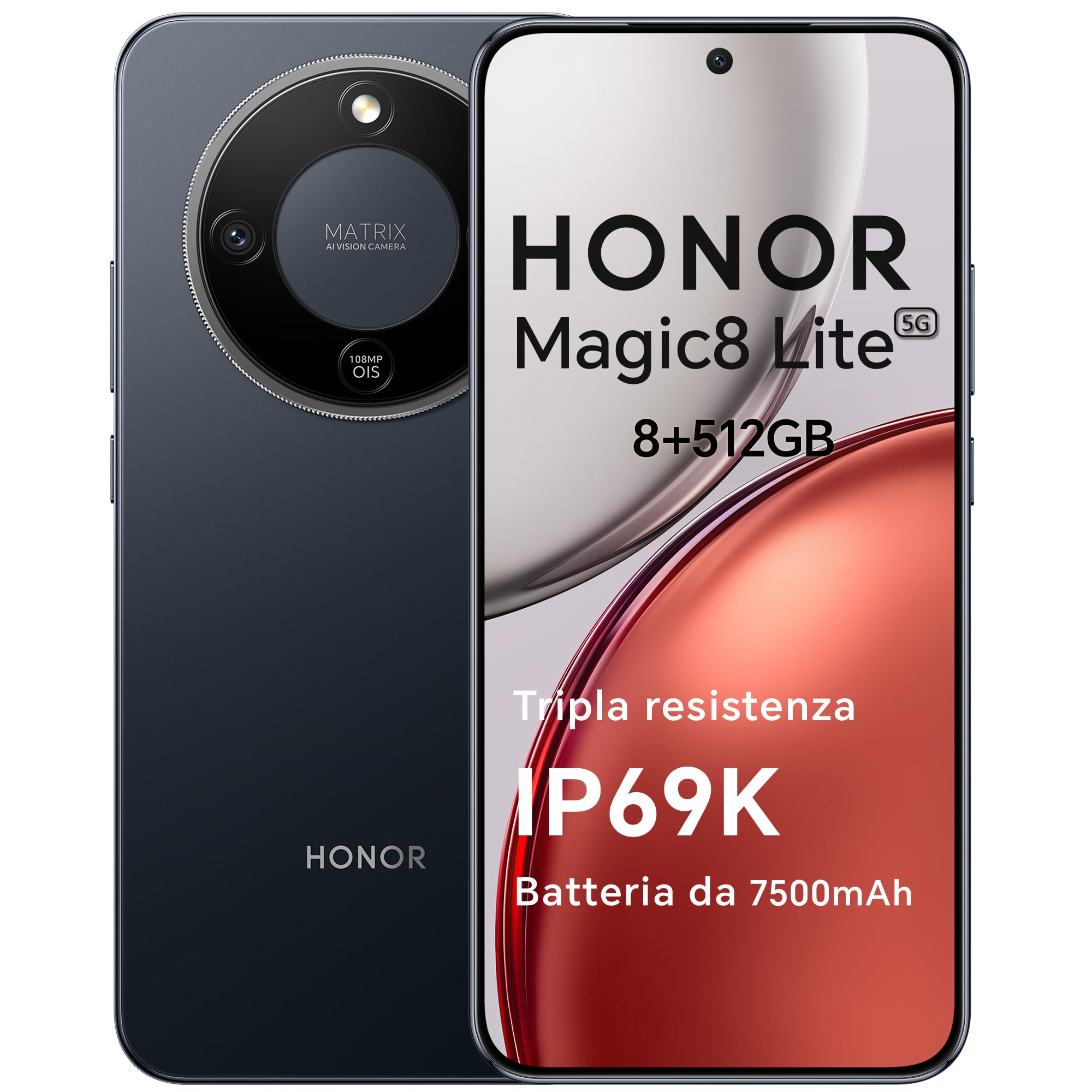
Figure 1: HONOR Magic8 Lite 5G Smartphone, Midnight Black variant.
Ključne značilnosti:
- Triple Resistance: SGS Five-Star Overall Drop Resistance (up to 2.5 meters), IP69K and IP68 water and dust resistance.
- Dolgotrajna baterija: 7500 mAh silicon-carbon battery with up to 3 days of autonomy and 66W SuperCharge. Functions as a portable power bank.
- Napredni sistem kamer: 108 MP Ultra-Sensing Camera with Optical Image Stabilization (OIS) and Electronic Image Stabilization (EIS) for clear photos and stable 4K videos. Includes AI photography features.
- Potopni zaslon: 6.79-inch 1.5K OLED display with 6000 nits peak brightness, 120 Hz refresh rate, and HONOR Eye Comfort Display technology.
- Zmogljiva zmogljivost: Snapdragon 6 Gen 4 (4nm) mobile platform for smooth multitasking and gaming, integrated with Google Gemini and other AI functionalities.
2. Nastavitev naprave
2.1 Vsebina paketa
Preverite, ali vaš paket vsebuje naslednje elemente:
- Pametni telefon HONOR Magic8 Lite 5G
- USB-C kabel
- Power Adapter (66W SuperCharge)
- Orodje za izmet kartice SIM
- Vodnik za hiter začetek
- Garancijska kartica
2.2 Vstavljanje SIM kartic
- Poiščite pladenj za kartico SIM na strani naprave.
- Vstavite orodje za izmet SIM kartice v majhno luknjo poleg pladnja in močno pritisnite, dokler pladenj ne izskoči.
- Place your Nano-SIM card(s) into the designated slots on the tray. Ensure the gold contacts face downwards. The device supports Dual SIM functionality.
- Previdno vstavite pladenj za kartico SIM nazaj v telefon.
The device also supports eSIM functionality. Refer to your carrier for activation details.
2.3 Začetno polnjenje in vklop
- Connect the USB-C cable to the phone's charging port and the other end to the 66W power adapter. Plug the adapter into a power outlet.
- Allow the phone to charge for at least 15 minutes before initial use.
- To power on, press and hold the Power button (located on the side) until the HONOR logo appears on the screen.
- Sledite navodilom na zaslonu, da dokončate začetno nastavitev, vključno z izbiro jezika, povezavo Wi-Fi in nastavitvijo Google Računa.

Figure 2: The 7500mAh silicon-carbon battery provides extended usage.
3. Navodila za uporabo
3.1 Osnovna navigacija
- Zaslon na dotik: Dotaknite se za izbiro, podrsnite za pomikanje, ščipnite za povečavo.
- Domači zaslon: Dostop do aplikacij, pripomočkov in obvestil.
- Poteze: Customize navigation gestures in Settings for a fluid experience.
3.2 Uporaba kamere
The HONOR Magic8 Lite 5G features a 108 MP Ultra-Sensing Camera with OIS and EIS for superior image and video capture.
- Odprite aplikacijo Kamera na začetnem ali zaklenjenem zaslonu.
- Izberite želeni način (Fotografija, Video, Portret, Noč, Profesionalno itd.).
- Dotaknite se gumba sprožilca, da posnamete fotografijo ali začnete/ustavite snemanje videa.
- Utilize AI features like AI Eraser, AI Cutout, and AI Outpainting for enhanced photo editing.
- For underwater photography, ensure the device is properly sealed and use the dedicated underwater mode.

Slika 3: Npramples of high-quality images captured by the 108 MP camera.
3.3 Upravljanje baterije
The 7500 mAh battery is designed for extended use. To optimize battery life:
- Omogočite načine varčevanja z energijo, ko je baterija skoraj prazna.
- Adjust screen brightness and screen timeout settings.
- Close background apps not in use.
- The device supports reverse charging, allowing it to act as a power bank for other devices. Connect the devices using a compatible USB-C cable.

Figure 4: The device can charge other accessories, acting as a power bank.
3.4 Funkcije zaslona
The 6.79-inch 1.5K OLED display offers vibrant visuals and eye comfort features.
- Način udobja za oči: Reduces blue light to prevent eye strain. Activate it in Display Settings.
- Dinamična hitrost osveževanja: The 120 Hz adaptive refresh rate adjusts automatically for smooth scrolling and power efficiency.
- Visoka Svetlost: With 6000 nits peak brightness, the display remains clear even in direct sunlight.

Figure 5: The 1.5K OLED display offers exceptional clarity and color.
3.5 AI Features and Google Gemini
The device integrates advanced AI functionalities and Google Gemini for enhanced user experience.
- Google Gemini: Interact with Gemini for real-time translation, information retrieval, and more.
- AI Writing Tools: Utilize AI to assist with text composition and productivity tasks.
- Magic Portal: A shortcut for AI-powered tasks.

Figure 6: Google Gemini integration for intelligent assistance.
3.6 Funkcionalnost NFC
The HONOR Magic8 Lite 5G supports Near Field Communication (NFC) for quick and secure transactions and data exchange.
- Enable NFC in your phone's Settings.
- Tap your phone to compatible NFC readers for mobile payments or to share content with other NFC-enabled devices.
4. Vzdrževanje
4.1 Čiščenje naprave
Despite its IP69K and IP68 ratings for water and dust resistance, proper cleaning helps maintain your device's longevity.
- Za brisanje zaslona in ohišja uporabite mehko krpo, ki ne pušča vlaken.
- Izogibajte se uporabi agresivnih kemikalij, abrazivnih materialov ali stisnjenega zraka.
- If the device gets wet, wipe it dry with a clean cloth before charging or opening any ports.
4.2 Posodobitve programske opreme
Regular software updates provide security patches, new features, and performance improvements. Ensure your device is connected to Wi-Fi and has sufficient battery before initiating an update.
- Pojdite na Nastavitve > Sistem in posodobitve > Posodobitev programske opreme da preverite, ali so na voljo posodobitve.
4.3 Skrb za baterije
The 7500 mAh battery is designed for a long lifespan. To maximize its performance:
- Avoid extreme temperatures (below -30°C or above 55°C) as they can degrade battery performance.
- Use only HONOR-approved chargers and cables.
- Izogibajte se pogostemu popolnemu praznjenju baterije.

Figure 7: The device is designed to operate in a wide range of temperatures.
5. Odpravljanje težav
This section addresses common issues you might encounter with your HONOR Magic8 Lite 5G.
5.1 Naprava se ne vklopi
- Prepričajte se, da je baterija napolnjena. Priključite polnilnik in počakajte nekaj minut, preden poskusite znova vklopiti napravo.
- Pritisnite in držite gumb za vklop vsaj 10-15 sekund, da prisilite ponovni zagon.
5.2 Težave s polnjenjem
- Preverite, ali sta polnilni kabel in adapter varno priključena.
- Try using a different HONOR-approved charger and cable.
- Preglejte polnilna vrata, če so umazanija ali poškodovana.
5.3 Camera Not Functioning
- Ponovno zaženite napravo.
- Clear the cache and data of the Camera app in Nastavitve > Aplikacije > Kamera > Shramba.
- Ensure no other apps are currently using the camera.
5.4 Water/Dust Exposure
While the device is highly resistant, prolonged exposure or exposure to high-pressure jets (beyond IP69K/IP68 limits) can cause damage.
- Če se naprava zmoči, jo pred polnjenjem temeljito posušite.
- Do not intentionally submerge the device in water beyond specified depths or for extended periods.
- If you suspect water damage, contact customer support.

Figure 8: The device is designed with advanced water resistance.
For other issues, refer to the official HONOR support webspletno mesto ali se obrnite na službo za stranke.
6. Specifikacije
| Funkcija | Specifikacija |
|---|---|
| Znamka | ČAST |
| Model | Magic8 Lite |
| RAM | 8 GB |
| Notranji pomnilnik | 512 GB |
| barva | Polnočna črna |
| Kapaciteta baterije | 7500 mAh |
| Zaslon | 6.79-inch 1.5K AMOLED, 120Hz, 6000 nits peak brightness |
| Zadnja kamera | 108 MP z optično stabilizacijo slike |
| Procesor | Snapdragon 6 Gen 4 (4nm) |
| Odpornost na vodo in prah | IP69K, IP68 |
| Odpornost na padce | SGS Five-Star Overall Drop Resistance (up to 2.5m) |
| Povezljivost | 5G, Dual SIM, NFC |
| Izvor | Kitajska |
| ASIN | B0G43TWKGS |

Figure 9: Detailed product information sheet.
For more detailed energy efficiency information, please refer to the EPREL database: https://eprel.ec.europa.eu/qr/2515767
7. Garancija in podpora
7.1 Informacije o garanciji
Warranty terms and conditions are typically provided with your purchase documentation. Please retain your proof of purchase for warranty claims. For specific warranty details, refer to the warranty card included in your product package or visit the official HONOR webspletno mesto za vašo regijo.
7.2 Podpora strankam
For technical assistance, service, or further inquiries, please contact HONOR customer support:
- Uradno Webspletno mesto: https://www.honor.com/de/
- Self-Repair Support: https://www.honor.com/de/support/self-repair/
- Podpora po e-pošti: support@honor.com