
1. Uvod
Hvala za nakupasing the Aiwa BST-130RD Bluetooth Speaker. This portable speaker features Bluetooth 5.3 connectivity, vibrant RGB lighting, FM radio, and multiple playback options including USB and TF card. This manual provides essential information for the safe and efficient use of your device. Please read it thoroughly before operation and retain it for future reference.
2. Vsebina paketa
Prepričajte se, da so v paketu prisotni vsi elementi:
- Aiwa BST-130RD Bluetooth Speaker
- USB polnilni kabel tipa C
- Navodila za uporabo
3. Izdelek je končanview
Seznanite se s kontrolami in priključki zvočnika.
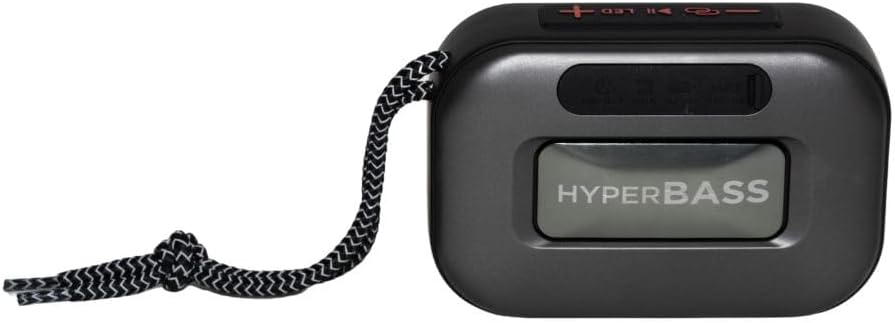
Slika 3.1: Spredaj view of the Aiwa BST-130RD Bluetooth Speaker, showcasing the speaker grille and RGB light ring.

Slika 3.2: Close-up of the tactile control buttons located on the top panel of the speaker. These include power, play/pause, volume, mode, and LED light controls.

Slika 3.3: Zadaj view of the speaker, illustrating the USB-A port, Micro SD (TF) card slot, AUX-IN port, and USB Type-C charging port.
Kontrole:
- Gumb za vklop: Pritisnite in držite, da vklopite/izklopite zvočnik.
- Gumb za predvajanje/pavzo: Predvajanje ali začasna ustavitev zvoka. Sprejemanje/končanje klicev v načinu Bluetooth.
- Povečanje glasnosti (+): Increase volume. Long press for next track/FM station.
- Znižaj glasnost (-): Decrease volume. Long press for previous track/FM station.
- Gumb za način (M): Switch between Bluetooth, FM Radio, USB, TF Card, and AUX-IN modes.
- LED gumb: Spremenite načine osvetlitve RGB.
Pristanišča:
- Vrata USB-A: Za predvajanje z USB ključka.
- Reža za TF kartice: Za predvajanje s kartice Micro SD.
- AUX-IN Port (3.5mm): Za žično avdio povezavo.
- Vrata za polnjenje USB Type-C: Za polnjenje zvočnika.
4. Nastavitev
4.1 Polnjenje zvočnika
- Priloženi polnilni kabel USB Type-C priključite na polnilno vtičnico zvočnika.
- Connect the other end of the cable to a 5V DC USB power adapter (not included).
- Indikatorska lučka polnjenja bo med polnjenjem svetila in ugasnila, ko bo naprava popolnoma napolnjena.
- Polno polnjenje običajno traja približno 2-3 ure.
4.2 Vklop/izklop
- Za vklop: Press and hold the Power button for 2-3 seconds until you hear an audible prompt and the RGB lights activate.
- Za izklop: Press and hold the Power button for 2-3 seconds until you hear an audible prompt and the RGB lights deactivate.
5. Navodila za uporabo
5.1 Bluetooth seznanjanje
- Ensure the speaker is powered on and in Bluetooth mode (indicated by an audible prompt or LED status). If not, press the Mode button to switch to Bluetooth mode.
- Omogočite Bluetooth na pametnem telefonu, tabličnem računalniku ali drugi napravi, ki podpira Bluetooth.
- Iskanje available devices and select "AIWA BST-130RD" from the list.
- Once paired, the speaker will emit an audible confirmation.
- Zdaj lahko predvajate zvok iz naprave prek zvočnika.
5.2 Združevanje s pravim brezžičnim stereo sistemom (TWS)
The TWS function allows you to connect two Aiwa BST-130RD speakers for a stereo sound experience.
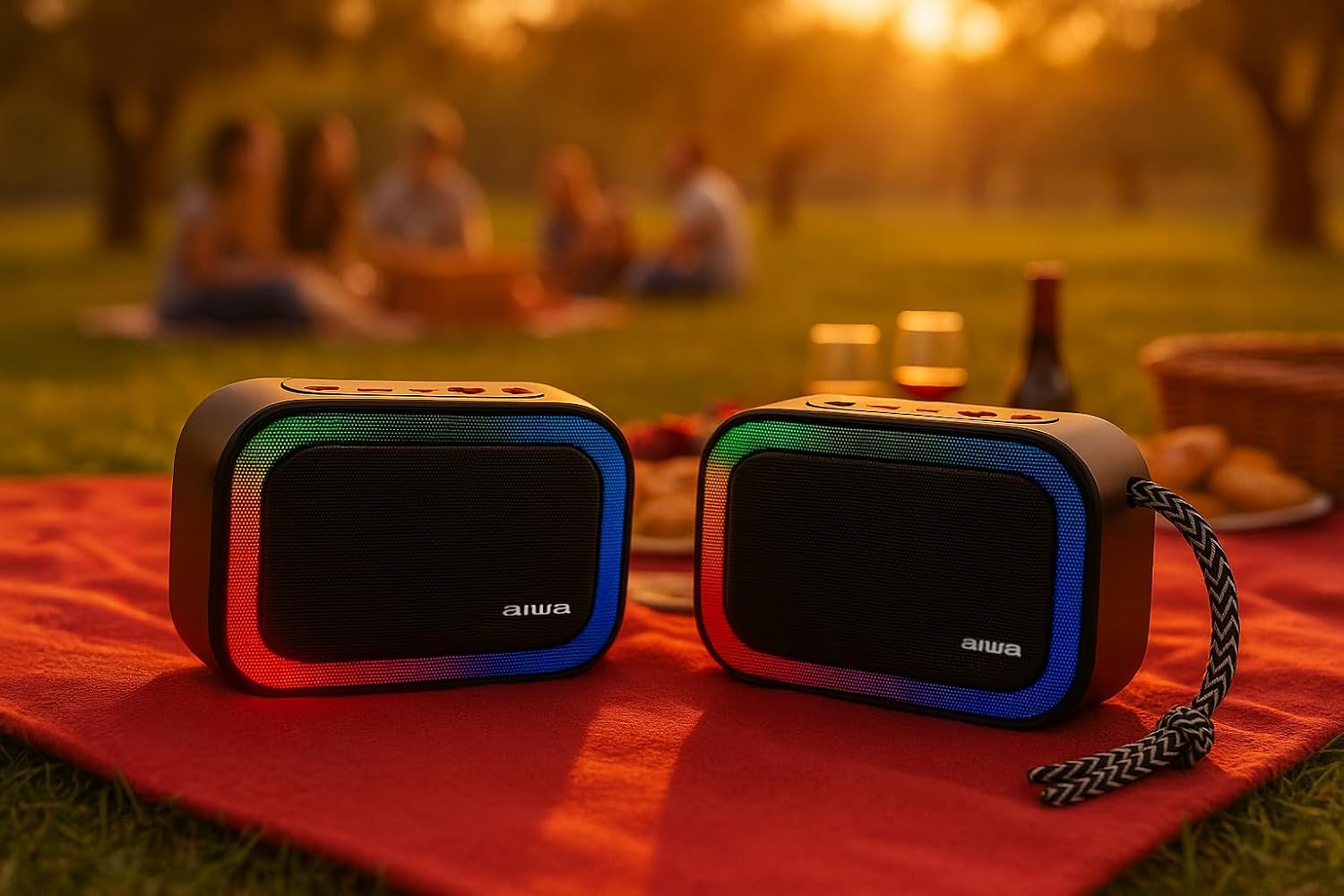
Slika 5.1: Two Aiwa BST-130RD speakers operating in True Wireless Stereo (TWS) mode, providing a wider soundstage.
- Ensure both BST-130RD speakers are powered on and in Bluetooth mode, but not yet paired to any device.
- On one of the speakers (this will be the primary speaker), double-press the Play/Pause button. The speaker will search for another BST-130RD.
- Once connected, you will hear an audible confirmation. The primary speaker will act as the left channel, and the secondary speaker as the right channel.
- Now, pair your Bluetooth device to the primary speaker as described in Section 5.1.
5.3 Delovanje FM-radia
- Večkrat pritisnite gumb Mode, dokler ne vstopite v način FM radia.
- Press the Play/Pause button once to initiate an automatic station scan. The speaker will scan and save available FM stations.
- Za navigacijo med shranjenimi postajami uporabite gumba za povečanje glasnosti (+) in zmanjšanje glasnosti (-) (dolg pritisk).
5.4 Predvajanje prek USB-ja / TF-kartic
- Insert a USB flash drive into the USB-A port or a TF (Micro SD) card into the TF card slot.
- The speaker will automatically switch to the corresponding mode and begin playing MP3 files. If not, press the Mode button to select USB or TF mode.
- Use the Play/Pause button to control playback. Use the Volume Up (+) and Volume Down (-) buttons (long press) to skip tracks.
5.5 AUX-IN Mode
- Connect one end of a 3.5mm audio cable (not included) to the speaker's AUX-IN port.
- Drugi konec priključite na avdio izhod vaše zunanje naprave (npr. predvajalnika MP3, računalnika).
- Press the Mode button to switch to AUX-IN mode.
- Audio will now play through the speaker. Control playback from your external device.
5.6 Funkcija prostoročnega telefoniranja
Ko je zvočnik povezan s pametnim telefonom prek Bluetootha, ga lahko uporabljate za prostoročne klice.
- Sprejmi klic: Enkrat pritisnite gumb Predvajaj/Premor.
- Končaj klic: Med klicem enkrat pritisnite gumb Predvajaj/Pavza.
- Zavrni klic: Pritisnite in držite gumb za predvajanje/pavzo 2 sekundi.
5.7 Nadzor osvetlitve RGB
The speaker features a dynamic RGB lighting system.

Slika 5.2: The Aiwa BST-130RD speaker displaying its vibrant RGB lighting effects.
- Pritisnite gumb LED za preklapljanje med različnimi načini osvetlitve RGB.
- Press and hold the LED button to turn the RGB lighting On/Off.
6. Vzdrževanje
- Zvočnik očistite z mehko, suho krpo. Ne uporabljajte abrazivnih čistil ali topil.
- Zvočnika ne izpostavljajte ekstremnim temperaturam, neposredni sončni svetlobi ali visoki vlažnosti.
- Zvočnika ne potapljajte v vodo. Ni vodoodporen.
- When not in use for extended periods, charge the battery at least once every three months to prolong its lifespan.
7. Odpravljanje težav
| Težava | Možen vzrok | rešitev |
|---|---|---|
| Zvočnik se ne vklopi. | Nizka baterija. | Zvočnik napolnite s priloženim kablom USB Type-C. |
| Brez zvoka. | Glasnost je prenizka; napačen način; naprava ni seznanjena. | Increase volume on speaker and connected device. Ensure correct mode is selected. Re-pair Bluetooth device. |
| Bluetooth seznanjanje ne uspe. | Zvočnik ni v načinu seznanjanja; naprava je predaleč; motnje. | Prepričajte se, da je zvočnik v načinu seznanjanja Bluetooth. Napravo premaknite bližje zvočniku. Izklopite druge naprave Bluetooth. |
| Sprejem FM radia je slab. | Šibek signal; motnje iz okolja. | Move the speaker to a different location. Perform an auto-scan again. |
8. Specifikacije
- Model: BST-130RD
- Različica Bluetooth: V5.3
- Izhodna moč: 5 W RMS (10 % THD)
- Gonilnik zvočnikov: 5 cm (Full Range), 3 Ohm Impedance
- Frekvenčni odziv: 80 Hz - 18 kHz
- Razmerje med signalom in šumom: ≥ 85 dB
- Občutljivost: 490 mV (1 kHz)
- Vhodi: Bluetooth, USB MP3, TF MP3, FM Scanner, AUX-IN (3.5mm Stereo)
- Vhodna moč: 5V DC USB Type-C
- Baterija: 1200mAh, 3.7V Lithium (with protection circuit)
- Polnjenje Voltage: 5V 1A
- Lastnosti: TWS (True Wireless Stereo), RGB Lighting, Hands-free Function
- Dimenzije: 133 x 89 x 47.5 mm
- Teža: 0.314 kg
9. Varnostne informacije
- Naprave ne razstavljajte, popravljajte ali spreminjajte.
- Keep the device away from water, moisture, and flammable substances.
- Izogibajte se dolgotrajnemu poslušanju pri visoki glasnosti, da preprečite poškodbe sluha.
- Dispose of the battery and device responsibly according to local regulations.
10. Garancija in podpora
Aiwa products are designed and manufactured to the highest quality standards. For warranty information and technical support, please refer to the warranty card included in your package or visit the official Aiwa webspletno mesto za vašo regijo.