
Uvod
This instruction manual provides detailed information on the setup, operation, and maintenance of your Kuephom CD Player Boombox with Cassette Player, Model CD-X2A. Please read this manual thoroughly before using the device to ensure proper functionality and to maximize your listening experience. Keep this manual for future reference.
Konec izdelkaview
The Kuephom CD Player Boombox is a versatile audio system designed for both modern and classic audio formats. It features CD, cassette, Bluetooth, FM/AM radio, USB, and AUX input capabilities.

This image displays the Kuephom CD Player Boombox, highlighting its versatile features including CD/MP3 playback, Bluetooth connectivity, Type I/II tape support, USB input, FM/AM radio, sleep timer, remote control, phone jack, AUX input, and tape recording capabilities.
Vsebina paketa

This image shows the items included in the product package: the CD Player Boombox, an AC Power Cord, the User Manual, and a Remote Control.
- Kuephom CD Player Boombox (Model CD-X2A)
- AC napajalni kabel
- Daljinski upravljalnik
- Uporabniški priročnik
Nastavitev
Napajanje enote
Your Kuephom CD Player Boombox can be powered by either AC power or batteries.

This image illustrates the dual power options for the boombox: AC power for indoor use and battery power (6 C-size batteries, not included) for portable outdoor use.
AC Power (for Home Use)
- Ensure the boombox is turned off.
- Connect the AC power cord to the AC input jack on the back of the unit.
- Drugi konec napajalnega kabla priključite v standardno stensko vtičnico.
Battery Power (for Outdoor/Portable Use)
- Ensure the boombox is turned off.
- Odprite pokrov prostora za baterije na spodnji strani enote.
- Insert 6 C-size batteries (not included), ensuring correct polarity (+/-).
- Trdno zaprite pokrov prostora za baterije.
Prilagoditev antene
For optimal FM/AM radio reception, extend the telescopic antenna fully and adjust its position. For AM reception, rotating the unit itself may improve signal quality.
Navodila za uporabo
Splošni nadzor
Familiarize yourself with the main controls on the unit and the remote control for easy operation.

This image shows the Kuephom CD Player Boombox along with its remote control, demonstrating its convenience for operation from a distance.
Predvajanje CD-ja

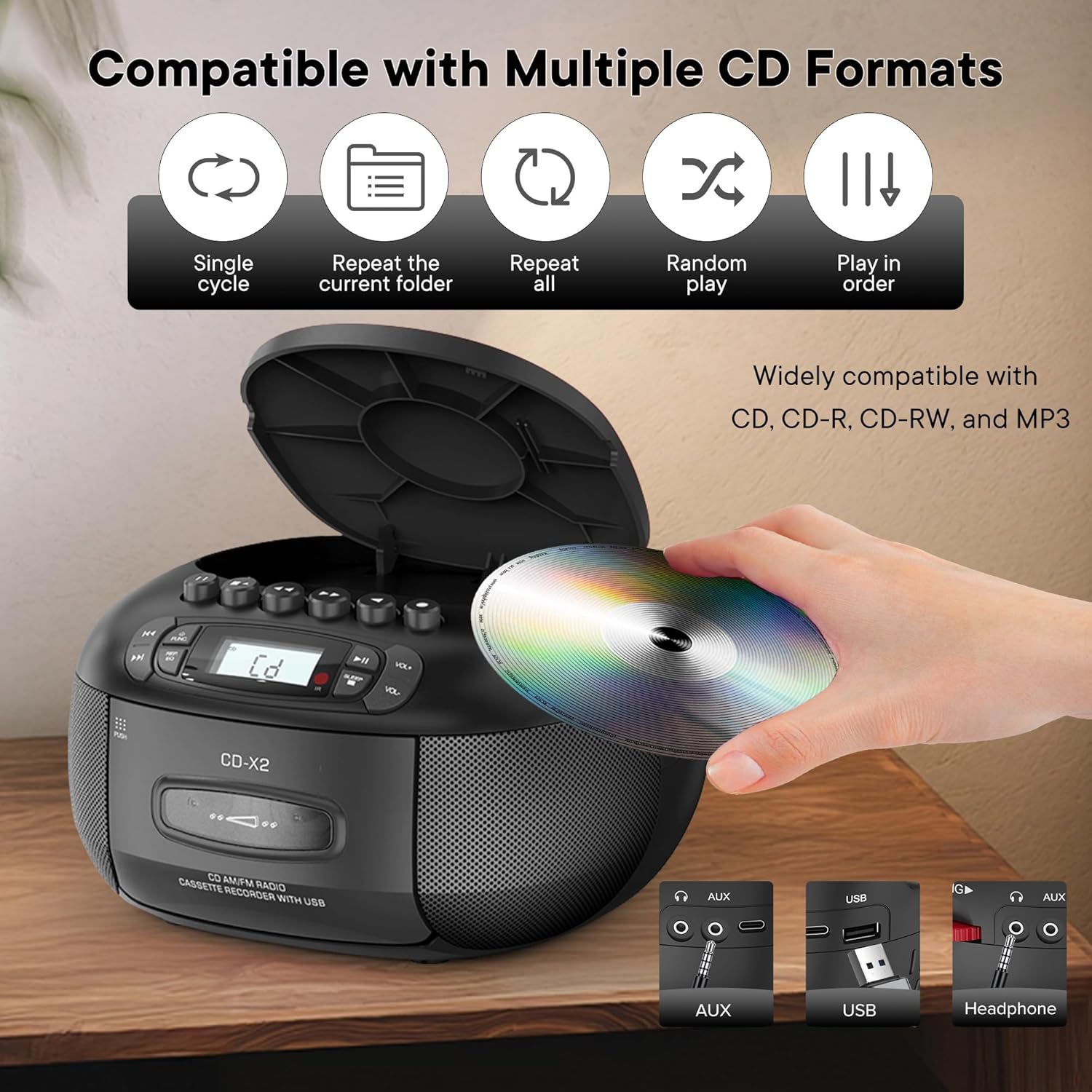
This image illustrates the CD compatibility of the boombox, supporting CD, CD-R, CD-RW, and MP3 formats. It also shows various playback modes: single cycle, repeat current folder, repeat all, random play, and play in order.
- Pritisnite ZAPOSLENI button to select CD mode. The display will show "CD".
- Odprite pokrov predala za CD-je s pritiskom na ODPRTO/ZAPRI gumb.
- Place a CD (CD, CD-R, CD-RW, or MP3 CD) onto the spindle with the label side facing up.
- Close the CD compartment cover. The unit will read the disc and display the total number of tracks.
- Pritisnite PREDVAJAJ/PAVZA gumb za začetek predvajanja.
- Uporabite PRESKUSITE NAPREJ or PRESKOČI NAZAJ gumbi za navigacijo med skladbami.
- Pritisnite REP/EQ button repeatedly to cycle through repeat modes (single track, repeat all, random play).
- Glasnost prilagodite s tipko GLASNOST+ in ZV.- gumbi.
Cassette Playback and Recording
This image shows a user inserting a cassette tape into the boombox, emphasizing its cassette playback and recording functions.
Predvajanje
- Pritisnite ZAPOSLENI button to select TAPE mode. The display will show "TAP".
- Pritisnite POTISNI gumb za odpiranje predala za kasete.
- Vstavite kaseto z odprtim robom navzgor.
- Zaprite predal za kasete.
- Pritisnite IGRAJ button (usually indicated by a triangle symbol) to start playback.
- Uporabite HITRO NAPREJ or PREVIJAJ NAZAJ buttons to quickly move through the tape.
- Pritisnite ZAUSTAVI/IZVRNI button to stop playback or eject the tape.
Snemanje
You can record audio from CD, Bluetooth, USB, or FM/AM radio onto a cassette tape.
- Vstavite prazno kaseto v predal za kaseto.
- Select the desired source (CD, Bluetooth, USB, or Radio) using the ZAPOSLENI gumb.
- Start playback on the source (e.g., play a CD track, start Bluetooth streaming).
- Pritisnite SNEMANJE button (usually indicated by a red circle) on the boombox. The unit will begin recording the audio onto the cassette.
- Pritisnite STOP gumb za konec snemanja.
FM/AM radio
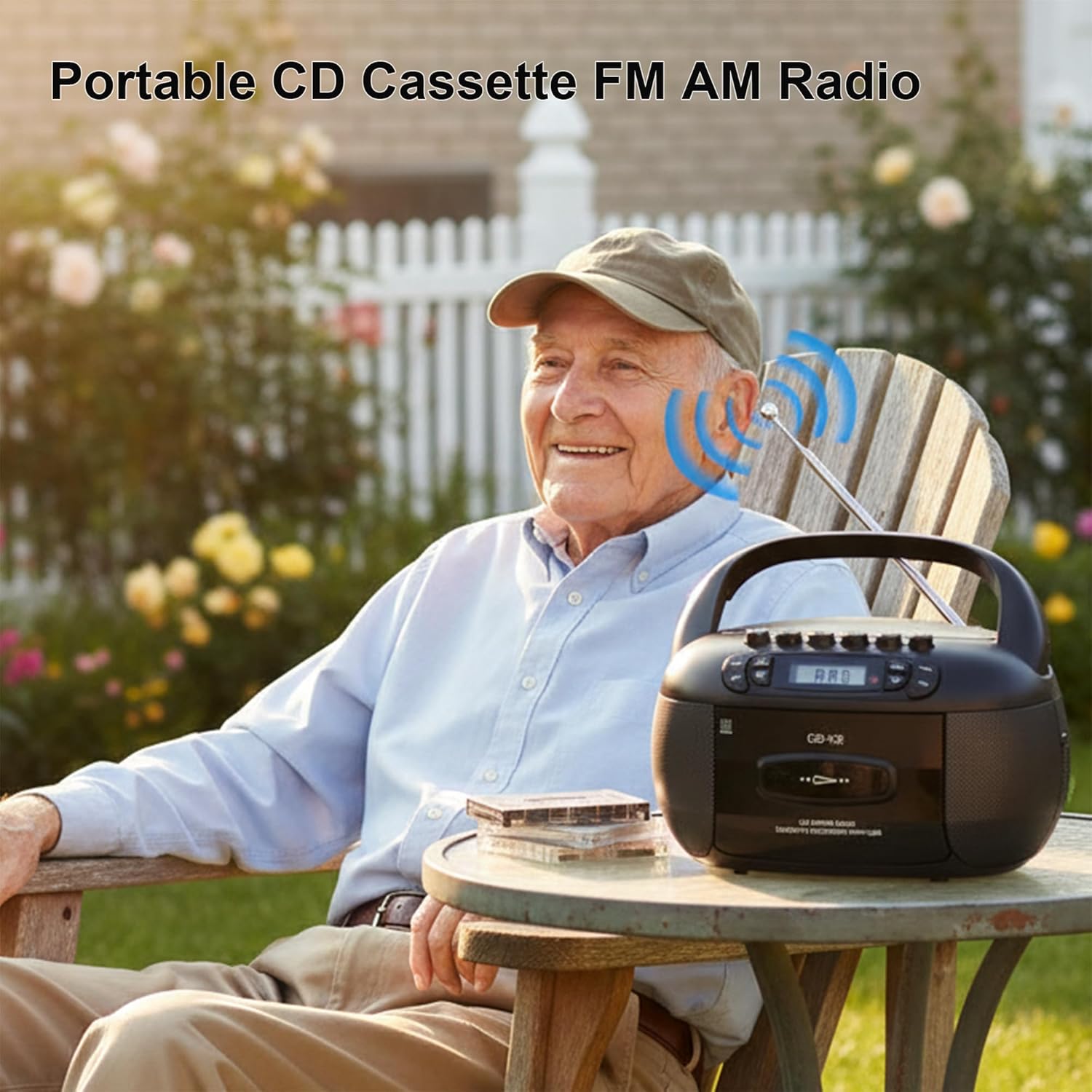
This image depicts a user enjoying the portable FM/AM radio function of the boombox outdoors, with the antenna extended for better reception.
- Pritisnite ZAPOSLENI button to select RADIO mode. The display will show "rAd".
- Extend the telescopic antenna for FM reception. For AM, adjust the unit's position.
- Uporabite UGLAŠEVANJE gumb (oz PRESKOČI buttons if available) to tune to your desired FM or AM station. The frequency will be displayed.
- Glasnost prilagodite s tipko GLASNOST+ in ZV.- gumbi.
Bluetooth povezljivost

The image demonstrates the boombox's Bluetooth functionality, allowing wireless audio streaming from a smartphone.
- Pritisnite ZAPOSLENI button to select Bluetooth mode. The display will show "bt" and flash, indicating it's in pairing mode.
- Na pametnem telefonu ali drugi napravi Bluetooth omogočite Bluetooth in poiščite razpoložljive naprave.
- Select "Kuephom CD-X2A" (or similar name) from the list of devices.
- Once paired, the "bt" indicator on the boombox display will stop flashing and remain solid.
- You can now play audio from your connected device through the boombox.
USB/MP3 Playback
- Pritisnite ZAPOSLENI button to select USB mode. The display will show "USB".
- Vstavite bliskovni pogon USB v vrata USB na enoti.
- The unit will automatically detect and begin playing MP3/WMA files pogona USB.
- Uporabite PREDVAJAJ/PAVZA, PRESKUSITE NAPREJ, in PRESKOČI NAZAJ gumbi za nadzor predvajanja.
AUX vhod
- Pritisnite ZAPOSLENI za izbiro načina AUX. Na zaslonu se bo prikazalo "AUX".
- Connect an external audio device (e.g., smartphone, tablet, MP3 player) to the AUX input jack on the boombox using a 3.5mm audio cable (not included).
- Začnite predvajanje na zunanji napravi. Zvok bo predvajan prek zvočnikov boomboxa.
- Glasnost prilagodite s tipko GLASNOST+ in ZV.- gumbe na boomboxu in/ali zunanji napravi.
Časovnik za izklop

This image shows the boombox on a bedside table next to a sleeping person, highlighting the convenient sleep timer function that automatically stops playback.
- Medtem ko enota predvaja, pritisnite SPANJE gumb.
- Each press will cycle through available sleep timer durations (e.g., 10, 20, 30, 60, 90 minutes).
- Select your desired duration. The unit will automatically power off after the set time.
Vzdrževanje
Čiščenje enote
- Obrišite zunanjost enote z mehko damp krpo. Ne uporabljajte abrazivnih čistil ali topil.
- Za lečo CD-jev uporabite specializiran komplet za čiščenje leč CD-jev. Ne dotikajte se neposredno leče.
- Keep the cassette head and pinch rollers clean to ensure optimal tape playback and recording quality. Use a cotton swab lightly dampz izopropilnim alkoholom.
Shranjevanje
When not in use for extended periods, disconnect the AC power cord and remove batteries. Store the unit in a cool, dry place away from direct sunlight and extreme temperatures.
Odpravljanje težav
| Težava | Možen vzrok | rešitev |
|---|---|---|
| Brez moči | Napajalni kabel ni priključen; Baterije so prazne ali nepravilno vstavljene. | Preverite priključek napajalnega kabla; zamenjajte baterije ali pazite na pravilno polarnost. |
| Brez zvoka | Glasnost je prenizka; Izbran je napačen način; Priključene so slušalke. | Increase volume; Select correct source mode; Disconnect headphones. |
| CD se ne predvaja | CD inserted incorrectly; CD dirty or scratched; Disc format not supported. | Reinsert CD label side up; Clean or replace CD; Ensure CD is supported format (CD, CD-R, CD-RW, MP3). |
| Slab radijski sprejem | Antena ni iztegnjena; Šibek signal; Motnje. | Extend and adjust FM antenna; Rotate unit for AM; Move away from electronic devices. |
| Bluetooth povezovanje ne uspe | Boombox ni v načinu seznanjanja; Naprava je predaleč; Bluetooth na napravi onemogočen. | Ensure boombox is in BT pairing mode; Move device closer; Enable Bluetooth on your device. |
| Kaseta se ne predvaja/snema | Tape inserted incorrectly; Tape damaged; Cassette head dirty. | Reinsert tape correctly; Use a different tape; Clean cassette head. |
Specifikacije
| Funkcija | Podrobnost |
|---|---|
| Znamka | Kuephom |
| Številka modela | CD-X2A |
| Tehnologija povezljivosti | Pomožni, Bluetooth, USB |
| barva | Črna |
| Vrsta zvočnika | Stereo |
| Mere predmeta (D x Š x V) | 8.39 x 4.8 x 8.54 palcev |
| Vir napajanja | Corded Electric, Battery (6 C-size) |
| Wattage | 12 vatov |
| Podpora za Bluetooth | ja |
| Število govorcev | 2 |
| Razmerje med signalom in hrupom | 80 dB |
| Način avdio izhoda | Stereo |
| Teža predmeta | 1.57 kilogramov |
Garancija in podpora
Kuephom products are manufactured with attention to quality and performance. For any questions, technical assistance, or warranty claims, please refer to the contact information provided with your purchase or visit the official Kuephom webspletnega mesta. Za namene garancije shranite dokazilo o nakupu.