
Uvod
This manual provides instructions for the setup, operation, maintenance, and troubleshooting of your MOFII Wireless Keyboard and Mouse Combo. Please read this manual thoroughly before using the product to ensure proper function and longevity.
Varnostne informacije
- Napravo hranite ločeno od vode in drugih tekočin.
- Izogibajte se izpostavljanju naprave ekstremnim temperaturam.
- Naprave ne poskušajte razstavljati ali popravljati sami. Obrnite se na usposobljeno servisno osebje.
- Baterije zavrzite v skladu z lokalnimi predpisi.
Vsebina paketa
- MOFII Wireless Keyboard
- MOFII Wireless Mouse
- USB Nano Receiver (stored in the mouse battery compartment)
- Cleaning Brush (for keycaps)
Nastavitev
- Namestite baterije:
Open the battery compartment on the underside of both the keyboard and the mouse. Insert one AA battery into each device, ensuring correct polarity. Batteries are not included.
- Poiščite USB sprejemnik:
The USB nano receiver is stored in the battery compartment of the mouse for convenience during transport.
- Priključitev sprejemnika:
Plug the USB nano receiver into an available USB port on your computer (PC, Laptop, Desktop, Smart TV). The system will automatically detect and install the necessary drivers.
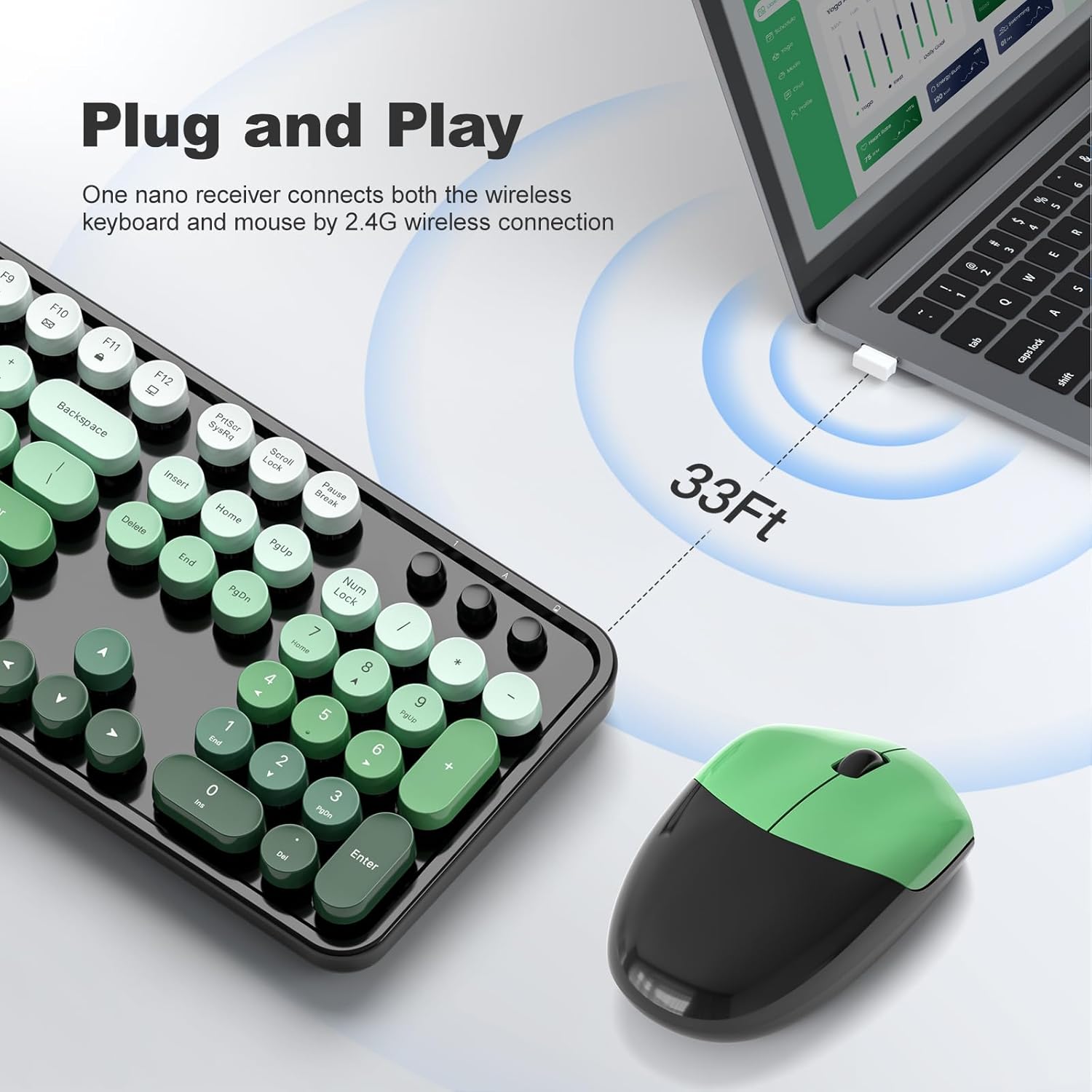
Figure 1: Plug and Play connection with USB receiver.
- Vklop:
Turn on the keyboard and mouse using their respective power switches, usually located on the underside of each device. The devices are now ready for use.
Navodila za uporabo
Funkcije tipkovnice
- Postavitev v polni velikosti: The keyboard features a 104-key full-size layout, including a numeric keypad for efficient data entry.
- Večpredstavnostne bližnjice: Access 13 multimedia shortcuts (Fn + F1-F12, etc.) to control audio/video playback, volume, web browsing, and email. Refer to the key legends for specific functions.
- Ergonomska oblika: The keyboard includes foldable stands and anti-slip pads to adjust the typing angle and reduce wrist pressure.
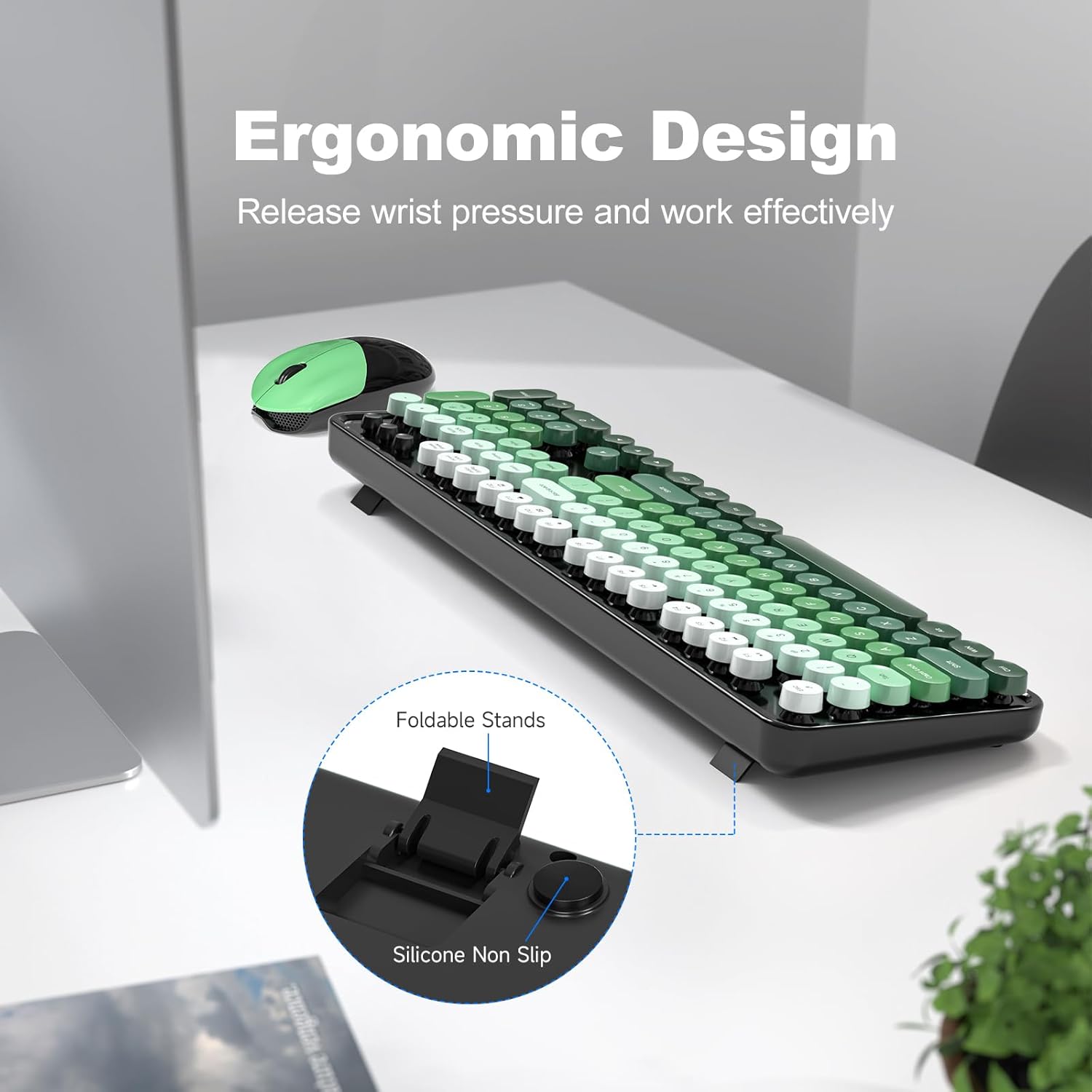
Figure 2: Ergonomic design with foldable stands.
Značilnosti miške
- Standardna funkcionalnost: The mouse provides standard left-click, right-click, and scroll wheel functions.
- Gladko sledenje: Designed for precise and smooth cursor movement.
Samodejni način spanja
To conserve battery life, both the keyboard and mouse will automatically enter sleep mode after 5 minutes of inactivity. To wake them up, simply click any key on the keyboard or move/click the mouse. This feature helps extend battery life to approximately 18 months, though actual battery life may vary based on usage.

Figure 3: Intelligent Auto-Sleep feature.
Vzdrževanje
- Čiščenje tipk: The round keycaps are detachable for easy cleaning. Use the provided cleaning brush to remove dust and debris from between the keys.
- Generalno čiščenje: Wipe the keyboard and mouse with a soft, damp krpo. Izogibajte se uporabi močnih kemikalij ali abrazivnih materialov.
- Zamenjava baterije: When performance degrades, replace the AA batteries in both the keyboard and mouse.

Figure 4: Detachable keycaps and cleaning brush.
Odpravljanje težav
- Ni povezave:
- Prepričajte se, da je USB-sprejemnik varno priključen v delujoča USB-vrata.
- Preverite, ali sta tipkovnica in miška vklopljeni.
- Preverite, ali so baterije pravilno nameščene in dovolj napolnjene.
- Poskusite priklopiti sprejemnik v drug USB vhod.
- Znova zaženite računalnik.
- Zakasnitev ali občasna povezava:
- Ensure the devices are within the 33ft operating range of the receiver.
- Minimize obstructions between the devices and the receiver.
- Avoid using the devices near strong electromagnetic interference sources.
- Zamenjajte baterije, če so prazne.
- Tipke se ne odzivajo:
- Preverite nivoje baterije.
- Prepričajte se, da je tipkovnica vklopljena in priključena.
- Če sumite na umazanijo, očistite prostor pod tipkami.
- Mouse Not Moving:
- Preverite nivoje baterije.
- Prepričajte se, da je miška vklopljena in priključena.
- Očistite optični senzor na spodnji strani miške.
- Ensure you are using the mouse on a suitable surface.
Specifikacije
| Znamka | MOFII |
| Model | B0FZ84SQFD |
| barva | Black Green Gradient Color |
| Tehnologija povezljivosti | 2.4 GHz brezžično (USB sprejemnik) |
| Posebne lastnosti | Round Keycaps, Detachable Keycaps, Ergonomic Design, Auto Sleep Mode, Multimedia Keys |
| Združljive naprave | Laptop, Personal Computer, Desktop, Smart TV |
| Združljivost operacijskega sistema | Windows 7/8/10/11/XP/Vista, Linux, Chrome |
| Vrsta baterije | AA (1 for keyboard, 1 for mouse - not included) |
| Brezžično Domet | Do 33 čevljev (10 metrov) |
| Mere tipkovnice | Približno 17.4 palcev (dolžina) |
| Dimenzije miške | Približno 4 cm (dolžina) x 2.9 cm (širina) x 1.7 cm (višina) |
| Teža predmeta | 0.2 Pounds (approximate, likely for mouse only) |

Slika 5: Dimenzije tipkovnice in miške.
Garancija in podpora
The product comes with a 1-year warranty as specified by the manufacturer. For technical support, warranty claims, or further assistance, please contact MOFII customer service through their official webspletno mesto ali prodajalec, kjer ste izdelek kupili. Za namene garancije shranite dokazilo o nakupu.
Za dodatne informacije lahko obiščete MOFII Store on Amazon.