
1. Uvod
The EPOMAKER TH87 is a versatile 87-key Tenkeyless (TKL) mechanical keyboard designed for various computing environments. It features tri-mode connectivity (Wired USB-C, 2.4GHz Wireless, and Bluetooth), hot-swappable switches, PBT keycaps, and customizable RGB backlighting. This manual provides detailed instructions for setting up, operating, maintaining, and troubleshooting your keyboard.
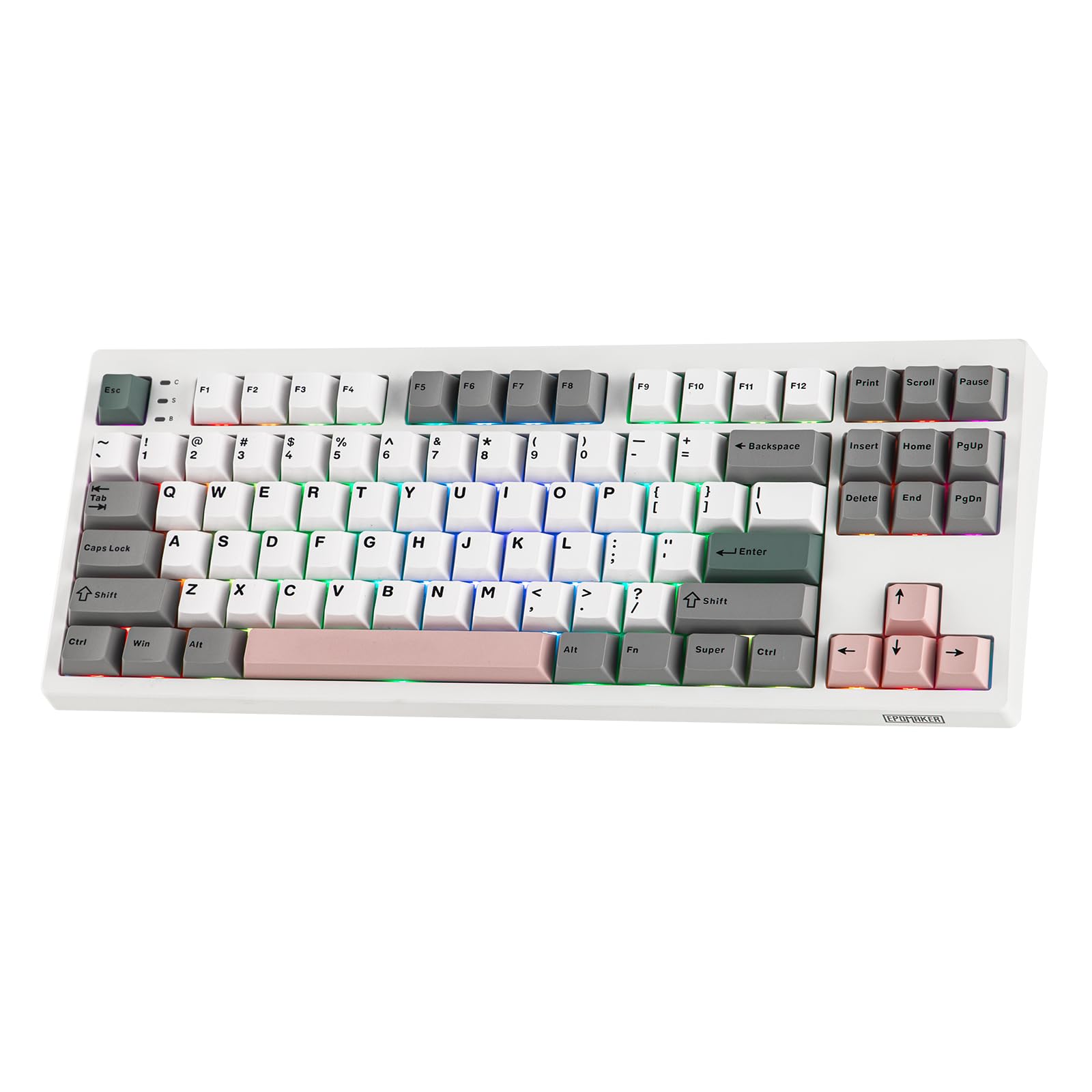
Figure 1: EPOMAKER TH87 Wireless Mechanical Keyboard
2. Vsebina paketa
Prepričajte se, da so v vašem paketu prisotni vsi predmeti:
- TH87 Wireless Gaming Keyboard
- USB A-to-C Cable
- Extra Switches (for customization)
- Wireless 2.4Ghz Receiver (stored under the side kick-stand)
- 2-v-1 snemalec stikal in tipk
- Uporabniški priročnik (ta dokument)
Video 1: EPOMAKER TH87 Unboxing & Overview & Typing Video. This video demonstrates the unboxing process and provides a general overview of the keyboard's features and typing experience.
3. Nastavitev
Follow these steps to set up your EPOMAKER TH87 keyboard:
3.1. Žična povezava
- Poiščite vrata USB-C na tipkovnici.
- Connect the provided USB A-to-C cable to the keyboard and your computer.
- Ensure the mode switch on the keyboard is set to 'USB'.
3.2. Brezžična povezava 2.4 GHz
- Locate the 2.4GHz wireless receiver, typically stored in a compartment under the side kick-stand of the keyboard.
- Priključite sprejemnik v razpoložljiva vrata USB na vašem računalniku.
- Set the mode switch on the keyboard to '2.4G'. The keyboard should automatically connect.
3.3. Bluetooth povezava
- Nastavite stikalo za način na tipkovnici na 'BT'.
- On your device (PC, Mac, Tablet, Phone), open Bluetooth settings.
- Iskanje new devices and select 'EPOMAKER TH87' to pair.
- The keyboard supports multiple Bluetooth profiles; refer to the full user manual for specific pairing instructions for each profile.
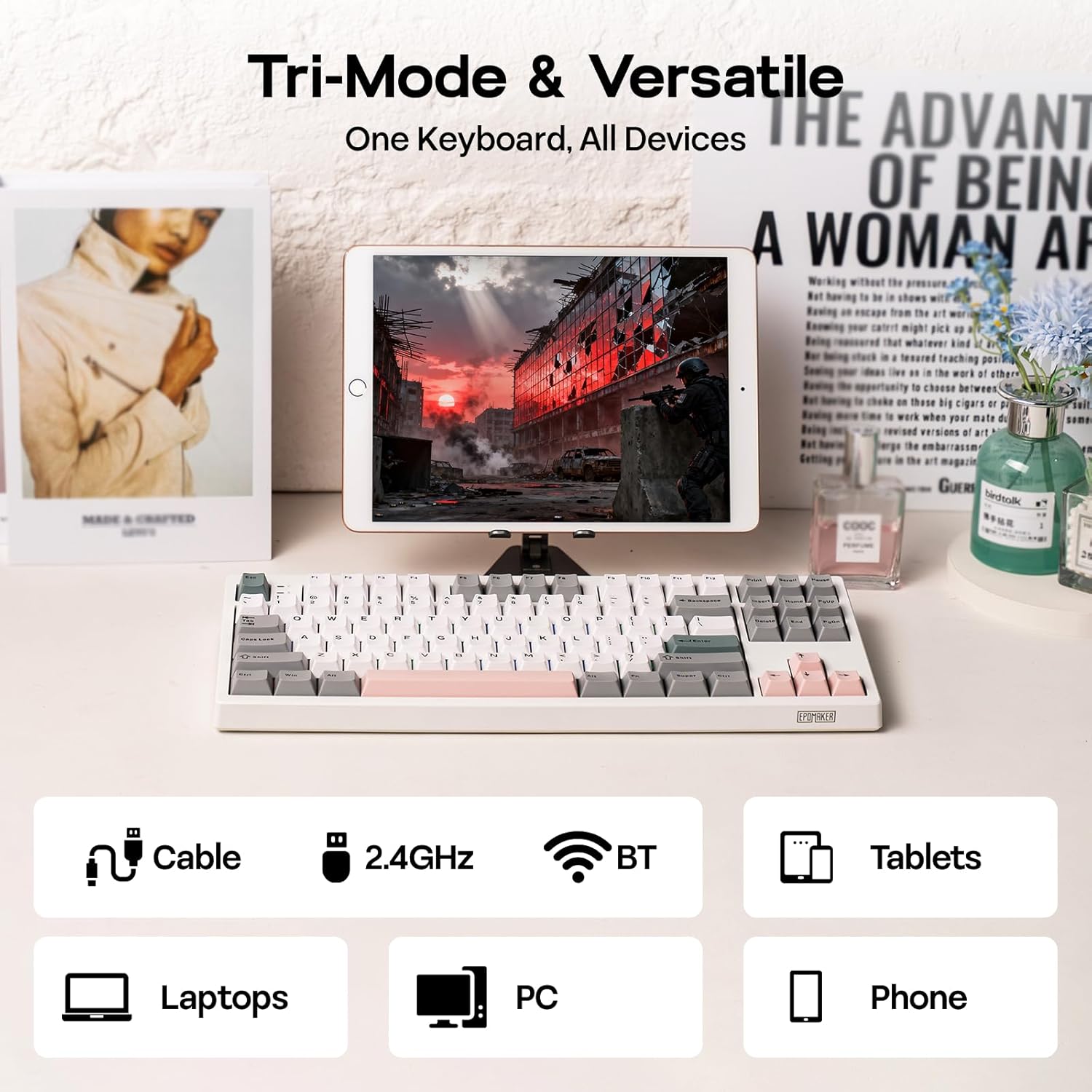
Figure 2: Tri-Mode Connectivity Options
4. Navodila za uporabo
4.1. Osnovne funkcije
The TH87 features a standard 87-key TKL layout. All keys function as labeled in their default state.
4.2. Funkcijske tipke (kombinacije Fn)
The keyboard includes an 'Fn' key to access secondary functions printed on certain keycaps. Common combinations include:
- Fn + F1–F12: Multimedia controls, volume adjustment, etc.
- Fn + puščične tipke: Adjust RGB lighting effects (brightness, speed, direction).
- Fn + Win: Zaklepanje/odklepanje tipke Windows.
- Fn + Enter: Preverite stanje baterije.
4.3. Preklapljanje načina operacijskega sistema
Use the dedicated switch on the keyboard to toggle between Mac and Windows compatibility modes.
5. Prilagajanje
The EPOMAKER TH87 offers extensive customization through its webprogramska oprema za gonilnike, ki temelji na -.
5.1. Web-Based Driver
The custom driver allows you to:
- Preoblikujte posamezne tipke.
- Record and assign macros for complex key sequences.
- Adjust RGB lighting effects, colors, brightness, and speed.
- Configure advanced key functions like SOCD (Simultaneous Opposite Cardinal Directions) and Mod Tap.
Access the driver online via the official EPOMAKER website or the QR code provided in the brand card.
Video 2: How to Use TH87 Online Web Driver. This video guides you through connecting your keyboard to the web driver and customizing key functions, macros, and lighting settings.
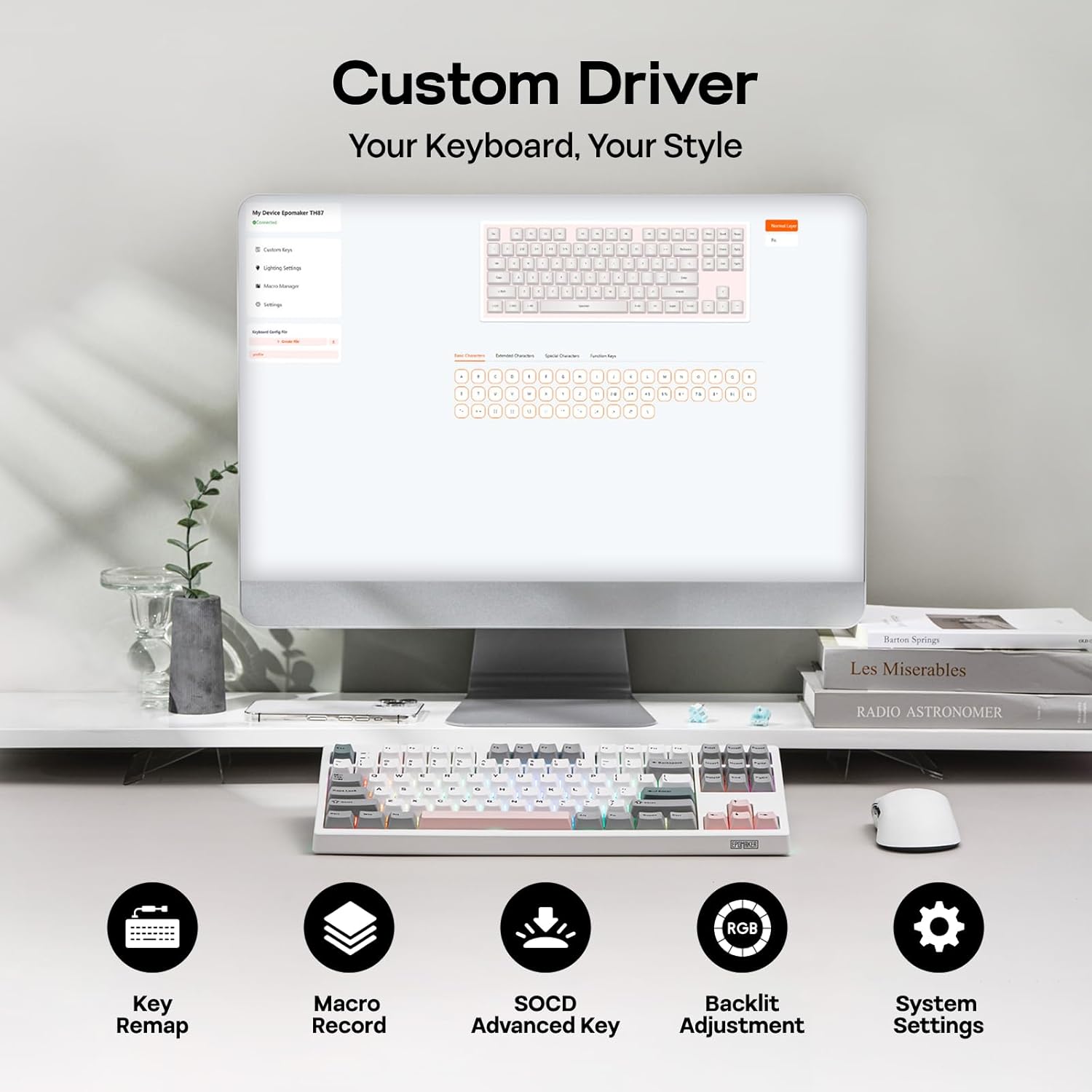
Figure 3: Custom Driver Interface
5.2 Stikala z možnostjo vroče menjave
The TH87 features a hot-swappable PCB, allowing you to change mechanical switches without soldering. It is compatible with 3-pin and 5-pin switches.
Za zamenjavo stikala:
- Za odstranitev tipkovnice uporabite priloženo orodje za odstranjevanje tipkovnice.
- S priloženim izvlečkom stikala nežno odstranite stikalo s tiskanega vezja.
- Poravnajte nožice novega stikala z luknjami na tiskanem vezju in trdno pritisnite, da se zaskoči.
- Zamenjajte pokrovček tipke.
The keyboard comes with pre-lubed EPOMAKER Sea Salt Silent V2 switches (Linear, 45±5gf Trigger Force, 51±5gf Bottom-Out Force, 1.8±0.4mm Pre-Travel, 3.5±0.4mm Total Travel).

Figure 4: Hot-Swappable Switches and Sea Salt Silent V2 Specifications
Video 3: EPOMAKER TH87 Typing with Creamy Jade/Sea Salt Silent Switch. This video demonstrates the sound profile of the included switches.
5.3. RGB osvetlitev ozadja
The TH87 features per-key RGB backlighting with various effects. You can adjust the saturation, brightness, and speed of the lighting through the Fn key combinations or the custom driver software.
6. Informacije o bateriji
The keyboard is equipped with a 10000mAh battery, providing extended usage times:
- Up to 45 hours of continuous use with RGB backlight at brightest setting.
- Up to 200 hours of continuous use with RGB backlight off.
To charge the keyboard, connect it via the USB-C cable to a computer or a compatible USB power adapter. The keyboard charges when plugged in. Always use a computer USB port for charging. Using a power adapter directly may cause battery damage.
7. Vzdrževanje
Pravilno vzdrževanje zagotavlja dolgo življenjsko dobo in delovanje vaše tipkovnice:
- Čiščenje: Regularly clean keycaps and the keyboard surface with a soft, dry cloth. For deeper cleaning, remove keycaps using the provided puller and use compressed air to clear debris.
- Shranjevanje: Tipkovnico shranjujte na hladnem in suhem mestu, stran od neposredne sončne svetlobe in ekstremnih temperatur.
- Ravnanje: Pazite, da vam tipkovnica ne pade na tla ali da je ne izpostavljate tekočinam.
8. Odpravljanje težav
Če imate težave s tipkovnico, si oglejte naslednje pogoste rešitve:
- Tipkovnica se ne odziva: Ensure the keyboard is charged and the correct connectivity mode (Wired, 2.4G, BT) is selected. Try reconnecting the cable or re-pairing the wireless connection.
- Ključi se ne registrirajo: Check if the switches are properly seated. If a specific key is not working, try replacing its switch with one of the extra switches provided.
- RGB osvetlitev ne deluje/je napačna: Verify lighting settings in the custom driver or cycle through effects using Fn key combinations. Ensure the keyboard is sufficiently charged.
- Težave s povezljivostjo: For 2.4GHz, ensure the dongle is securely plugged in and close to the keyboard. For Bluetooth, ensure your device's Bluetooth is enabled and the keyboard is paired correctly. Avoid interference from other wireless devices.
- Težave s programsko opremo: If the custom driver is not detecting the keyboard, ensure it is connected via USB-C and the mode switch is set to 'USB'.
9. Specifikacije
| Funkcija | Podrobnost |
|---|---|
| Znamka | EPOMAKER |
| Številka modela | TH87 |
| Opis tipkovnice | TKL Layout Mechanical Keyboard |
| Število ključev | 87 |
| Tehnologija povezljivosti | 2.4Ghz Wireless, BT, USB A-to-C Wired |
| Vir napajanja | Napajanje z baterijo (10000 mAh) |
| Osvetlitev tipkovnice | RGB |
| Tip stikala | Linear (EPOMAKER Sea Salt Silent Switch) |
| Posebne lastnosti | Backlit, Ergonomic, Hot-Swappable, Programmable Keys, Rechargeable |
| Dimenzije izdelka | 14.43 cm D x 5.59 cm Š x 1.63 cm V |
| Material | Plastika |
| Združljive naprave | Igralna konzola, prenosnik, računalnik, projektor, tablica |

Figure 5: Technical Specifications and Layout
10. Garancija in podpora
The EPOMAKER TH87 Wireless Mechanical Keyboard comes with a 1 leta garancije od datuma nakupa.
For technical support, warranty claims, or any inquiries, please contact EPOMAKER customer service:
- E-pošta: support@epomaker.com
- Uradno Webspletno mesto: www.epomaker.com
Please have your purchase receipt and product model number (TH87) ready when contacting support.