
Uvod
Thank you for choosing the Vention Open Ear Openbeat O12 Wireless Sport Headphones. These headphones are designed to provide a comfortable and secure audio experience during physical activities, allowing you to stay aware of your surroundings. This manual provides essential information for setting up, operating, maintaining, and troubleshooting your device.
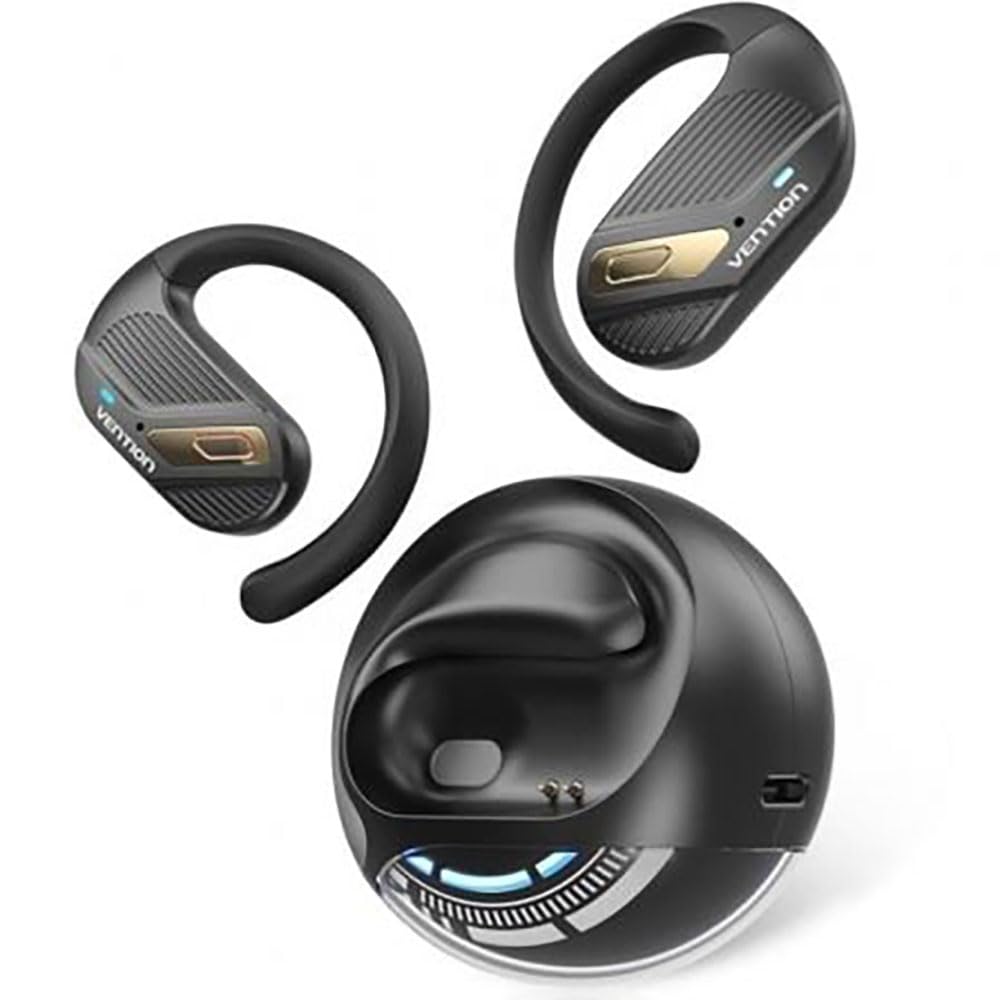
Image: Vention Open Ear Openbeat O12 Wireless Sport Headphones, showcasing the open-ear design and ergonomic fit.
Nastavitev
1. Vsebina paketa
Prosimo, preverite paket za naslednje artikle:
- Vention Open Ear Openbeat O12 Wireless Sport Headphones
- Polnilni kabel USB-C
- Uporabniški priročnik
2. Polnjenje slušalk
- Priključite polnilni kabel USB-C na polnilno vtičnico na slušalkah.
- Drugi konec kabla priključite na napajalnik USB (priporočeno 5 V/1 A) ali na vrata USB računalnika.
- The LED indicator will glow red during charging and turn blue or off when fully charged.
- Polno polnjenje običajno traja približno 1.5 do 2 ure.
3. Bluetooth seznanjanje
- Ensure the headphones are fully charged before initial use.
- Vklop: Press and hold the Multi-function Button (MFB) for 3-5 seconds until the LED indicator flashes blue and red alternately, indicating pairing mode.
- Aktiviraj Bluetooth: Na pametnem telefonu ali zvočni napravi omogočite Bluetooth.
- Izberite napravo: Iskanje "Vention Openbeat O12" in the list of available Bluetooth devices and select it.
- Potrditev: Once successfully paired, the LED indicator will flash blue slowly, and you will hear an audible confirmation.
- Slušalke se bodo ob vklopu samodejno ponovno povezale z zadnjo seznanjeno napravo, če je Bluetooth naprave aktiven in v dosegu.
Navodila za uporabo
1. Vklop/izklop
- Vklop: Pritisnite in držite MFB 3 sekunde.
- Ugasniti: Pritisnite in držite MFB 5 sekunde.
2. Predvajanje glasbe
- Predvajanje/pavza: Enkrat pritisnite MFB.
- Naslednja skladba: Pritisnite in držite gumb za povečanje glasnosti 2 sekundi.
- Prejšnja skladba: Pritisnite in držite gumb za glasnost - 2 sekundi.
- Povečaj glasnost: Press the Volume + button once.
- Znižaj glasnost: Press the Volume - button once.
3. Upravljanje klicev
- Sprejmi/končaj klic: Enkrat pritisnite MFB.
- Zavrni klic: Pritisnite in držite MFB 2 sekunde.
- Glasovni asistent: Triple-press the MFB to activate your device's voice assistant (e.g., Siri, Google Assistant).
4. Nošenje slušalk
Position the headphones so that the ear hooks rest comfortably over your ears and the transducers sit just outside your ear canal. Adjust the band for a secure and stable fit during activity. The open-ear design ensures ambient sound awareness.
Vzdrževanje
1. Čiščenje
- Slušalke obrišite z mehko, suho ali rahlo vlažno krpoamp krpo.
- Ne uporabljajte abrazivnih čistil, alkohola ali kemičnih topil.
- Pred polnjenjem se prepričajte, da je polnilna vrata suha.
2. Shranjevanje
- Slušalke shranjujte na hladnem in suhem mestu, stran od neposredne sončne svetlobe in ekstremnih temperatur.
- Izogibajte se postavljanju težkih predmetov na slušalke.
3. Skrb za baterijo
- Slušalke redno polnite, tudi če jih ne uporabljate, da ohranite zdravje baterije.
- Izogibajte se pogostemu popolnemu praznjenju baterije.
Odpravljanje težav
| Težava | rešitev |
|---|---|
| Slušalke se ne vklopijo. |
|
| Seznanitev z napravo ni mogoča. |
|
| Ni zvoka ali nizka glasnost. |
|
| Prekinjena povezava. |
|
Specifikacije
- Model: Openbeat O12
- Različica Bluetooth: 5.3
- Brezžični doseg: Do 10 metrov (33 čevljev)
- Kapaciteta baterije: 150 mAh
- Čas predvajanja: Do 8 ur (pri 60% glasnosti)
- Čas polnjenja: Approximately 1.5 - 2 hours
- Vrata za polnjenje: USB-C
- Frekvenčni odziv: 20 Hz - 20 kHz
- Vodoodpornost: IPX4 (odporno na znoj in brizganje vode)
- Teža: Približno 25g
Garancija in podpora
Vention products are designed and manufactured to the highest quality standards. For detailed warranty information and customer support, please refer to the warranty card included in your product packaging or visit the official Vention webspletnega mesta. Prosimo, shranite dokazilo o nakupu za uveljavljanje garancije.
For technical assistance or inquiries, please contact Vention customer support through the channels provided on our official webmesto.