
Uvod
Thank you for choosing the Acedeck L01 Super Loud Alarm Clock. This device is designed to provide a reliable and powerful wake-up experience, especially for heavy sleepers, with its 115dB dual alarms and adjustable features. This manual will guide you through the setup, operation, and maintenance of your new alarm clock.
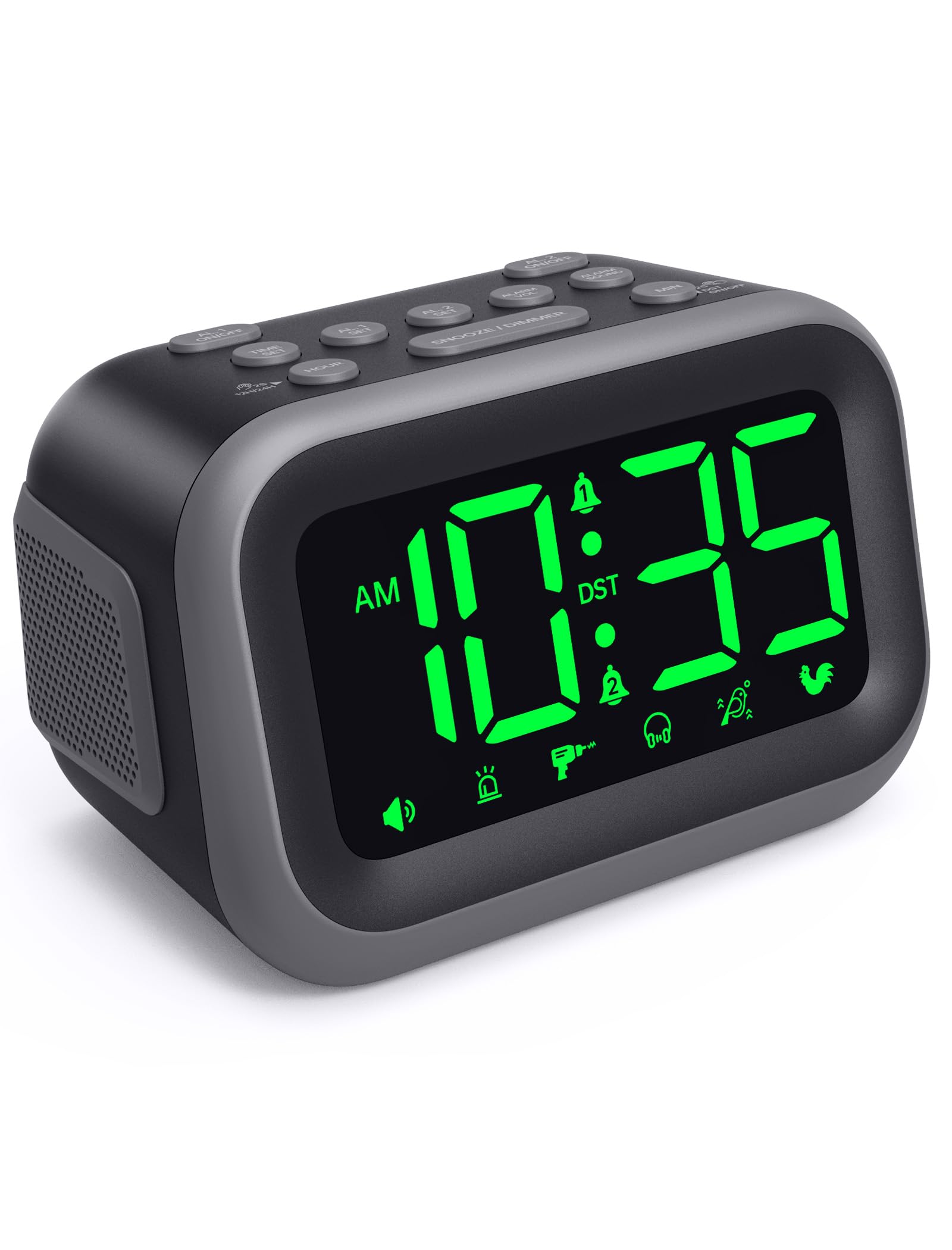
Figure 1: Acedeck L01 Super Loud Alarm Clock with green digits.
Nastavitev
1. Napajalni priključek
Connect the provided AC adapter to the DC 5V port on the back of the alarm clock and plug it into a standard wall outlet. The display will light up, indicating the clock is powered on.
2. Rezervna baterija (neobvezno)
Za neprekinjeno delovanje med izpadom električne energijetages, insert 3 AAA batteries (not included) into the battery compartment on the bottom of the clock. The battery backup system retains time and alarm settings and will activate the alarm function during a power loss, though the display will turn off to conserve power.

Figure 2: Power connection and battery backup functionality.
3. Nastavitev časa
- Pritisnite ČAS NAST gumb. Številke ure bodo utripale.
- Uporabite URA button to adjust the hour. Press and hold for faster adjustment.
- Pritisnite MIN button to adjust the minutes. Press and hold for faster adjustment.
- Pritisnite ČAS NAST ponovno za potrditev in izhod iz načina nastavitve časa.
To toggle between 12-hour and 24-hour format, press the 12H/24H gumb med nastavitvijo časa.

Figure 3: Switching between 12-hour and 24-hour display.
4. Poletni čas (DST)
Pritisnite VKLOP / IZKLOP DST button to activate or deactivate Daylight Saving Time. The clock will adjust automatically.
5. Button Overview

Figure 4: Labeled buttons for clear function and fast setup.
Video: Setting the Time
This video demonstrates how to set the current time on your Acedeck L01 alarm clock, including toggling between 12-hour and 24-hour formats.
Navodila za uporabo
1. Nastavitev alarmov (dvojni alarmi)
The Acedeck L01 features two independent alarms (AL1 and AL2). This allows you to set different wake-up times for different schedules.
- Pritisnite KOMPLET AL1 or KOMPLET AL2 gumb. Številke za uro izbranega alarma bodo utripale.
- Uporabite URA gumb za nastavitev budilke.
- Uporabite MIN gumb za nastavitev minut alarma.
- Pritisnite ustrezno AL SET ponovno pritisnite gumb, da potrdite čas alarma.
- Za vklop ali izklop alarma pritisnite AL1 ON/OFF or AL2 ON/OFF button. An alarm icon will appear on the display when an alarm is active.
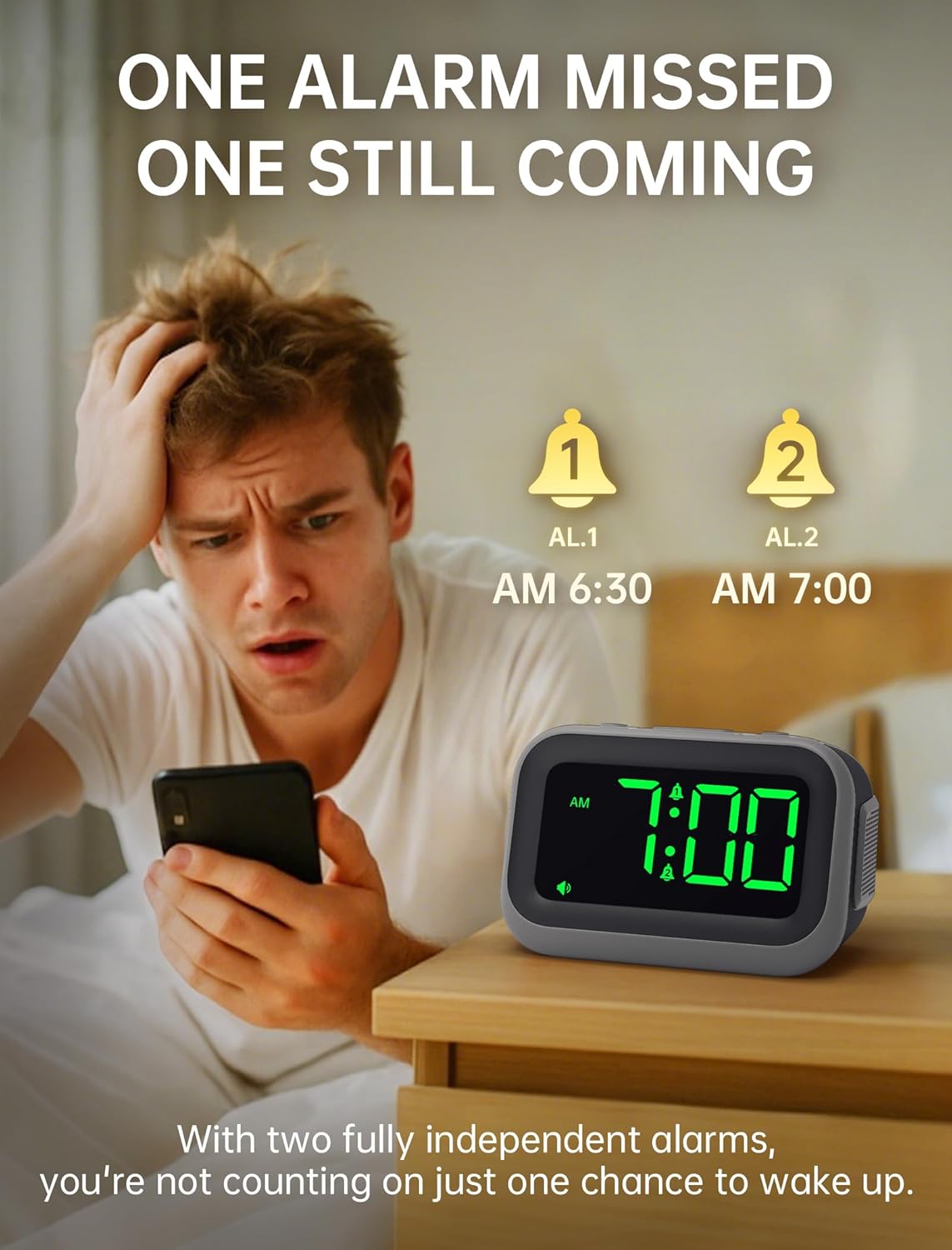
Figure 5: Dual alarm functionality for flexible scheduling.
2. Zvoki alarma
Choose from 6 distinct alarm sounds to suit your preference. While setting the alarm, press the ALARMNI ZVUK button to cycle through the available sounds: Beep, Siren, Jackhammer, Music, Bird Song, and Rooster.
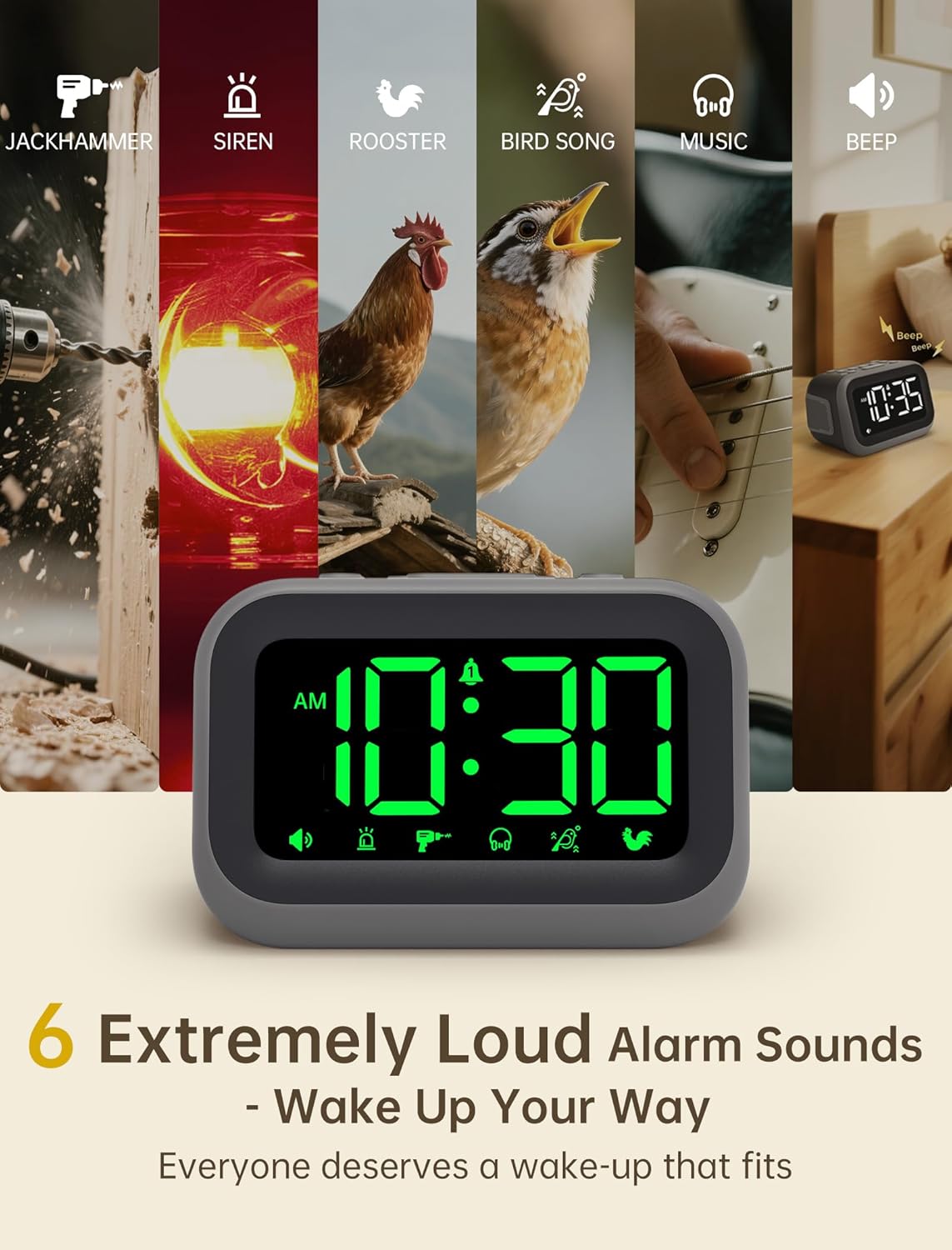
Figure 6: Selection of 6 unique alarm sounds.
3. Glasnost alarma
The Acedeck L01 features an extra-loud 115dB alarm, ideal for heavy sleepers. You can adjust the alarm volume through 6 levels. Press the ALARM VOL button to cycle through the volume settings. The default volume is set to maximum, so adjust to a comfortable level before first use.

Figure 7: Adjustable volume levels for the alarm.
4. Funkcija dremeža
Ko se oglasi alarm, pritisnite veliko DREMŽAJ/ZATEMNILO button to temporarily silence the alarm for a few minutes. The alarm will sound again after the snooze period ends.

Figure 8: Using the snooze function.
5. Nastavljiva svetlost
The 4.2-inch LED display offers 5 levels of adjustable brightness. Press the DREMŽAJ/ZATEMNILO button (when the alarm is not sounding) to cycle through the brightness levels, from brightest to completely off. This allows for comfortable viewing day or night without disturbing sleep.

Figure 9: Adjusting the display brightness.
6. Vrata za polnjenje USB
A built-in USB port on the back of the clock allows you to charge your smartphone or other USB-powered devices overnight. This feature is active when the clock is connected to AC power.

Slika 10: Polnilna vrata USB v uporabi.
Video: Setting the Alarm
This video demonstrates how to set and activate the dual alarms on your Acedeck L01 alarm clock.
Video: Značilnosti izdelkaview
This video provides a detailed demonstration of the Acedeck L01 alarm clock's features, including alarm sounds, volume, and brightness settings.
Vzdrževanje
To ensure the longevity and optimal performance of your Acedeck L01 alarm clock, follow these simple maintenance guidelines:
- Čiščenje: Uro obrišite z mehko, suho krpo. Ne uporabljajte abrazivnih čistil ali topil, saj lahko poškodujejo površino.
- Zamenjava baterije: If using battery backup, replace the AAA batteries annually or when the battery indicator suggests low power to ensure continuous functionality during power outages.
- Umestitev: Uro postavite na stabilno, ravno površino, stran od neposredne sončne svetlobe, prekomerne vročine ali vlage.
Odpravljanje težav
| Težava | rešitev |
|---|---|
| Prikaz ure je izklopljen. | Ensure the AC adapter is securely plugged into both the clock and a working power outlet. If using battery backup, the display turns off to save power, but the alarm function remains active. |
| Alarm se ne oglasi. | Check if the alarm (AL1 or AL2) is activated (icon visible on display). Verify the alarm time is set correctly. Ensure the alarm volume is not set to zero. If running on battery backup, ensure batteries are fresh. |
| Čas je napačen. | Re-set the time following the 'Setting the Time' instructions. Check for power interruptions; if frequent, ensure battery backup is installed and functional. |
| Polnjenje prek USB-ja ne deluje. | Ensure the alarm clock is connected to AC power. The USB charging port does not function when the clock is running on battery power. Check the USB cable and the device being charged. |
Specifikacije
- Znamka: Acedeck
- Model: L01
- Vrsta zaslona: Digitalna LED
- Barva zaslona: Zelene števke
- Glasnost alarma: Do 115dB
- Zvoki alarma: 6 unique sounds
- Stopnje svetlosti: 5 nastavljive ravni
- vir energije: Corded Electric (AC 100-240V)
- Varnostno kopiranje baterije: 3 x AAA baterije (niso priložene)
- Vrata za polnjenje USB: Yes (for external devices)
- Dimenzije izdelka: 4.8 cm Š x 3.15 cm V
- Teža artikla: 11 unč
- Material: Plastika

Slika 11: Dimenzije izdelka.
Garancija in podpora
Your Acedeck L01 Super Loud Alarm Clock comes with an 18-month warranty from the date of purchase. This warranty covers manufacturing defects and malfunctions under normal use.
For technical support, troubleshooting assistance, or warranty claims, please contact Acedeck customer service through the retailer where you purchased the product or visit the official Acedeck webspletno mesto za kontaktne podatke.