
1. Uvod
Hvala za nakupasing the LG 27G411A UltraGear Gaming Monitor. This manual provides essential information for the safe and efficient use of your monitor. Please read it thoroughly before operating the product and retain it for future reference. This 27-inch Full HD (1920 x 1080) IPS display is designed for an immersive gaming experience, featuring a 144Hz refresh rate, 1ms Motion Blur Reduction (MBR), HDR10 support, and compatibility with NVIDIA G-Sync and AMD FreeSync technologies.
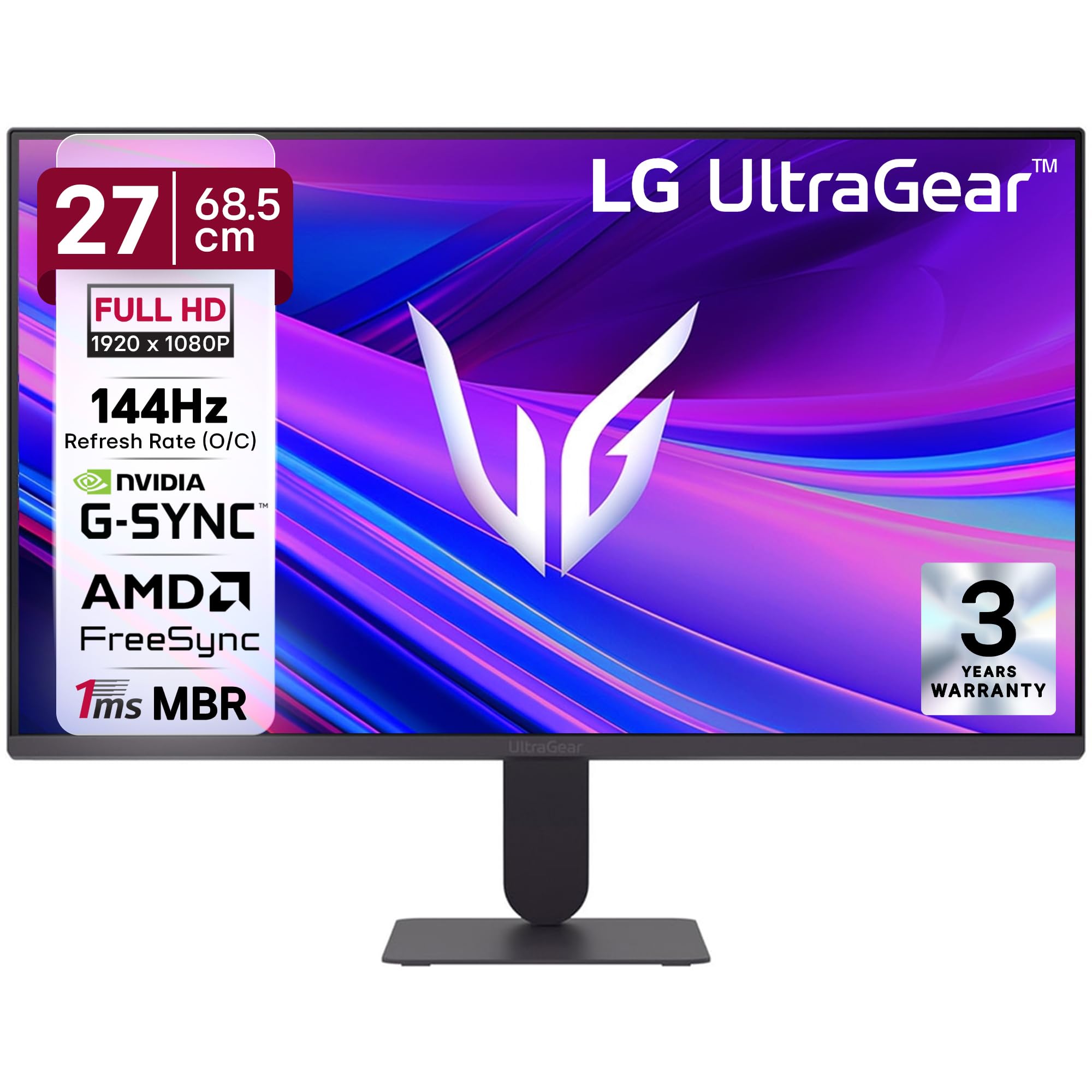
Slika 1: Spredaj view of the LG 27G411A UltraGear Gaming Monitor.
2. Varnostne informacije
Upoštevajte naslednje varnostne ukrepe, da preprečite poškodbe izdelka ali telesne poškodbe sebe in drugih.
- moč: Use only the power cord and adapter supplied with the monitor. Do not overload power outlets.
- Umestitev: Place the monitor on a stable, level surface. Avoid direct sunlight, heat sources, and areas with high humidity or dust. Ensure adequate ventilation around the monitor.
- Ravnanje: Do not drop the monitor or subject it to strong impacts. Avoid touching the screen with sharp objects.
- Čiščenje: Pred čiščenjem izključite napajalni kabel. Uporabite mehko, suho krpo. Ne uporabljajte tekočih čistil ali aerosolnih razpršil.
- Popravila: Tega izdelka ne poskušajte servisirati sami. Vsa servisna dela prepustite usposobljenemu servisnemu osebju.
3. Vsebina paketa
Preverite, ali so v škatli izdelka vsi elementi:
- LG 27G411A UltraGear Monitor
- Napajalni kabel
- HDMI kabel
- Stojalo za monitor (podstavek in vrat)
- Uporabniški priročnik (ta dokument)
4. Nastavitev
4.1 Sestavljanje monitorja
Za sestavljanje stojala za monitor in njegovo pritrditev na zaslon sledite tem korakom.
- Carefully place the monitor face down on a soft cloth or cushion to prevent scratches.
- Attach the stand neck to the base, securing it with the captive screw.
- Align the assembled stand with the mounting slot on the back of the monitor panel and push until it clicks into place.
- Alternatively, the monitor supports VESA 100x100mm wall mounting. Remove the stand if using a wall mount.

Figure 2: Illustration of the monitor's ultra-slim design, tilt adjustment, and VESA wall mount compatibility.
4.2 Priključitev monitorja
Povežite svoje naprave z monitorjem z ustreznimi kabli.
- Napajalni priključek: Napajalni kabel priključite na vhod za napajanje monitorja in nato v stensko vtičnico.
- HDMI povezava: Use the supplied HDMI cable to connect your computer or gaming console to the HDMI port on the monitor.
- Povezava DisplayPort: For optimal performance, especially for 144Hz refresh rate, connect your computer to the DisplayPort (DP) on the monitor using a DisplayPort cable (not always included).
- Izhod za slušalke: Connect headphones or external speakers to the 3-pole headphone out port for audio output.

Slika 3: Zadaj view of the monitor displaying the power input, HDMI, DisplayPort, and headphone out ports.

Slika 4: Podrobno view of the DisplayPort (DP-IN), HDMI, and Headphone (HP) ports.
5. Navodila za uporabo
5.1 Vklop/izklop
Press the joystick button located at the bottom center of the monitor to turn it on or off. A short press will bring up the OSD menu, while a long press will power off the monitor.
5.2 Zaslonski meni (OSD)
The OSD menu allows you to adjust various monitor settings. Use the joystick button to navigate:
- Za navigacijo po možnostih menija premaknite krmilno palčko gor/dol/levo/desno.
- Pritisnite igralno palico, da izberete možnost ali potrdite nastavitev.
5.3 Načini slike
The monitor offers several preset picture modes optimized for different content types:
- Po meri: Allows manual adjustment of all picture settings.
- Gamer1/Gamer2: User-configurable modes for gaming preferences.
- FPS/RTS: Optimized for First-Person Shooter and Real-Time Strategy games.
- Živo: Enhances color and contrast for general viewing.
- Bralec: Zmanjša modro svetlobo za udobno branje.
- Učinek HDR: Simulates HDR content for non-HDR sources.
- Slabost barve: Prilagodi barvne nastavitve za pomoč uporabnikom z motnjami barvnega vida.
5.4 Gaming Enhancements
The LG 27G411A is equipped with features to enhance your gaming experience:
- Osvežilna frekvenca 144 Hz in glavni zagonski čas 1 ms: Experience fluid motion and reduced ghosting. The monitor supports a native 120Hz refresh rate and up to 144Hz in overclock mode via DisplayPort 1.4 (HDMI 2.0 supports up to 144Hz).
- AMD FreeSync & NVIDIA G-Sync Compatible: Sinhronizira hitrost osveževanja monitorja s hitrostjo sličic vašega grafičnega procesorja, da odpravi trganje in zatikanje zaslona.
- Črni stabilizator: Osvetli temna območja, da lažje opazite sovražnike, ki se skrivajo v sencah.
- Dinamična sinhronizacija dejanj (DAS): Zmanjša vhodni zamik za dogajanje v realnem času.
- Nitni križec: Postavi fiksni križec na sredino zaslona za boljše ciljanje v FPS igrah.
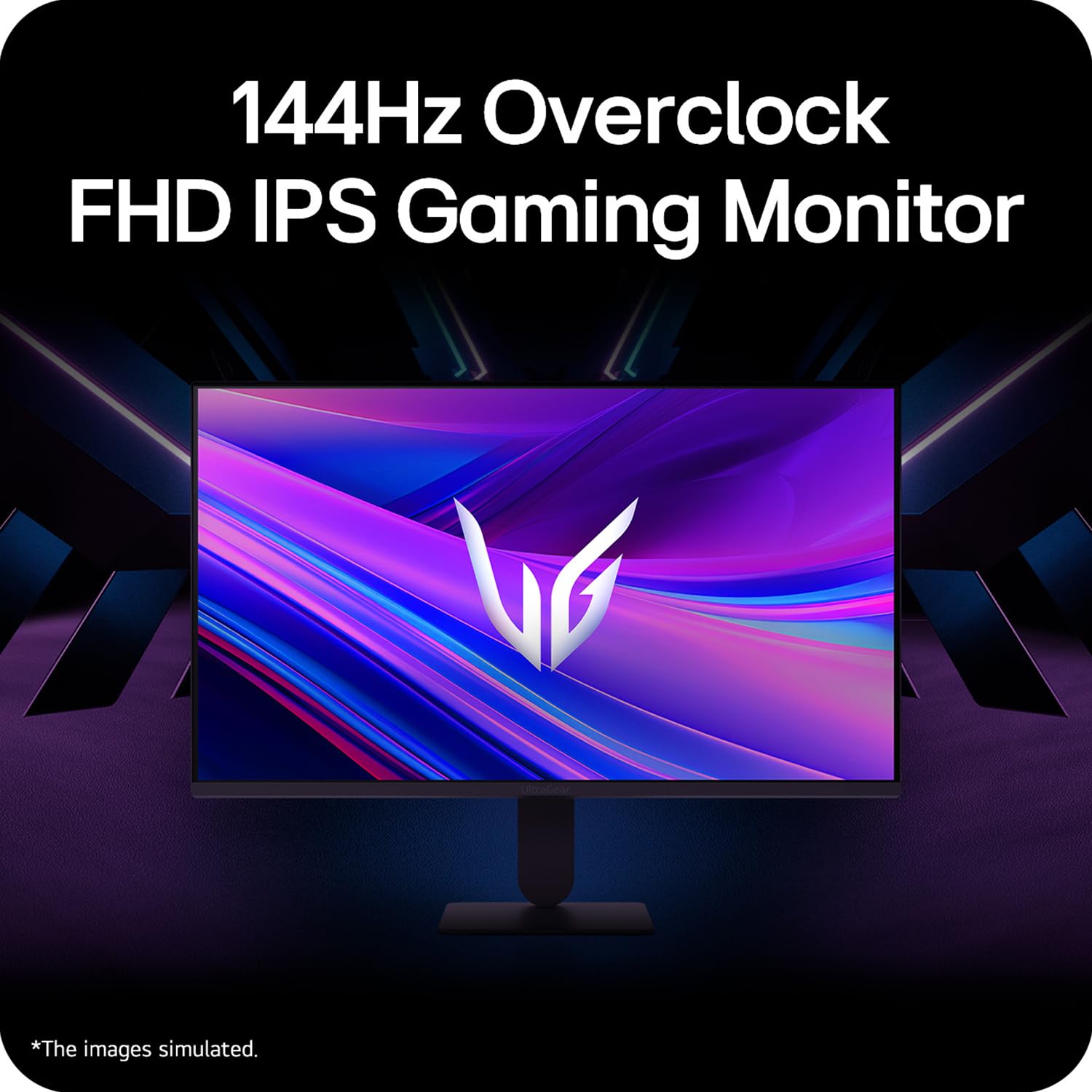
Figure 5: Visual representation of 144Hz overclock for fluid gaming motion.

Figure 6: Illustration of 1ms Motion Blur Reduction (MBR) for fast-paced gaming. Note: 1ms MBR causes lowered luminance and cannot be used with AMD FreeSync/DAS. Flicker may occur during 1ms MBR operation.

Figure 7: The monitor is certified compatible with NVIDIA G-Sync and AMD FreeSync technologies.

Figure 8: Precision Gaming Mode features: Dynamic Action Sync (DAS), Black Stabilizer, and Crosshair.
5.5 Funkcije za nego oči
Za zmanjšanje obremenitve oči med dolgotrajno uporabo monitor vključuje:
- Varno pred utripanjem: Reduces screen flicker to minimize eye fatigue.
- Način bralnika: Adjusts color temperature and brightness to simulate paper, making it easier on the eyes for reading tasks.
- Slabost barve: Provides color adjustments for users with color vision deficiencies.
5.6 Smart Convenience (LG Switch App)
The LG Switch app offers enhanced control and customization options for your monitor directly from your computer. Features include Dual mode, Smart screen split, Launch a video call, and Personalized Picture Wizard.

Figure 9: The LG Switch app provides smarter control and seamless switching between various display modes and settings.
6. Vzdrževanje
6.1 Čiščenje monitorja
Za ohranjanje videza in delovanja monitorja:
- Pred čiščenjem vedno izključite monitor iz električne vtičnice.
- Zaslon in zunanje površine nežno obrišite z mehko krpo, ki ne pušča vlaken.
- Za trdovratne madeže rahlo obrišiteampKrpo sperite z vodo ali blagim, neabrazivnim čistilom za zaslone. Tekočine ne pršite neposredno na zaslon.
- Avoid using benzene, alcohol, or other volatile solvents, as they may damage the monitor.
7. Odpravljanje težav
Če imate težave z monitorjem, si oglejte naslednje pogoste rešitve:
| Težava | Možen vzrok/rešitev |
|---|---|
| Brez moči | Ensure the power cable is securely connected to the monitor and a working power outlet. Check if the power outlet is functional. |
| Ni signala / Prazen zaslon | Verify that the video cable (HDMI or DisplayPort) is securely connected to both the monitor and your computer/device. Ensure the correct input source is selected in the OSD menu. Check if the computer is powered on and not in sleep mode. |
| Utripajoča ali popačena slika | Check the video cable for damage or loose connections. Try a different video cable or port. Adjust the refresh rate settings on your computer. Disable 1ms MBR if flicker is observed. |
| Backlight leakage on corners | Minor backlight leakage can be a characteristic of IPS panels, especially visible on a completely black screen in a dark environment. This is generally not considered a defect unless it significantly impacts normal viewing. |
| Monitor not recognized by PC | Update your graphics card drivers. Restart your computer. |
8. Specifikacije
Key technical specifications for the LG 27G411A UltraGear Gaming Monitor:
- Velikost zaslona: 27 palca (68.5 cm)
- Vrsta plošče: IPS
- Resolucija: FHD (1920 x 1080)
- Razmerje stranic: 16:9
- Hitrost osveževanja: 144 Hz (Overclock)
- Odzivni čas: 1ms MBR (5ms GTG)
- Svetlost: 250 cd/m² (običajno)
- Kontrastno razmerje: 1500:1
- Barvna lestvica: sRGB 99 %
- HDR podpora: HDR10
- Prilagodljiva sinhronizacija: NVIDIA G-Sync Compatible, AMD FreeSync
- Viewkot kota: 178° (V/V)
- Povezljivost: 1 x HDMI, 1 x DisplayPort, 1 x izhod za slušalke
- Dimensions (with stand, WxHxD): 61.2 x 45.2 x 22 cm (24.07 x 17.81 x 8.66 palca)
- Teža (s stojalom): 3.8 kg
- Poraba energije: 20W (običajno)
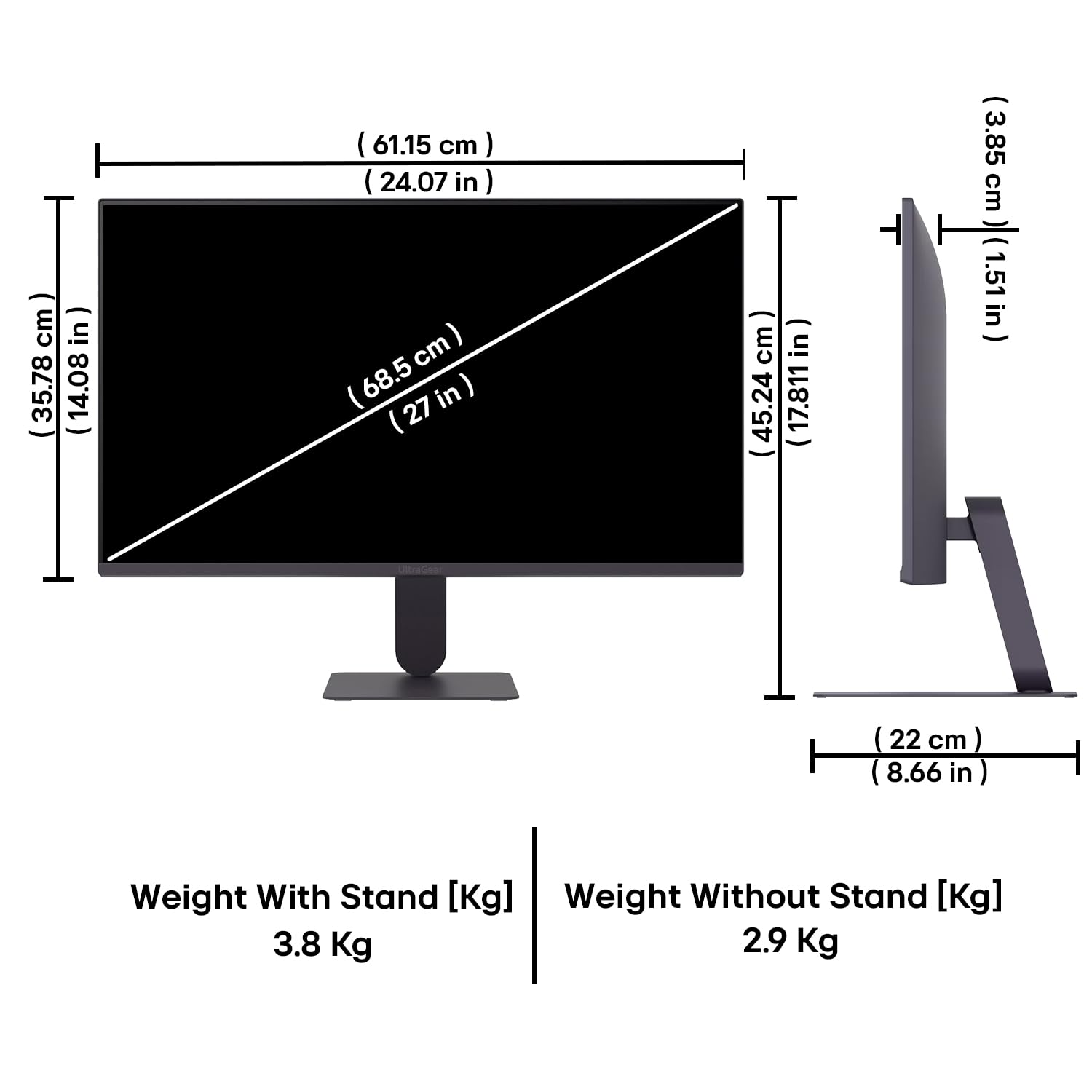
Figure 10: Physical dimensions and weight of the LG 27G411A monitor with and without the stand.
9. Informacije o garanciji
This LG 27G411A UltraGear Gaming Monitor comes with a 3 leti garancije proizvajalca covering parts and labor. Please retain your proof of purchase for warranty claims. For detailed terms and conditions, refer to the warranty card included in your product packaging or visit the official LG webmesto.
10. Podpora strankam
Za dodatno pomoč, tehnično podporo ali poizvedbe o storitvah se obrnite na službo za stranke LG. Kontaktne podatke najdete na uradni spletni strani LG. webspletnem mestu ali v dokumentaciji, ki je priložena monitorju.
LG Electronics India Pvt. doo
PLOT NO. A-5, MIDC RANJANGAON.
TALUKA SHIRUR, PUNE, MAHRASHTRA (INDIA), 412220


