
1. Uvod
Thank you for choosing the AULA F3018 Mechanical Keyboard. This keyboard is designed for high-level mechanical performance and robust construction, offering precision for gaming and comfort for typing. It features Blue switches for a tactile and audible click, an ABNT2 layout with 'Ç' for Brazilian Portuguese compatibility, and full RGB lighting with multiple customizable effects. The reinforced braided cable enhances durability and ensures a stable connection. This manual provides essential information for setup, operation, and maintenance of your keyboard.
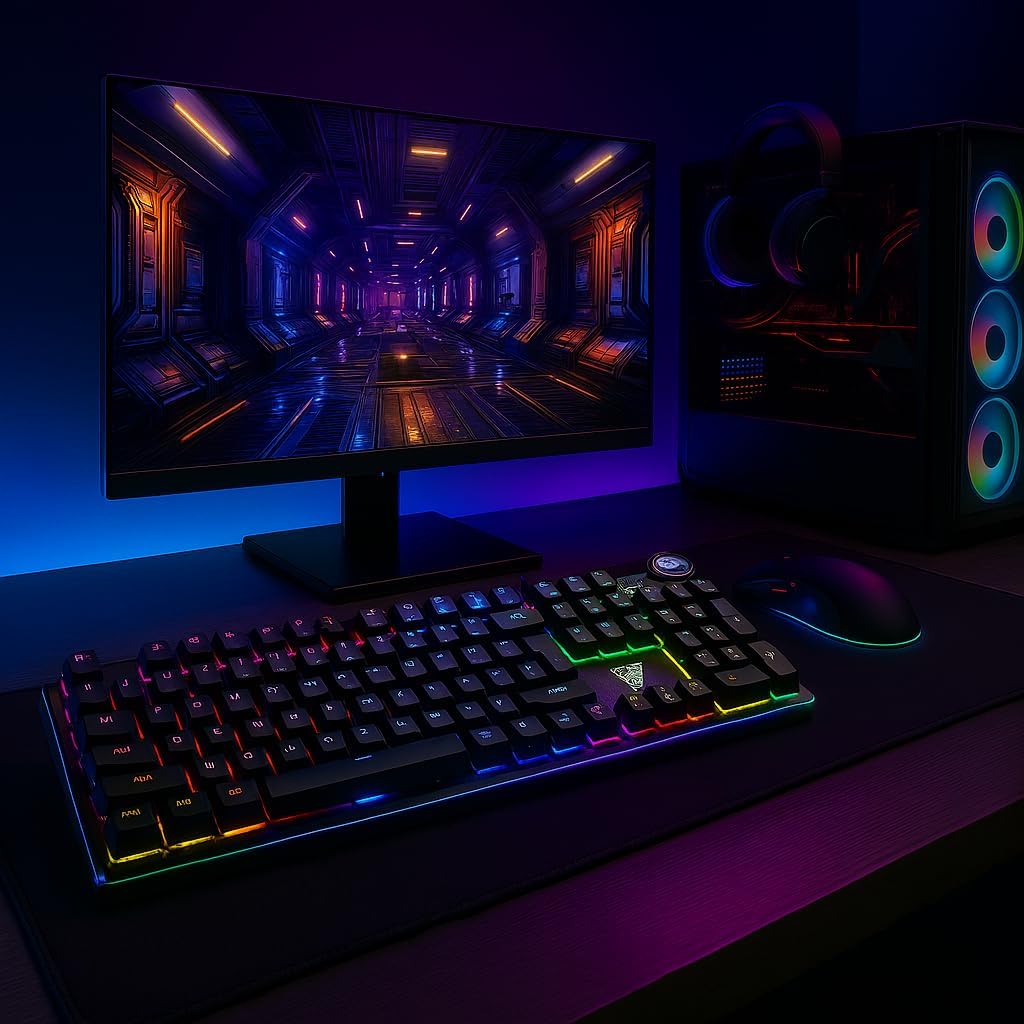
Image 1.1: AULA F3018 Mechanical Keyboard in a typical desktop setup, showcasing its RGB lighting and full-size design.
2. Vsebina paketa
Prepričajte se, da so v paketu prisotni vsi elementi:
- Mehanska tipkovnica AULA F3018
- USB-kabel (priložen)
- Uporabniški priročnik (ta dokument)
3. Nastavitev
Follow these steps to connect your AULA F3018 Mechanical Keyboard:
- Razpakirajte tipkovnico: Previdno vzemite tipkovnico iz embalaže.
- Povežite se z računalnikom: Insert the USB connector of the keyboard's reinforced cable into an available USB port on your computer (PC, Notebook, or MacBook). The keyboard supports USB 2.0 and USB 3.0 ports.
- Namestitev gonilnika: The keyboard is plug-and-play. Your operating system will automatically detect and install the necessary drivers. No additional software installation is required for basic functionality.
- Preverite povezavo: Once connected, the keyboard's RGB lighting should illuminate, indicating a successful connection. You can now begin using your keyboard.

Slika 3.1: Pod kotom view of the AULA F3018 keyboard, highlighting the durable, reinforced USB cable for connection.
4. Navodila za uporabo
4.1. Osnovne funkcije
The AULA F3018 is a full-size ABNT2 layout keyboard with 108 keys, providing all standard typing and navigation functions.
4.2. Nadzor osvetlitve RGB
The keyboard features full RGB backlighting with multiple effects. Use the following key combinations to control the lighting:
- Fn + [tipka]: Specific keys may have secondary functions for lighting control. Refer to the keycaps for symbols indicating lighting adjustments.
- Načini osvetlitve: Cycle through various lighting effects and patterns.
- Prilagoditev svetlosti: Increase or decrease the brightness of the backlighting.
- Prilagoditev hitrosti: Spremenite hitrost dinamičnih svetlobnih učinkov.

Image 4.1: The AULA F3018 keyboard illuminated with vibrant RGB lighting, demonstrating customizable visual effects.
4.3. Upravljanje večpredstavnosti
The keyboard includes dedicated multimedia keys and a volume control knob for convenient media management:
- Gumb za glasnost: Rotate the knob clockwise to increase volume, counter-clockwise to decrease volume. Press the knob to mute/unmute audio.
- Namenske multimedijske tipke: Located above the numeric keypad, these keys provide quick access to functions like Play/Pause, Stop, Previous Track, and Next Track.

Slika 4.2: Podrobno view of the volume control knob and adjacent multimedia keys on the AULA F3018 keyboard.
5. Vzdrževanje
Pravilno vzdrževanje zagotavlja dolgo življenjsko dobo in optimalno delovanje vaše tipkovnice:
- Čiščenje: Za brisanje površine tipkovnice uporabite mehko, suho krpo. Za prah in umazanijo med tipkami uporabite stisnjen zrak. Izogibajte se uporabi agresivnih kemikalij ali abrazivnih materialov.
- Preprečevanje razlitja: While the keyboard is moisture-resistant, avoid direct liquid spills. In case of a spill, immediately disconnect the keyboard and allow it to dry completely before reconnecting.
- Skrb za kabel: Do not bend or twist the reinforced cable excessively. Store it neatly to prevent damage.
- Shranjevanje: Ko tipkovnice dalj časa ne uporabljate, jo shranite v čistem in suhem okolju, stran od neposredne sončne svetlobe in ekstremnih temperatur.
6. Odpravljanje težav
If you encounter issues with your AULA F3018 keyboard, refer to the following common problems and solutions:
- Tipkovnica se ne odziva:
- Prepričajte se, da je kabel USB varno priključen tako na tipkovnico kot na računalnik.
- Poskusite tipkovnico priključiti na drug USB vhod na računalniku.
- Znova zaženite računalnik.
- Preizkusite tipkovnico na drugem računalniku, da izključite težavo, specifično za računalnik.
- RGB osvetlitev ne deluje:
- Check if the lighting is turned off or set to minimum brightness using the keyboard's lighting control functions (e.g., Fn + [Key]).
- Prepričajte se, da je tipkovnica pravilno priključena in da prejema napajanje.
- Tipke se ne registrirajo ali tipkajo dvakrat:
- Clean the affected key(s) with compressed air to remove any debris.
- If the issue persists, it might indicate a hardware fault. Contact customer support.
- Multimedijske tipke ne delujejo:
- Ensure your operating system's media player is active and in focus.
- Check for any conflicting software or drivers.
7. Specifikacije
| Funkcija | Opis |
|---|---|
| Ime modela | Mehanska tipkovnica AULA F3018 |
| Številka modela | F3018 |
| Znamka | AULA (Generic) |
| Tip stikala | Tactile Blue Switch |
| Razporeditev tipkovnice | ABNT2 (Portuguese) |
| Število ključev | 108 |
| Povezljivost | Wired (USB, USB 2.0, USB 3.0) |
| Osvetlitev ozadja | Full RGB, Adjustable |
| Združljive naprave | MacBook, Notebook, PC |
| Material | Akrilonitril butadien stiren (ABS) |
| barva | Črna |
| Dimenzije (D x Š x V) | 44 cm x 14 cm x 3 cm |
| Stopnja vodoodpornosti | Odporen na vlago |
| Priporočene uporabe | Gaming, Personal, Programming |
| Vključene komponente | USB kabel |
| Država izvora | Kitajska |

Image 7.1: Dimensions of the AULA F3018 Mechanical Keyboard, showing its length, width, and height.

Image 7.2: Key features of the AULA F3018 keyboard, including switch type, layout, and connectivity.
8. Garancija in podpora
The AULA F3018 Mechanical Keyboard comes with a 30-day seller warranty od datuma nakupa. Ta garancija krije proizvodne napake pri normalni uporabi.
For technical support, warranty claims, or any questions regarding your product, please contact your retailer or the seller directly. Please retain your proof of purchase for warranty validation.